
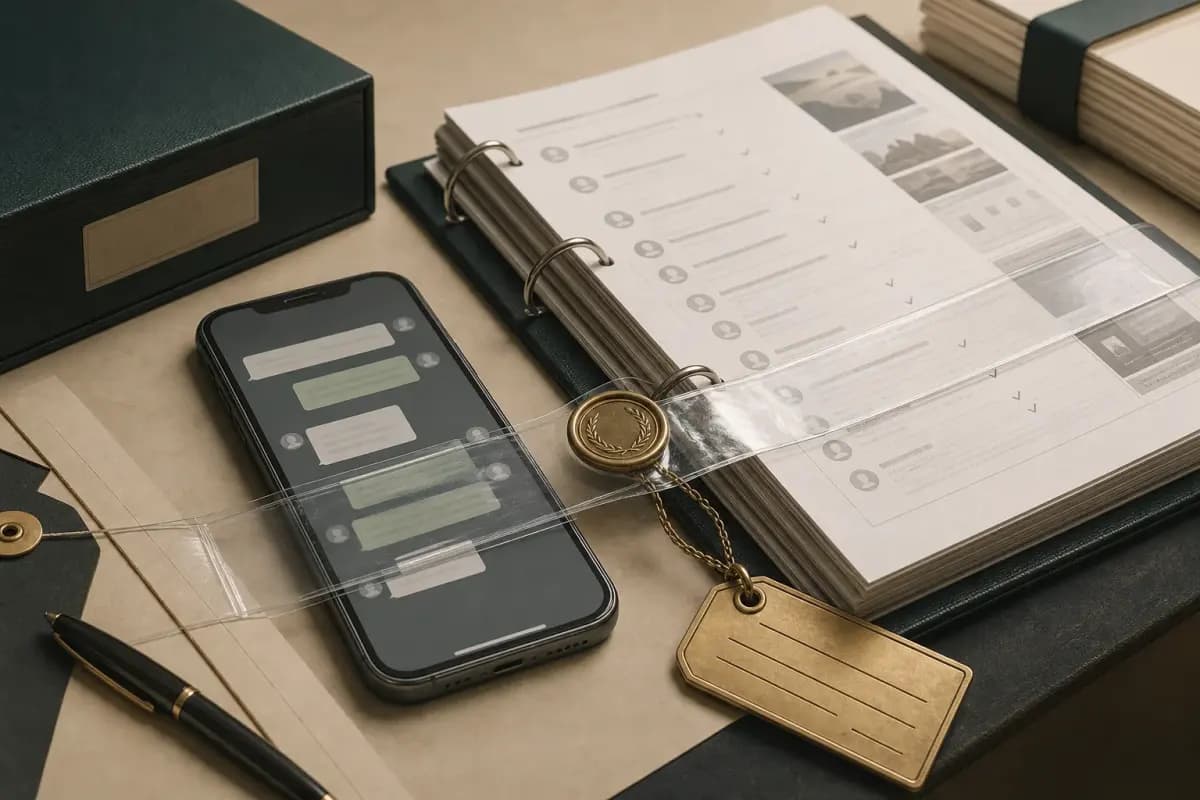
A WhatsApp evidence court PDF should keep the conversation chronological and readable while the original export remains preserved separately. Formatting helps a lawyer review and cite messages; it does not authenticate authorship, prove completeness or decide admissibility.
- Integrity signal
- Complete WhatsApp export
- What it supports
- Chronology, sender labels and the conversation state at export
- What it cannot prove
- That messages were never edited or deleted before export
- Integrity signal
- SHA-256 recorded immediately
- What it supports
- Whether that exact ZIP changed after you calculated the hash
- What it cannot prove
- Who authored the messages or whether the phone was controlled by that person
- Integrity signal
- Preserved source device + notes
- What it supports
- A documented chain from device to export to working PDF
- What it cannot prove
- Automatic admissibility in every court or jurisdiction
- Integrity signal
- Readable PDF
- What it supports
- Efficient review, pagination and citation by your lawyer
- What it cannot prove
- Authentication of the underlying conversation by itself
| Integrity signal | What it supports | What it cannot prove |
|---|---|---|
| Complete WhatsApp export | Chronology, sender labels and the conversation state at export | That messages were never edited or deleted before export |
| SHA-256 recorded immediately | Whether that exact ZIP changed after you calculated the hash | Who authored the messages or whether the phone was controlled by that person |
| Preserved source device + notes | A documented chain from device to export to working PDF | Automatic admissibility in every court or jurisdiction |
| Readable PDF | Efficient review, pagination and citation by your lawyer | Authentication of the underlying conversation by itself |
8-minute walkthrough — export the chat, hash the file, and document the chain so the record can be verified.
Whether your WhatsApp evidence is admitted depends on the court, the jurisdiction, and the argument your lawyer constructs. ChatToPDF produces a clean, formatted PDF — that's it. Everything after the download is on you and your counsel. Nothing in this guide substitutes for legal advice on your specific matter. Please talk to a lawyer before relying on any WhatsApp conversation as evidence in any proceeding.
Why courts accept WhatsApp chats as evidence — and what makes them refuse
I built ChatToPDF because I needed a WhatsApp conversation as a legal document. Not a stack of screenshots. Not a forwarded message thread. A proper, readable, attributed record that a solicitor could open on their desktop and work with directly. That original need shaped the Formal PDF style and the emphasis on chronology, sender labels and a preview you can check against the source before paying.
Courts in most jurisdictions are willing to consider WhatsApp conversations as evidence when the communication is relevant and its authenticity can be reasonably established. The legal principle is straightforward: a relevant communication is admissible if you can show it is what you claim it is. WhatsApp messages satisfy that bar more often than people expect, because the export format preserves verifiable metadata that a screenshot simply does not have.
The cases where WhatsApp evidence has been accepted are wide-ranging. Contract disputes hinge on informal messages that amount to acceptance — a "yes, deal" in a WhatsApp thread can be a binding agreement in many jurisdictions. Employment disputes turn on harassment threads where the pattern of communication, not just individual messages, makes the case. Family law matters involve custody-related conversations where the tone and frequency of contact are directly relevant. Commercial disputes rely on deal terms agreed informally before formal contracts were drafted.
Courts refuse WhatsApp evidence for five main reasons:
Authenticity not established. If the other side can credibly argue the messages were fabricated or edited, and you have no integrity proof, the evidence weakens or fails. A manipulated screenshot is easy to produce; a verified export with a hash is much harder to dispute.
Chain of custody broken. If the chat was extracted using an unverified method, has no metadata, and cannot be tied back to a specific phone or account, the chain of custody argument collapses.
Hearsay problems. In jurisdictions with strict hearsay rules, a WhatsApp message may be excluded as an out-of-court statement offered for its truth, unless it falls within an exception such as a party admission or a business record.
Privacy and consent violations. A chat obtained by accessing someone's phone without permission, or by intercepting a private conversation you were not a party to, raises serious admissibility problems — and potentially criminal liability. I am not going to help you do that. If you were a participant in the conversation, you're on much firmer ground.
Group-chat third-party complications. Messages from participants who are not part of the dispute can introduce consent and data protection considerations that some courts find problematic. The solution is usually targeted redaction, not wholesale exclusion — but this is a question for your lawyer.
The bottom line: a complete export plus a readable working PDF gives your lawyer a better foundation than isolated screenshots. Authentication is a separate legal and evidentiary task. If you are new to the export process itself, start with the WhatsApp to PDF overview before returning here for the evidence-specific requirements.
The format checklist — what a usable evidence PDF must show

Not every PDF is equally useful in a legal context. A conversation pasted into a Word document and saved as PDF is not the same as a structured export from WhatsApp's own mechanism. The checklist below separates useful document formatting from the independent authentication work you and your lawyer may need.
Cover page or evidence note. Record the chat title, date range, total message count, original ZIP filename and the date of export. If you calculate a SHA-256 yourself, record it in a separate evidence log beside the untouched ZIP. ChatToPDF does not currently print that hash on the PDF.
Page numbers with total count. Every page should carry a "Page X of Y" footer. This prevents anyone from claiming pages were removed or reordered after the fact.
Sender attribution on every message. Each message should show the sender label present in the export. Unsaved contacts commonly appear as phone numbers; saved contacts may appear only under the local address-book name used on the exporting phone. Do not imply that a phone number exists in the source when WhatsApp exported only a saved name.
Reviewed timestamps. WhatsApp exports use locale-specific dates such as [15/03/2024, 14:32:18]. Confirm the detected locale in the preview, especially when dates like 01/03/2024 could mean 1 March or January 3. Preserve the original export so a reviewer can compare the rendered date with the source line.
Stable pagination. A fixed PDF lets a reviewer cite page numbers consistently. If your lawyer needs Bates numbers or message-level exhibit references, add those in the legal document-production workflow rather than assuming the converter provides them.
Page context. Page numbers and a consistent document title help prevent pages being confused or reordered. Keep hash values and chain-of-custody notes in the evidence log unless your lawyer adds them to the filed exhibit.
No editorial commentary. The PDF should be a faithful rendering of the export, nothing more. Annotations, highlighted sections, or added commentary on the chat content itself should be handled separately by your lawyer, not baked into the evidence document.
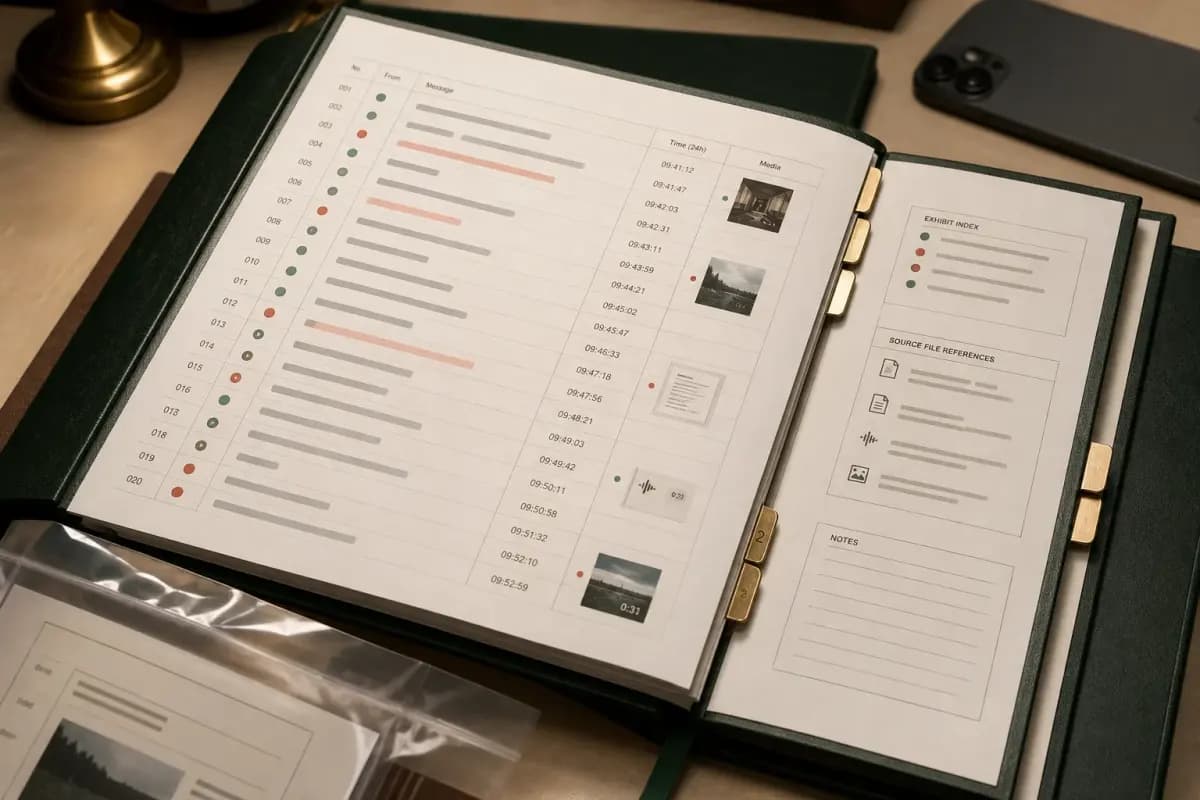
The Formal PDF style in ChatToPDF was designed specifically for this use case. It uses a letterhead-style cover page, small-caps sender attribution, right-margin timestamps, and indented message bodies — the format that reads most like a deposition transcript and least like an app screenshot.
What hashing proves — and what it does not

The most common objection to WhatsApp evidence is that messages were fabricated or altered. It is a reasonable objection — any text file can be edited. A hash is one integrity signal: a cryptographic fingerprint that changes if the file changes after the fingerprint was calculated. It is not, by itself, proof of authorship or authenticity.
Here's how it works in practice. WhatsApp's Export Chat feature packages your messages into a _chat.txt file and, if you chose Including Media, wraps it in a ZIP alongside photos, voice notes and documents. Calculate the SHA-256 locally as soon as you save that ZIP, then record the value with the filename, file size, date, device and person who performed the export. Change one byte later and the new hash will differ.
The verification step works in reverse. A reviewer hashes the preserved ZIP again and compares the value with your contemporaneous evidence log. A match supports that this exact ZIP has not changed since the first hash was recorded. A mismatch means the file is different. The PDF remains a working rendering; compare important passages against the original _chat.txt and media.
This is not an exotic or complex process. SHA-256 is a standard cryptographic algorithm supported by every operating system and built into tools like OpenSSL and macOS's built-in shasum utility. It is the same algorithm used to verify software downloads and file integrity across the internet.
One important caveat: the hash only supports integrity from the moment you first recorded it. It does not prove the chat was not edited before export. WhatsApp's own "Edit message" and "Delete for everyone" features can alter what exists on the device before you create the ZIP. I cover what those features do to the export below; your lawyer should decide what other authentication evidence is required.
Metadata you must preserve — timestamps, sender phone numbers, chat title
The metadata in a WhatsApp export is what separates it from a screenshot in terms of evidentiary value. Here is a precise breakdown of what ChatToPDF extracts and preserves, and why each field matters.
Timestamps. WhatsApp's _chat.txt stores each message with a timestamp that reflects the local time on the exporting device, in the format [DD/MM/YYYY, HH:MM:SS]. ChatToPDF converts these to ISO 8601 with timezone offset where inferable. If you are dealing with a cross-border dispute or a conversation where participants are in different time zones, raise this with your lawyer — the timezone attached to each timestamp matters for establishing the sequence of events.
Sender phone numbers. For contacts not saved in your address book, WhatsApp uses the phone number directly in the _chat.txt. For saved contacts, it uses the display name you assigned. ChatToPDF renders both — display name plus the underlying phone number where present. Phone numbers are registered to specific accounts at specific times through WhatsApp's own verification process, which makes them more reliable identifiers than display names.
Chat title. For group chats, the group name as it existed at export time is preserved. For individual chats, the contact name or number is the title. This appears on the cover page and in the PDF header of every page.
Message sequence. The order of messages in the export is the order they appear in the _chat.txt — which is chronological. ChatToPDF preserves this order and assigns sequential anchors so the complete record is navigable.
Media references. Even in a text-only export (Without Media), the _chat.txt contains references to attached files: <attached: 00000012-AUDIO-2024-03-15-09-22-31.opus>. ChatToPDF renders these as clearly labelled placeholders in the PDF. If you later need the actual media, you can re-export with Including Media — but the text record already shows that a file was sent at that time.
One thing I want to be direct about: preserving this metadata is a technical task, but deciding which metadata is legally relevant in your specific case is your lawyer's job. The phone number of the sender matters enormously in a fraud case; it may be less significant in a contract dispute where the identity of both parties is already established. Do not assume that preserving everything is the same as knowing which parts matter.
Screenshots vs exports — why screenshots get rejected

I get asked this question constantly: "Can't I just take screenshots?" The honest answer is: sometimes screenshots are the only option, and courts do occasionally admit them as supplementary evidence. But as a primary evidence format, screenshots have problems that an authenticated export does not.
Here's the core issue. A screenshot is a photograph of your phone's screen at a specific moment. It contains whatever was visible on that screen, no more. There is no machine-readable content. There is no metadata beyond the screenshot's own file timestamp (which reflects when you took the photo, not when the messages were sent). And critically, a screenshot is trivially editable in any image editor — change the text, adjust the timestamp, alter the sender name — and a visual inspection cannot detect the manipulation.
Video: why screenshots get challenged, the full-chat export, and the timestamped page-numbered PDF. Not legal advice — file preparation only.
Courts are aware of this. In multiple jurisdictions, judges and magistrates have explicitly noted that screenshots alone are insufficient to authenticate digital communications, particularly where the other side contests the messages. The UK Ministry of Justice guidance on digital evidence and the US Federal Rules of Evidence (Rule 901, authentication requirements) both point toward requiring more than a visual image for digital communications.
A WhatsApp export is different in every one of these dimensions. It is machine-readable text with embedded metadata. It was produced by WhatsApp's own export mechanism, not by a third-party tool or a screen capture. It contains timestamps recorded at the moment of transmission, not the moment of capture. And it can be hashed at export time to detect any subsequent modification.
If screenshots are all you have — because the conversation was deleted before you thought to export it, or because you were viewing someone else's device at the time — then screenshots with corroborating evidence (other communications, witness statements, phone records) are better than nothing. But wherever you can get a clean export, get the export.
For a detailed walk-through of the export process on both iPhone and Android, the WhatsApp chat export guide covers every step including the common points where exports go wrong.
The hash-chain workflow — from export to filed PDF

This is a practical preservation workflow, not a universal legal protocol. ChatToPDF handles the formatting step; you remain responsible for exporting, hashing, preserving and documenting the source with your lawyer's guidance.
The workflow tracks the same principles the formal digital-evidence standards describe: ISO/IEC 27037, the international guideline for identifying, collecting and preserving digital evidence, is built around exactly this idea of documented acquisition plus integrity verification, and in US proceedings the authentication requirement lives in Federal Rule of Evidence 901. You don't need to read either standard to follow the steps — but if opposing counsel challenges your preparation, it helps that your process maps onto them. The one-sentence version of the whole workflow: export the complete chat unmodified, hash the export the moment you have it, convert without editing, and document every hand-off in between.
Step 1: Export the chat from WhatsApp with Including Media.
Open WhatsApp, navigate to the chat, tap the contact or group name at the top (iPhone) or the three-dot menu (Android), and choose Export Chat. Select Including Media even if you think the images are not relevant — having the complete ZIP with media preserves more options and supports a stronger integrity argument. Save the ZIP to a location you can access from a browser.
Step 2: Note the file details immediately.
Before uploading anything, note the filename and file size, then compute the SHA-256 using shasum -a 256 yourfile.zip on macOS or certutil -hashfile yourfile.zip SHA256 on Windows. Save the result in a dated text note. ChatToPDF does not currently calculate or display this value for you.
Step 3: Upload to ChatToPDF and select the appropriate tier.
The $14 Standard per chat conversion covers text and inline images, which handles the majority of evidence-prep use cases. If the chat includes voice notes that are relevant — instructions given verbally, verbal agreements, threatening messages — the $49 Premium+Voice per chat conversion adds language-aware Nova-3/Scribe v2 transcription, and the transcripts appear inline in the PDF at the correct chronological positions.
The WhatsApp audio-to-text converter gives the shorter package comparison and workflow. Use it to check the pricing and limits; use this evidence guide for preservation, verification and lawyer hand-off.
Step 4: Review the PDF against the original export.
When the PDF is ready, compare several messages, dates, sender labels and attachments against the original export. If your evidence process needs a hash for the PDF too, calculate it locally and add that separate value to the evidence log. Do not substitute the PDF hash for the source-ZIP hash; they identify different files.
Step 5: Store the original ZIP and the PDF together, unchanged.
This is the part people skip. The original ZIP is the anchor of your chain of custody. If you delete it, you lose the ability to verify the hash later. Store both files in a secure location — an encrypted cloud folder, an external drive, or wherever your lawyer instructs you to keep evidence materials. Do not re-export, do not rename the ZIP, and do not open it in any application that might modify it.
Step 6: Give the PDF (and the ZIP on request) to your lawyer.
The PDF is the working document. The ZIP is the proof. Your lawyer may not need the ZIP immediately, but they should know where it is. Some proceedings may require you to produce the original export as part of discovery; having it intact and unmodified is the only way to satisfy that requirement.
Group-chat evidence — the consent and admissibility issues
Group chats add complexity that individual chat evidence does not have. I want to be specific about what that complexity looks like, because it affects both how you prepare the evidence and how your lawyer will need to argue for its admission.
When you export a group chat, the export contains every message sent by every participant during the exported period. That includes participants who are not parties to your legal matter. Their messages appear in the _chat.txt alongside the messages you actually need. This creates several potential issues.
Third-party content. The messages of uninvolved participants are personal data under most data protection laws. Presenting those messages in a legal proceeding may require that you have a lawful basis for processing that data. In most jurisdictions, legal proceedings provide that basis — but the specifics depend on the jurisdiction and the nature of the proceeding. Your lawyer needs to be aware of which participants' data appears in the export.
Redaction of non-evidentiary content. In some matters, courts will accept a redacted version of the group export — one where uninvolved participants' messages are blacked out, leaving only the participants and content relevant to the claim. This is often cleaner and more persuasive than submitting an unredacted 300-person group chat where 280 people are irrelevant. ChatToPDF generates the structured PDF; targeted redaction is a step your lawyer's office typically handles using standard PDF tools.
Consent and privacy expectations in group chats. Many jurisdictions treat group chats differently from private one-to-one messages. The general principle is that when you participate in a group conversation, you have reduced privacy expectations relative to a private direct message — all participants know the conversation is shared across the group. But this is not a universal rule, and it varies by jurisdiction and context.
System messages. WhatsApp exports include system-generated messages — things like "[Contact] joined using an invite link" or "[Contact] changed the group description." These appear in the _chat.txt and in the PDF. They can be useful for establishing when someone joined the group, or when group settings were changed, which is sometimes directly relevant to the dispute.
The bottom line with group chats: the export is technically straightforward. The legal considerations around third-party participants are not simple. Do not assume a group-chat export is ready to file just because you've turned it into a clean PDF. Talk to your lawyer about which participants' content you need and what, if anything, needs to be redacted before the document enters a legal proceeding.
Edited and deleted messages — what shows up, what does not
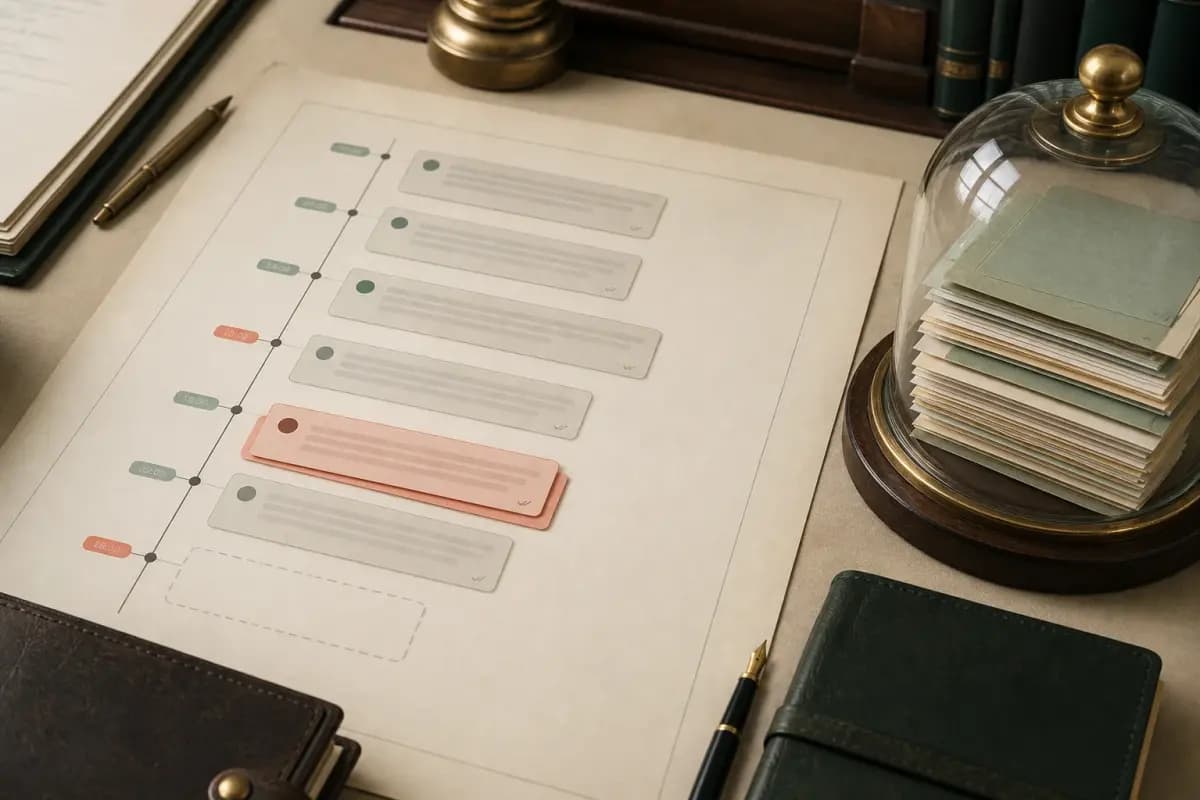
This is the part that most guides skip, and it is the part most likely to create problems if you do not understand it before you submit your evidence.
Deleted messages — messages where the sender tapped "Delete for everyone" — appear in the export as a placeholder: This message was deleted. That is all. The original message content is gone. The export reflects what is currently visible in the chat, not what was ever sent. If a critical message was deleted before you exported, it is not in your export. Period.
Edited messages — WhatsApp introduced a message-editing feature in 2023 — appear in the export only as their final edited form. The original version of an edited message is not preserved in the export. There is no [edited] marker in the _chat.txt; the message appears exactly as it currently reads. If someone edited "Yes, I agree to those terms" to "No, I never agreed to anything" before you exported, your export will show the edited version.
This is not a flaw in ChatToPDF. This is a fundamental characteristic of WhatsApp's export mechanism. The _chat.txt reflects the current state of the conversation on the exporting device, not a complete immutable history of every message ever sent.
Here's the part nobody tells you: this limitation cuts both ways. If the other side claims a message was edited or deleted to change its meaning, they need to provide their own evidence of what the original said — a screenshot, a witness statement, a separate export from their device, or carrier metadata. The burden of proving alteration is on them if you are presenting the export; the burden of proving integrity is on you.
For messages that were deleted or edited, your lawyer may be able to pursue the original content through other channels: the other party's device (via discovery), WhatsApp's data transparency mechanisms in your jurisdiction, or witness testimony about what the original message said. None of these are ChatToPDF's domain. All of them are your lawyer's domain.
One practical implication: export early. If you anticipate a legal dispute, export the relevant chat as soon as possible. Every day you wait is another day the other party can delete or edit messages that might matter. The export is a snapshot of the conversation at the moment you take it. Take it as close to the events as you reasonably can.
Cross-jurisdiction notes — evidence rules differ widely
I want to be careful here. I am not a lawyer. I am not qualified to give you jurisdiction-specific legal advice. What I can do is describe the general landscape, name the issues your lawyer will need to address, and be explicit that the specifics depend entirely on where your matter is being heard.
Authenticity standards vary. Most jurisdictions require some authentication of digital evidence — proof that the document is what it claims to be. The hash-chain workflow I described above addresses this in general terms, but the specific authentication standard (what you need to show, who can testify to it, what documentation is required) depends on your jurisdiction's evidence rules.
Hearsay rules differ significantly. In some common-law jurisdictions, WhatsApp messages may be admitted as party admissions (statements made by a party to the proceedings) or as business records (where applicable). In other jurisdictions, or where the message is being offered for a different purpose, hearsay exclusions may apply. This is one of the most important questions your lawyer needs to answer before you rely on WhatsApp evidence as a primary exhibit.
Data protection laws and legal proceedings. Most data protection laws in most jurisdictions include provisions that permit processing personal data for the purposes of legal proceedings, including where that processing would otherwise require consent. But the specific conditions — what "legal proceedings" includes, whether it covers pre-litigation evidence preservation, what documentation you need — vary by jurisdiction. Always check with a local lawyer.
Civil vs. criminal proceedings. The rules governing evidence in criminal proceedings are typically more stringent than in civil matters. Chain of custody requirements, authentication standards, and hearsay rules are generally applied more strictly in criminal courts. If your matter is criminal in nature, get legal advice before you do anything with the evidence — including exporting the chat.
Cross-border disputes. If the conversation involved parties in different countries — and WhatsApp is global — you may face questions about which jurisdiction's evidence rules apply, which country's data protection laws govern the export, and whether evidence collected in one jurisdiction is admissible in another. These are not questions any tool can answer for you. (One cross-border use deserves its own guide: presenting WhatsApp chats as relationship evidence for visa applications, where the formatting requirements are different from court exhibits.)
The best summary I can give: the hash-chain workflow and the clean PDF format give you a strong technical foundation that is respected in most jurisdictions' evidence frameworks. But technical foundation is not the same as legal admissibility. Talk to a local lawyer before you file anything.
Court-evidence tools compared
A handful of tools now position specifically on the court-evidence use case, and since I get asked how ChatToPDF compares, here is an honest snapshot. Competitor details are taken from their own sites as of June 2026 — check current pricing and features before relying on any of it.
| | ChatToPDF | WaChat to PDF | ChatToCourt | Desktop tools (Decipher, iMazing) | |---|---|---|---|---| | Pricing model | $14–$99 one-time per chat | $6.99 per export or $19.99/mo | $3.99 per document | ~$30–60 licence + a computer | | Runs in browser, no install | Yes | Yes | Yes (processes locally in your browser) | No — desktop app, cable, backup | | SHA-256 integrity hash | Not built in — calculate and record locally | Yes | Not advertised | Varies | | Voice notes | Transcribed inline at $49 Premium+Voice — what was said becomes readable text in the record | Not transcribed | Not transcribed | Not transcribed | | Free preview before paying | Yes | Varies | Preview/edit before export | Trial versions | | Bates numbering / PII redaction | No — redaction is paralegal work under your lawyer's direction (see below) | Yes (Pro features) | Editing before export | Varies |
Where the others are genuinely strong: WaChat to PDF's Bates numbering matters if your lawyer files in a US litigation context that uses Bates-stamped productions — ask them whether they need it or whether they Bates-stamp exhibits themselves. ChatToCourt's in-browser processing means the chat never leaves your machine, which is a real consideration for highly sensitive material. ChatToPDF processes files server-side, so local-only processing is the better choice whenever your legal or organisational policy prohibits a cloud upload.
Where ChatToPDF is the only option: voice notes. If the conversation that matters includes voice messages — and in harassment, family, and business disputes it usually does — none of the others put the spoken words into the record as readable, searchable text. A judge or opposing counsel cannot Ctrl-F an audio file. The voice-to-text guide covers how inline transcription works.
For the case-type-specific workflows, I have separate guides for divorce and custody matters, printing message exhibits for court, and documenting workplace harassment — each covers the preservation steps and the mistakes specific to that situation.
Engaging a lawyer — when to stop self-prepping
Not every use of a WhatsApp PDF requires a lawyer. But some do, and the mistake most people make is waiting too long to get one involved. Here is how I think about the decision.
Self-preparation is fine for:
Preserving a conversation you think might matter later. Exporting and PDF-ing a chat as a precaution, storing the original securely, and waiting to see if the matter develops further can be useful. The PDF is the readable working copy; the untouched ZIP and your contemporaneous notes remain the source record.
Informal mediation or dispute resolution. If you are trying to resolve a disagreement without going to court — a dispute with a contractor, a misunderstanding with a business partner, a neighbour conflict — a well-formatted PDF of the relevant conversation can clarify what was actually said and agreed. You are not submitting legal evidence; you are presenting a clear record.
Background preparation before a first legal consultation. If you have a meeting scheduled with a solicitor or attorney, arriving with a clean PDF of the relevant chat is more efficient than asking them to read screenshots on your phone. The $14 Standard per chat conversion is a cheap way to show up to that meeting prepared.
Get a paralegal involved for:
Organising large volumes of evidence material. If you have multiple chats, a complicated group conversation, and dozens of supporting documents, a paralegal can help structure the exhibit list and ensure the evidence is organised in a format the lawyer can work with efficiently. For teams or businesses processing multiple chat records, the WhatsApp Business PDF guide covers the bulk-export and per-chat filing patterns that HR and legal departments use most. For high-volume archive work — discovery preparation across hundreds of chats, for example — the $99 Power User per chat conversion supports priority queue and bulk batch upload, which a paralegal or document-management team typically drives.
Redaction work. If the group-chat export contains content from uninvolved third parties that your lawyer says should be redacted before filing, a paralegal can typically handle the redaction process under the lawyer's supervision.
Get a lawyer involved for:
Any matter where the WhatsApp conversation will be a primary exhibit. If the chat is the case — the contract, the harassment, the threat, the agreement — you need a lawyer to decide how to introduce it, what supporting evidence to gather, and how to address authentication objections from the other side.
Any matter with potential damages. If money or liberty is at stake, legal advice is not optional.
Any matter that is or may become a court proceeding. Once you are in front of a judge or magistrate, evidence rules apply strictly. Self-represented litigants who submit improperly authenticated evidence often lose cases they should win because the technical requirements were not met.
ChatToPDF is a formatting tool. It produces a readable starting point for review; it does not authenticate the messages. Getting a document admitted, used effectively and argued persuasively is legal work — and there is no tool that replaces a lawyer who knows your case.
Key takeaways
- WhatsApp chats are accepted as evidence in many jurisdictions when authenticity can be established — exports with hash chains are significantly stronger than screenshots, but admissibility is the court's decision, not a tool's guarantee
- A readable evidence PDF should preserve the chronology and sender labels that actually exist in the export; it must not invent phone numbers, timestamps or authenticity signals missing from the source
- Hash the original ZIP locally as soon as practical, record the value in a dated evidence log and preserve the untouched ZIP; ChatToPDF does not currently automate that step
- Deleted and edited messages are not in the export — the
_chat.txtreflects the current state of the conversation, so export early before any alteration can occur - Group-chat exports contain every participant's content, including uninvolved third parties; redaction and data protection considerations require your lawyer's input before filing
- Every jurisdiction has its own evidence rules, hearsay standards, and data protection considerations — always talk to a local lawyer before relying on WhatsApp evidence in any formal proceeding
- ChatToPDF costs $14 Standard per chat conversion for text-and-images and $49 Premium+Voice per chat conversion for chat plus voice-note transcription — either is the formatting step; your lawyer handles the legal step
FAQ
Is a ChatToPDF-generated PDF legally admissible in court?
That is not a question I can answer — and you should be sceptical of any tool that claims it can. Admissibility depends on the court, the jurisdiction, the nature of the proceedings, and the argument your lawyer makes. ChatToPDF produces a readable, sender-attributed PDF from the export you provide. It does not authenticate the underlying messages or guarantee admissibility.
Should I use screenshots or the export for legal evidence?
Use the export wherever you can. Screenshots are easily manipulated in any image editor and contain no machine-readable metadata. A WhatsApp export is produced by WhatsApp's own mechanism, contains timestamps recorded at transmission time, and can be hashed at export to detect subsequent modification. Courts in many jurisdictions have noted explicitly that screenshots alone are insufficient to authenticate digital communications. The $14 Standard per chat conversion turns your export ZIP into a properly formatted, hashable evidence PDF.
What happens to deleted messages in the export?
WhatsApp's "Delete for everyone" feature replaces the message content with the placeholder "This message was deleted" in the recipient's chat. When you export, that placeholder is what appears in the _chat.txt — and therefore in the PDF. The original message content is not recoverable through the export. If critical messages were deleted before you exported, you will need to pursue the original content through other means: the other party's device, witness testimony, or any other available channel. This is a question for your lawyer, not for ChatToPDF.
How does the SHA-256 hash prove the chat was not edited?
Compute SHA-256 locally immediately after saving the export, then record the value in a dated evidence note. Recomputing the hash later and getting the same value supports that this exact ZIP has not changed since the first calculation. It does not prove who authored the chat, who controlled the device or whether messages were edited before export. ChatToPDF does not currently add a hash to the PDF.
Can I submit a group-chat export as evidence?
You can prepare one, but get your lawyer's input before filing it. A group-chat export contains every participant's messages, including those of people who are not parties to your dispute. Most data protection laws have provisions for processing personal data in legal proceedings, but the specifics depend on your jurisdiction. Your lawyer may also advise redacting uninvolved participants' content before the document enters a formal proceeding. ChatToPDF generates the formatted PDF; targeted redaction is typically done by your lawyer or paralegal using standard PDF tools.
Which ChatToPDF tier should I use for evidence preparation?
For most evidence-prep cases — contract disputes, employment matters, harassment threads, business communications — the $14 Standard per chat conversion covers text and inline images. If relevant voice notes need to be readable, the $49 Premium+Voice per chat conversion adds transcription in conversation order. Neither tier authenticates the chat or adds a built-in SHA-256 stamp. Preserve the original ZIP separately and ask your lawyer what integrity documentation the matter requires.
Do I need to keep the original ZIP file after I have the PDF?
Yes, and this is important. The PDF is the readable working document; the original WhatsApp ZIP is the source you can compare it with. Some proceedings may require production of the original export. Store the ZIP, your dated hash note and the PDF together in a secure location, and avoid opening the ZIP in software that may rewrite it.
Can WhatsApp messages be used in small claims court?
In many jurisdictions, yes — small claims courts commonly accept message records as evidence of agreements, payments promised, work commissioned, or goods described, and the procedural bar is often lower than in higher courts. The practical requirements are the same ones this guide covers: a complete thread rather than excerpts, visible dates and sender identification on every page, and the original export kept untouched as the source record. Small claims clerks can usually tell you exactly how many copies the court wants and in what format — ask before you print. For the printing mechanics, see the court printout guide.
Can I use a WhatsApp PDF for an insurance claim?
Insurers regularly ask for supporting documentation, and message threads — what was reported when, what a contractor promised, what condition something was in before — often carry real weight in a claim file precisely because they were written at the time. A paginated PDF with timestamps and sender names is far easier for a claims handler to work with than forwarded screenshots, and the export preserves the chronology that a claim dispute usually turns on. Keep the original ZIP in case the insurer or an assessor asks how the document was produced. Check your policy or ask your claims handler what format they want before submitting.
Can WhatsApp messages be used in a landlord or tenant dispute?
Message threads between landlords and tenants — repair requests, rent discussions, notice of entry, deposit conversations — are commonly presented in housing tribunals and small claims proceedings. The same principles apply: preserve the whole thread early (before a dispute escalates and messages get deleted), keep it chronological and complete rather than cherry-picked, and make sure every page shows who said what and when. Some tenancy tribunals have their own bundle formats — check the tribunal's guidance or ask at filing. The evidence format checklist above covers what every page needs to show.
How do I present WhatsApp messages for a restraining order application?
Courts handling protective-order applications typically want printed exhibits: complete, chronological, with dates, times, and sender identification visible, organised so the judge can follow the pattern of contact. A complete export is stronger than a folder of screenshots here for a specific reason — these applications usually turn on a pattern of behaviour over time, and a continuous thread shows frequency and escalation in a way isolated screenshots cannot. Make the copies your court requires (many ask for three), and if voice messages are part of the pattern, the $49 Premium+Voice per chat conversion puts what was said into the record as readable text. Court self-help centres and domestic-violence advocates can walk you through the filing itself — and if you are in immediate danger, contact local emergency services first.
I'm Paul, the founder of ChatToPDF. I built it after needing a long WhatsApp conversation as a readable PDF for a legal matter. I test and document WhatsApp exports, PDF conversion, voice-note transcription, and the limits people should check before relying on the result.