
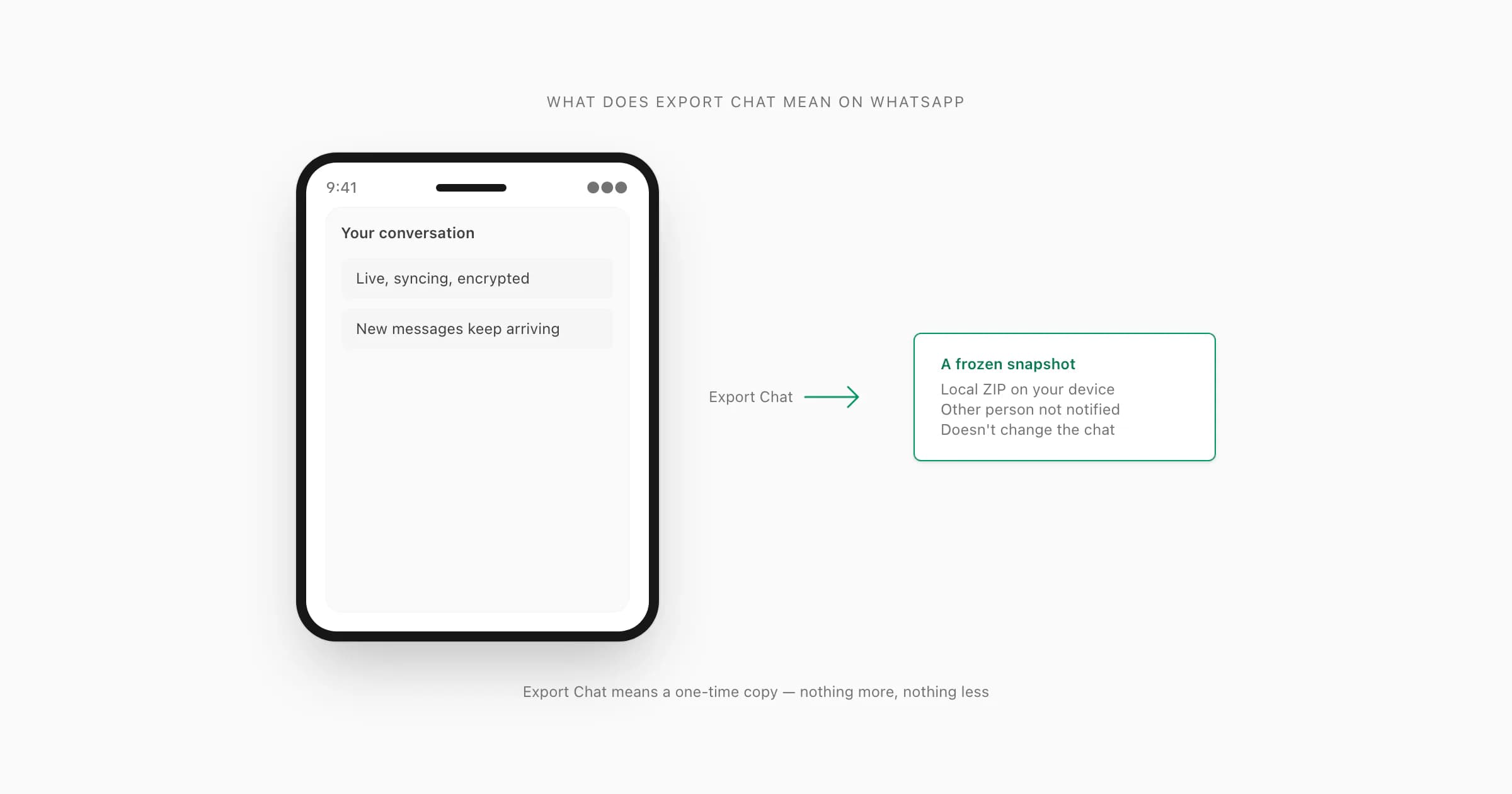
Export Chat on WhatsApp means creating a one-time, local copy of a single conversation as a ZIP file on your device. It is not a backup, a sync, or a notification to the other person — the chat stays untouched on both sides, and only you receive the file. The ZIP holds _chat.txt plus optional media, stays on your device, and only updates if you re-export. Upload it to ChatToPDF to turn the archive into a readable PDF.
The plain answer to "what does export chat mean"
People ask this question for two reasons. The first is that they have not tapped the menu yet and want to know what will happen. The second — more common in my support inbox — is that they tapped it, a ZIP appeared, and now they are nervous about what they just did.
Either way the answer is the same. Export Chat reads the conversation that is already on your phone, writes it into a plain-text file called _chat.txt, packages that file (with optional media) into a ZIP, and hands the ZIP to your share sheet so you can save it somewhere. That is all the menu does. It does not message the other person, does not change the chat, and does not push anything to WhatsApp's servers.
The export chat menu is named after what it produces, not what it changes. The verb "export" is doing all the work — it means "copy out", not "send", not "delete", not "back up". The companion guide Export chat WhatsApp: what the feature actually does walks through the menu mechanics in detail; this guide stays focused on the part you actually came here for, which is what the export means for you, the chat, and the other person.
Does the other person know you exported the chat?
This is the single most-asked question I get on this topic, so let me answer it before anything else. No. WhatsApp does not notify the other party that you exported the chat.
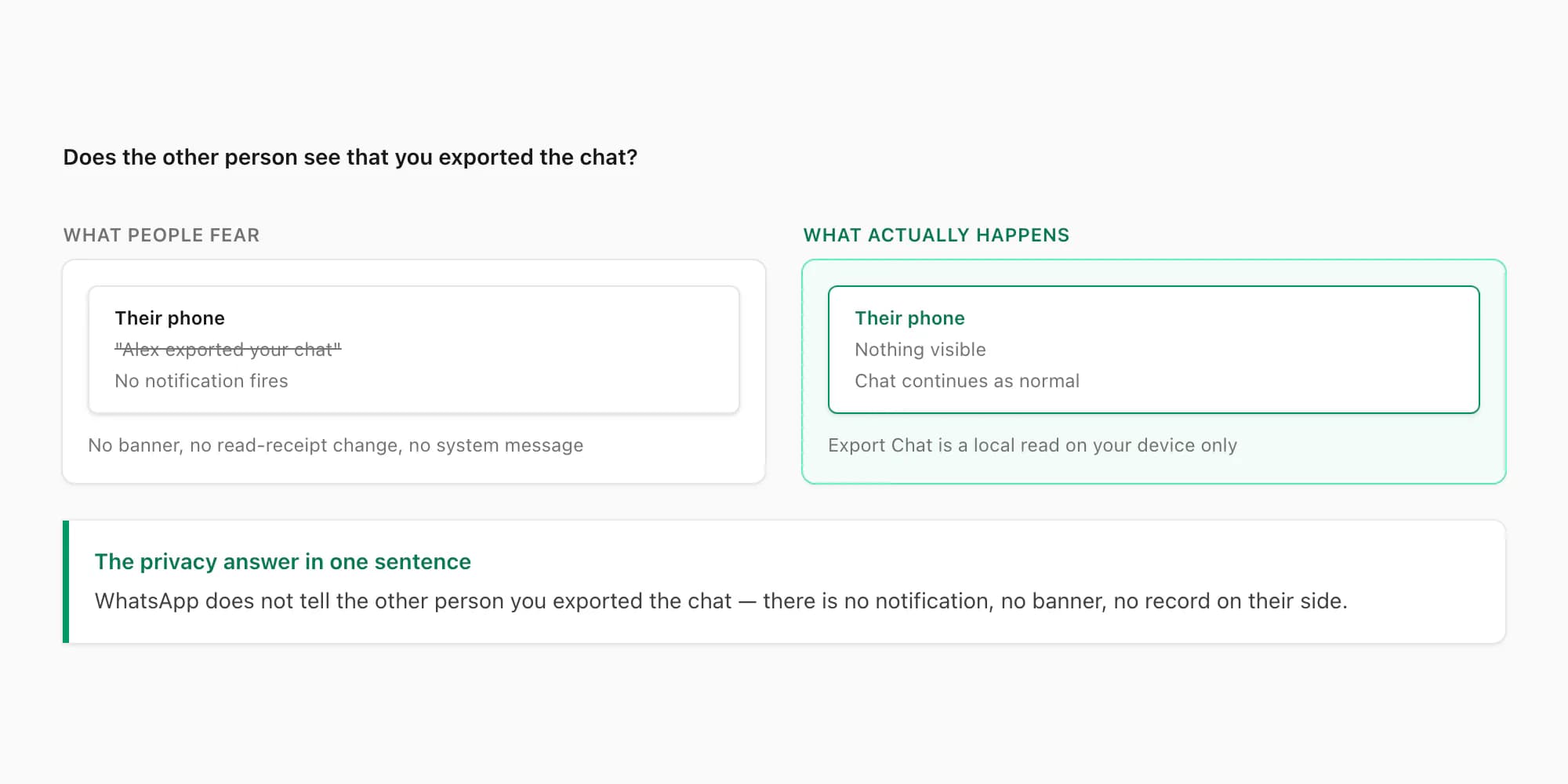
There is no banner on their phone. No system message in the conversation. No read-receipt change. No badge in the chat list. No group notice in a group thread. The other side of the conversation has no way of knowing — at the WhatsApp protocol level — that you tapped Export Chat.
The reason is simple. The export menu reads the chat data that already lives on your device. WhatsApp's encryption model means each side of a conversation holds its own decrypted copy. When you export, your phone is reading its own local store. No request goes out to WhatsApp's servers and nothing reaches the other person's phone. The action is structurally invisible to anyone else.
A few caveats that matter. If you take an action after exporting that the other person can see — sharing the ZIP back into the same WhatsApp chat, AirDropping it to someone in the group, attaching a generated PDF to a follow-up message — that action is visible the way any forwarded message would be. But the export itself, the moment you tapped Export Chat, is not. Sharing what you did with the ZIP afterwards is a separate decision.
What it means for your data — where the file lives
The next concern people raise after the notification question is about the file itself. Where does it go? Who can read it? Is it encrypted?
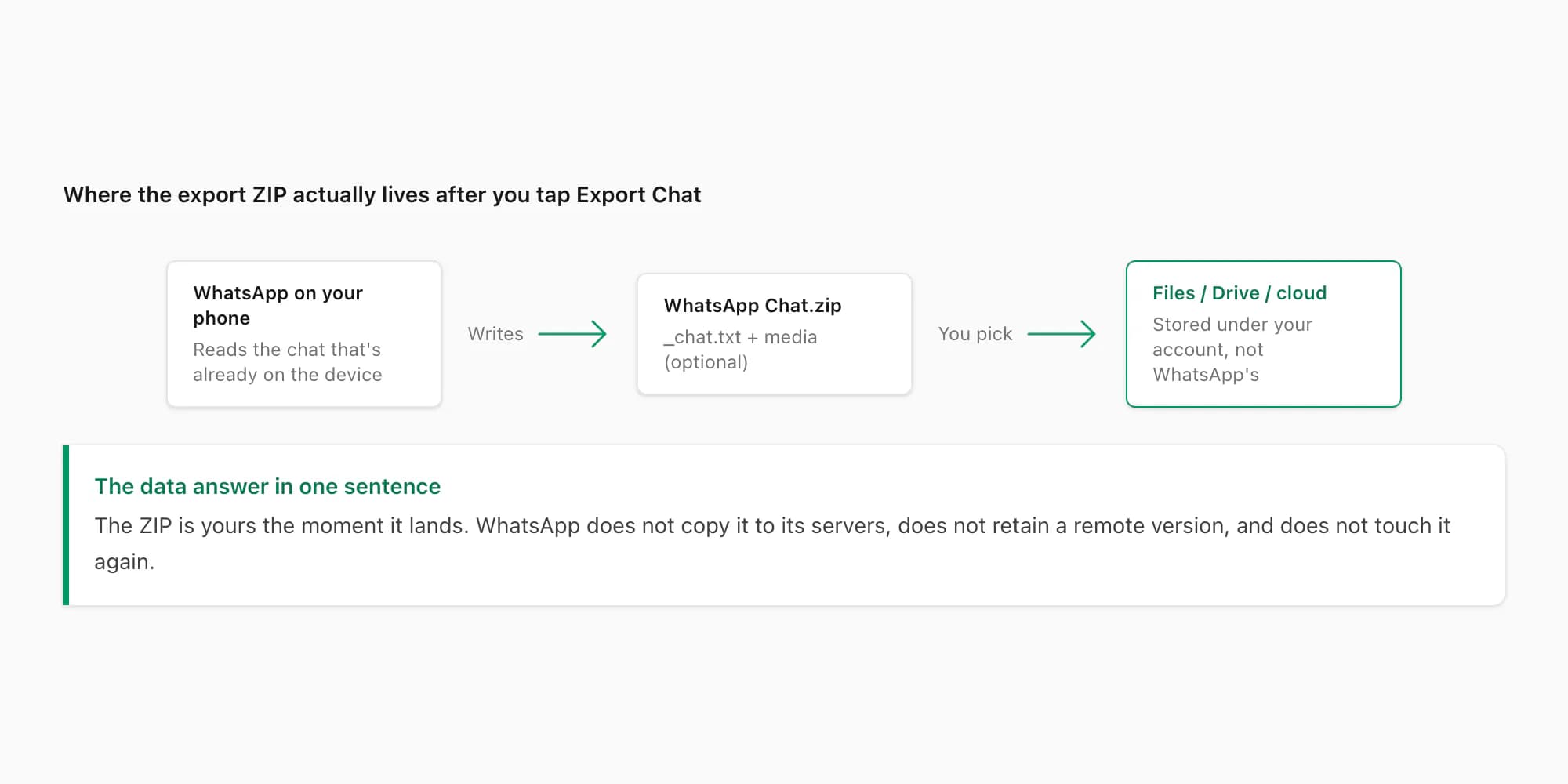
The export ZIP lands wherever you choose on the share sheet. iOS gives you Save to Files, AirDrop, Mail, iCloud Drive, Google Drive, Dropbox, Notes, and any messaging app you have installed. Android gives you the equivalent set through its share intent. The ZIP is yours from the moment you pick a destination.
At rest the ZIP is not WhatsApp-encrypted. WhatsApp's end-to-end encryption protects messages in transit between phones — the moment data leaves the WhatsApp app and lands in your file system, that protection ends. The ZIP is a standard archive holding plain UTF-8 text. Any file manager, any unzip tool, any text editor can open it. That is the whole point of the export feature; an opaque, WhatsApp-only file would be useless for moving the conversation into a PDF, a court bundle, or a personal archive.
What protects the ZIP at rest is the same thing that protects every other file on your device: the encryption your operating system already applies. iCloud Drive is encrypted in transit and at rest with Apple's keys; iPhone storage is encrypted under your passcode; Google Drive applies similar at-rest encryption under your Google account. Apple's iCloud security overview covers what that encryption does and does not cover, including which categories use end-to-end keys versus standard server-side keys. Once the ZIP lives in your account, your account-level security — passcode, two-factor, device lock — is what stands between the file and the world.
WhatsApp itself does not retain a copy. The export does not run through WhatsApp's servers, does not appear in any cloud-backup file, and is not visible to WhatsApp staff. Once the ZIP is written, WhatsApp is done with it.
What it means for the chat itself
The chat does not change when you export it. I want to be specific about that, because the verb "export" suggests removal in some other contexts (an email export, a database export with a delete-after flag, a CRM export that archives records). The WhatsApp export does not work like any of those.
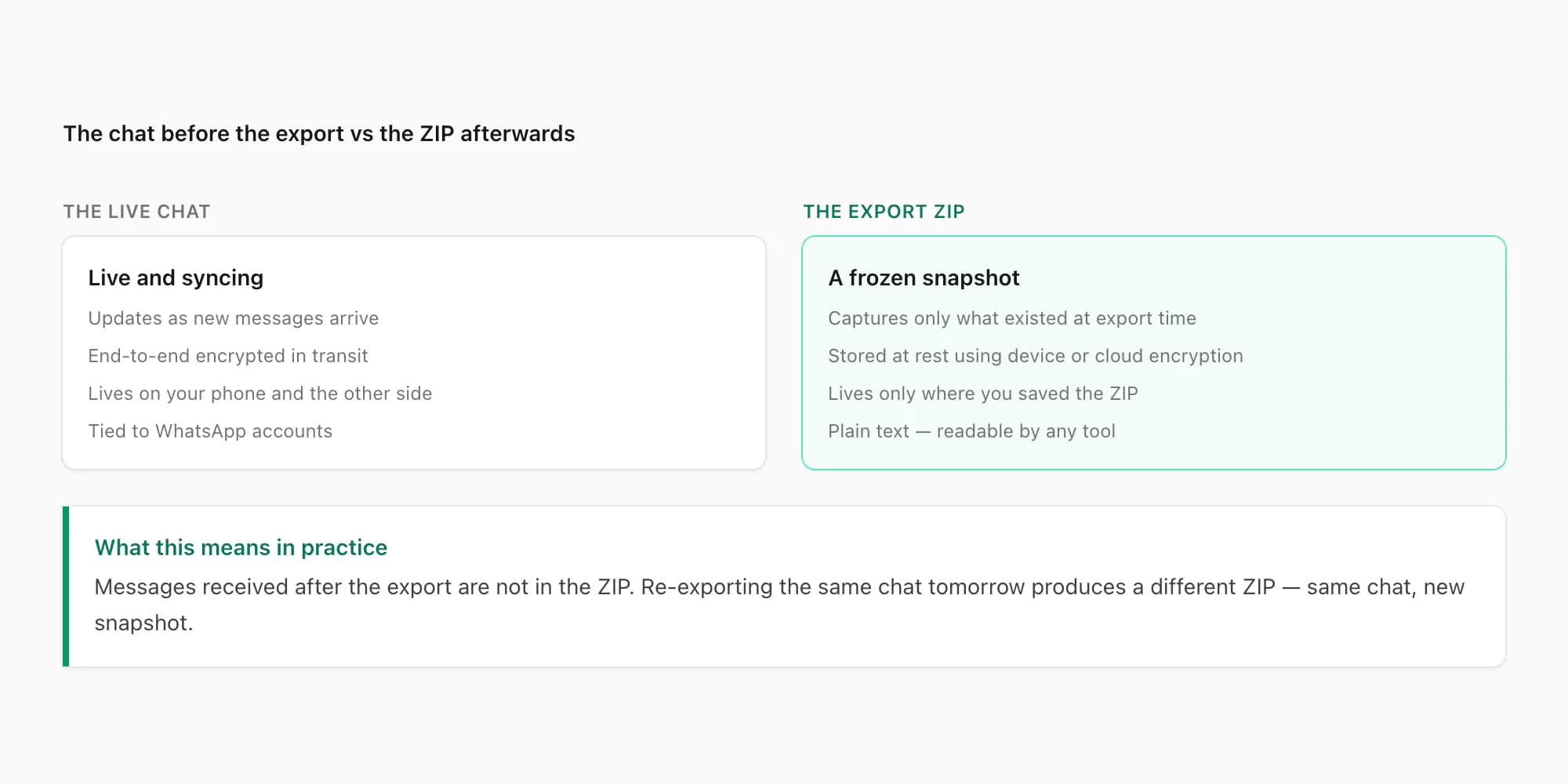
Concretely, after you tap Export Chat:
- The chat history on your phone is unchanged. Every message, every media reference, every system event still sits in the conversation exactly as before.
- The chat history on the other person's phone is unchanged. They never knew about the export, so naturally nothing on their side moved.
- New messages keep arriving normally. The export did not pause, mute, or interrupt the conversation in any way.
- Read receipts, typing indicators, online status, and every other live signal continue to work as before.
- Disappearing messages keep their countdown. If a message was set to vanish in 24 hours, that timer keeps running on both sides regardless of whether you exported.
The most important consequence of "the chat does not change" is that the export is a read operation, not a write or move. You can tap Export Chat as many times as you like. Each tap produces a fresh ZIP with whatever the chat looked like at that moment. The fifth export does not interfere with the fourth.
What it means for media references that break later
This one catches people out, so it deserves its own section. The ZIP is a snapshot of two distinct things — the message text (which is always complete) and the media files (which depend on what WhatsApp had cached locally at the moment of export).
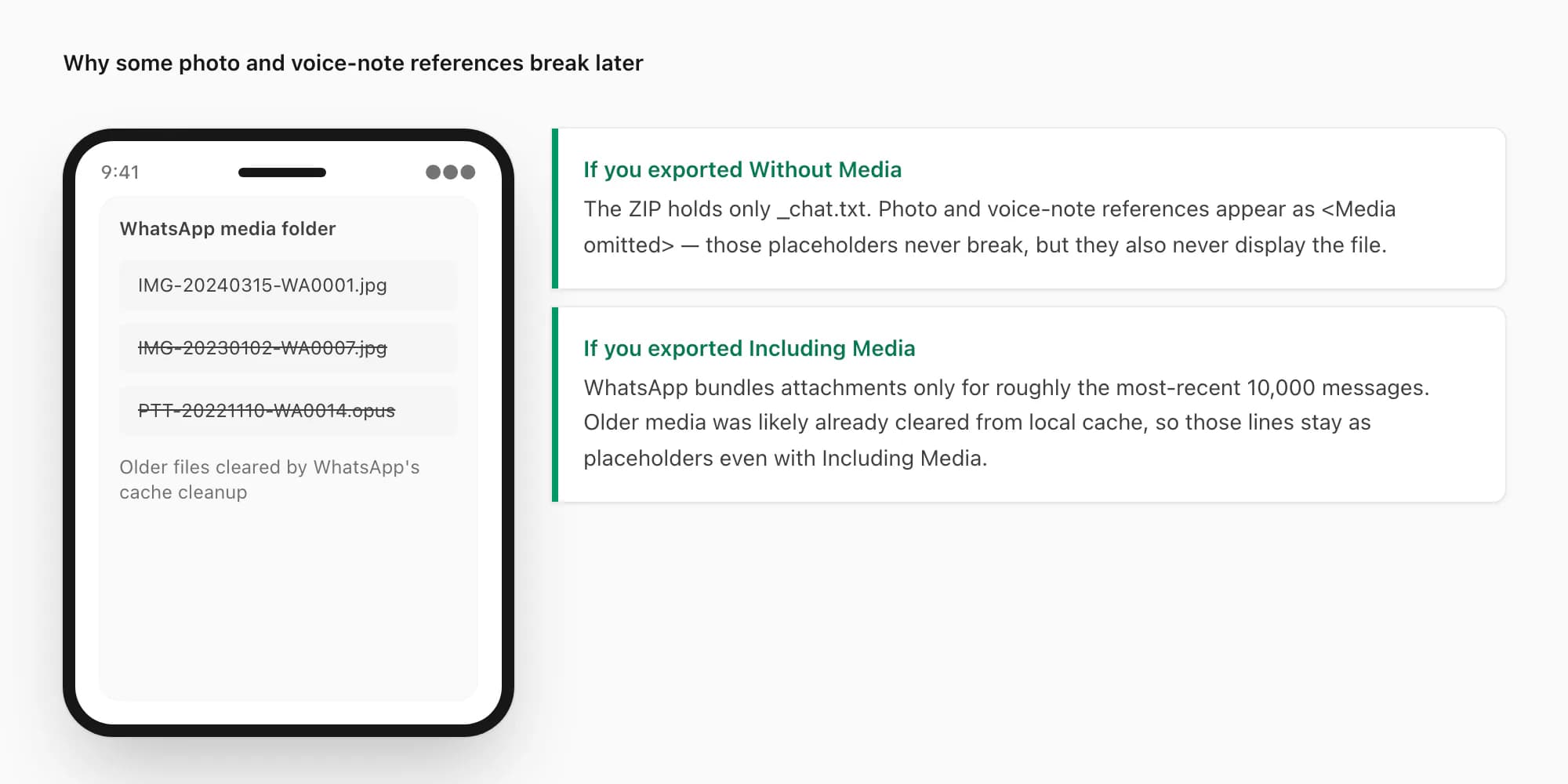
WhatsApp does not keep every photo and voice note from your entire chat history loaded on your phone forever. To save storage, the app routinely clears older media files from its local cache, especially for chats with heavy media. When you tap Export Chat and choose Including Media, WhatsApp can only bundle the files that are still cached on the device — typically the most-recent 10,000 messages' worth.
When an included recording has an unfamiliar extension, check the WhatsApp audio format reference before renaming or transcoding it. It separates filename, container and codec so you can identify the actual file you received.
For older messages, the _chat.txt line still references the original filename — IMG-20221110-WA0014.jpg and so on — but the actual file is no longer in WhatsApp's local cache, so it does not get bundled into the ZIP. When a parser later tries to embed that image into a PDF, the file is missing and the message renders with a placeholder.
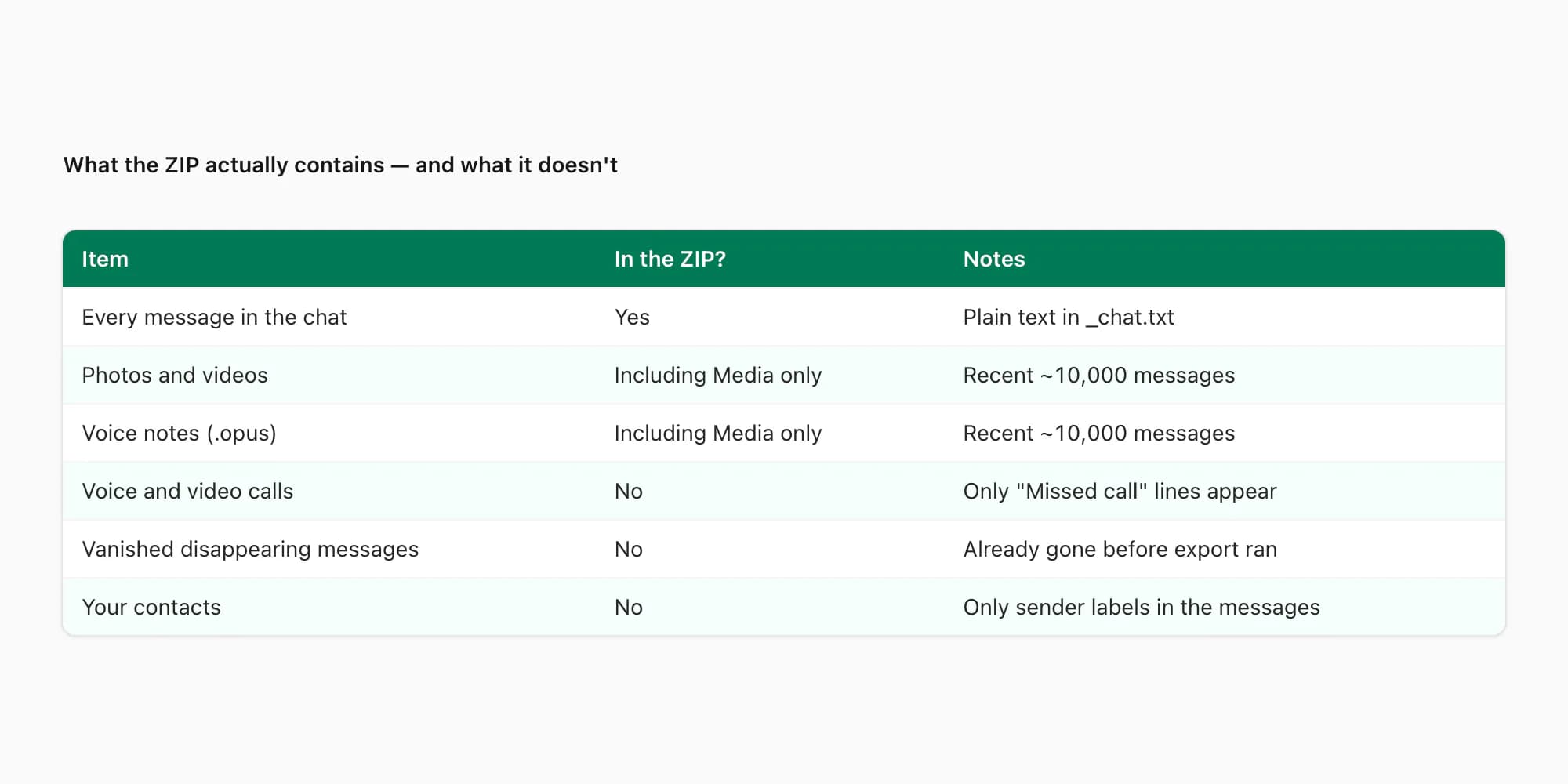
This is not a bug in the export and it is not something a converter can fix. The data was gone before you tapped the menu. If you need every photo from a four-year-old chat in your final PDF, the only path is to manually save those photos from WhatsApp before exporting, then re-add them to the export folder by filename. For most people that effort is not worth it — the recent-media bundle covers the cases that matter.
What it means for the next step — turning the ZIP into a PDF
The export, on its own, is a _chat.txt file. That is genuinely useful for some workflows — a developer parsing the text into a database, a researcher running sentiment analysis, a lawyer feeding the file into a discovery tool. But for most people, the next question after "what does export chat mean" is "how do I get a readable document out of this?".
That is the gap I built ChatToPDF to fill. The tool reads the _chat.txt inside the ZIP, parses every line into sender, timestamp, and message body, embeds the bundled media in the right places, and renders the conversation as a sender-attributed PDF — left-and-right bubbles, dates as section breaks, a table of contents at the front.
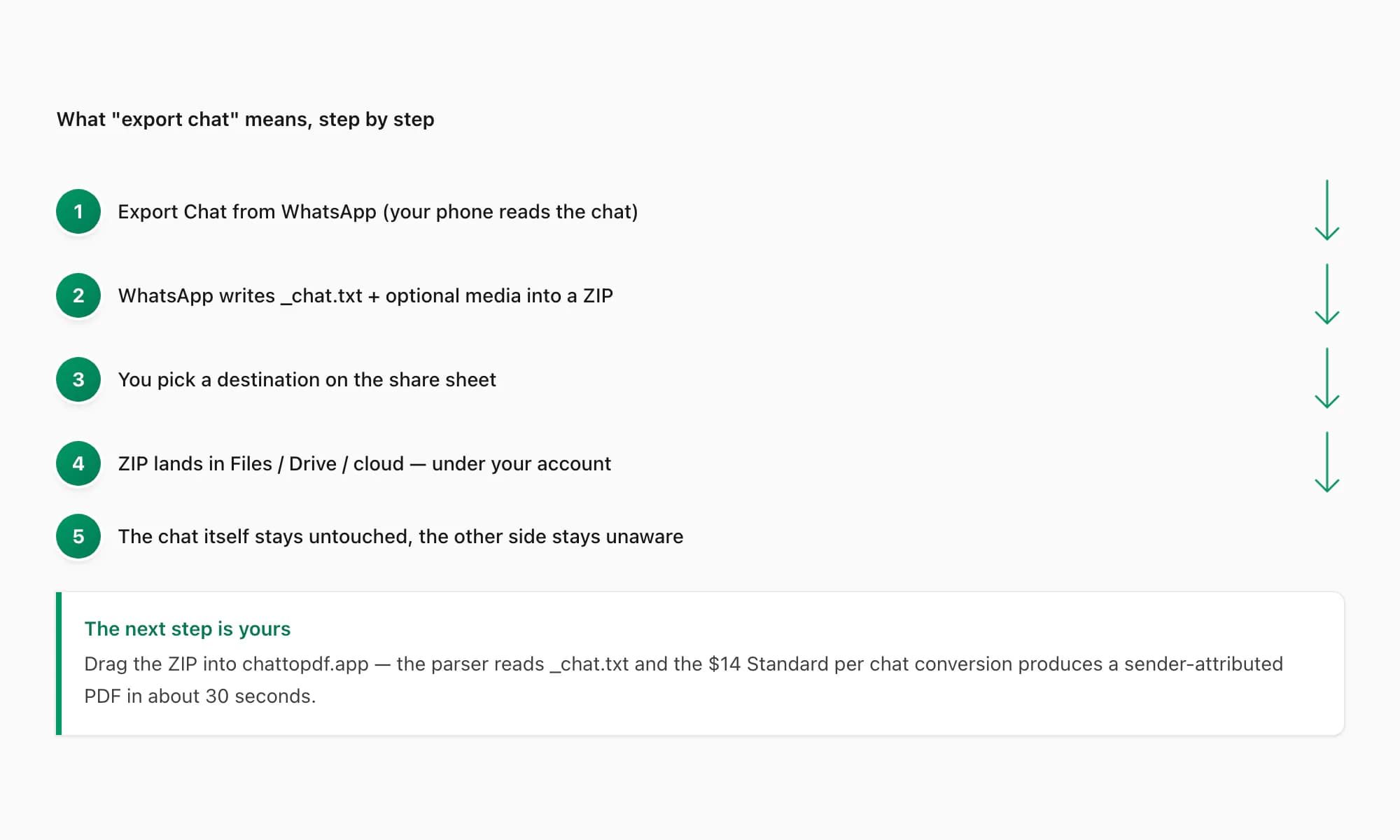
The flow is short. Drop the ZIP onto chattopdf.app. Pick a tier. Pay for that one chat. Download the PDF. Done.
For the formal definition of the same feature — the dictionary-style "what is" answer — see What is export chat in WhatsApp. For the deeper end-to-end pillar covering every variation of the export — locale date formats, parser quirks, the 40,000-message ceiling — see the WhatsApp chat export pillar.
Pricing guidance — which tier matches the export
I keep pricing decisions practical. The right tier depends on what is in your export, not on what you are willing to spend.
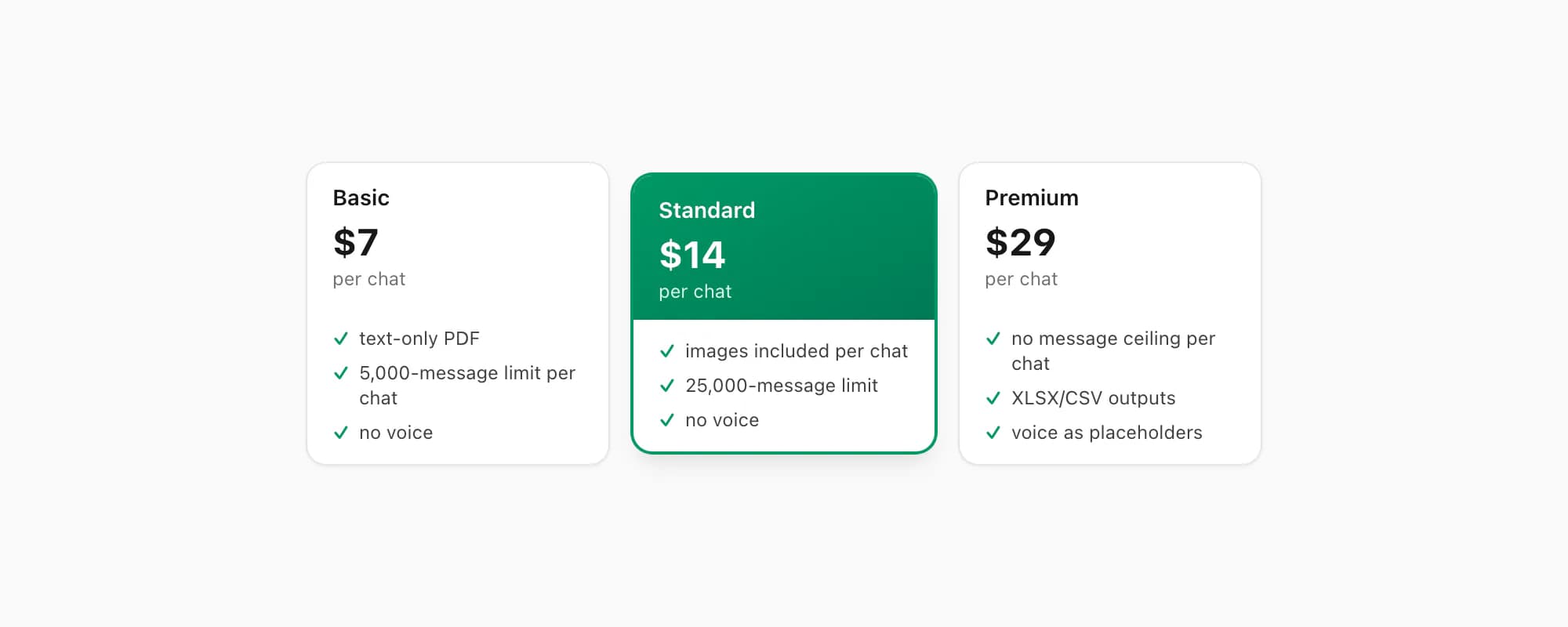
$7 Basic per chat is for short conversations — a few months of texting, a small group thread for a one-off project. Text-only PDF, 5,000-message limit per chat, no voice transcription. It covers most one-off archival cases cleanly.
$14 Standard per chat is the tier most people land on. Embedded images appear inline, the message ceiling sits at 25,000 per chat, and the conversion handles the bulk of personal exports. If you exported Including Media and want the photos visible in the PDF, this is the tier to start at.
$29 Premium per chat removes the message ceiling and adds XLSX/CSV outputs alongside the PDF. Voice notes appear as placeholders rather than transcribed text. Right for very long-running individual chats or active group chats where you also want the data in a spreadsheet.
For voice-note transcription, the $49 Premium+Voice per chat tier adds language-aware Nova-3/Scribe v2 transcription with an extended audio cap. The $99 Power User per chat tier adds priority queue processing and bulk uploads — useful if you have a folder of 10 export ZIPs to convert.
A note on what "per chat" means here: each conversion is a single payment for a single chat. There is no recurring billing on any tier. If you re-export the same chat tomorrow and convert that newer ZIP, you pay again — but only because each conversion is genuinely separate work.
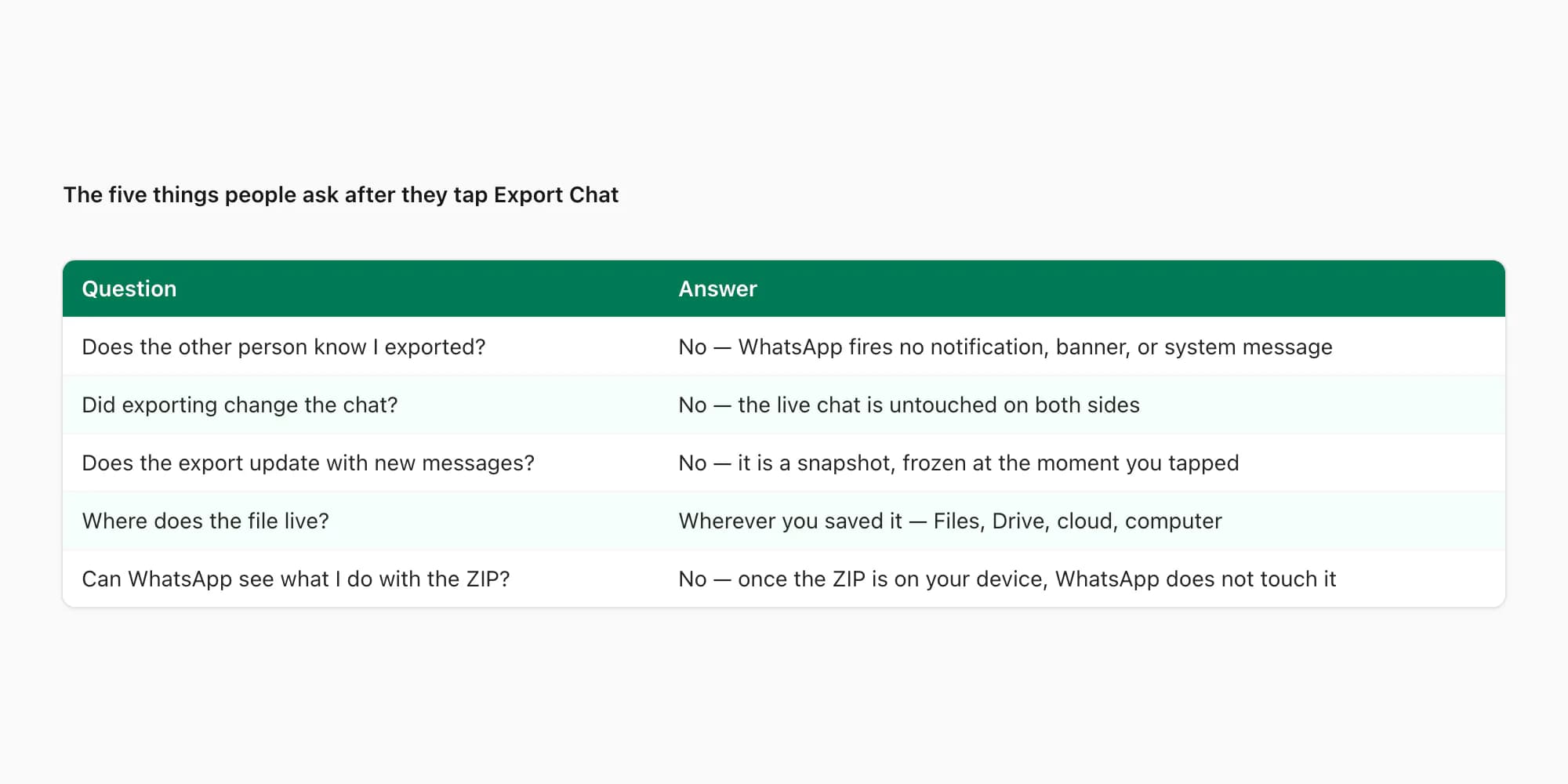
Key takeaways
- What does export chat mean on WhatsApp: a one-time local copy of one conversation, written to a ZIP file on your device — not a backup or sync.
- The other person is not notified. WhatsApp fires no banner, system message, or read-receipt change when you export a chat.
- The ZIP lives wherever you save it on the share sheet. WhatsApp does not keep a remote copy and cannot see what you do with the file.
- The chat itself is unchanged. Exporting is a read operation — your messages, the other side's messages, and disappearing-message timers all continue normally.
- The export is a frozen snapshot. New messages received after the export are not in the ZIP; re-exporting produces a new ZIP at that moment in time.
- Older photos and voice notes may not bundle into Including Media exports because WhatsApp had already cleared them from local cache before you tapped Export Chat.
- The next step from the ZIP to a readable PDF: drop it into chattopdf.app — the $14 Standard per chat conversion produces a sender-attributed PDF in about 30 seconds.
- For the full explanation of what happens to the ZIP during conversion and what the output PDF contains, see the WhatsApp to PDF guide.
FAQ
What does export chat mean on WhatsApp in plain terms?
It means WhatsApp copies the chat that is already on your phone into a ZIP file and hands the ZIP to your share sheet so you can save it somewhere. The export is a one-time read of the conversation as it exists at that moment. It does not back up the chat to WhatsApp's servers, does not sync, and does not change the chat itself. The ZIP holds _chat.txt (every message in plain text) and optionally a folder of attached media.
Does the other person know I exported the chat?
No. WhatsApp does not notify the other side when you export a chat. No banner appears on their phone, no system message lands in the conversation, no read-receipt change happens, and there is no group notice in a group thread. The export is a local read on your device — structurally invisible at the WhatsApp protocol level. If you later share something derived from the export back into the same chat (the ZIP itself, a generated PDF), that share is visible the way any forwarded message would be, but the export action itself is not.
Where does the export ZIP live, and is it encrypted?
It lives wherever you choose on the share sheet — Files, Drive, iCloud Drive, your computer via AirDrop, a messaging app, your email. WhatsApp does not retain a copy. At rest the ZIP is not WhatsApp-encrypted; it is a standard archive holding plain UTF-8 text. What protects it at rest is the encryption your operating system or cloud provider already applies — your iPhone passcode, your iCloud account security, your Google Drive account encryption. Once the ZIP is in your account, your account-level security stands between the file and the world.
Does exporting change or delete the chat?
No. The export is a read-only operation. The chat history on your phone is unchanged afterwards. The chat history on the other person's phone is unchanged. New messages keep arriving normally, read receipts and typing indicators continue, and disappearing-message timers keep counting down on both sides. You can tap Export Chat as many times as you like — each tap produces a fresh ZIP without interfering with previous exports.
Why do some photos and voice notes in my export show up as missing?
WhatsApp clears older media files from local cache to save storage. When you choose Including Media, the app can only bundle the files still cached on the device — typically the most-recent 10,000 messages' worth. The _chat.txt line still references the original filename, but the file itself is no longer on the phone, so it cannot land in the ZIP. The references break in any later viewer because the data was already gone before the export ran. WhatsApp's own export FAQ describes the feature in general terms but does not flag this cache behaviour explicitly.
Will my export update if new messages arrive after I tap it?
No. The export is a snapshot frozen at the moment you tapped Export Chat. New messages received afterwards are not in the ZIP. If you want a more current export, tap Export Chat again — a fresh ZIP captures everything up to the new moment. Each export is independent; the new ZIP does not modify or replace the older one. To turn the latest ZIP into a readable PDF, drop it into chattopdf.app — the $14 Standard per chat conversion handles most individual chats including embedded images.
I'm Paul, the founder of ChatToPDF. I built it after needing a long WhatsApp conversation as a readable PDF for a legal matter. I test and document WhatsApp exports, PDF conversion, voice-note transcription, and the limits people should check before relying on the result.