
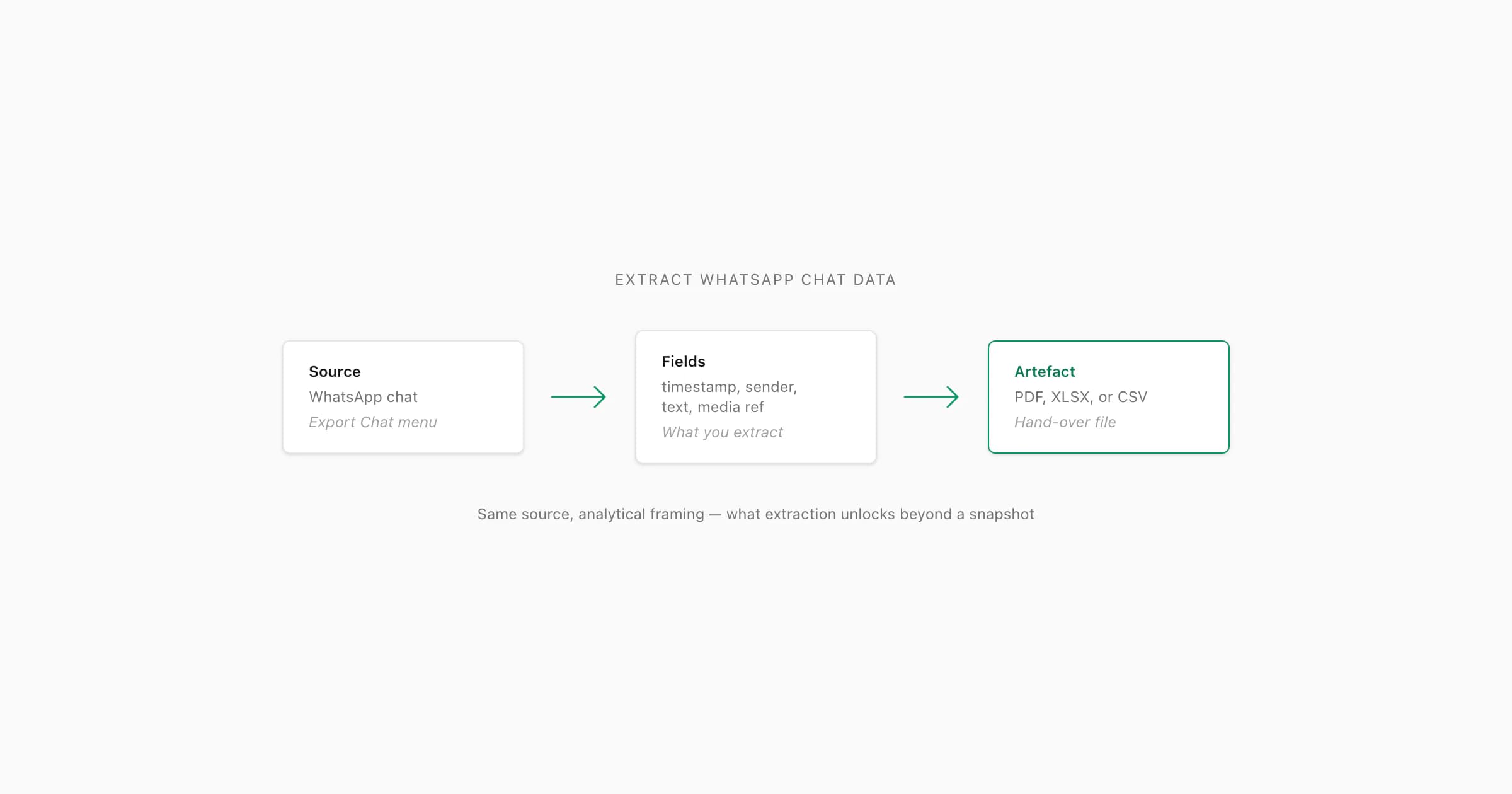
To extract WhatsApp chat data, start with a conversation exported from WhatsApp. The TXT transcript contains message text, timestamps and sender information where present; a media-inclusive export can also contain attachment files. Parse that source into rows when you need to filter or import records, or convert it to PDF when you need a readable document. A converter can only work with the messages and media supplied in the export.
What extraction means in this guide
This guide covers an export-file workflow: turning an existing WhatsApp transcript into useful documents or records. It does not cover device extraction, encrypted backup decryption, deleted-message recovery or live account monitoring. Those are different tasks with different inputs.
If you have not created the file yet, follow the WhatsApp chat export guide and check the official export instructions. Use an export without media for a smaller written transcript. Include media when you need the attachment files, supported photos in the PDF, or voice-note processing. Menu wording and the available export contents can vary; inspect the file you actually receive.
What data can you extract?
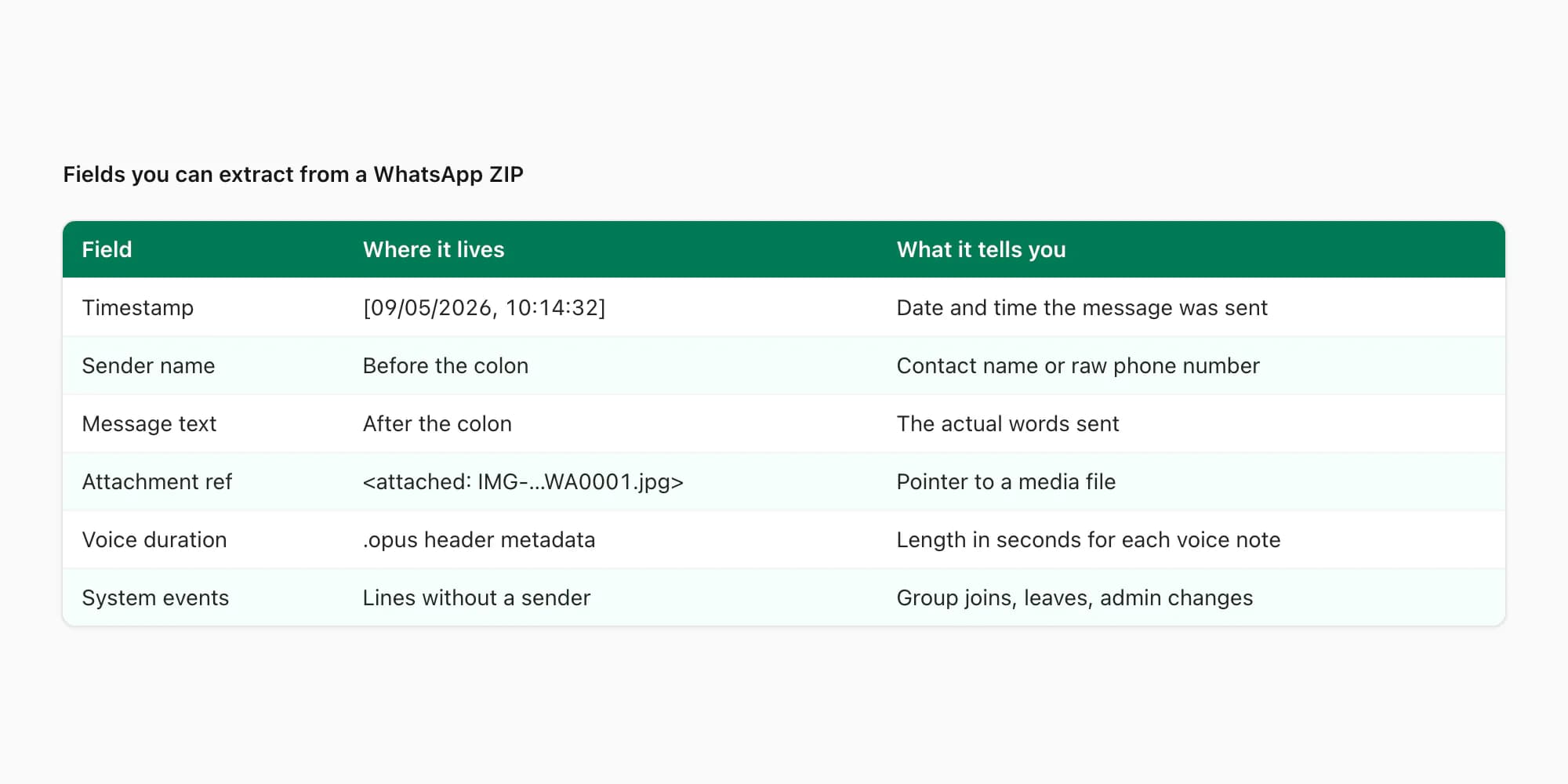
A message may span several physical lines. Some system events have no sender. Date prefixes differ between devices and locales, so splitting every line at the first colon is not a reliable general parser.
- Field
- Timestamp
- Source
- Date and time in a recognized message prefix
- Boundary
- Numeric dates can be ambiguous; the source may not state a timezone
- Field
- Sender
- Source
- Name or identifier associated with the message row
- Boundary
- System events may have no sender; a display name is not independently verified identity
- Field
- Message
- Source
- Text belonging to the message, including continuation lines
- Boundary
- Keep line breaks within the same record
- Field
- Message type
- Source
- Classification of recognized text, media and service messages
- Boundary
- Classification depends on the parser and source format
- Field
- Media reference
- Source
- Filename or placeholder in the transcript
- Boundary
- A reference does not mean the media bytes are present
- Field
- Voice transcript
- Source
- Speech recognition applied to available audio
- Boundary
- Generated text, not a field recovered from a text-only export
| Field | Source | Boundary |
|---|---|---|
| Timestamp | Date and time in a recognized message prefix | Numeric dates can be ambiguous; the source may not state a timezone |
| Sender | Name or identifier associated with the message row | System events may have no sender; a display name is not independently verified identity |
| Message | Text belonging to the message, including continuation lines | Keep line breaks within the same record |
| Message type | Classification of recognized text, media and service messages | Classification depends on the parser and source format |
| Media reference | Filename or placeholder in the transcript | A reference does not mean the media bytes are present |
| Voice transcript | Speech recognition applied to available audio | Generated text, not a field recovered from a text-only export |
Do not assume forwarded status, edit history, reactions or deleted message contents are available. Keep a field only when the source and the parser support it. A service notice describing a deletion does not recover the deleted text. Audio duration requires inspecting a recording or reliable metadata; the TXT placeholder is not enough.
Keep the original export and a working copy
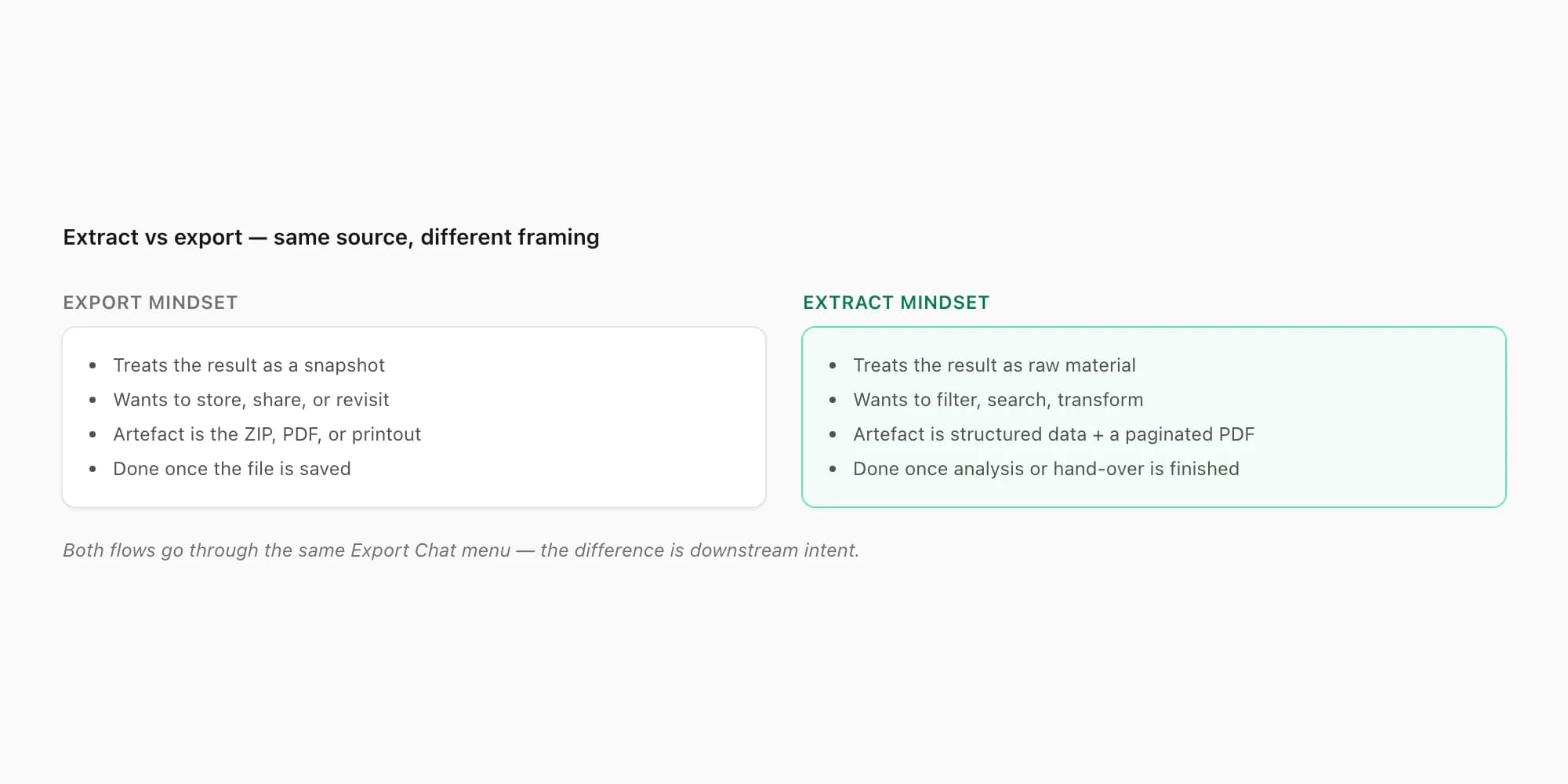
The export is the source snapshot. The PDF, workbook or CSV is a derived copy for a particular task. Store the original separately, and make changes such as annotations, redaction or categorization in a working copy. If someone later asks why a row is missing, you can return to the original rather than trying to reconstruct it from a filtered sheet.
For a ZIP, preserve filenames and the archive structure until conversion is complete. Renaming a recording can break the association between the attachment reference in the transcript and the file itself. A converter cannot fetch older messages or unavailable attachments from your WhatsApp account.
Choose the output for your task
- Your next task
- Check an unfamiliar TXT or ZIP
- Useful output
- Browser sample preview
- Start here
- Chat viewer
- Your next task
- Read, print or share a formatted record
- Useful output
- Start here
- PDF layout samples and converter
- Your next task
- Filter by participant or annotate records
- Useful output
- XLSX
- Start here
- Excel converter and fictional sample
- Your next task
- Import messages into an approved system
- Useful output
- CSV
- Start here
- CSV sample and field-mapping guide
- Your next task
- Listen to included notes outside WhatsApp
- Useful output
- Playable audio bundle
- Start here
- Whole-chat MP3 workflow
- Your next task
- Search the spoken words
- Useful output
- Transcripts beside their message context
- Start here
- Audio-to-text workflow
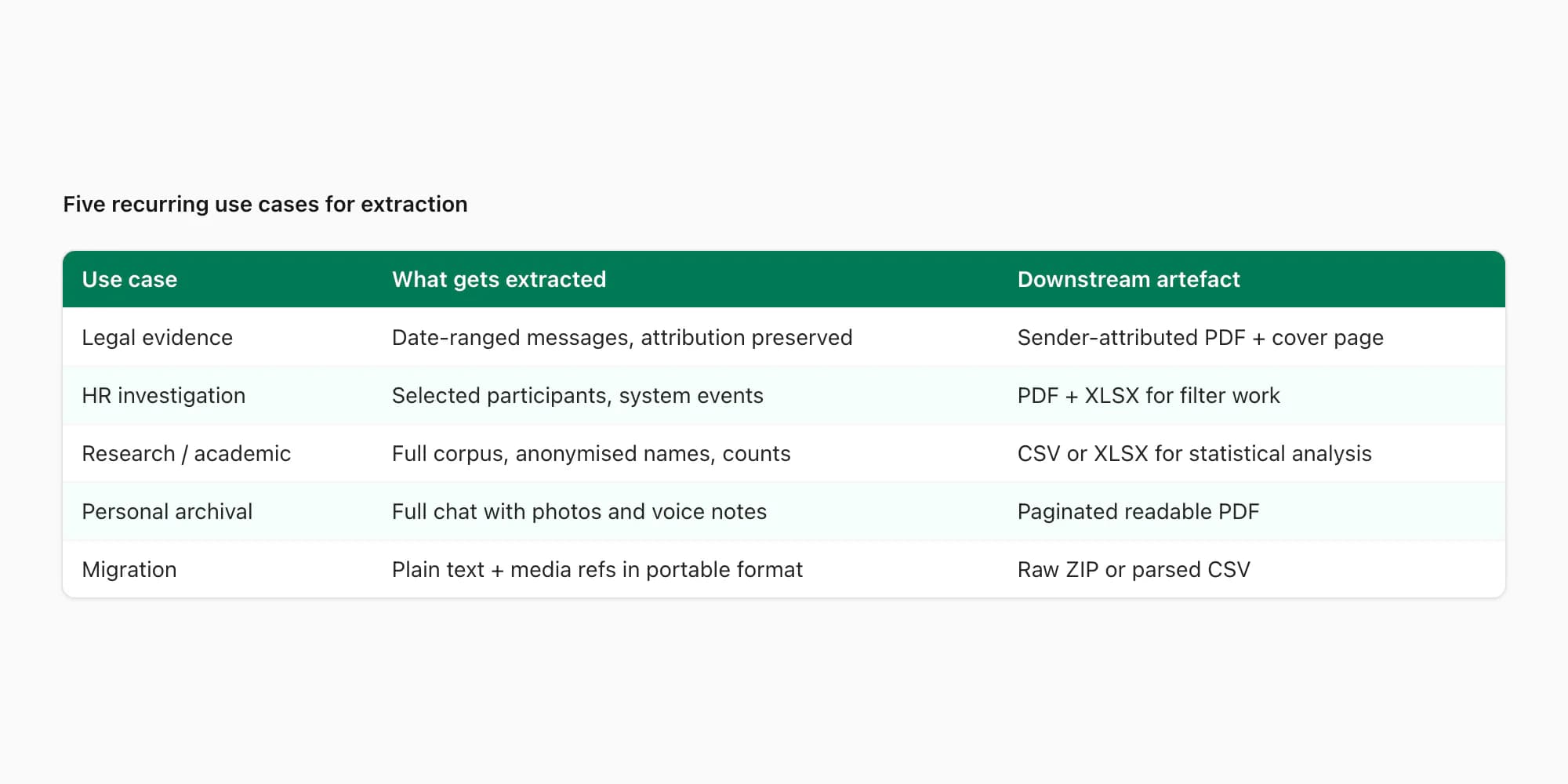
| Your next task | Useful output | Start here |
|---|---|---|
| Check an unfamiliar TXT or ZIP | Browser sample preview | Chat viewer |
| Read, print or share a formatted record | PDF layout samples and converter | |
| Filter by participant or annotate records | XLSX | Excel converter and fictional sample |
| Import messages into an approved system | CSV | CSV sample and field-mapping guide |
| Listen to included notes outside WhatsApp | Playable audio bundle | Whole-chat MP3 workflow |
| Search the spoken words | Transcripts beside their message context | Audio-to-text workflow |
Use the chat viewer for inspection, PDF guide for document layouts, Excel converter for spreadsheet work, or CSV converter for imports. For audio, choose between the MP3 bundle and transcription. The presence of voice notes does not oblige you to buy speech recognition if your task concerns only written messages.
Manual, parser and converter routes
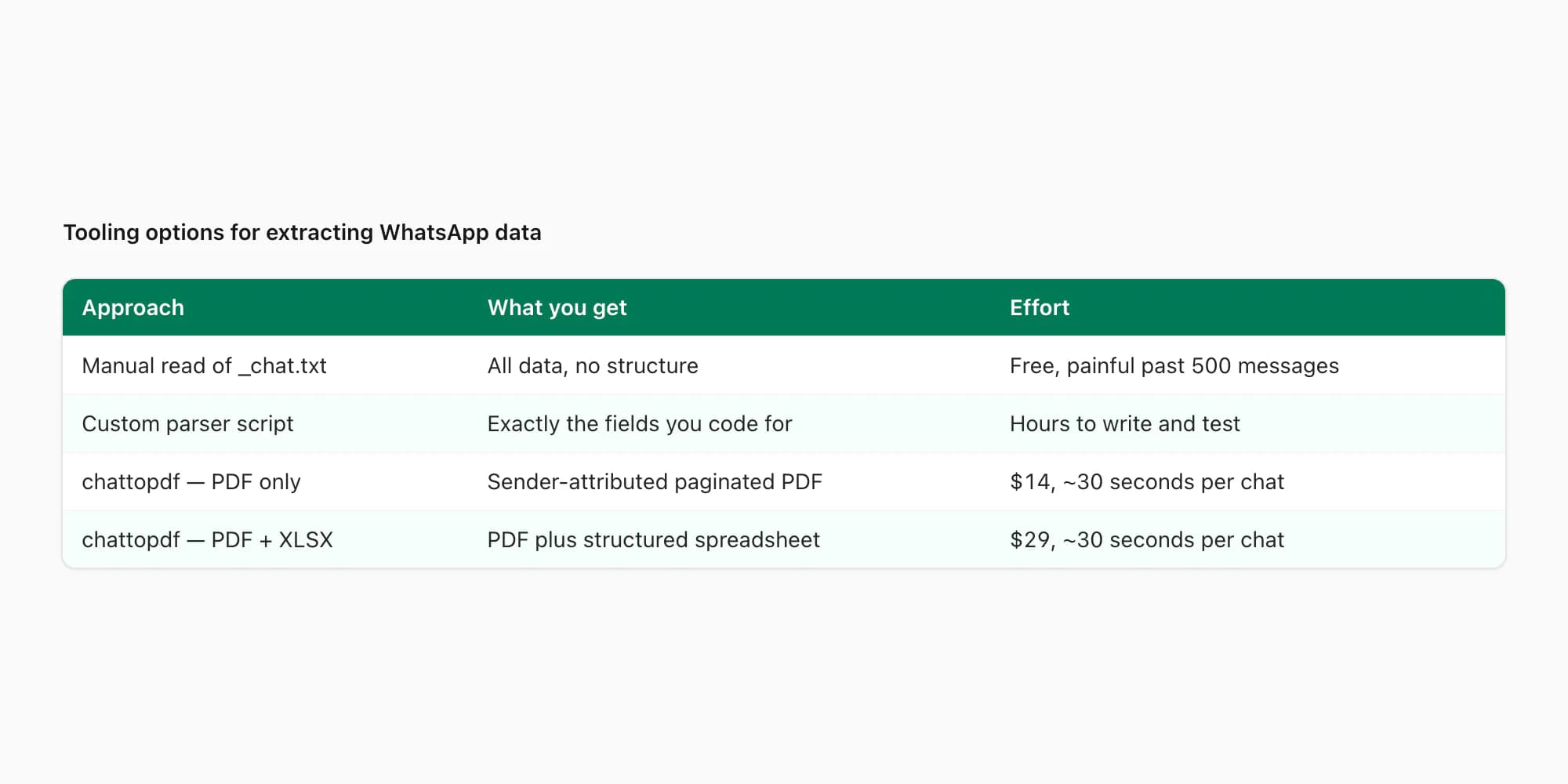
For a few messages, opening the TXT in a text editor may be sufficient. For repeatable data work, a parser should handle the actual export formats you receive, including multiline messages, system events, ambiguous dates and attachment references. Test it against those cases instead of assuming a short regular expression covers every chat. The parser failure guide and reproducible benchmark shows concrete export-format cases to include in that check.
For a one-off conversion, upload the original TXT or ZIP to ChatToPDF and inspect the preview. Confirm the participants and several source messages. Check a multiline message and a date whose month/day interpretation is clear. The preview is a sample, so use its detected totals and your source file to assess scope; the visible sample alone is not the complete archive.
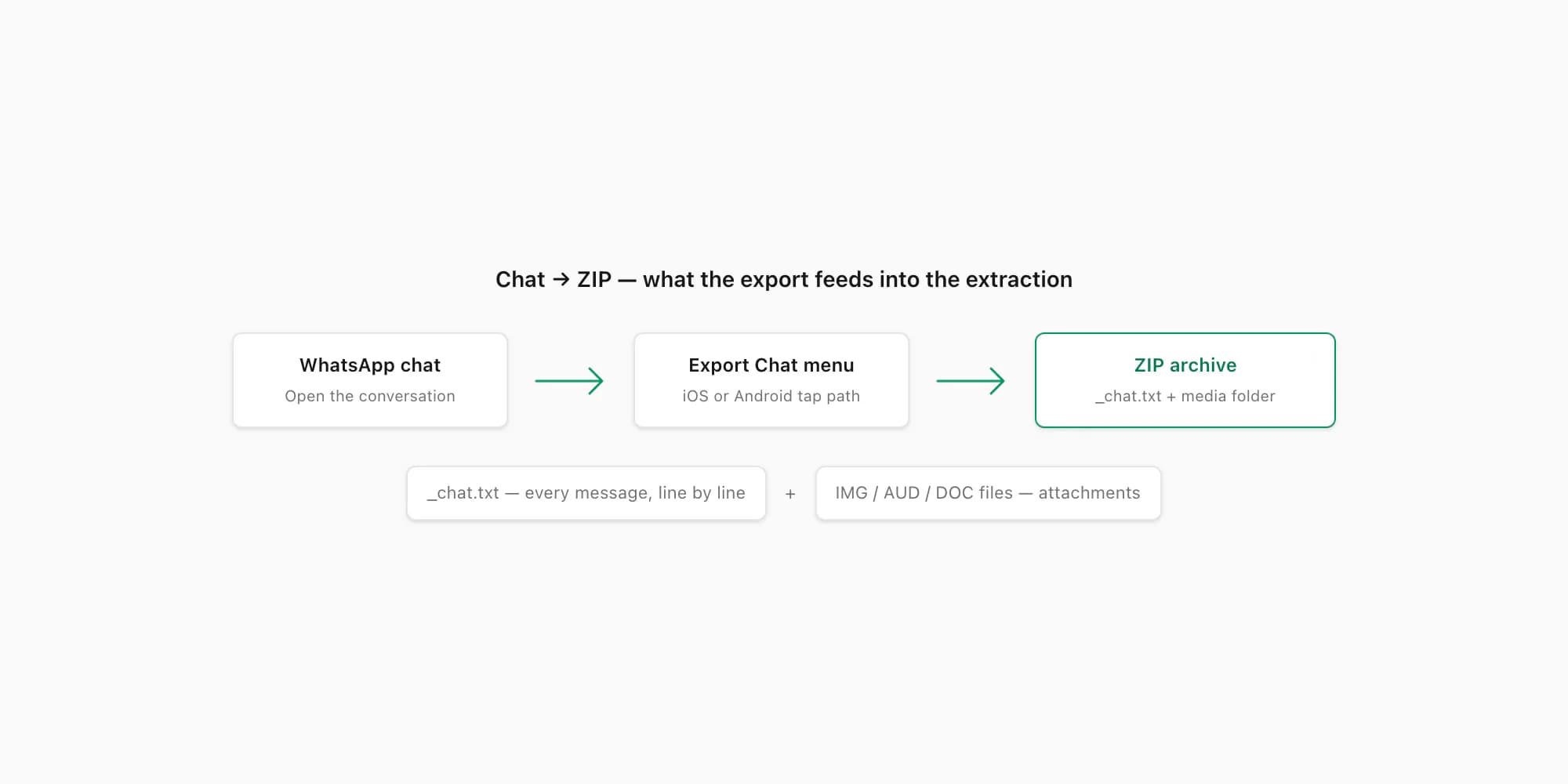
Try the spreadsheet example before uploading
Download the fictional XLSX example or matching CSV. These six invented messages are generated by the production exporters and contain no customer data. They include a comma, quotation marks, an emoji and a message with a line break.
The base download uses timestamp, sender, message, type and media_filename. Timestamp combines date and time. A transcript column is added when transcription results are supplied. A blank media filename means no file was linked to that row; it does not prove that the original WhatsApp message never had an attachment.
Open the sample and confirm six message records below the header. In Excel, select the data, enable filters and select Maya (demo) in sender: three records remain. Clear the filter to restore all six. Follow the worked spreadsheet guide or CSV import checks before applying the same steps to your own export.
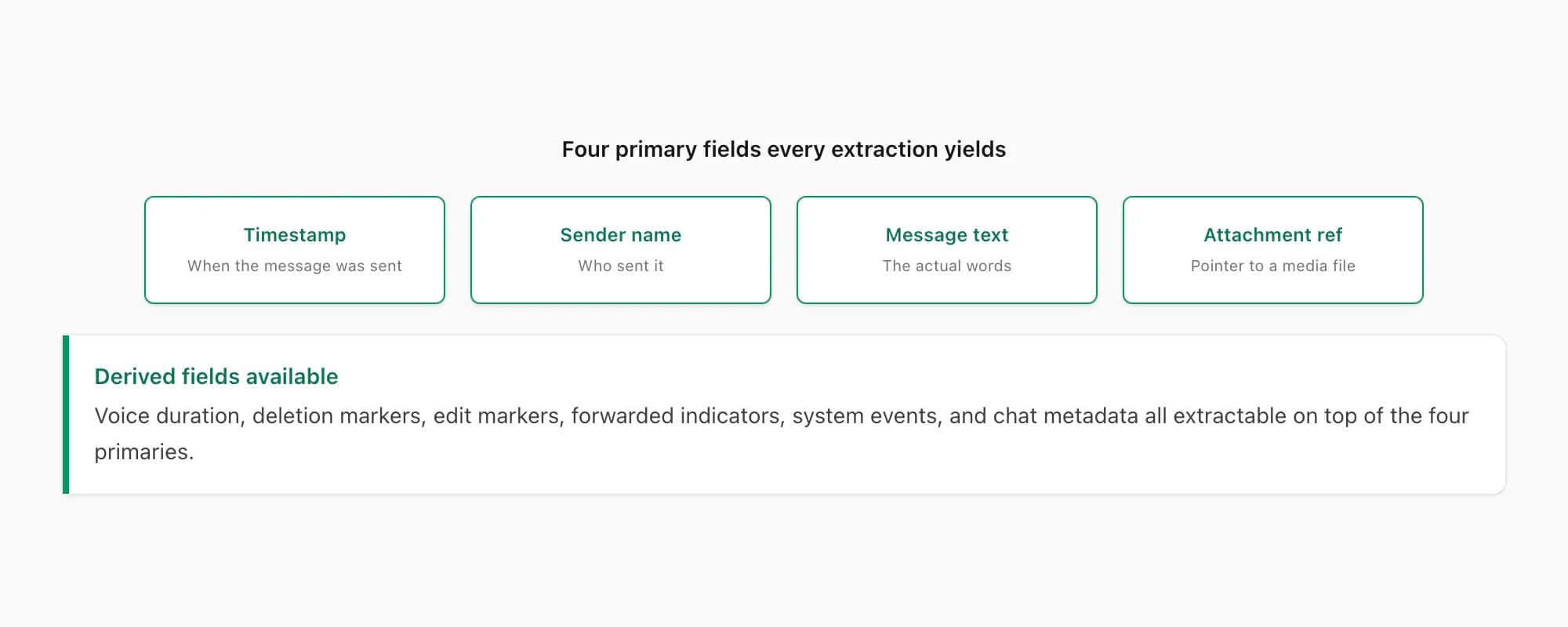
Inspect a readable PDF before choosing a layout
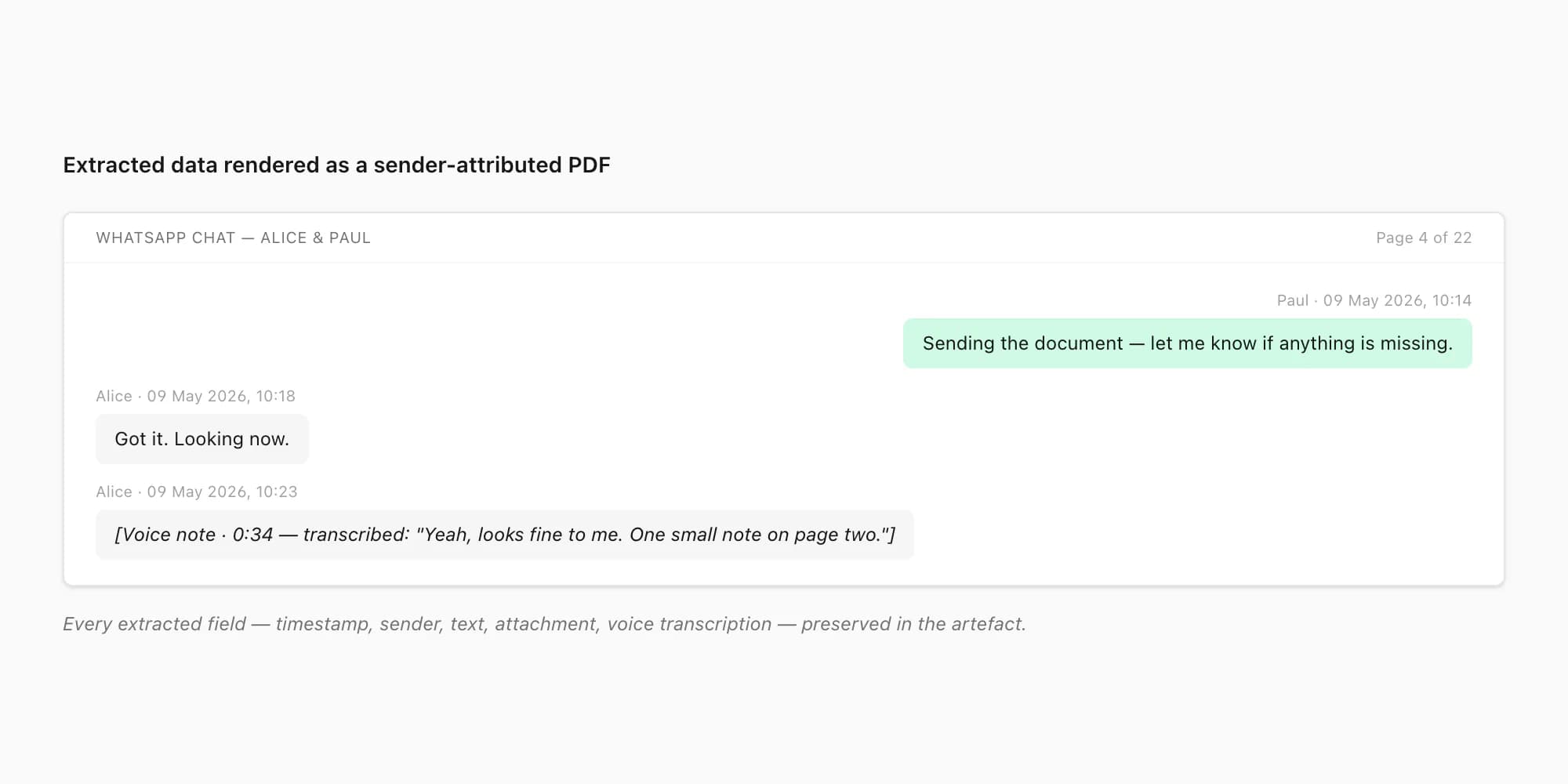
Compare the fictional Clean Document PDF with the spreadsheet sample. PDF preserves a reading layout; the workbook makes rows easier to filter. They serve different needs, and the original export remains the source for verification.
Supported photos can appear inline when the package and selected options include them and the files are available. A text-only conversion does not recreate missing images or turn audio placeholders into transcripts. Review the finished artifact before handing it to someone else. For formal evidence work, see the evidence guide; a generated PDF is not a certification of authenticity.
Package limits for the extracted outputs
Each purchase covers one chat conversion. All uploads must fit within 150 MB. The pricing page lists the current limits:
- $7 Basic: text-only output, up to 5,000 messages.
- $14 Standard: supported images, up to 25,000 messages.
- $29 Premium: no product message-count cap; it cannot add messages missing from the export.
- $49 Premium + Voice: optional voice processing with transcription for up to eight audio hours in one chat.
- $99 Power User: removes the audio-duration cap for that chat; the upload-size ceiling still applies.
PDF, XLSX and CSV are included with every paid package, subject to its message limit. There is no need to buy $29 solely to obtain a spreadsheet. Preview and processing times vary with the archive, selected options and service conditions; a fixed 30-second end-to-end promise would be misleading.
FAQ
What fields can I extract from a WhatsApp chat export?
Recognizable messages supply timestamp, sender information where present, message text and available attachment references. A parser can classify supported message types. A text-only export does not supply audio bytes, deleted message contents or guaranteed timezone information.
How do I extract WhatsApp chat data into a spreadsheet for analysis?
Upload the exported TXT or ZIP, inspect the spreadsheet preview, then choose a paid conversion based on the chat's message count and required media. All paid packages include XLSX and CSV alongside PDF. The base columns are timestamp, sender, message, type and media_filename.
Can I extract messages that are missing from the export?
Not with this export-file converter. Compare the source TXT with the conversation on your device and check current export guidance. A larger ChatToPDF package cannot retrieve messages or attachments that were never included in the uploaded file.
Will the spreadsheet restore the conversation inside WhatsApp?
No. XLSX and CSV are external working copies for review or import into another compatible system. They are not WhatsApp restore formats or a live account connection.
How long does conversion take?
Timing depends on file size, message count, media, selected outputs and processing load. Transcription adds audio processing. Inspect the preview before purchase and follow the job status for the completed output rather than relying on a universal completion time.
I'm Paul, the founder of ChatToPDF. I built it after needing a long WhatsApp conversation as a readable PDF for a legal matter. I test and document WhatsApp exports, PDF conversion, voice-note transcription, and the limits people should check before relying on the result.