
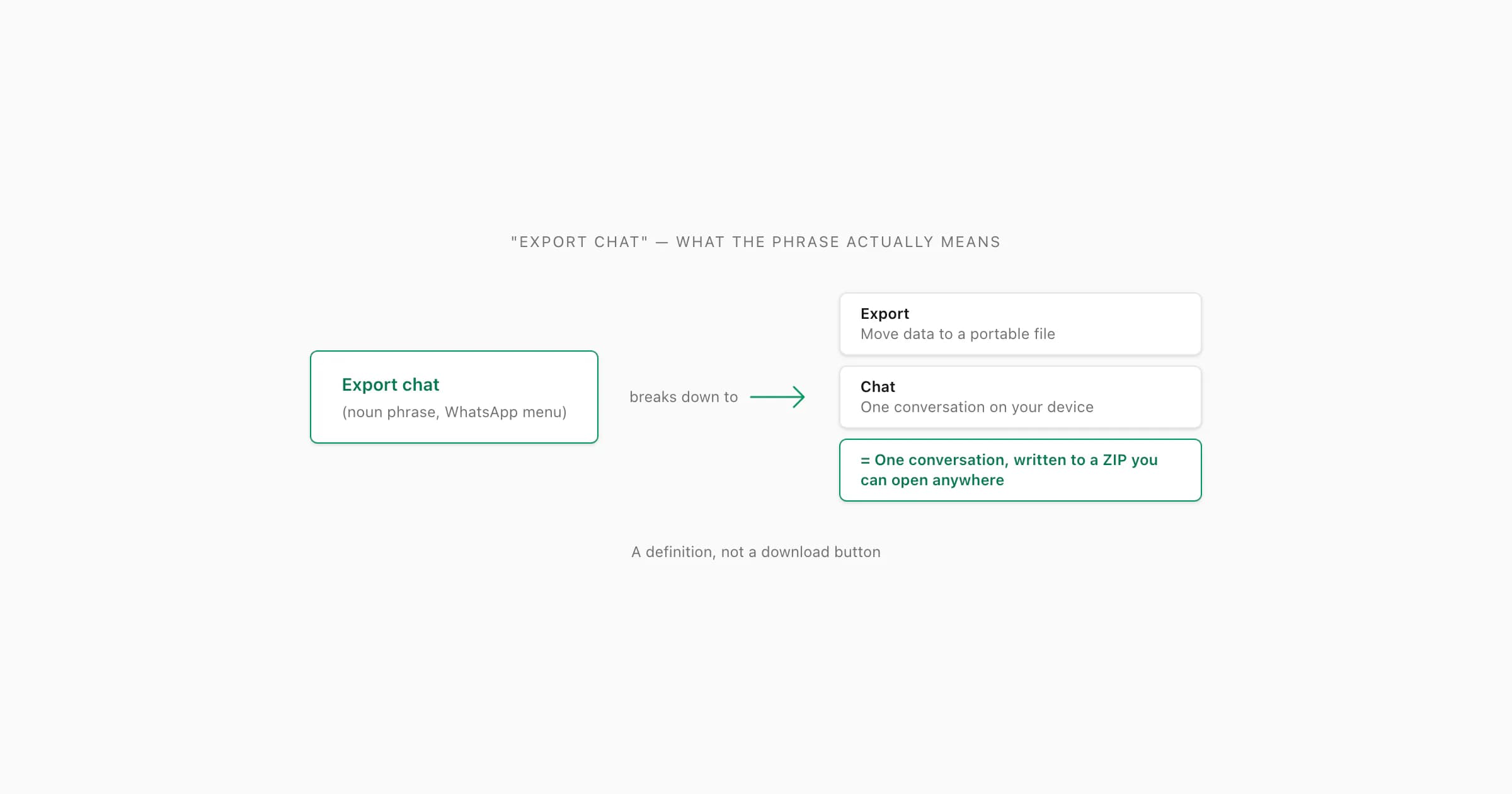
"Export chat in WhatsApp" refers to the built-in menu that creates a portable, plain-text copy of one conversation as a ZIP file containing _chat.txt and optional media. "Export" means the data leaves WhatsApp in a format readable anywhere — it is not a backup, a download, or a sync. The resulting ZIP can be uploaded to ChatToPDF to produce a formatted, sender-attributed PDF in about 30 seconds.
- Export chat (WhatsApp)
A WhatsApp menu action that writes one conversation — its messages, timestamps, sender names, and optionally its attached media — into a portable ZIP archive holding a plain-text
_chat.txtfile. The output is a one-way snapshot saved to your device or chosen share target, readable on any device, and disconnected from WhatsApp afterwards. It is not a backup, not a sync, and not a download from a server.
Breaking down the phrase word by word
People searching for "export chat in WhatsApp meaning" are usually doing one of two things. They saw the menu item and want to know what it actually produces before they tap it. Or they read about it somewhere — a guide, a forum thread, a lawyer's email — and want to confirm the term means what they think it means. Either way, the search is about the words themselves, not about the steps to use the feature.
So let me start where the question actually starts: with the phrase. "Export chat" is a noun phrase made of two ordinary words, and each one is doing real work.
"Chat" is the simpler half. In WhatsApp, a chat is one conversation — a one-to-one with another contact, or one group thread. Not your account. Not your message history across all conversations. Just the single conversation you have open. The export menu always operates on the chat you are currently viewing, never on the account as a whole.
"Export" is the word that carries the meaning. In ordinary software English, "export" means: take data that lives inside one application, convert it to a format that other applications can read, and write that converted data to a file outside the source application. The verb implies portability, readability, and a one-way move. None of those properties are accidental — they are exactly what the WhatsApp menu produces.
Put together, "export chat in WhatsApp" names the act — and the menu item — that writes one conversation into a portable, readable file. That is the entire meaning. Everything else in this guide is unpacking why the words were chosen and what they imply for what you can do with the result.
The companion piece What "export chat" actually is — the feature definition goes deeper on the feature itself; the pillar WhatsApp chat export covers the full mechanics. This guide stays at the level of the term.
Why "export" — and not "save", "download", or "backup"
Software vocabulary matters more than people assume. WhatsApp's product team had four candidate verbs available — save, download, backup, export — and chose export. The choice is not random. Each of the alternatives implies something different, and most of them imply the wrong thing for what the menu actually does.
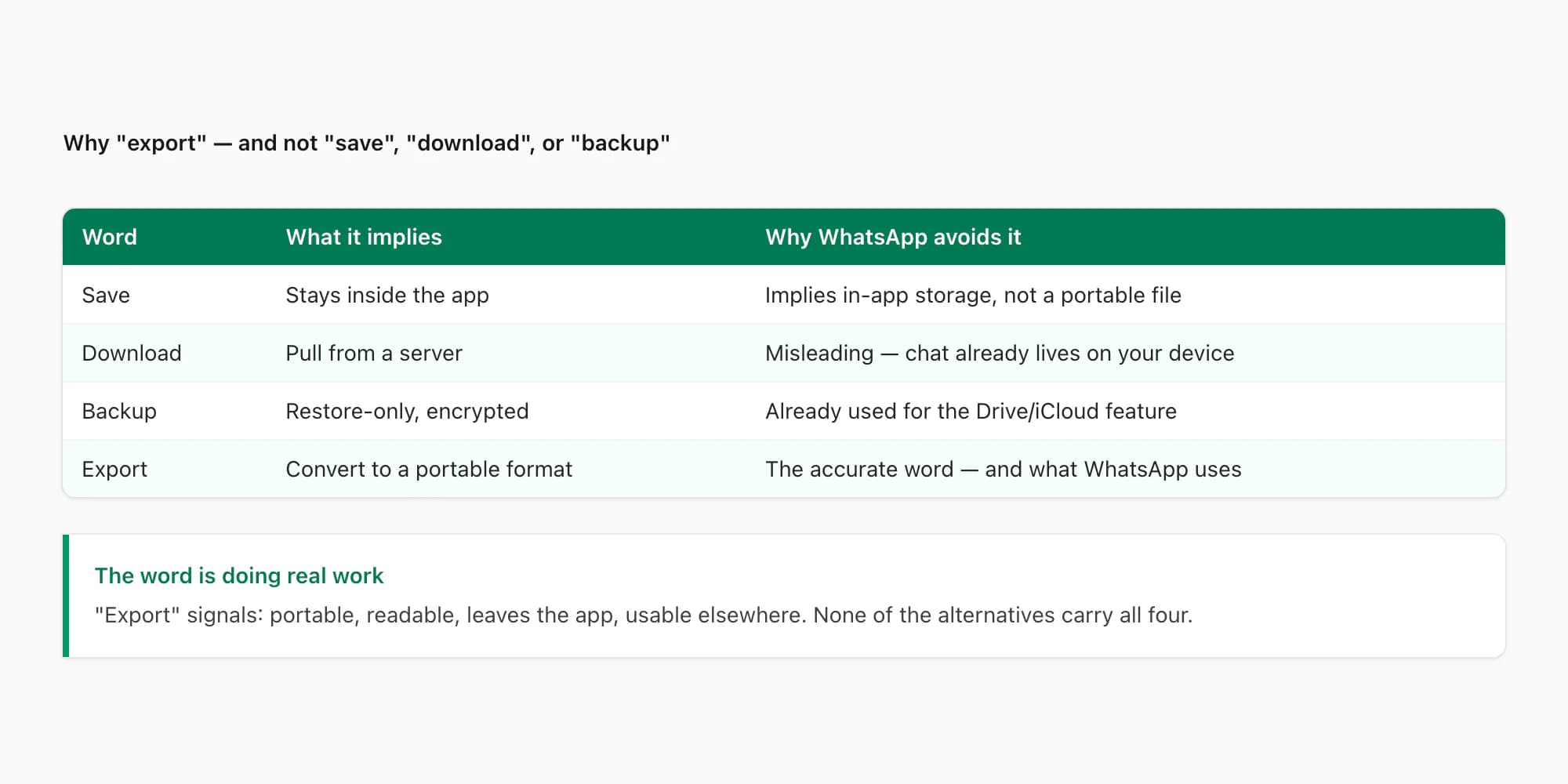
"Save" implies the data stays inside the app. "Save chat" would suggest WhatsApp is bookmarking the conversation somewhere in your account — pinning it, marking it as important. The output, in that mental model, would still live inside WhatsApp. But the menu does not save anything to WhatsApp. It writes a file to your device's storage that WhatsApp does not own and cannot read back. "Save" would be misleading.
"Download" implies pulling data from a server. When you "download" a file from Google Drive or a webpage, you are fetching something that lived elsewhere onto your device. The verb signals a network transfer. But your WhatsApp chats already live on your device — they were never on a server in any retrievable form. WhatsApp's end-to-end encryption design means the company itself cannot read your messages, so there is nothing to "download" them from. Calling the menu "Download chat" would imply a transfer that does not happen.
"Backup" implies a restore-only encrypted snapshot designed to put the data back where it came from. WhatsApp already has a backup feature — the Google Drive (Android) or iCloud (iOS) one — that does exactly that. The backup file is encrypted with WhatsApp's own keys, cannot be opened or read, and only matters when you reinstall WhatsApp on a new phone. That is a different feature from the menu we are talking about. Reusing the word "backup" for both would be a UX disaster.
"Export" is the only word left that says: take the conversation out of WhatsApp, convert it to a portable format, hand it to you, walk away. That is what the menu does. The verb is accurate, distinct from "backup", and consistent with how every other piece of consumer software uses "export" — Notion exports to Markdown, Sheets exports to CSV, Photos exports to ZIP. WhatsApp picked the right word, and "export chat in WhatsApp meaning" is just the question of what that word implies. The answer is: portability, readability, and a one-way handoff.
The companion piece What "export chat" actually means on WhatsApp digs into what the action means for your privacy and the other person; this guide stays focused on the term itself.
What "export" means in software, generally
Before getting into WhatsApp specifically, it helps to lock down the general software-engineering meaning of "export". The word predates WhatsApp by decades. It comes from the older world of databases and document software, where every application held its data in a proprietary format and "exporting" was the operation that converted that proprietary format into something portable.
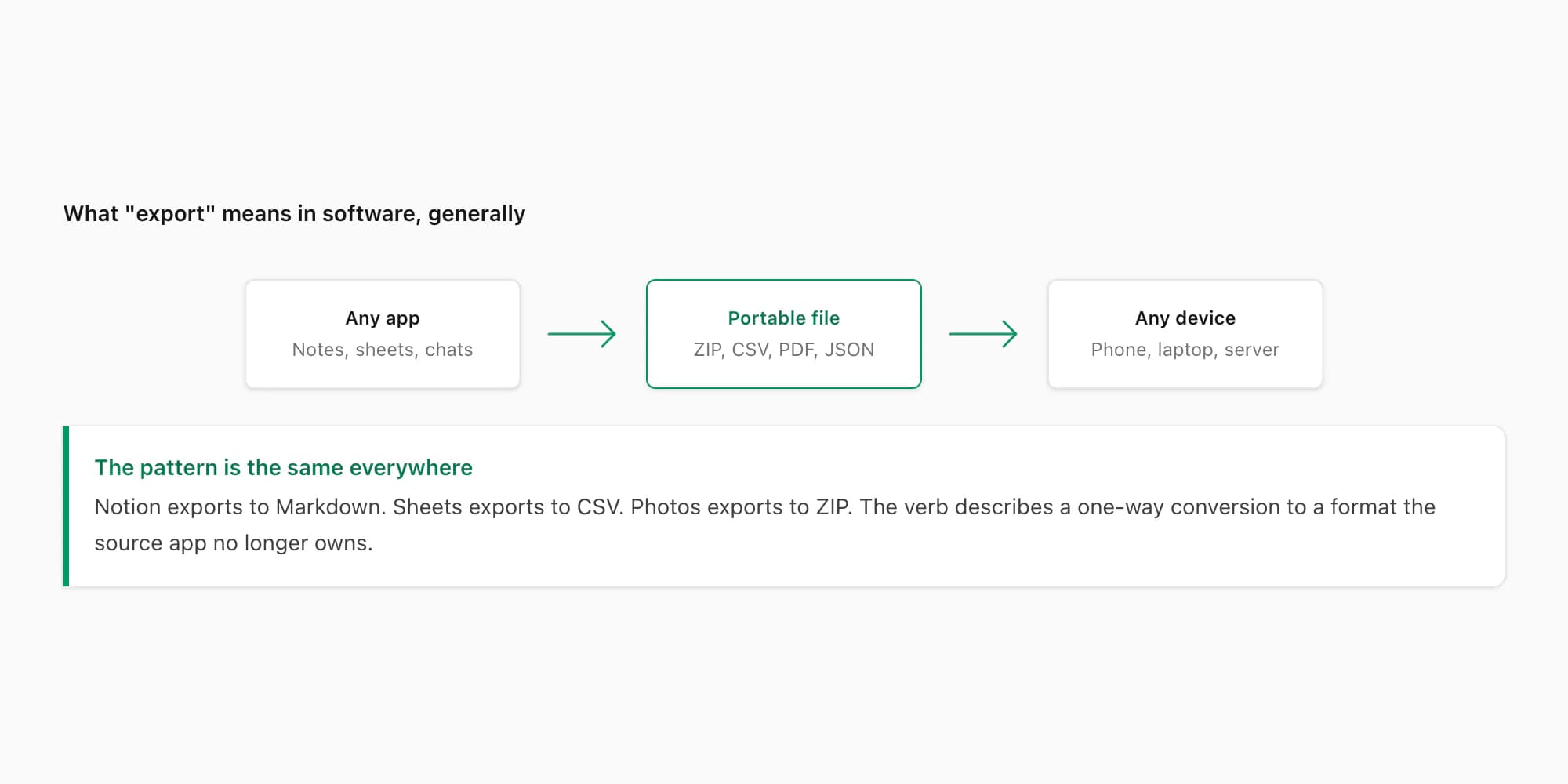
The pattern is the same everywhere. An application stores data in its own internal format — a database, a binary file, a structured store the application can read but other tools cannot. The application then offers an export feature: pick a chat, a sheet, an album, a project — and the application writes a copy of that data in a standard format that other tools can read. The standard format depends on the data type: spreadsheets export to CSV or XLSX, documents export to PDF or DOCX, photos export to ZIP, code exports to text files, chats export to plain-text ZIP archives.
Three properties define an export, in this general sense. First, it produces a file outside the source application — the verb is one-way; the source application does not stay involved with the exported file after it is written. Second, the output uses a format that other applications can read — the whole point is portability. Third, the export is a snapshot — it captures the data as of the moment you ran the export, and does not update afterwards.
Compare this to "sync", which is the opposite verb in every respect. Sync produces a live two-way connection — changes on either side propagate to the other. Compare it to "backup", which produces a non-portable file readable only by the source application's restore feature. Compare it to "save", which keeps data inside the source application. Each verb has a precise meaning in software vocabulary, and "export" is the only one that fits the WhatsApp Export Chat menu.
WhatsApp's choice to use the word "export" is not creative — it is consistent with how every other consumer app in the same category uses the term. The menu does what "export" means in general.
What "export" means inside WhatsApp specifically
Now apply the general meaning to the specific context. WhatsApp's chats live on your device — in an encrypted local database that WhatsApp itself reads to display the messages on your screen. That database is not a portable format; you cannot open it in a text editor, and other tools cannot read it directly. So the export feature is exactly the operation the general meaning describes: convert the proprietary local data into a portable format you can open elsewhere.
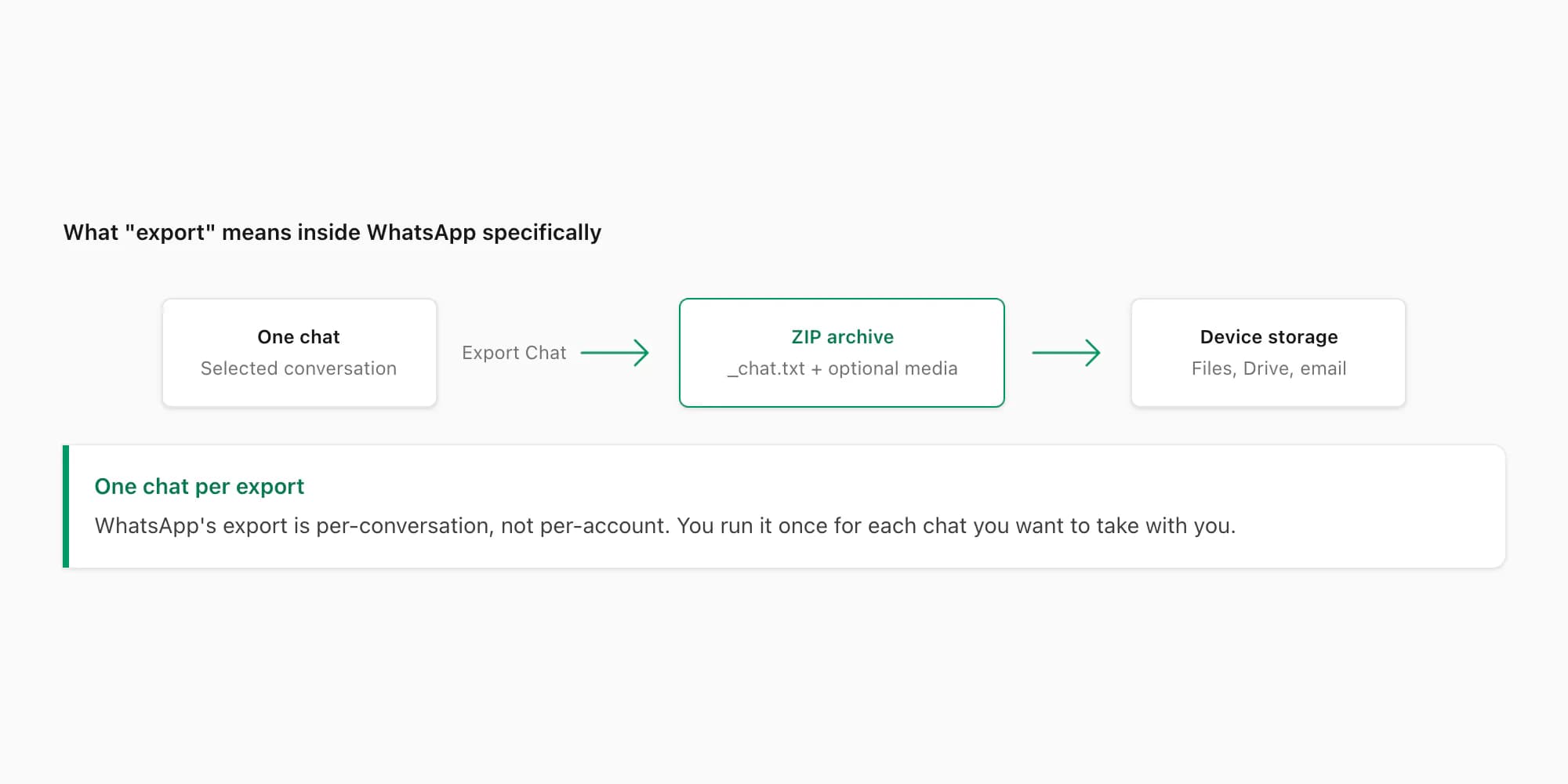
The portable format WhatsApp picked is a ZIP archive. Inside the ZIP is one plain-text file (_chat.txt on iPhone, WhatsApp Chat with [Name].txt on Android), holding every message in your chosen chat as a line of text — timestamp, sender name, message content. If you chose Including Media during export, the ZIP also contains the photos, voice notes, and documents attached to that chat, named with WhatsApp's own convention (IMG-YYYYMMDD-WA####.jpg, PTT-YYYYMMDD-WA####.opus, and so on).
That line format changes with the exporting phone and locale. If you are building software against _chat.txt, see why WhatsApp export parsers break for the 14-layout fixture set, normalization steps and multiline parser state rather than assuming one timestamp regex.
The output is one chat, not your whole account. WhatsApp does not have an "export everything" feature — there is no menu item that bundles every conversation in your account into one file. The export operation runs once per chat, producing one ZIP per conversation. If you want three chats exported, you tap Export Chat three times and end up with three separate ZIP files. This is consistent with the general "export" meaning: the source application picks the granularity that matches its data model, and for WhatsApp, the natural unit is the conversation.
The output also has a 40,000-message ceiling. The export takes the most-recent 40,000 messages from the chosen chat, with no warning if your chat is longer. This is a quirk specific to WhatsApp — most consumer apps that use "export" do not have such a low ceiling — but it does not change what "export" means. It changes what the export contains. The pillar WhatsApp chat export walks through that ceiling and the related media-window cap in detail.
The destination of the exported file is wherever your phone's share sheet sends it. iOS hands you Save to Files, AirDrop, Mail, Messages, and any third-party app that registers as a share target. Android hands you the equivalent share intent, with options for Drive, Gmail, Files, and so on. The export is "to your device" in the sense that it produces a file the device controls — but the act of writing it usually involves a share sheet step that lets you pick where the file lands.
Use cases the word "export" supports
The reason WhatsApp uses "export" rather than one of the alternatives becomes clearest when you look at what people actually do with the file. The menu's vocabulary has to support the use cases, and only "export" carries the right implications for all of them.
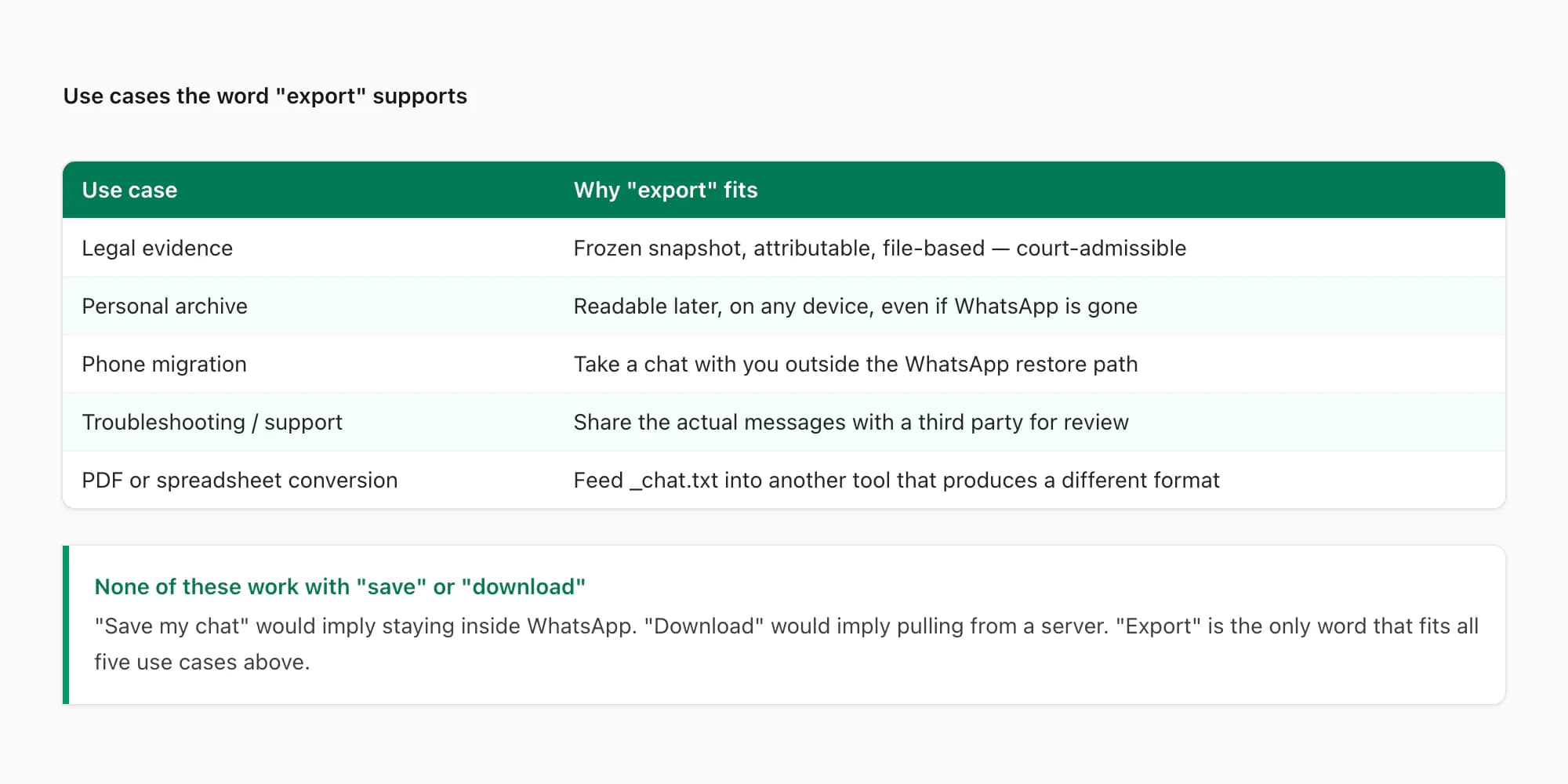
Legal evidence. A chat used as evidence in a court case has to be a frozen snapshot — one that cannot have been altered after collection, attributable to the parties involved, and submittable as a file. "Export" is the right word here because it implies exactly that one-way snapshot. The companion piece WhatsApp evidence court PDF walks through the legal-admissibility considerations in detail.
Personal archive. Someone who wants to remember a conversation with a deceased family member, or preserve a long thread for sentimental reasons, needs a file that will outlive WhatsApp itself. The exported ZIP is plain text — readable in any text editor, on any operating system, decades from now. "Save" would not imply that durability; "backup" would imply restore-only.
Phone migration. Someone switching phones who wants to take one specific chat with them — outside the WhatsApp restore path, which is all-or-nothing — runs Export Chat on the old phone and opens the ZIP on the new one. The chat travels as a portable file. This is the use case where "export" really pulls its weight: the verb signals exactly the cross-device portability the user needs.
Troubleshooting and support. Someone who needs to share a chat with a third party — a journalist verifying a quote, a lawyer reviewing evidence, a support technician reproducing a bug — exports the chat and emails the ZIP. "Export" is the right term because the file is shareable and openable by the recipient without WhatsApp.
Conversion to PDF, CSV, or another format. This is what chattopdf.app does. The exported _chat.txt is a structured input that another tool can parse and re-emit in a different format. PDF for reading, CSV for analysis, XLSX for spreadsheets. None of those would work if the file were "saved" inside WhatsApp or "backed up" in encrypted form. The portability that "export" implies is what makes downstream conversion possible.
If you removed "export" from the vocabulary and tried to describe the menu using "save", "download", or "backup", every one of these use cases would either become impossible or require extra explanation. The word does real work.
Why exporting is not syncing or backing up
This is where the term gets confused most often, especially in product comparisons or migration guides. People sometimes use "export" loosely as a synonym for "back up" or "sync". In WhatsApp's context, those are three different operations producing three different files, and conflating them leads to wrong expectations.
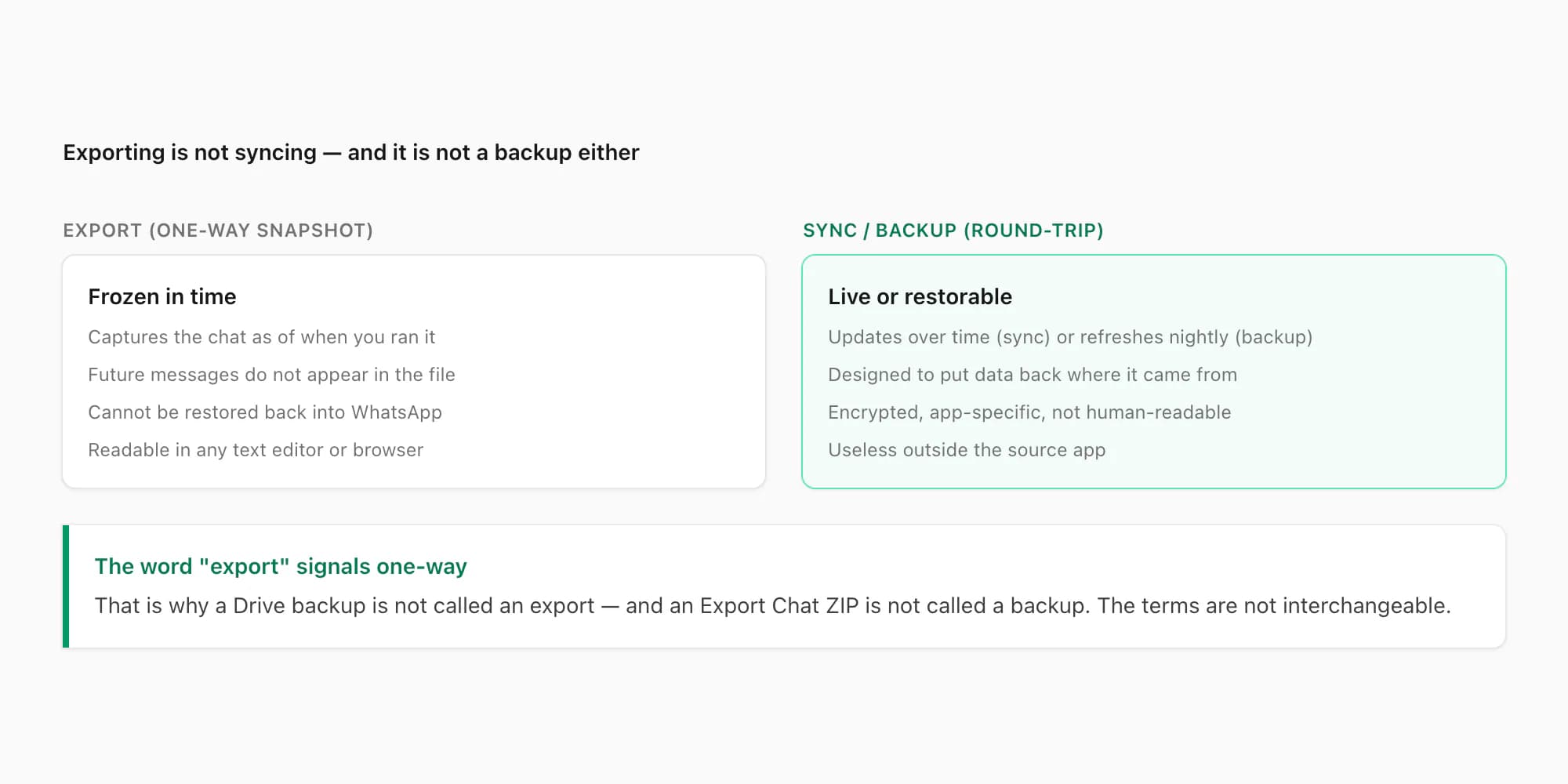
Exporting is one-way. The exported ZIP captures the conversation at the moment you ran the export. New messages sent after that moment do not appear in the file. There is no live connection between the file and your WhatsApp account; opening the ZIP next month shows the same content as opening it today.
Syncing, by contrast, is two-way and live. WhatsApp Web is the closest thing WhatsApp has to a sync feature — it mirrors your phone's chats onto a desktop browser, and messages sent on either side propagate to the other. But Web does not produce a file; closing the browser ends the sync. Calling Web a "sync" is reasonable; calling Export Chat a "sync" would be wrong.
Backing up, the third operation, is restore-only. The Google Drive (Android) and iCloud (iOS) WhatsApp backups are encrypted full-account snapshots designed for one purpose: putting your chats back on a fresh WhatsApp install. The backup file is not portable, not readable, and not useful outside the WhatsApp restore flow. Calling Export Chat a "backup" would be wrong because the export file is portable, readable, and not designed to be restored.
So three operations, three different files, three different vocabularies. Export Chat is an export. WhatsApp Web is a sync. Drive/iCloud is a backup. WhatsApp uses each word for exactly one thing, and the three things are not interchangeable.
The companion piece Download chat history WhatsApp walks through how the three different intents map to three different routes when people search for "download" — which is itself a fourth verb that overlaps with all of the above.
Pricing — turning the exported ZIP into a PDF
If you are reading the WhatsApp Help Centre's documentation on the export feature, the official explanation describes the menu and the ZIP, but does not say what to do with the ZIP afterwards. Most people who ran the export are looking at the ZIP on their phone and wondering: "now what?". The most common next step — by a wide margin — is converting it to a PDF.
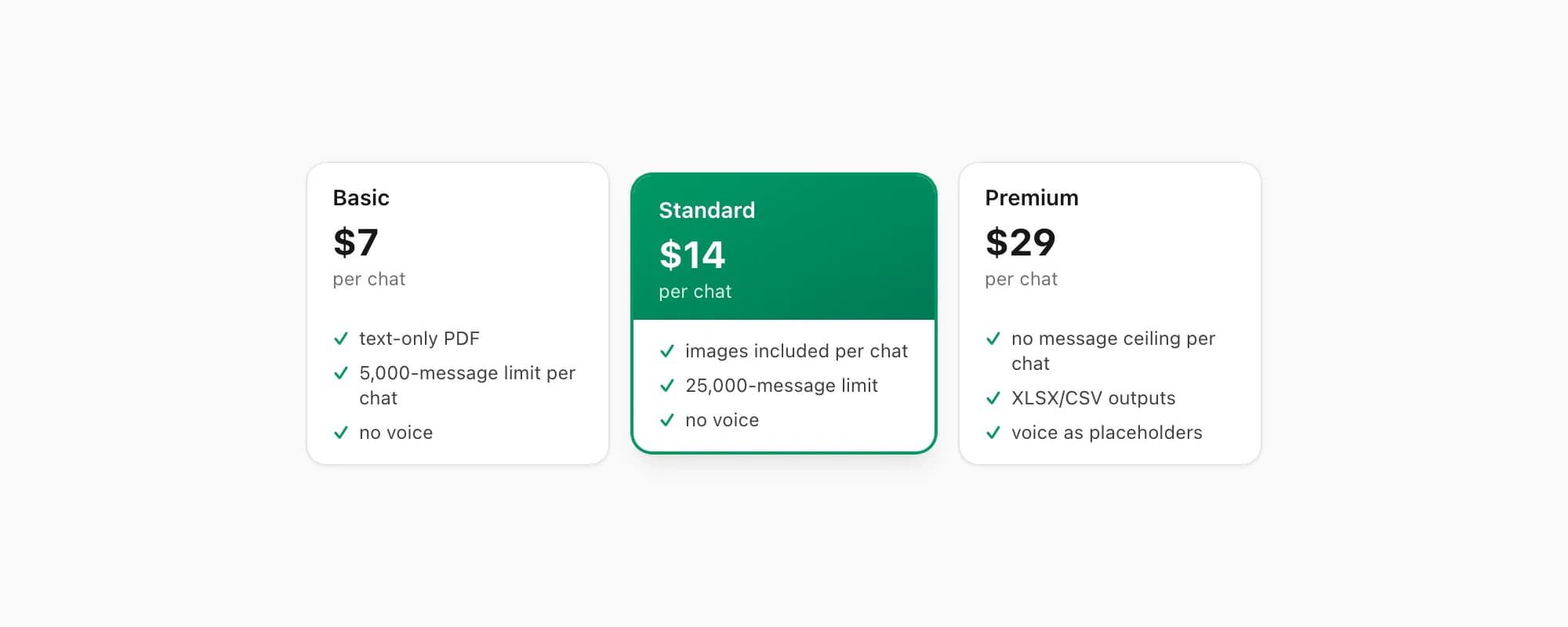
WhatsApp's own help page on exporting confirms the menu's behaviour but says nothing about downstream tools. ChatToPDF is one of those tools. Here is how the tiers map to common chat sizes.
$7 Basic per chat is the entry point. Text-only PDF, capped at 5,000 messages per chat, no embedded images, no voice transcription. Right when the chat is short and you only need the message text in a clean readable document — for example, an export run with the Without Media option on a chat under a few thousand messages.
$14 Standard per chat is where most personal exports land. Embedded images appear inline in the PDF (assuming you exported with Including Media), the message ceiling sits at 25,000 per chat, and voice transcription is not included. Right for the bulk of individual chats — multi-year personal conversations with photos but without huge volumes of voice notes.
$29 Premium per chat removes the message ceiling per chat and adds XLSX/CSV outputs alongside the PDF. Voice notes appear as placeholders rather than transcribed text. Right for long-running individual chats, big group threads, or when you also want to do data analysis on the conversation in a spreadsheet.
If voice transcription matters, the $49 Premium+Voice per chat tier adds language-aware Nova-3/Scribe v2 transcription with an extended audio cap. The $99 Power User per chat tier adds priority queue processing and bulk uploads — useful if you have a folder of 10 ZIPs to convert in one session.
Each conversion is a single payment for a single chat. There is no recurring billing on any tier, and no account-level access. If you re-export the same chat tomorrow because new messages came in, that is a different snapshot — and a different conversion.
Key takeaways
- "Export chat in WhatsApp" is a noun phrase: "chat" means one conversation on your device, and "export" means converting that conversation to a portable file readable outside WhatsApp.
- WhatsApp picked "export" over "save", "download", or "backup" because it is the only verb that accurately implies portability, readability, and a one-way move — the exact properties the menu produces.
- In general software vocabulary, "export" means converting an application's internal data format into a standard portable format that other tools can read — Notion to Markdown, Sheets to CSV, WhatsApp chats to a plain-text ZIP.
- Inside WhatsApp specifically, the export produces one ZIP per chat (not one per account), holds
_chat.txtplus optional media, and tops out at 40,000 messages per chat — the most-recent 40,000. - The word "export" supports use cases that "save" or "backup" could not — legal evidence, personal archive, phone migration, troubleshooting, format conversion — because those use cases all require a portable readable file.
- Exporting is not syncing (one-way, not two-way) and not backing up (readable, not restore-only). WhatsApp uses each word for exactly one thing, and the three things are not interchangeable.
- For "I want a readable PDF of one exported chat", the route is: Export Chat → ZIP → drop into chattopdf.app → $14 Standard per chat → done in about 30 seconds.
- For the end-to-end walkthrough of the conversion — what the ZIP becomes, how formatting is preserved, and how all four pricing tiers compare — see the WhatsApp to PDF guide.
FAQ
What is the meaning of export chat in WhatsApp?
"Export chat" in WhatsApp names the menu action that writes one conversation into a portable ZIP archive. The ZIP holds a plain-text file (_chat.txt) containing every message line by line, plus optional photos and voice notes if you chose Including Media. The output is a one-way snapshot — frozen at the moment you ran it — that you can open in any text editor, share via email, or convert to a PDF. It is not a backup, not a sync, and not a download from a server.
Why does WhatsApp say 'export' instead of 'download' or 'save'?
Because "export" is the only word that implies all three properties the menu actually produces: portability (the file leaves WhatsApp), readability (you can open it anywhere), and one-way move (it does not stay connected to WhatsApp). "Save" would imply the data stays inside WhatsApp. "Download" would imply pulling from a server, but your chats already live on your device. "Backup" would imply restore-only, which is what the Drive/iCloud feature already does. "Export" was the accurate choice.
Does export chat in WhatsApp mean the same thing as backup?
No. A WhatsApp backup (Google Drive on Android, iCloud on iOS) is an encrypted full-account snapshot designed for restoring on a new phone — you cannot open it, read it, or extract individual chats from it. An export is one chat, written as a plain-text ZIP you can read in any text editor. Different files, different purposes, different vocabularies. Choose backup if you want the ability to restore later; choose export if you want a readable file you can share or convert.
Is exporting a chat a one-time action or an ongoing connection?
One-time. The export captures the chat as it exists on your device at the moment you ran the menu, writes that snapshot into a ZIP, and stops. New messages sent after the export do not appear in the file. There is no live link between the file and your WhatsApp account. If you want a more recent version, you run Export Chat again — that produces a fresh ZIP, separate from the first one, with the additional messages included.
Can I 're-import' an exported chat back into WhatsApp?
No. WhatsApp has no import feature for chats. The export is one-way by design — the ZIP is a readable artifact for you to keep, share, or convert, not a file WhatsApp can read back. Even if you uninstall WhatsApp and reinstall it, there is no menu that lets you point WhatsApp at an exported ZIP and have it reconstruct the conversation. For restoration, you use the encrypted Drive or iCloud backup. For everything else, the exported ZIP lives outside WhatsApp permanently.
I'm Paul, the founder of ChatToPDF. I built it after needing a long WhatsApp conversation as a readable PDF for a legal matter. I test and document WhatsApp exports, PDF conversion, voice-note transcription, and the limits people should check before relying on the result.