
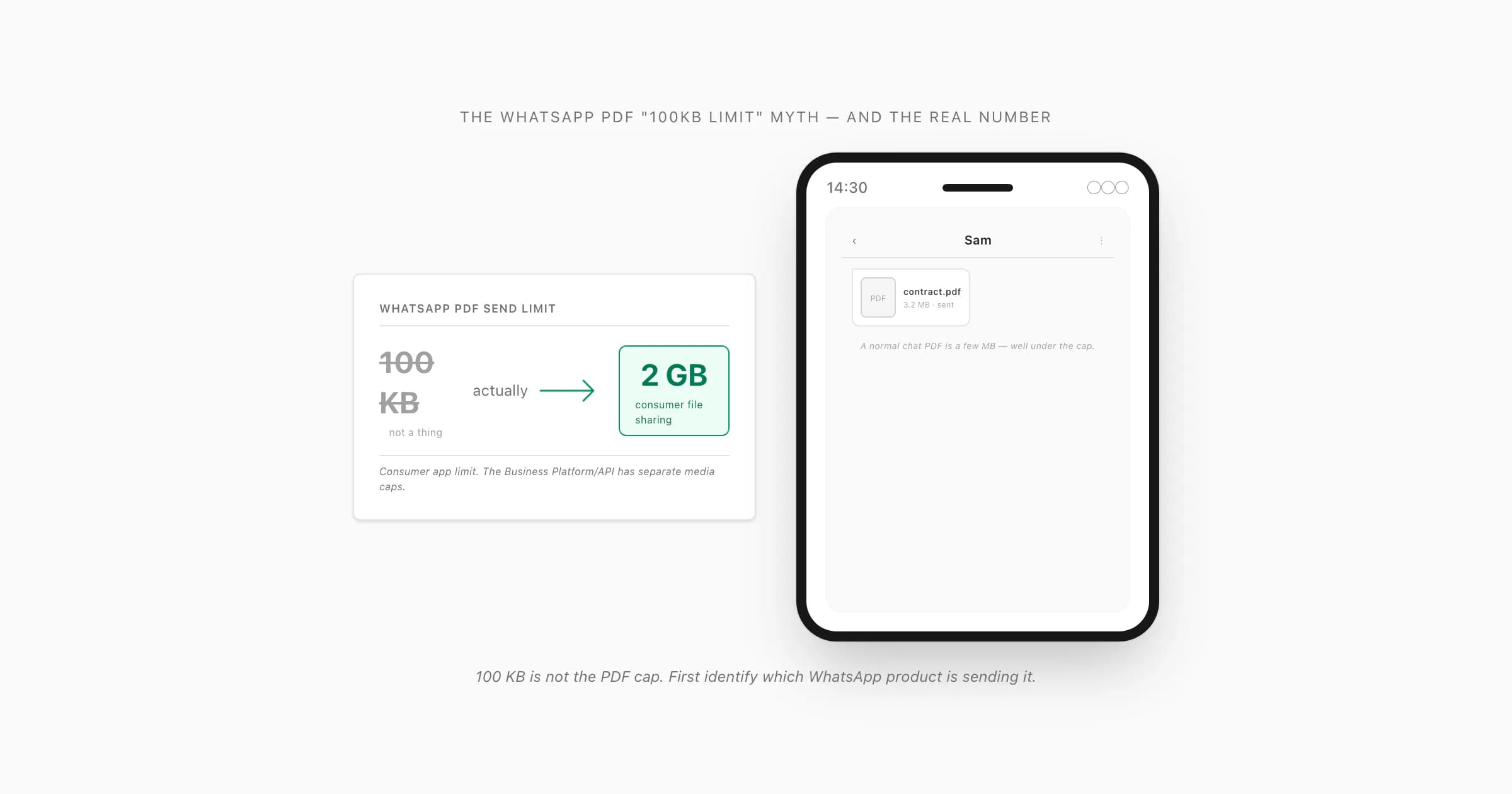
No 100 KB PDF cap: consumer app vs Business Platform
Let me clear this up before anything else: there is no WhatsApp PDF 100KB limit. A one-page scan can exceed 100 KB, so that ceiling would make routine document sharing nearly useless. The current answer depends on which WhatsApp product and sending route you use.
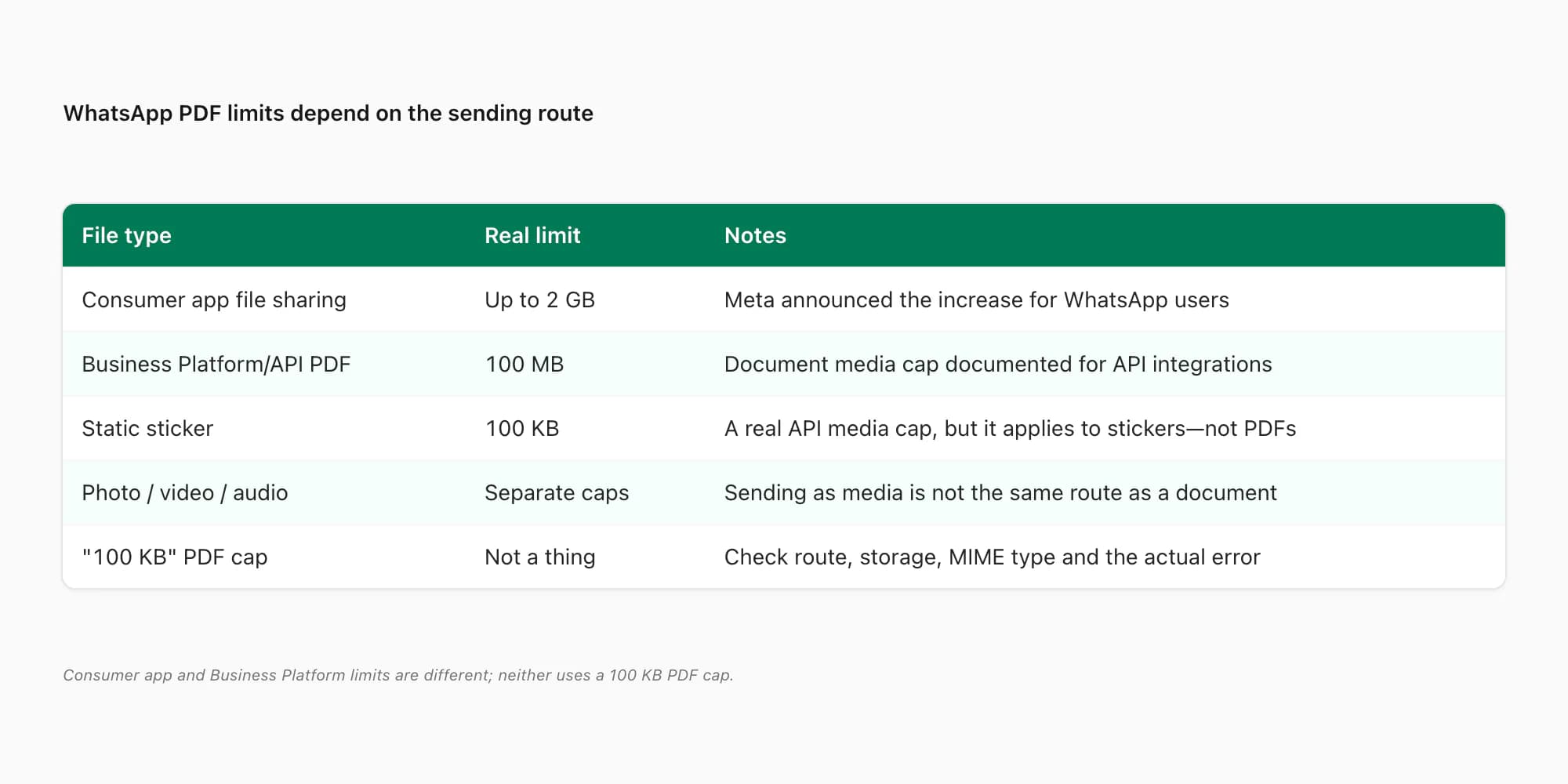
Here are the figures that are real as of July 2026:
- Consumer WhatsApp on iPhone, Android, Web and desktop: file sharing up to 2 GB. Meta announced the increase from the old 100 MB-era limit when it introduced larger community features. A PDF attached as a document uses this consumer file-sharing route. See Meta's primary announcement, Our Vision for Communities on WhatsApp.
- WhatsApp Business Platform/Cloud API: PDFs up to 100 MB. This is for software sending WhatsApp messages through an API, not an ordinary person attaching a PDF in the phone app. AWS's current WhatsApp Business Platform media table lists PDF as
application/pdfwith a 100 MB maximum: supported WhatsApp media types and sizes. - Static stickers in that API: 100 KB. This is a real 100 KB number, but it applies to a static WebP sticker. It does not apply to PDFs.
- Photos, videos and audio sent as media: separate formats and caps. Do not use a video or sticker limit to diagnose a PDF sent as a document.
This product distinction is the answer most competing pages miss. “WhatsApp Business” can mean the Business app, which behaves much like the consumer app, or the Business Platform/API, which is an integration used by support systems and campaign tools. Ask whether a human is attaching the PDF in WhatsApp or software is sending it through an API.
Why 100 KB, 100 MB and 2 GB get confused
I find this confusion understandable because all three numbers can appear in WhatsApp documentation or older advice, but each belongs to a different context.
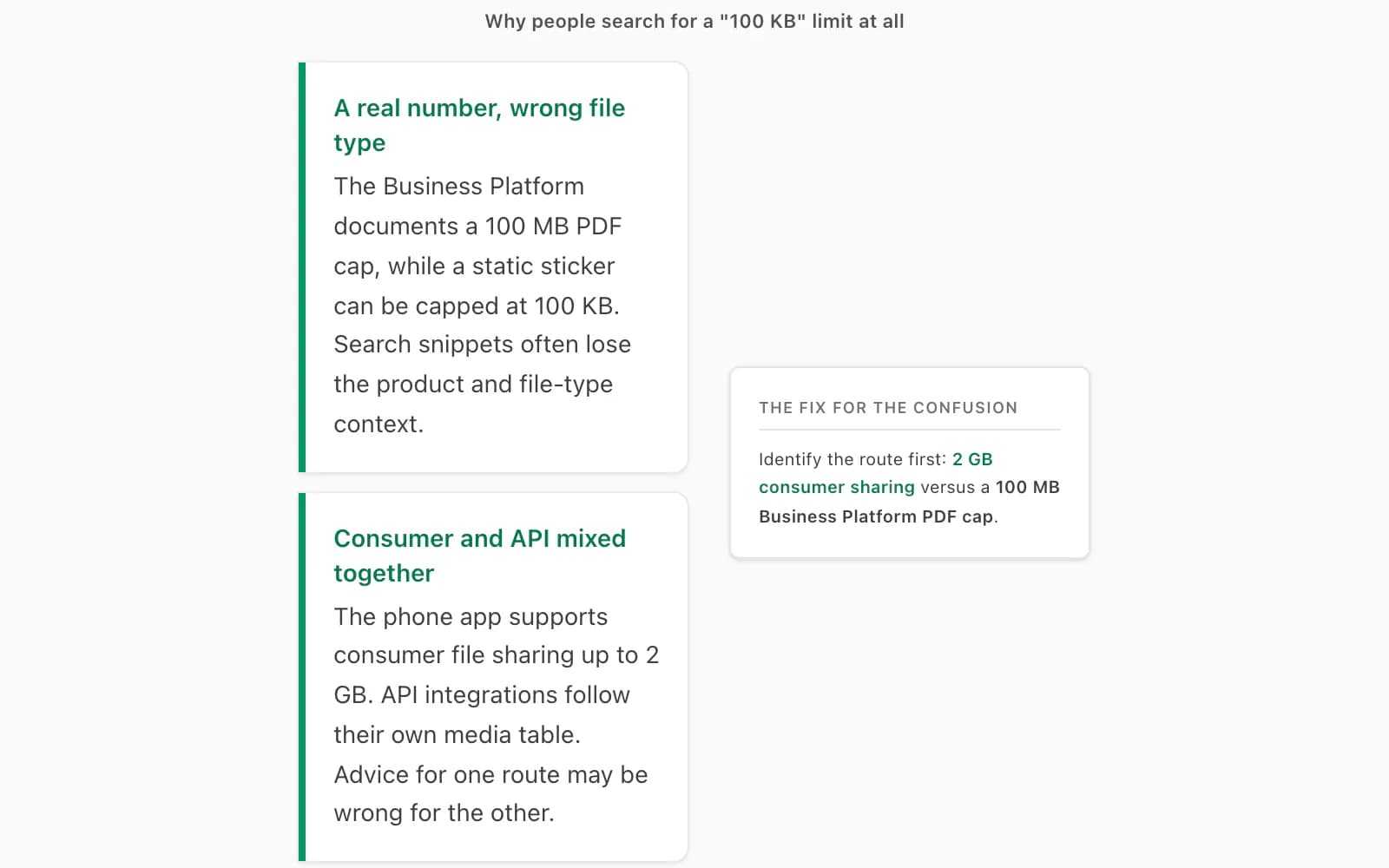
100 KB appears in the Business Platform media table for a static sticker. 100 MB is both an old consumer-file figure still repeated by stale articles and the current Business Platform PDF cap. 2 GB is the consumer file-sharing limit announced by Meta. A search result that says only “WhatsApp file limit” can therefore be technically correct for one route and wrong for another.
Use this quick rule:
- Attaching a PDF yourself in the WhatsApp or WhatsApp Business app? Compare it with 2 GB.
- Sending a PDF through a CRM, bot or Business Platform integration? Compare it with the integration's current documentation; the cited API table lists 100 MB.
- Seeing 100 KB? Check whether the source is talking about static stickers. It is not a PDF limit.
Why a PDF actually won't send or arrive
If a PDF refuses to go through WhatsApp or will not arrive, the exact error matters more than a remembered number.
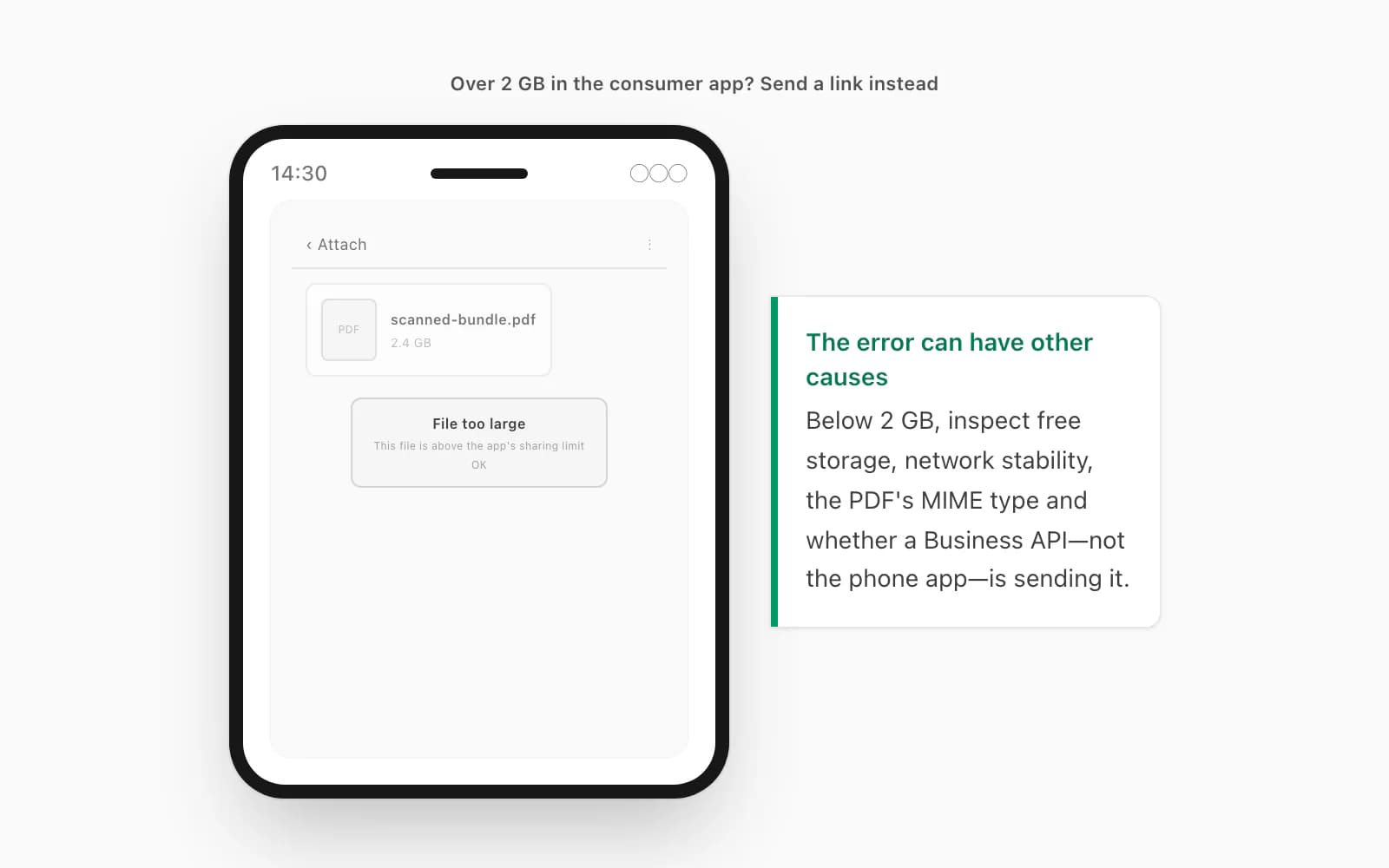
The file exceeds the applicable route limit. A consumer-app file above 2 GB is too large. An API-delivered PDF can fail above the platform's 100 MB cap. Check the file's exact size in Files, Finder or Windows Explorer, then compare it with the correct route—not with 100 KB.
The receiver's storage is full. Even if the file sends fine, WhatsApp on the other end has to write it to disk before it can be opened. A phone sitting at 99% full has nowhere to put it, so the download stalls or fails — and from the receiver's side it looks like "the PDF won't download." That's a near-cousin of a WhatsApp PDF that won't finish downloading, which walks the storage and network checks in detail.
The network dropped mid-transfer. A large PDF on a flaky signal can spin or repeatedly fail. The fix here is a stable link, not merely a fast one: move to Wi-Fi if you can, keep WhatsApp in the foreground while the bar fills, and try again.
The filename, MIME type or PDF is malformed. Rename the file with a simple .pdf extension, open it locally, and try sending a known-good small PDF. If only one file fails, regenerate that file. If every PDF fails, investigate permissions, storage and the app itself. The deeper WhatsApp PDF cannot-open guide covers corrupt and incomplete files.
What to do with a PDF that's too big for WhatsApp
If the PDF exceeds the correct limit for your route, you have three sane options.
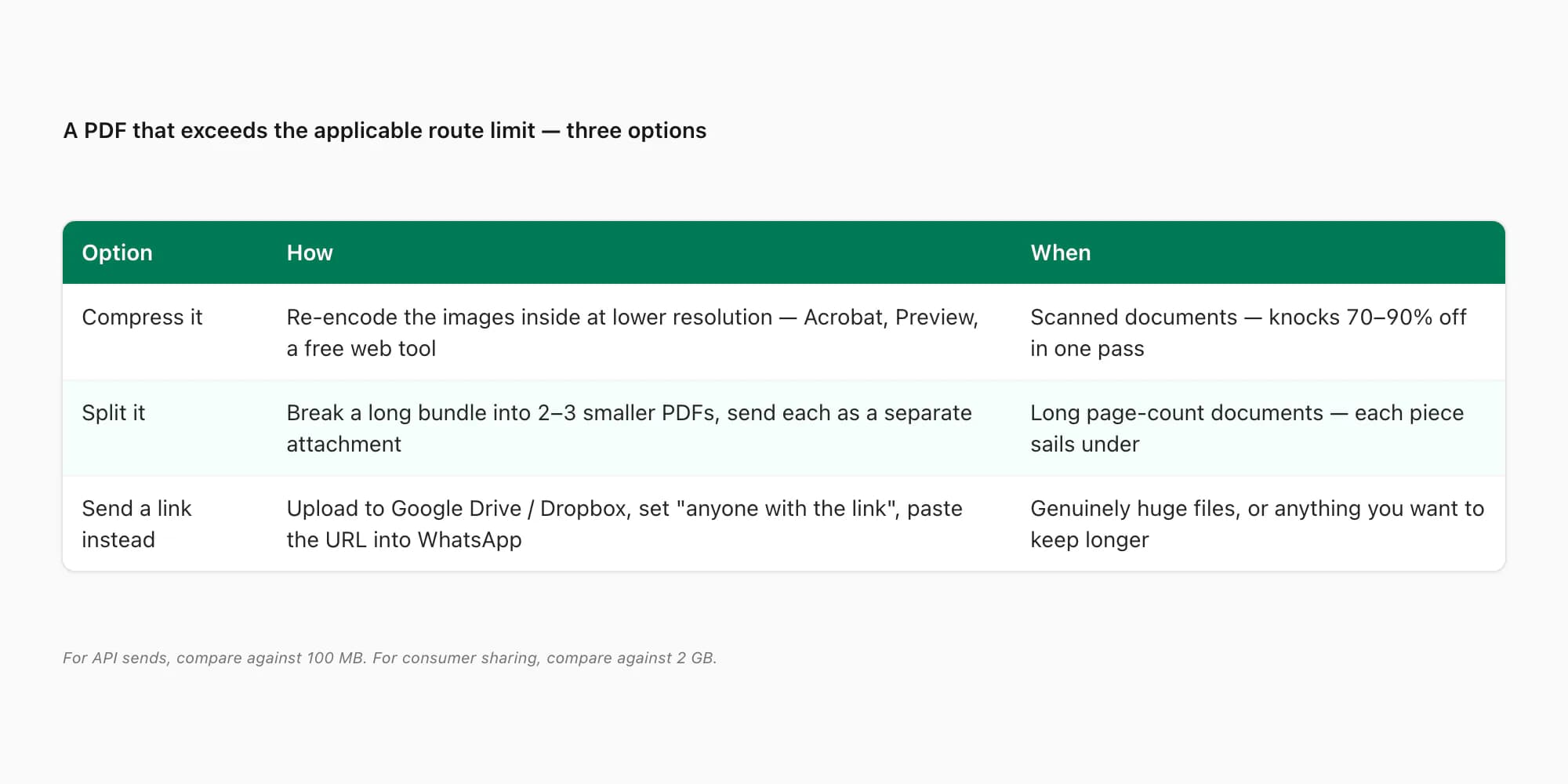
Compress it. Most PDF tools can re-encode images at a lower resolution and substantially reduce a scan. For an API send, aim comfortably below 100 MB rather than exactly on the boundary. For a consumer file near 2 GB, a link is usually more practical than aggressive compression. Avoid uploading confidential files to an unknown web compressor.
Split it. If it's a long document — a 400-page bundle, say — split it into two or three smaller PDFs and send them as separate attachments. Acrobat does this natively; so do most free splitters. Each piece sails under the limit on its own.
Send a link instead. Upload the PDF to Google Drive, Dropbox, OneDrive, or any file host, set the share link to "anyone with the link," and paste that link into WhatsApp as a message. No size limit at all on the WhatsApp side — it's just a URL — and the recipient downloads at full speed from the host. This is the move for anything genuinely huge, or for files you want to keep available longer than WhatsApp keeps media on its servers (which isn't forever).
How big a ChatToPDF chat PDF actually is
Here's the part nobody mentions in all of this: most people landing on a "WhatsApp PDF size limit" search aren't trying to send a PDF through WhatsApp at all — they want a WhatsApp chat turned into a PDF, and they're worried it'll come out enormous. It won't.
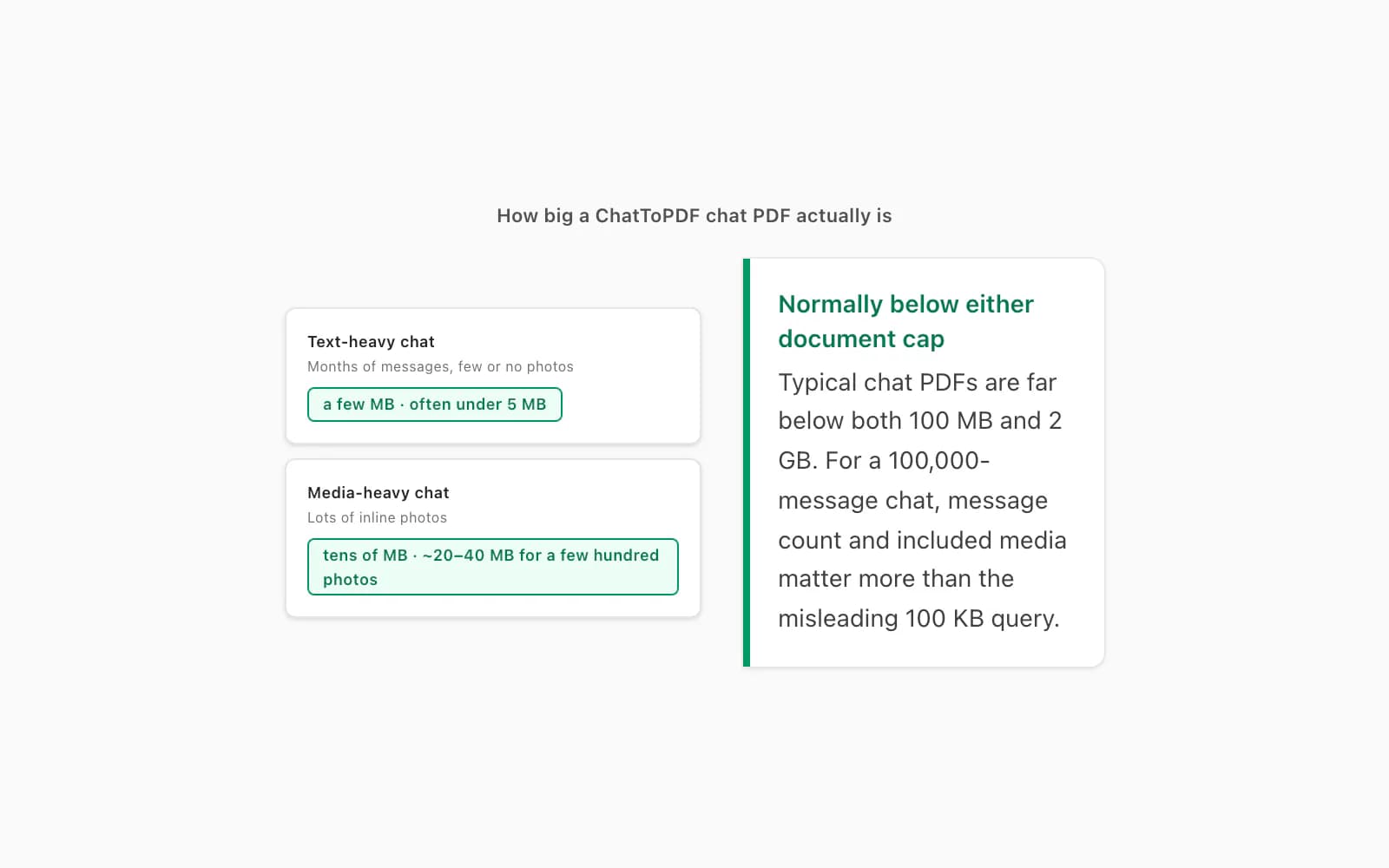
A PDF that ChatToPDF produces from a chat is usually far smaller than either cap. A text-heavy conversation is commonly a few megabytes because text compresses well. A media-heavy chat can run into tens of megabytes depending on the number and size of included images. Do not treat those examples as guaranteed output sizes: the actual result depends on your export. Check the completed file before sending it through an API. The output is standard, self-contained PDF with messages, sender names, timestamps and selected inline media in one file.
If your chat is one of the genuinely enormous ones — a years-old group with 100,000+ messages — the thing that matters isn't the file size, it's the message count, and that's a pricing-tier question. The path itself is short: in WhatsApp, open the chat, tap the contact or group name at the top (on Android: three-dot menu → More), scroll to Export Chat, pick "Including Media" so photos make it in, and save the ZIP. Then open chattopdf.app/upload, drop the ZIP on the upload zone, enter your email, and the conversion runs — the WhatsApp to PDF guide walks the whole thing end to end, and there's a free preview of the first ten messages before you pay. If the export ZIP itself comes out too large to handle comfortably, that's covered in a WhatsApp ZIP export that's too big — ChatToPDF accepts the ZIP directly, so you don't unzip anything by hand.
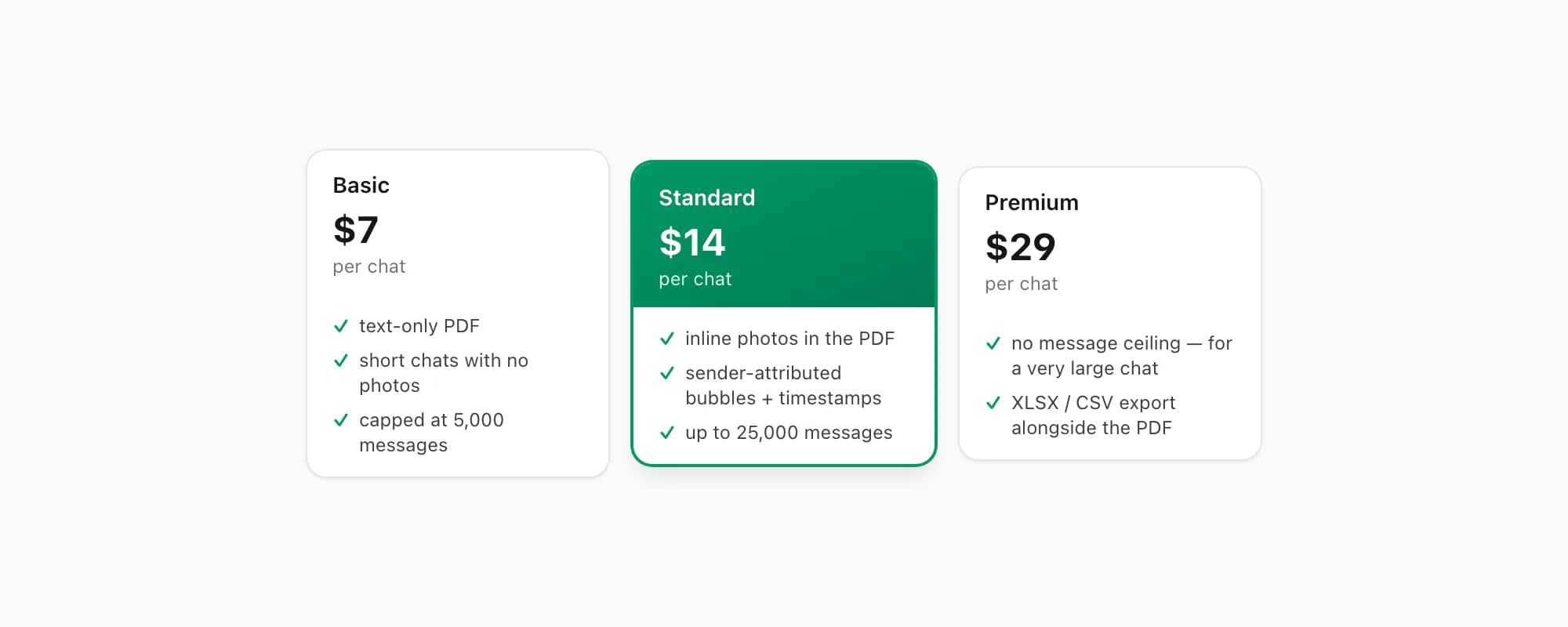
ChatToPDF charges per chat conversion — you pay for the one chat you're converting, nothing recurring. $7 Basic per chat is a text-only PDF, fine for a short chat with no photos, capped at 5,000 messages. $14 Standard per chat renders inline photos, sender-attributed bubbles and timestamps, up to 25,000 messages — the right tier for almost every chat. $29 Premium per chat removes the message ceiling and adds an XLSX/CSV export alongside the PDF — that's the one to pick for a very large chat; the pillar covers the $49 Premium+Voice per chat tier (language-aware Nova-3/Scribe v2 voice-note transcription) and the $99 Power User per chat tier (priority queue, bulk handling) if you need them. None of these have anything to do with file size — the output PDF is small either way.
Key takeaways
- There is no WhatsApp PDF 100KB limit; 100 KB is a documented static-sticker cap in the Business Platform media table
- Meta announced consumer WhatsApp file sharing up to 2 GB, while the Business Platform/API separately lists a 100 MB PDF cap
- “WhatsApp Business” is ambiguous: distinguish the Business app from the Business Platform/API before applying a limit
- A PDF can still fail below the correct limit because of storage, network, a bad filename or MIME type, or a corrupt file
- For a PDF that really is too big: compress it (re-encode the images), split it into smaller PDFs, or send a Google Drive / Dropbox link instead
- A ChatToPDF chat PDF is normally far below either document cap, but verify the actual output size before sending
- ChatToPDF is priced per chat — $14 Standard per chat covers almost every conversion, with $29 Premium per chat for a very large chat with no message ceiling
FAQ
Is there a 100 KB limit on PDFs in WhatsApp?
No. For consumer WhatsApp, Meta announced file sharing up to 2 GB. For the WhatsApp Business Platform/API, the current media table lists PDFs up to 100 MB. That same table lists 100 KB for a static sticker, which may be where the misleading number comes from. None of those sources sets a 100 KB PDF limit.
What is WhatsApp's actual document and PDF size limit?
For a person attaching a PDF in the consumer WhatsApp app, file sharing supports up to 2 GB. For software sending a PDF through the WhatsApp Business Platform/API, the current documented PDF cap is 100 MB. Product route matters more than phone operating system. Confirm current platform documentation if your CRM or provider imposes an additional limit.
My PDF won't send on WhatsApp — what do I do?
Check the file size and route first. Above the applicable cap, compress or split the PDF, or use a permission-controlled cloud link. Below the cap, open the PDF locally, rename it with a simple .pdf extension, confirm free storage and retry on a stable connection. If a Business Platform integration is sending it, inspect that provider's upload error and any provider-specific cap.
How big is a PDF that ChatToPDF makes from a chat?
A text-heavy chat is commonly a few megabytes because text compresses well. A media-heavy chat can be tens of megabytes or more, depending on what the export contains. The actual completed file—not a generic estimate—is what matters. Check its size before an API send; most ordinary chat PDFs remain well below both the 100 MB Business Platform cap and the 2 GB consumer file-sharing cap.
I'm Paul, the founder of ChatToPDF. I built it after needing a long WhatsApp conversation as a readable PDF for a legal matter. I test and document WhatsApp exports, PDF conversion, voice-note transcription, and the limits people should check before relying on the result.