
What people searching "smallpdf whatsapp" actually want
I'll be honest — I spent a stupid amount of time on Smallpdf before I built ChatToPDF. When a court paralegal first asked me to "get this WhatsApp into a PDF" back in 2024, my first instinct was to drag the export onto Smallpdf and let the toolkit handle it. It didn't. Smallpdf is the household name in browser-based PDF tools — has been for years — so the mental jump from "I have a WhatsApp chat I need as a PDF" to "Smallpdf does PDFs" is the same jump everyone makes. Then Google Search Console started showing me real chattopdf.app impressions on queries like "smallpdf whatsapp", "smallpdf whatsapp to pdf" and "whatsapp chat to pdf smallpdf", and it clicked: this isn't just my mistake, it's a whole search cluster of people doing what I did.
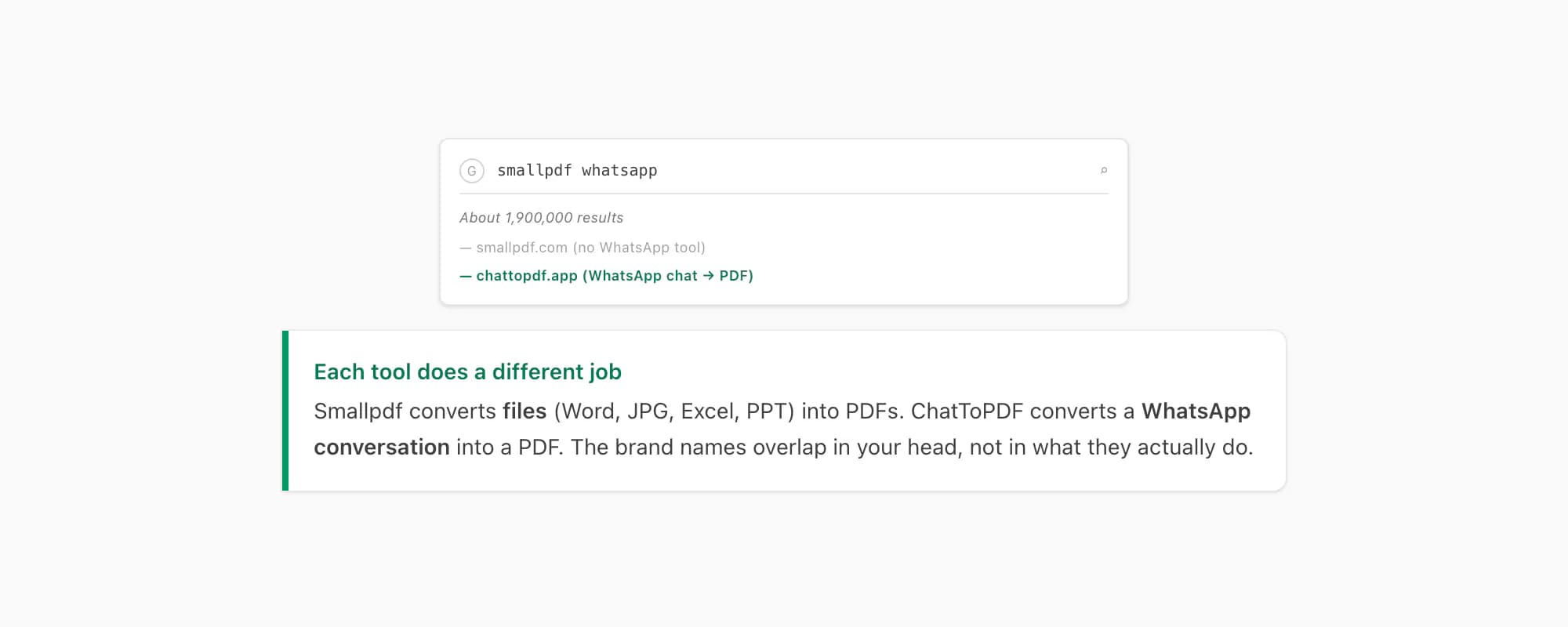
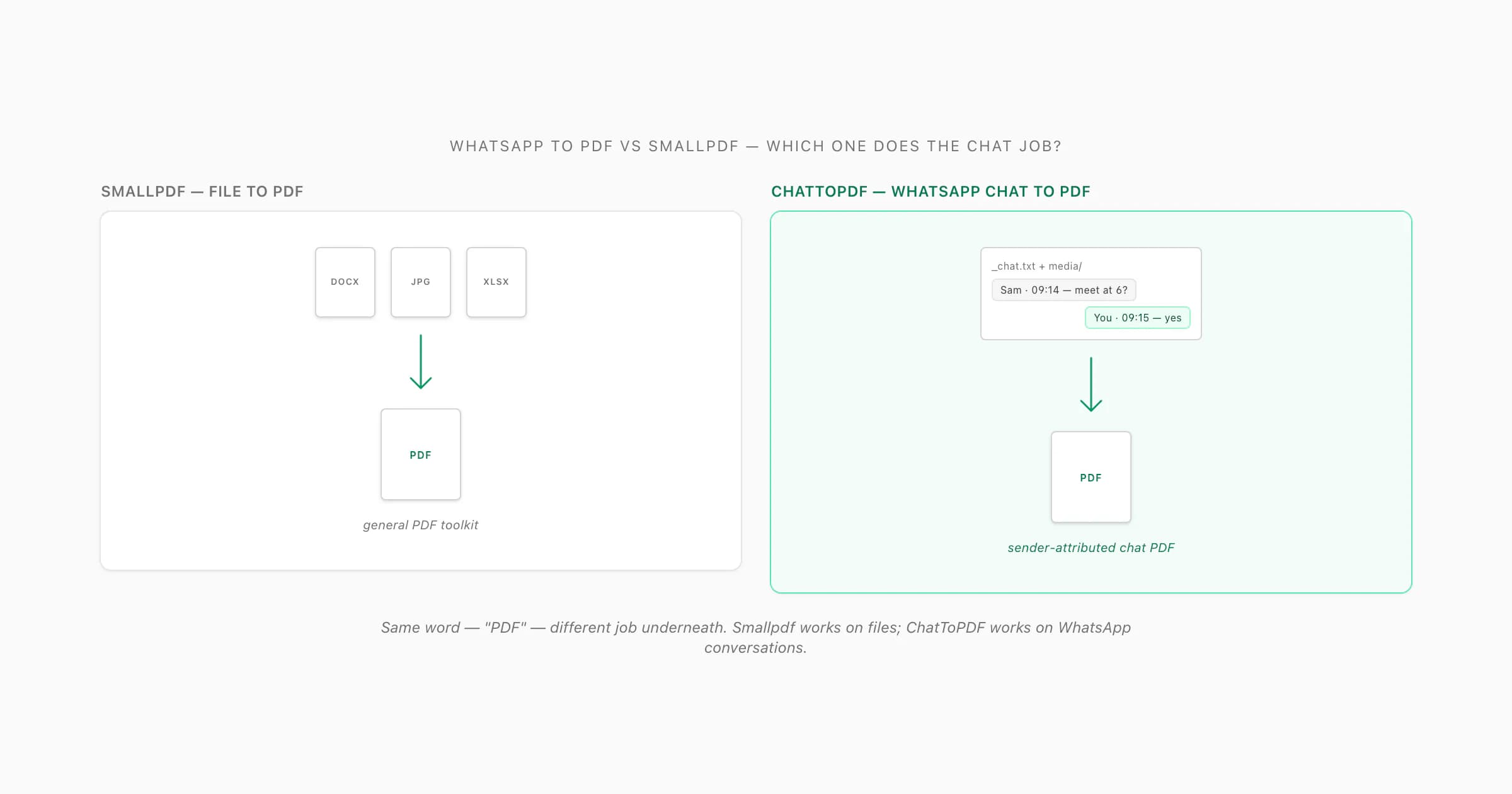
The reason that search exists is that Smallpdf and "WhatsApp to PDF" share the word "PDF" — and nothing else. Smallpdf is a general PDF toolkit: its inputs are files (a Word document you want as a PDF, an existing PDF you want compressed, a stack of JPGs you want merged). ChatToPDF is a WhatsApp-specific renderer: its input is a WhatsApp chat export — the _chat.txt plus the media folder you get when you tap Export Chat in WhatsApp — and its output is a paginated, sender-attributed, timestamped document of the conversation. There is no overlap in input format and no overlap in what the output looks like. That's the whole comparison in one paragraph. The rest of this page just shows the receipts. So this whole whatsapp to pdf vs smallpdf question reduces to one question: do you have a file, or do you have a conversation?
What Smallpdf actually does (and is genuinely good at)
I want to be straight about this before I draw any contrast. Smallpdf is one of the most-used PDF utilities on the web, and as of 2026 the Smallpdf tool page lists a broad toolkit that genuinely covers most one-off PDF chores. I've recommended it to friends. I've used it myself when I needed to drop a Word file onto something quickly.
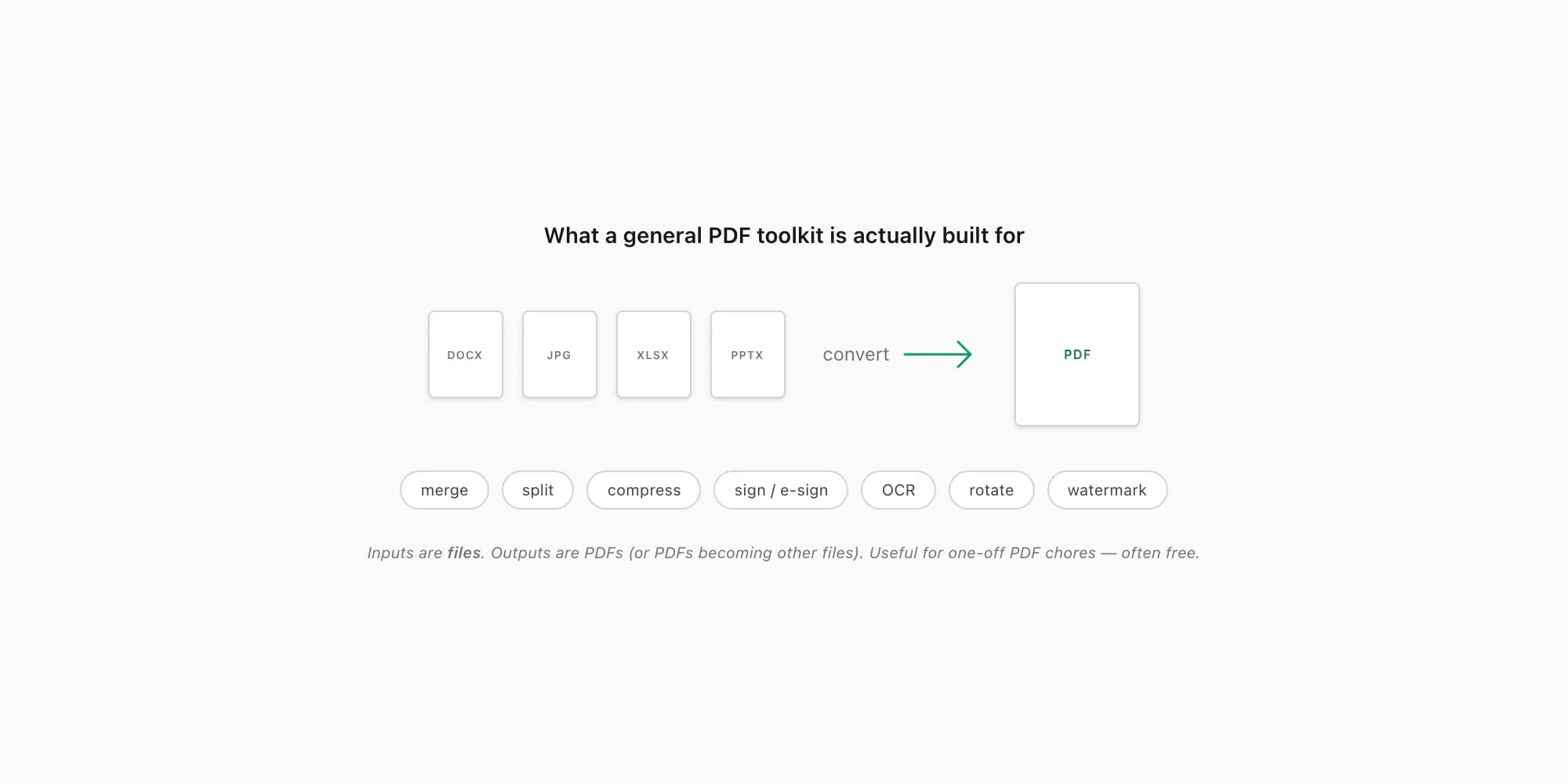
What Smallpdf does well, and what most people actually open it for:
- Convert files to PDF. Word → PDF, JPG → PDF, Excel → PDF, PowerPoint → PDF. Drag the file onto the page, get a PDF back. The canonical use case — and it works.
- Convert PDFs back to other formats. PDF → Word, PDF → Excel, PDF → JPG, PDF → PowerPoint. The reverse direction of the toolkit's main verb.
- Merge multiple PDFs into one. Combine a stack of invoices, scans or quotes into a single file.
- Split a PDF. Extract a page range, or break a multi-section file into separate PDFs.
- Compress a PDF. Shrink the file so it fits an email attachment cap or a portal upload limit, with the usual quality trade-off.
- Sign and e-sign PDFs. Drop a signature on a contract, send it for countersignature, get the audit trail.
- OCR a scanned PDF. Run optical character recognition over a scan so the text becomes selectable and searchable. This is genuinely useful and not every free tool gets it right.
- The PDF housekeeping tail — rotate, page-number, watermark, unlock, protect, delete pages. The long tail of "I have a PDF and I need it to be slightly different".
As of 2026, the pricing model on Smallpdf is a free tier with per-day usage and per-file size limits, plus a paid plan billed periodically that lifts those limits and unlocks the heavier features (verify on Smallpdf's live pricing page for current figures and billing cadence — these update from time to time). For most one-off household PDF jobs the free tier covers it. That's part of why the brand has the recognition it does.
None of this involves WhatsApp. I have looked at the live Smallpdf toolkit several times over the past year and there is no "WhatsApp chat export" handler in the list — no input that accepts a _chat.txt, no parser for WhatsApp's export ZIP, no renderer that knows what a sender attribution or a WhatsApp timestamp looks like. Smallpdf is shaped around files, not conversations. That is not a flaw in Smallpdf; it's just that the toolkit was never built for that job.
What turning a WhatsApp chat into a PDF actually requires
Here's the part nobody tells you. A WhatsApp chat isn't a "file" in the way a Word document or a JPG is. It's a stream of messages, and the export WhatsApp gives you is a peculiar text format paired with a separate folder of media attachments. To turn that into the document people actually want, you can't just "convert" anything — you have to render the conversation.
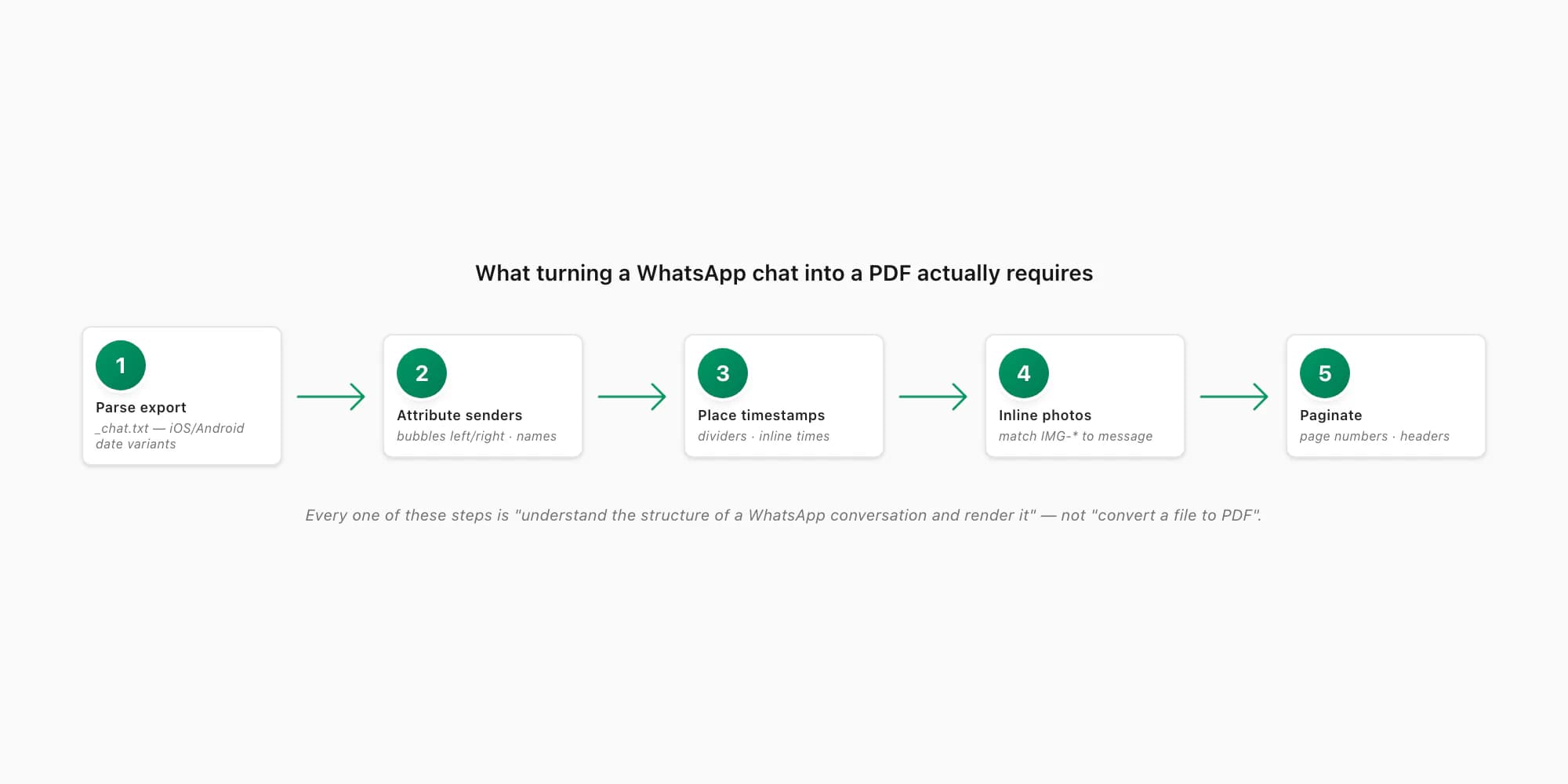
The pipeline has to:
- Parse the WhatsApp export.
_chat.txtis a quirky line-based format. Every line is[date, time] sender: message, with regional variations for date order (DD/MM/YYYY vs MM/DD/YYYY), the time separator, the 12-hour vs 24-hour clock, the bracket style, and how multi-line messages continue onto the next line. There is a reason no general-purpose parser ships with it baked in. - Attribute every message to a sender. Bubbles on the left for the other participant, bubbles on the right for "you", colour-coded names in a group chat. A PDF that just dumps the raw text doesn't read as a conversation — it has to render the conversational structure on the page.
- Place timestamps cleanly. Date dividers when a new day starts. Inline times next to each message, in a margin, or grouped — whichever a reader actually scans. None of that is in the raw export; the renderer has to compute it.
- Inline the photos. WhatsApp's ZIP gives you
IMG-20250403-WA0001.jpg-style filenames and a<Media omitted>placeholder in the text. The renderer has to match each reference to the right file and lay it out at the right size next to the right message. - Optionally transcribe voice notes. WhatsApp exports voice notes as audio files. Anyone who is not going to sit and play each one may need them as text. The WhatsApp audio-to-text workflow processes supported notes on a voice-enabled tier and returns successful transcripts inline; that is its own subprocess.
- Paginate the output. A long export can be tens of thousands of messages. The PDF has to break cleanly across pages with headers and page numbers, so a 600-page document is still navigable.
Every one of those steps is "understand the structure of a WhatsApp conversation and render it" — not "convert a file to PDF". A general PDF toolkit has no idea what any of that is. Again, not a knock on Smallpdf — the toolkit was simply never built for that job.
Side by side — the feature matrix
Here is the honest, row-by-row contrast for someone who has a WhatsApp chat they want as a PDF. I have stuck to verifiable claims about Smallpdf — features it lists on its own site as of 2026 — and hedged anything I am not 100% sure of a current figure for.
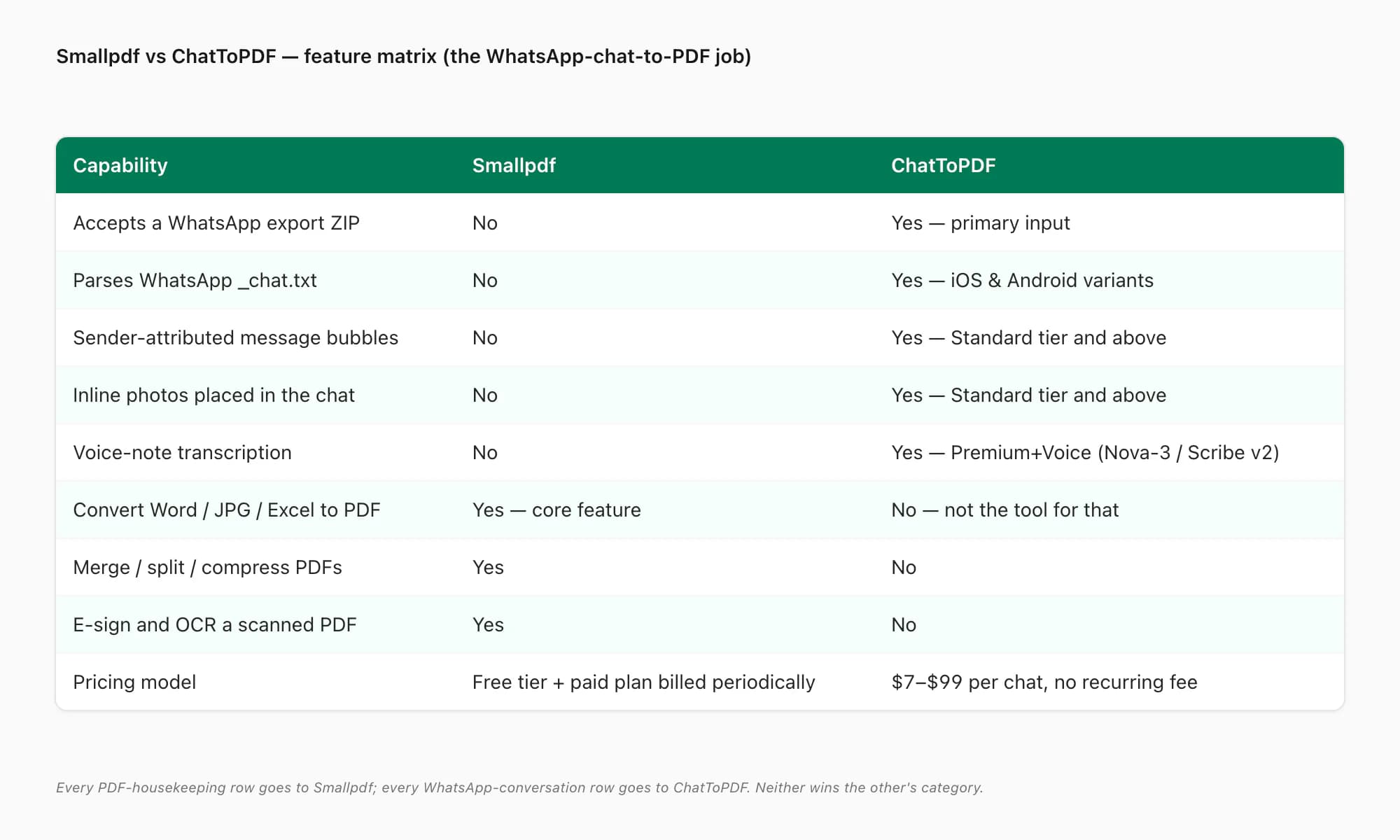
| Capability | Smallpdf | ChatToPDF |
|---|---|---|
| Accepts a WhatsApp export ZIP | No | Yes — primary input |
| Parses WhatsApp's _chat.txt format | No | Yes — iOS and Android variants |
| Sender-attributed message bubbles | No | Yes — on $14 Standard per chat and above |
| Inline photos placed in the conversation | No | Yes — on $14 Standard per chat and above |
| Voice-note transcription | No | Yes — $49 Premium+Voice (Nova-3/Scribe v2 router) |
| Convert a Word / JPG / Excel file to PDF | Yes — core feature | No — not the tool for that job |
| Merge / split / compress PDFs | Yes | No |
| E-sign and OCR a scanned PDF | Yes | No |
| Install required | No — browser, with optional apps | No — browser only |
| Pricing model | Free tier + paid plan billed periodically | Per chat — $7 to $99 per chat, no recurring fee |
The pattern is clean: every PDF-housekeeping row goes to Smallpdf; every WhatsApp-conversation row goes to ChatToPDF. Neither tool wins the other's category — and pretending otherwise would just waste your time.
When Smallpdf is the right tool
I'm genuinely happy to send people to Smallpdf when it's the right call. Some examples I run into:
- You have a Word document and want it as a PDF. Drop it on Smallpdf, take the PDF, done. Free, fast, no fuss for one-off jobs.
- You have a stack of JPG receipts and want one merged PDF. Smallpdf's JPG-to-PDF and merge tools chained together. Same tool, two clicks.
- You need to compress a PDF below an email attachment cap. Smallpdf's compress tool is solid and usually free for a typical file.
- You have a scanned PDF where the text isn't selectable. Smallpdf's OCR is good — runs in the browser, gets you searchable text out.
- You want to e-sign a contract someone sent you. Smallpdf's sign workflow is one of the cleaner free ones I've used.
- You need to remove a page, add a page number, watermark a PDF, or convert it back to Word for editing. The long tail of PDF housekeeping. Smallpdf.
For any of those, the answer is Smallpdf — and is often free for a one-off. I do not pretend to compete on those jobs and I don't want to. They aren't the problems ChatToPDF was built for, and Smallpdf is good at them.
What I would not use Smallpdf for is the one thing this whole comparison exists to settle: turning a WhatsApp conversation into a sender-attributed PDF. There is no path inside Smallpdf to feed it a WhatsApp export ZIP and get the conversation rendered. You could screenshot the chat and convert the images to PDF — and what you'd get is a stack of image pages with no message structure, no continuous flow, no searchable text, no inline metadata, and a file size that's much larger than the rendered chat needs to be. That's not the same document, which is the whole point of the ChatToPDF vs screenshotting page.
How ChatToPDF does the chat-to-PDF job
If the job you actually have is the conversation one, here's the path. It's short — three real steps, plus the export from WhatsApp.
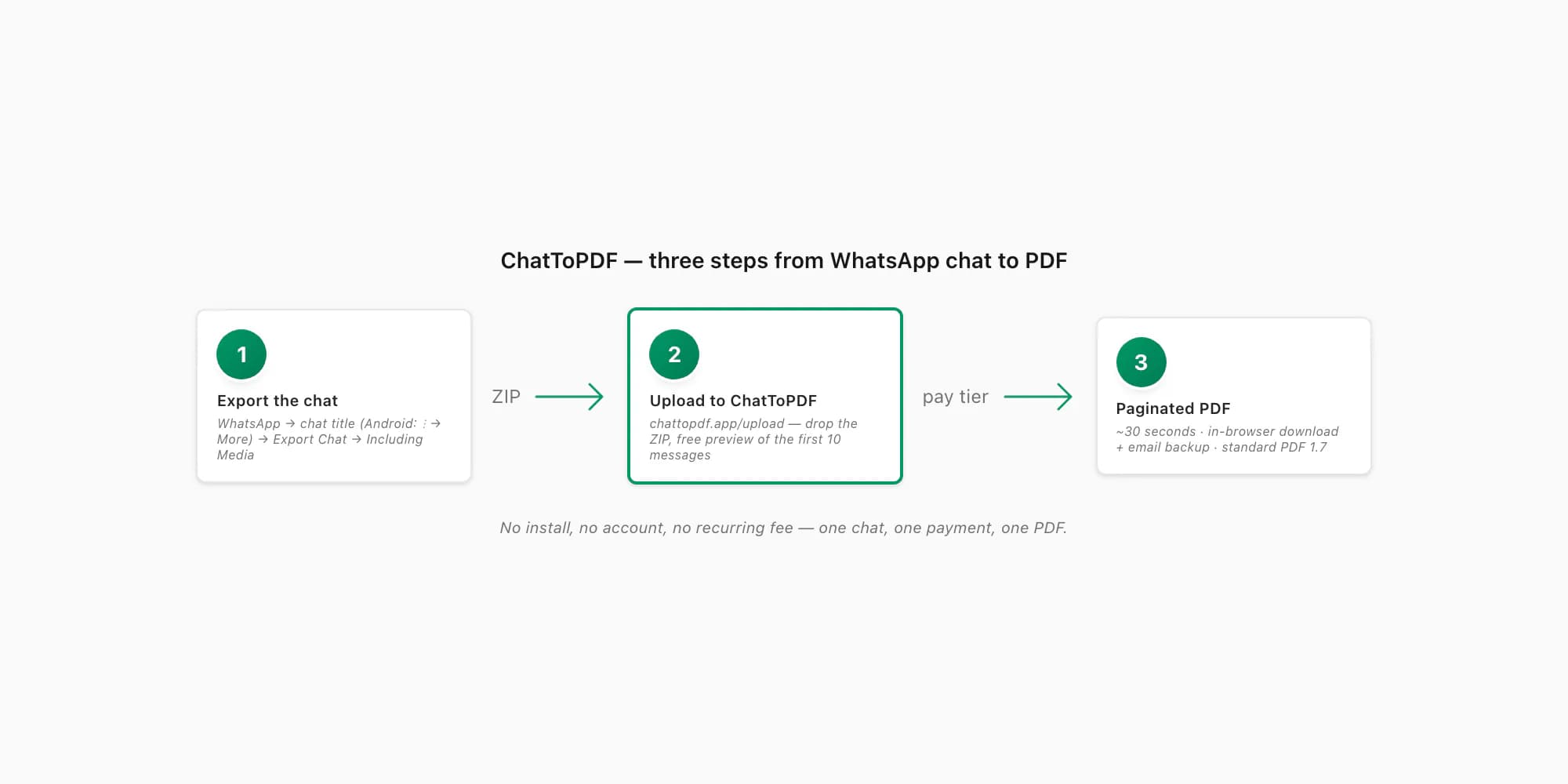
Export the chat from WhatsApp
Open the chat in WhatsApp. On iPhone, tap the contact or group name at the top, scroll down, tap Export Chat. On Android, tap the three-dot menu top right, then More → Export Chat. Pick Including Media so photos make it in (the ZIP will be larger; that's fine). WhatsApp produces a
.zipcontaining_chat.txtand every media file from the conversation.Upload the ZIP to ChatToPDF
Open chattopdf.app/upload in any browser — mobile Safari, Chrome, Firefox, Samsung Internet all work. Drop the ZIP onto the upload zone. You get a free preview of the first ten messages so you can confirm the parser read your export correctly before you pay anything.
Pick a tier and pay per chat
Choose $14 Standard per chat for the typical case — sender-attributed bubbles, inline photos, timestamps, up to 25,000 messages. $7 Basic per chat is text-only for short photo-less chats. $29 Premium per chat removes the message ceiling and adds an XLSX/CSV export. $49 Premium+Voice per chat adds voice-note transcription through the language-aware Nova-3/Scribe v2 router. $99 Power User per chat adds a priority queue for very large group exports.
Download the PDF (and get the email backup)
The conversion runs in about thirty seconds. You get the download link in-browser and an email backup in case your tab closes. The output is standard PDF 1.7 — it opens in iOS Quick Look, Android file managers, Adobe Acrobat, Chrome, Safari, Firefox, Edge and macOS Preview without any extra reader. If a WhatsApp PDF you've been sent by someone else isn't opening, the WhatsApp not opening PDF guide walks the five usual causes.
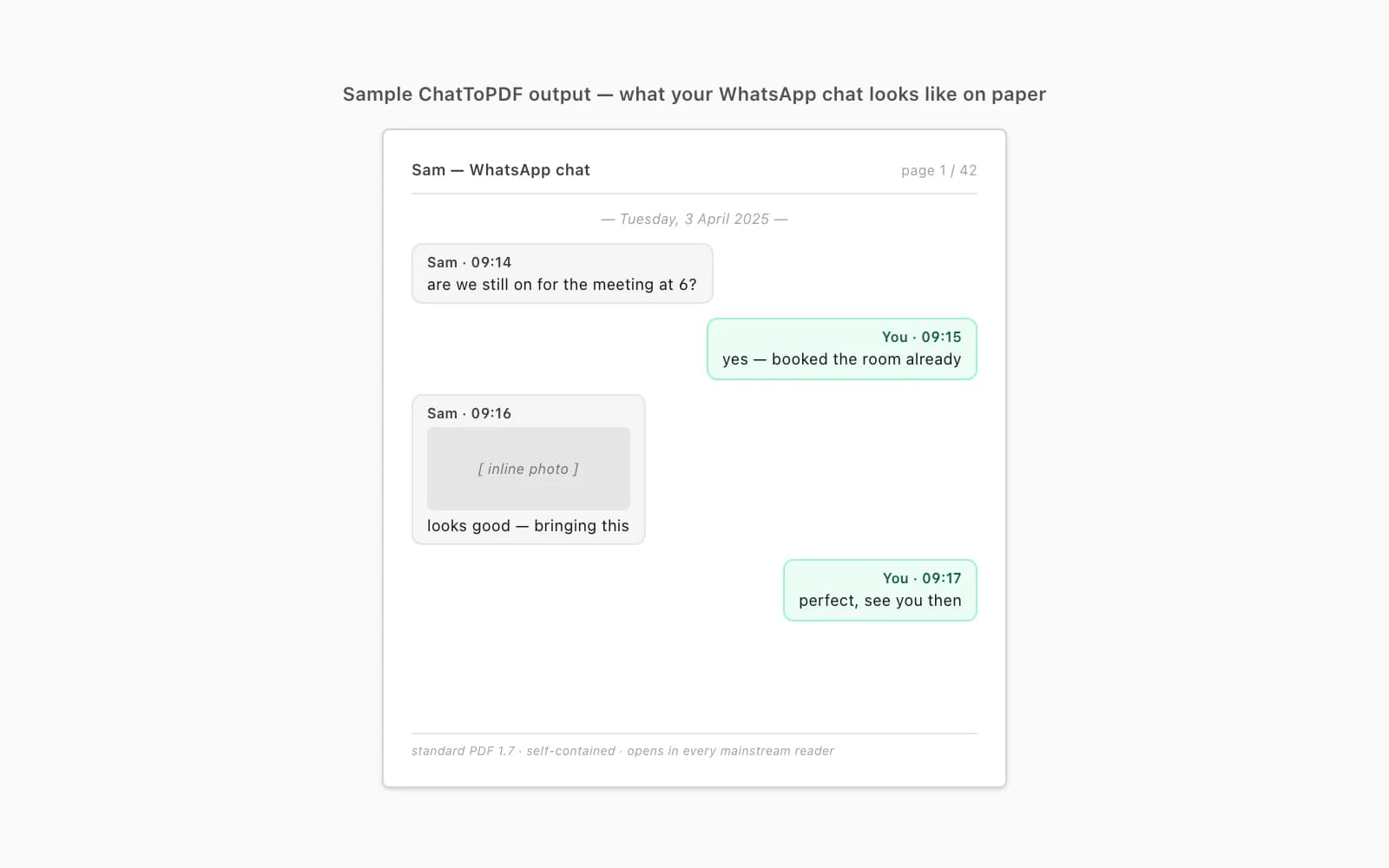
The output looks the way a chat ought to look on paper — bubbles, names, times, photos inlined at the right place, page numbers, a header on each page so a 600-page export still feels navigable. That's the document people are actually after when they type "smallpdf whatsapp" into Google.
Pricing — free, per chat, recurring
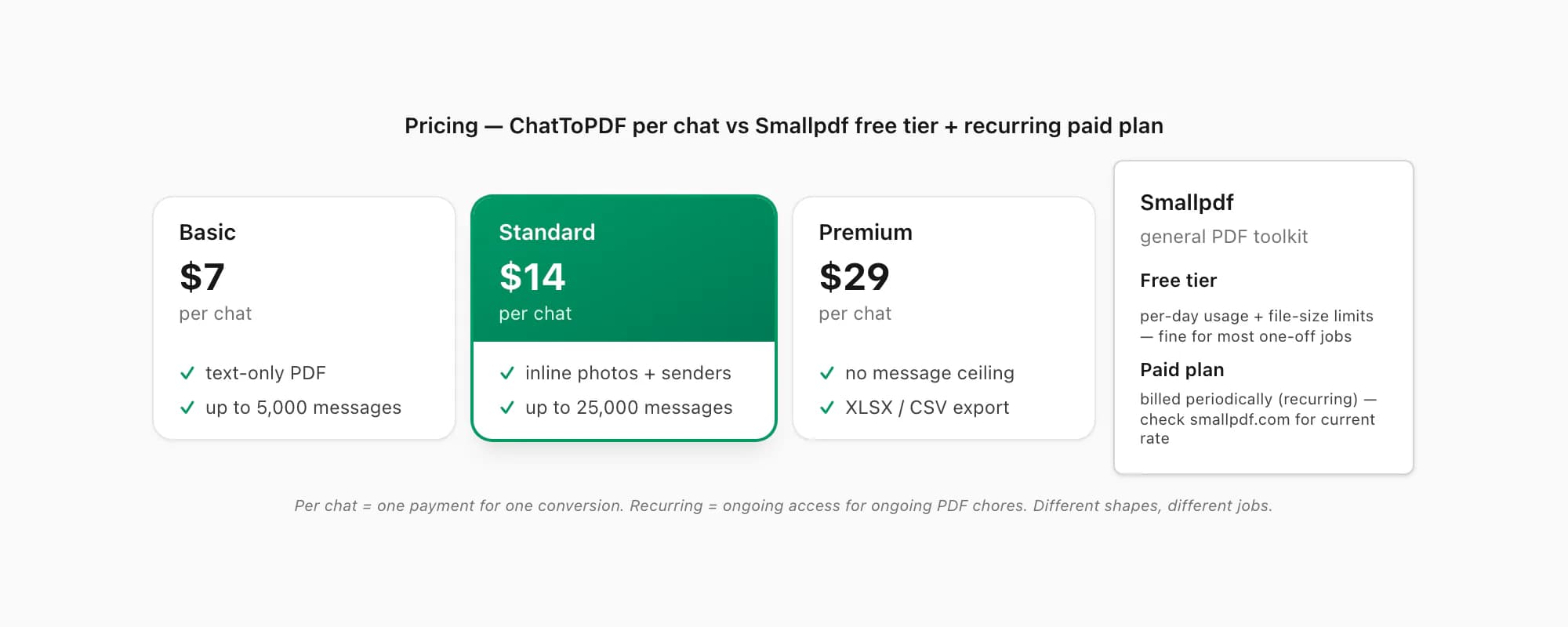
Here's how the money side compares, with the hedge that I have done my best to verify Smallpdf's pricing against their live site as of 2026 — go check their pricing page yourself before you commit.
Smallpdf. As of 2026, Smallpdf offers a free tier with per-day usage and per-file size limits, plus a paid plan billed periodically that raises those limits and unlocks the heavier tools (e-sign, batch conversion, OCR at scale). For one-off household PDF jobs the free tier is usually enough. The paid plan is a recurring fee — not a per-job charge — so you're paying for ongoing access whether or not you use the toolkit every month. The figures and billing cadence get tweaked from time to time, so check the live Smallpdf pricing page for current numbers.
ChatToPDF. Priced per chat conversion, no recurring fee, no auto-renewal, no account. You pay once for one chat. Five tiers:
- $7 Basic per chat — text-only PDF, up to 5,000 messages. For a short chat with no photos worth keeping.
- $14 Standard per chat — sender-attributed bubbles, inline photos, timestamps, up to 25,000 messages. The usual pick.
- $29 Premium per chat — no message ceiling, plus an XLSX/CSV export alongside the PDF.
- $49 Premium+Voice per chat — adds language-aware voice-note transcription. The current product registry lists 93 languages, with 57 in its excellent or high accuracy bands; coverage is not an accuracy guarantee.
- $99 Power User per chat — priority queue and bulk handling for very large group exports.
That difference — recurring vs per chat — is the most honest framing of which tool you want. If you have a steady stream of PDF housekeeping tasks every month, Smallpdf's recurring paid plan can be a fair trade for the access. If you have one WhatsApp chat you want as a document and you do not want a recurring fee on your card for it, ChatToPDF is shaped for that exact transaction. Lateral comparisons to other chat-to-PDF tools live on the ChatToPDF vs iLovePDF page, the evidence-led ChatToPDF vs PDFSimpli comparison, and the ChatToPDF vs screenshotting page.
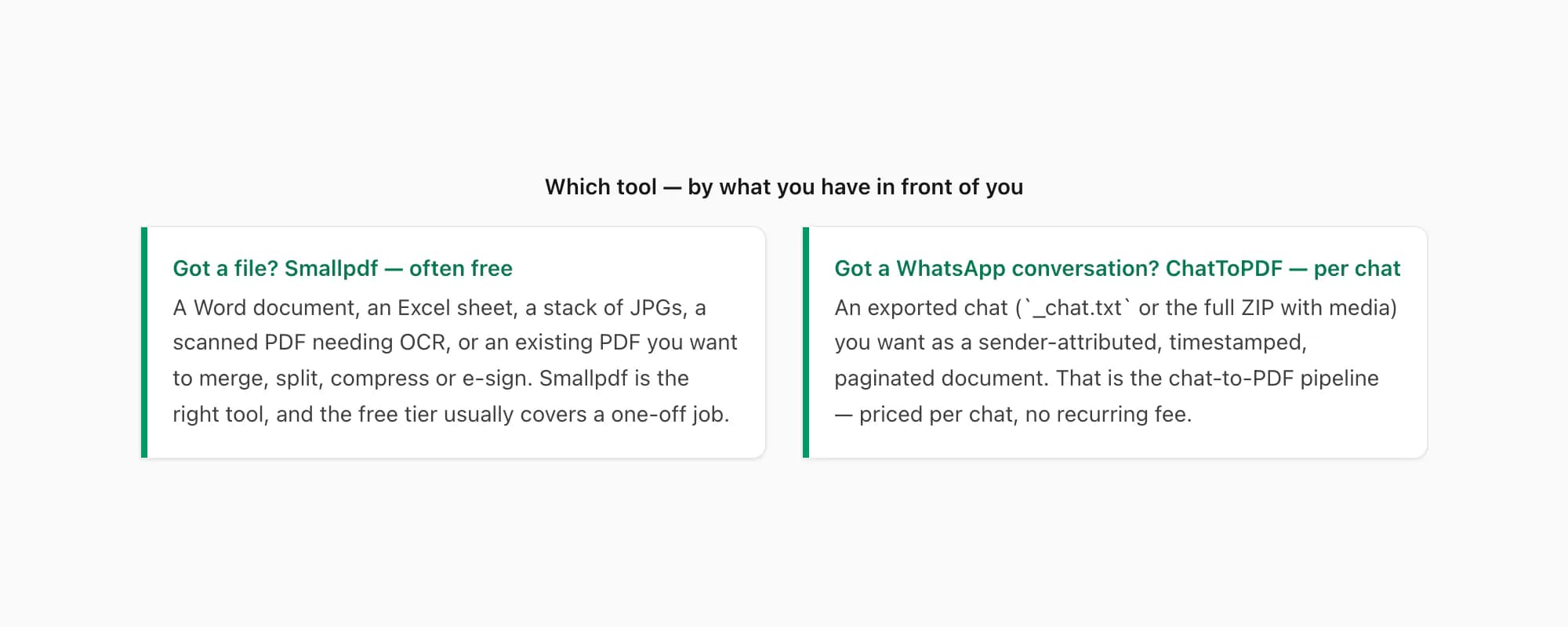
The honest bumper sticker: got a file, use Smallpdf. Got a WhatsApp conversation, use ChatToPDF. Same word — "PDF" — different job underneath. That's the whole whatsapp to pdf vs smallpdf answer.
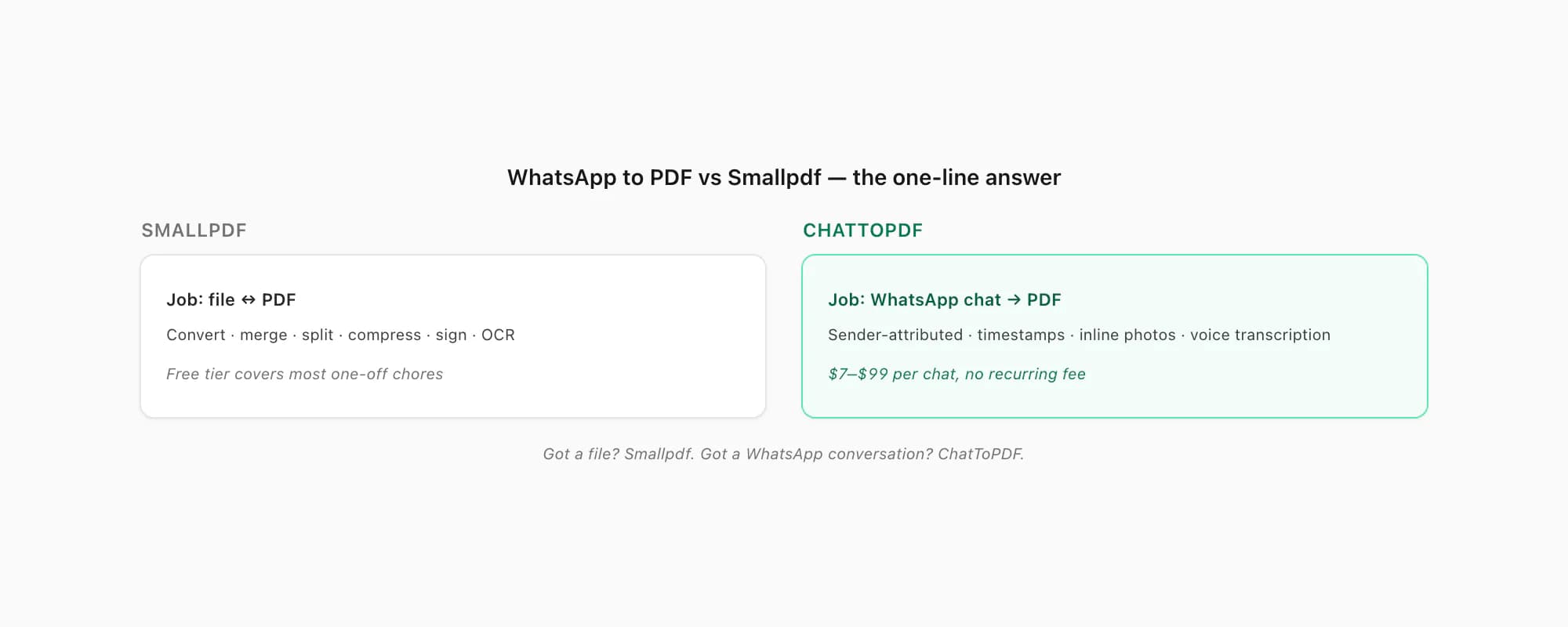
Key takeaways
- WhatsApp to PDF vs Smallpdf is a clean split once you separate the inputs: Smallpdf works on files (Word, JPG, Excel, existing PDFs), ChatToPDF works on WhatsApp chat exports
- Smallpdf is a great general PDF toolkit — convert, merge, split, compress, sign, OCR — and the free tier covers most one-off PDF chores
- Smallpdf has no WhatsApp chat-export pipeline — it cannot ingest
_chat.txtor a WhatsApp export ZIP and produce a sender-attributed PDF - ChatToPDF is priced per chat — $7 Basic per chat to $99 Power User per chat, one payment covers one conversion, no recurring fee
- Smallpdf's paid plan is a recurring fee for ongoing access; ChatToPDF is a one-off per-conversion charge — different shapes, different jobs
- If you have a Word, JPG, Excel or scanned PDF to convert or compress, go to Smallpdf — it's the right tool and often free
- If you have a WhatsApp conversation you want as a paginated, sender-attributed document, that's ChatToPDF's job at $14 Standard per chat for the typical case
FAQ
Can Smallpdf convert a WhatsApp chat to PDF?
Not directly. As of 2026, Smallpdf's toolkit accepts file inputs — Word, Excel, PowerPoint, JPG, existing PDFs — and converts, merges, splits, compresses, signs or OCRs them. It does not have a WhatsApp chat-export handler: there's no input that takes WhatsApp's _chat.txt or the full export ZIP and renders a sender-attributed, paginated chat document. People searching "smallpdf whatsapp" who want the chat as a PDF are looking for what ChatToPDF does — a WhatsApp-specific pipeline priced per chat from $7 Basic per chat to $99 Power User per chat.
Is Smallpdf free, and what are the limits?
As of 2026, Smallpdf offers a free tier with per-day usage and per-file size limits, plus a paid plan billed periodically that raises those limits and unlocks the heavier features (e-sign workflows, batch processing, larger files). For one-off household and small-business PDF jobs — convert a Word to PDF, merge a few invoices, compress a scan to email — the free tier is usually enough. The exact daily-task counts and file-size ceilings get adjusted from time to time, so check the current pricing page on Smallpdf directly before you commit.
Why does ChatToPDF charge per chat instead of a recurring fee?
Because the job is per chat. Most people converting a WhatsApp conversation to a PDF do so once — for a solicitor, an insurer, a family record, a court case, an HR file — and then they're done. Putting a recurring fee on someone's card for a job they did one time is a poor shape. Per-chat pricing means you pay for the one conversion you needed and nothing more — $7 Basic per chat for a short text-only chat, $14 Standard per chat for the typical case with photos, up to $99 Power User per chat for very large exports.
What if I have both jobs — a chat to convert and a Word file to PDF?
Use both tools. Drop the Word file onto Smallpdf for the file-to-PDF conversion — that's free for one-off tasks and is what Smallpdf is built for. Export the WhatsApp chat and upload the ZIP to ChatToPDF for the chat-to-PDF conversion — that's the per-chat charge that gets you a sender-attributed paginated document. The two jobs don't overlap and there's no reason to pick one tool over the other when the inputs are different.
Will the PDF ChatToPDF produces open in every reader?
Yes — it's standard PDF 1.7, the ISO-standardised version every mainstream reader has supported for over a decade: iOS Quick Look and Books, Android file managers and Google Drive, Adobe Acrobat, Chrome, Firefox, Edge, Safari, macOS Preview. The file is self-contained — messages, sender names, timestamps and inline photos all live inside the one file — so there's nothing external to go missing. If a WhatsApp PDF you've been sent isn't opening, the WhatsApp not opening PDF guide covers the five usual causes; ChatToPDF's output sidesteps all of them.
I'm Paul, the founder of ChatToPDF. I built it after needing a long WhatsApp conversation as a readable PDF for a legal matter. I test and document WhatsApp exports, PDF conversion, voice-note transcription, and the limits people should check before relying on the result.