
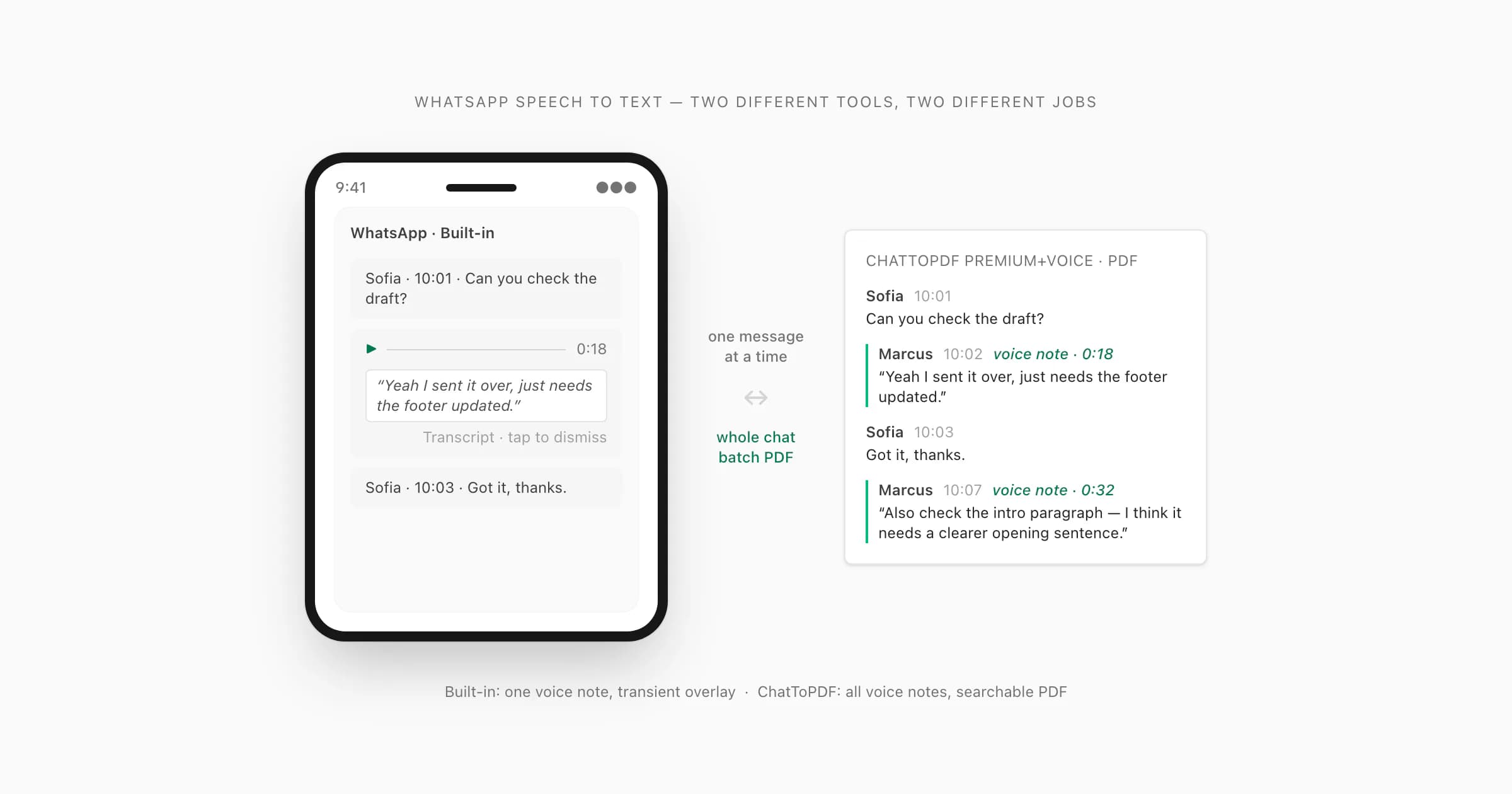
When the “WhatsApp transcript not available” message appears, first confirm that Voice message transcripts is enabled under Settings → Chats, then select the language actually spoken in the recording—not merely the language used by your phone. I would run those checks before reinstalling: update WhatsApp, finish downloading the language pack, free some device storage, and try a clear, native voice note. Forwarded audio, music, very noisy speech, unsupported languages and View Once messages may not be eligible or may still fail.
The 60-second WhatsApp transcript check
Do these four checks before reinstalling anything:
- Open WhatsApp → Settings → Chats. Look for Voice message transcripts and switch it on.
- Check the transcript language. It must match the speech in the voice note. An English interface does not help with a Spanish recording if Spanish is not selected or downloaded.
- Update WhatsApp. Use the official App Store or Google Play listing, then fully close and reopen the app.
- Test a recent, clear voice note recorded inside WhatsApp. This separates a device/setup problem from a problem with one forwarded, old or noisy file.
WhatsApp's native feature is intentionally on-device. Meta describes the voice-message transcript as being generated locally so the personal message remains protected by end-to-end encryption. That makes it a strong free choice for reading one supported note. It also means the device needs the correct local language resources and enough room to run them.
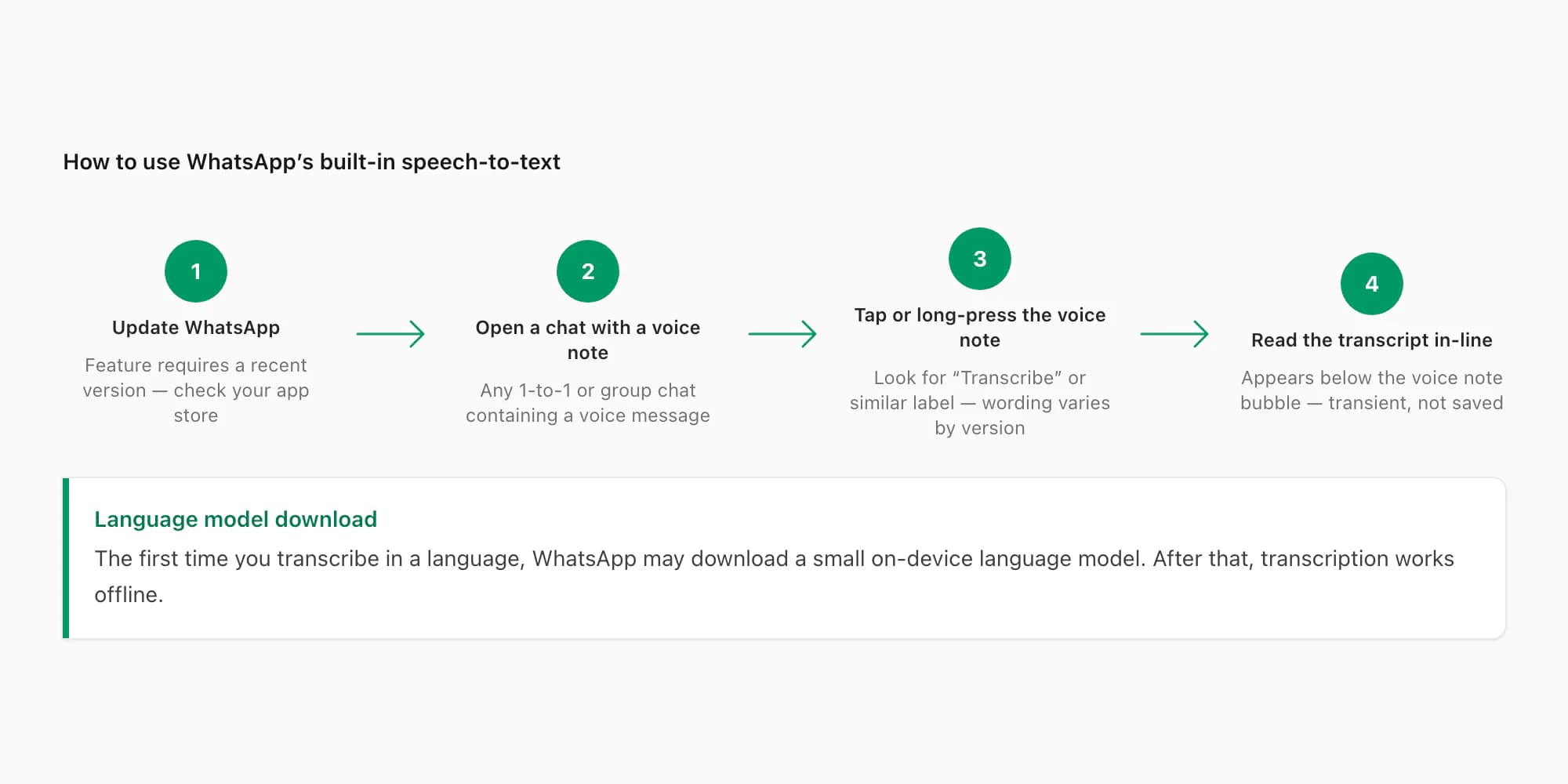
If the test note works, the feature is enabled correctly. The original note—not your whole installation—is the likely problem. If the test note also fails, continue through the fixes below in order.
Seven fixes for “Transcript not available”
1. Match the transcript language to the audio
Language mismatch is one possible cause; check it before changing other settings. Choose the language spoken in the recording. For mixed-language speech, select the dominant language first. Code-switching, strong background speech or an unsupported language can still reduce accuracy even when the setting is correct.
Do not rely on language lists copied from an old article. Availability differs by operating system and has changed during the rollout. The current list shown inside your WhatsApp transcript settings is the source that matters for your phone.
2. Let the language pack finish downloading
The transcript model must be available on the device. Connect to stable Wi-Fi, turn off data-saving restrictions temporarily, keep WhatsApp open while setup finishes and make sure the phone has free storage. If the transcript toggle immediately turns off again, repeat the setup after restarting the phone.
On iPhone, keep Siri and the relevant system language features enabled if the current WhatsApp setup asks for them. On Android, battery optimization or background-download restrictions can interrupt the language pack. Menu names vary by phone maker, so look for battery, data and background-use settings for WhatsApp rather than following a manufacturer-specific path blindly.
3. Update WhatsApp and the operating system
Voice-message transcripts arrived through a staged product rollout, and behavior has continued to change. Install the newest stable WhatsApp release available to your account. If the option is absent even after an app update, check for an operating-system update as well.
Avoid installing unofficial APKs to force the feature. They create a security risk and do not guarantee that WhatsApp has enabled the feature for your account, device or region.
4. Check whether it is actually a native voice message
WhatsApp distinguishes a push-to-talk voice note from other audio. A forwarded recording, a song, a document attachment containing audio, a call recording or an audio file imported from another app may look similar in the conversation but follow different rules.
Test a voice note recorded with WhatsApp's microphone button. If that transcribes and the other item does not, the failure is specific to the original item; message type, language and recording quality still need checking. View Once voice messages are also intentionally ephemeral; do not expect an export or bulk-processing workflow to recover content that WhatsApp does not make available.
5. Improve the source audio where possible
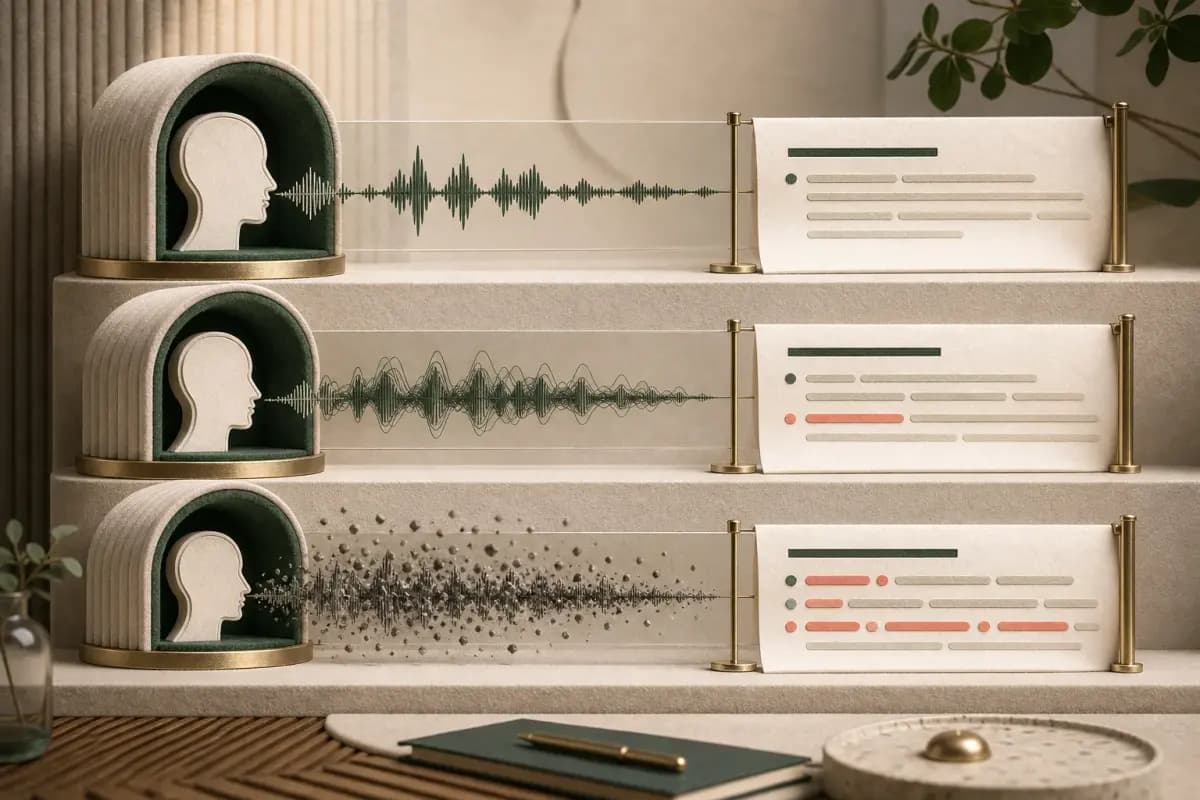
The error can be a recognition failure rather than a settings failure. Loud traffic, overlapping speakers, very low recording volume, clipped speech and a language that changes mid-sentence all make a local model's job harder.
Replay the note with headphones. If a person cannot clearly understand it, automatic transcription may not produce reliable text either. For anything important, treat the audio as the source and the generated transcript as a working aid that must be checked.
6. Restart before reinstalling
Fully close WhatsApp, restart the phone and try the clear test note again. If that works, you avoided the highest-risk troubleshooting step.
Reinstall only after confirming that your chats are backed up and you know how the restore process works on your device. A reinstall can fix a corrupt local language resource, but it can also create a much larger problem if the backup is missing or inaccessible.
7. Separate rollout problems from workflow problems
If the transcript setting is missing entirely, the feature may not be available for that account/device combination yet. If the feature exists but you have twenty, two hundred or two thousand voice notes to process, it is available—but it is still the wrong shape of tool for the job.
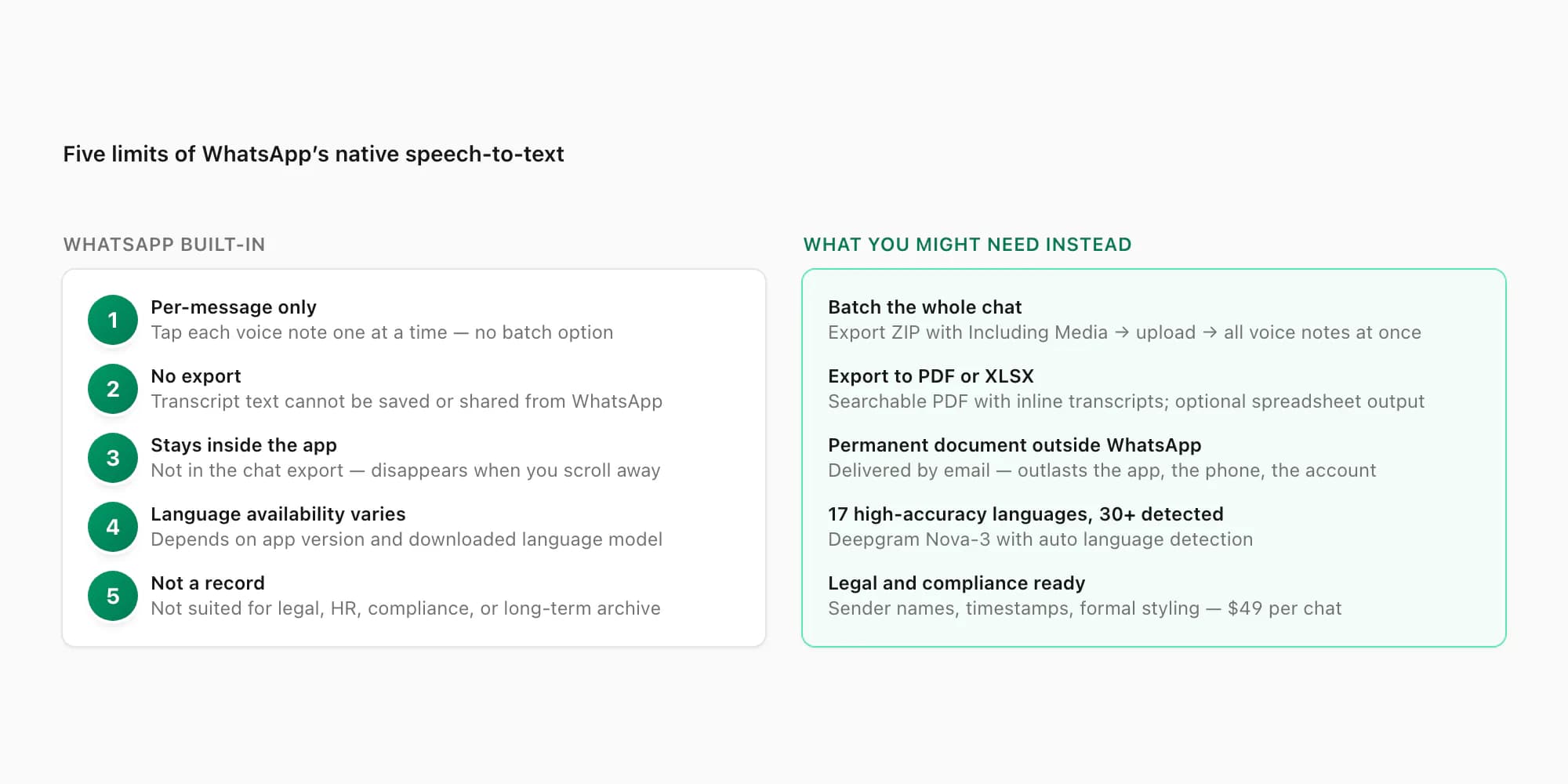
Native transcription is designed around one note at a time. It does not turn an exported conversation into a permanent, chronological batch transcript. That is a workflow limitation, not an error you can fix in Settings.
One voice note or a whole chat?
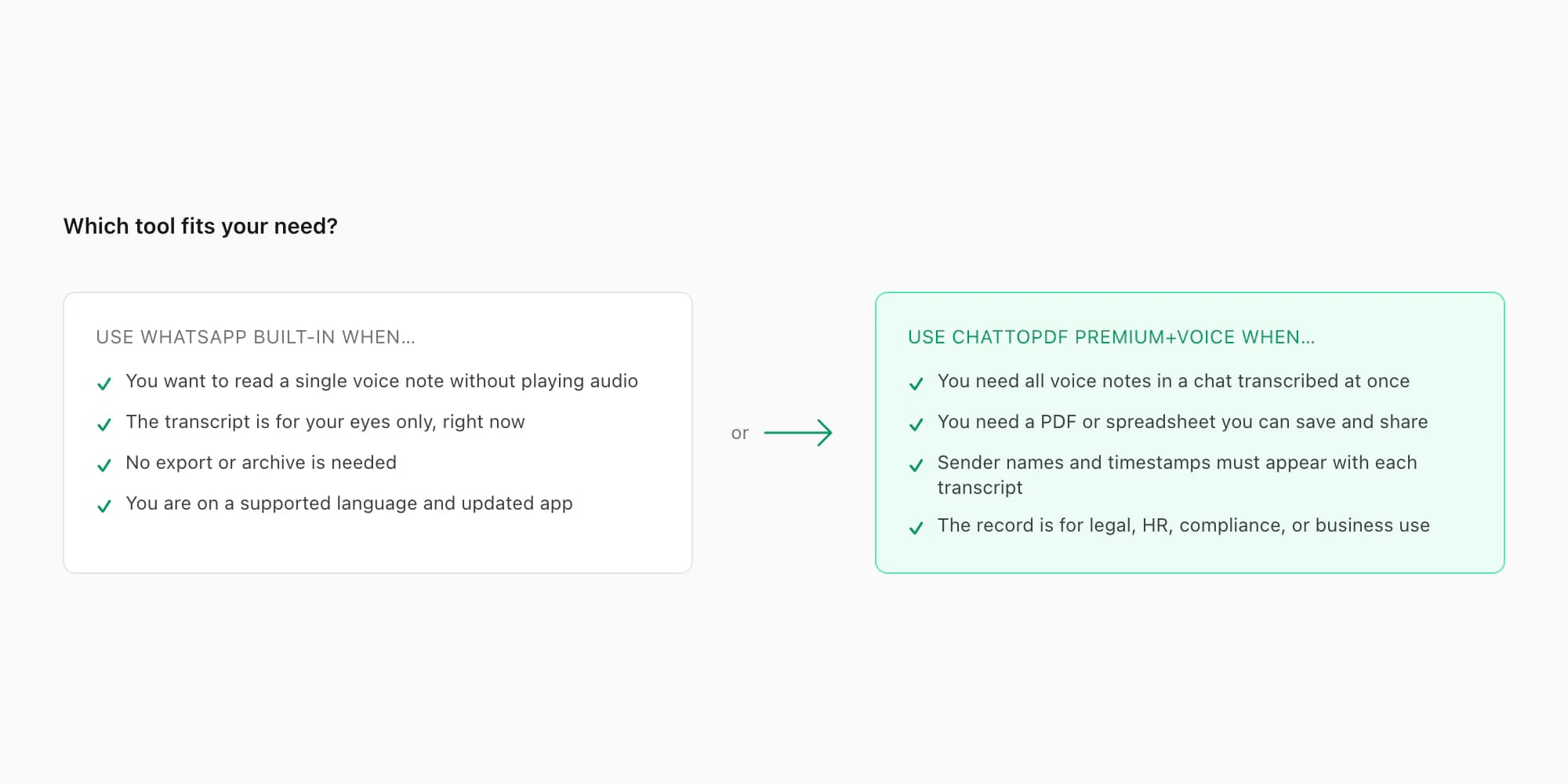
Use the native WhatsApp transcript when you want to read one supported message now. It is free, local to the device and requires no extra upload. That is the best answer for a casual note.
Use a single-file transcription tool when you already have one audio file saved outside WhatsApp and do not care about its message context. Check whether the tool accepts OPUS or OGG before uploading; many voice-note files are not MP3.
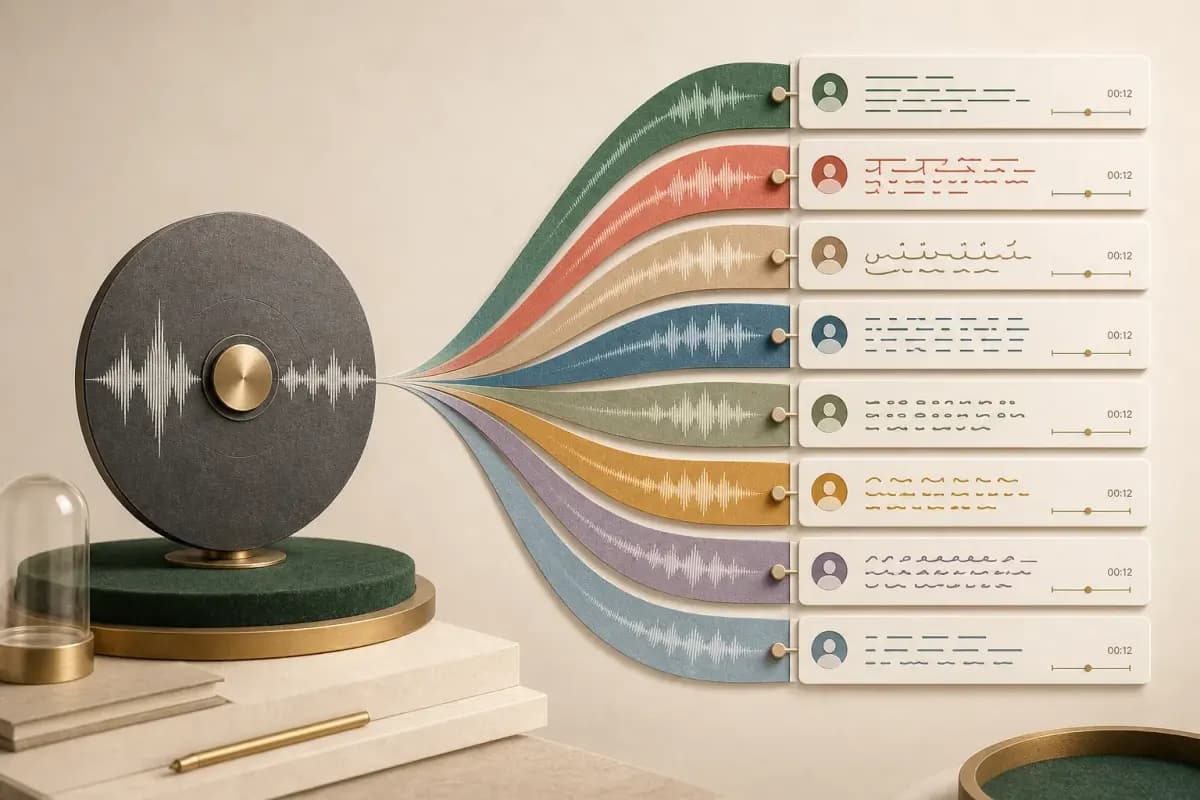
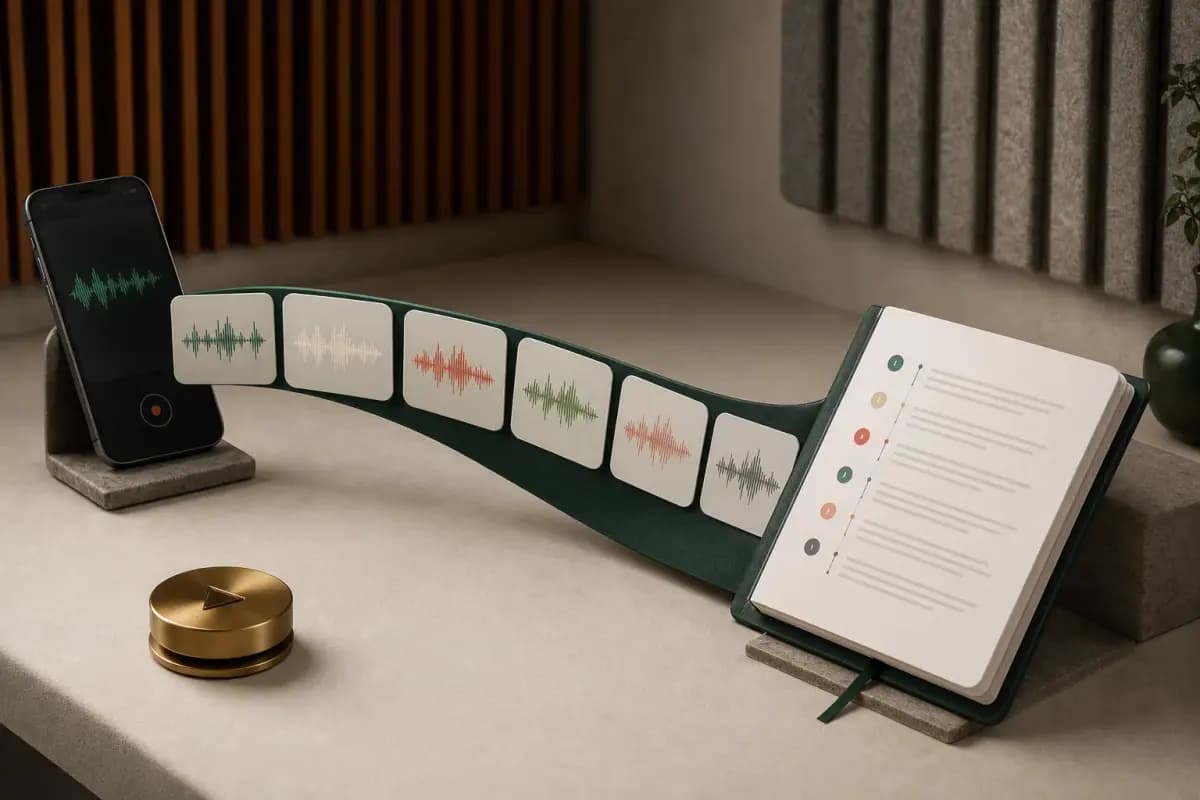
Use a whole-chat converter when you need many voice notes in conversation order. The exported _chat.txt file supplies the sender and timestamp map while the media files supply the audio. A batch tool can match the two, transcribe the recordings and return a searchable document rather than disconnected text snippets. The WhatsApp chat export guide explains how Including Media changes the ZIP before any transcription step.
- Your goal
- Read one voice note
- Best option
- WhatsApp native transcript
- Cost and limitation
- Free; language and device support varies
- Your goal
- Convert one saved clip
- Best option
- Single-file audio-to-text tool
- Cost and limitation
- Check its format, duration and privacy limits
- Your goal
- Transcribe up to eight audio hours in one chat
- Best option
- ChatToPDF Premium + Voice
- Cost and limitation
- $49 one-time for that chat; 150 MB upload ceiling
- Your goal
- Transcribe a chat above eight audio hours
- Best option
- ChatToPDF Power User
- Cost and limitation
- $99 one-time for that chat; 150 MB upload ceiling still applies
| Your goal | Best option | Cost and limitation |
|---|---|---|
| Read one voice note | WhatsApp native transcript | Free; language and device support varies |
| Convert one saved clip | Single-file audio-to-text tool | Check its format, duration and privacy limits |
| Transcribe up to eight audio hours in one chat | ChatToPDF Premium + Voice | $49 one-time for that chat; 150 MB upload ceiling |
| Transcribe a chat above eight audio hours | ChatToPDF Power User | $99 one-time for that chat; 150 MB upload ceiling still applies |
The price distinction matters. ChatToPDF does not sell a monthly all-chat subscription. The $49 and $99 packages each cover the one chat being converted now. A separate chat later is a separate conversion. Neither package bypasses the 150 MB upload ceiling or recovers audio omitted from the ZIP.
Inspect our demonstration transcript PDF before uploading. The example uses generated recordings and reference transcripts; it is not an accuracy benchmark. A sample from your own recording may be available in preview after transcription opt-in. Review names, dates and amounts against the audio before relying on the full result.
If you need to listen rather than read, use the MP3 workflow. For written chat records without speech recognition, choose PDF, Excel or CSV.
WhatsApp Business: transcript failures versus business records
For a freelancer or team, “I cannot read this client note” and “I need a searchable record of all client instructions” are different problems.
The first is a native transcript troubleshooting problem. Run the seven checks above. The second is a records workflow. Forwarding every message to a bot may be convenient, but it creates a new copy of each recording and usually separates the speech from the surrounding written approvals, dates and files.
For an authorized archive, export the relevant conversation with media and preserve the original ZIP. A contextual transcript should retain:
- the participant name recorded in the export;
- the original message date and time;
- the source audio filename;
- the written messages before and after the voice note; and
- a clear marker when the audio is too uncertain to transcribe reliably.
Before choosing a paid archive, check whether you actually need a searchable record of many recordings. A single successfully transcribed message may already solve the immediate task.
Privacy before using a third-party transcript tool
WhatsApp's built-in transcript has the privacy advantage because processing is local. When you use any cloud service, the audio leaves the device for processing. Before uploading, check what is sent, which provider receives it, how long the source and transcript are retained and how deletion works.

ChatToPDF sends voice audio to Deepgram for automated transcription and deletes the uploaded job files automatically after seven days. No human review is included. If the material involves health, legal, employment or family information, upload only what you are authorized to process, limit who receives the output and keep a protected copy of the original source.
Frequently asked questions
Why does WhatsApp say Transcript not available?
The selected transcript language may not match the recording, the language pack may be incomplete, the audio may be noisy or unsupported, the item may not be a native voice message, or the feature may not be available for that device/account combination. Update WhatsApp and test a new, clear voice note after downloading the correct language.
How do I turn on WhatsApp voice message transcripts?
Open WhatsApp Settings, choose Chats, then look for Voice message transcripts. Turn it on and choose the language spoken in the audio. The exact label and available languages can vary by platform and release.
Why is the transcript option missing on WhatsApp Business?
Feature availability can differ by device, app build, region and staged account rollout. Update the official app and operating system first. If the setting remains absent, do not install unofficial software to force it; use a supported export or single-file workflow for recordings you are authorized to process.
Can WhatsApp transcribe all voice messages in a chat at once?
The native feature works one voice message at a time. It is not a batch-export tool. To process a whole conversation, export the chat with Including Media and use a service that maps each included audio file back to the exported sender and timestamp.
Can I fix Transcript not available by changing my phone language?
The transcript language is the important setting. It should match the speech in the recording. Changing the entire phone interface language is usually unnecessary unless your operating system specifically requires a matching language resource.
Will reinstalling WhatsApp fix transcription?
It may repair a broken local resource, but it should be a last step. Restart first. Before reinstalling, confirm that the chat backup is current and restorable; losing conversations is a much bigger problem than a failed transcript.
Does ChatToPDF translate a WhatsApp voice note into English?
No. It transcribes the speech into written text in the language spoken. It does not translate the resulting text into another language.
Sources and further reading
- WhatsApp — Introducing Voice Message Transcripts — official explanation of on-device generation and enabling transcripts. The announcement does not establish current language coverage for every phone.
- WhatsApp — Can’t see voice message transcript — platform-specific troubleshooting destination.
- WhatsApp — Transcript settings — check the current setup instructions for your device.
Reviewed 6 September 2026. The sequence above is a troubleshooting checklist, not a measured success-rate study or a guarantee that a particular recording can be transcribed.
- Meta — New Voice Message Features on WhatsApp — primary background on the scale and design of WhatsApp voice messages.
- WhatsApp Help Center — use the current in-app and official help guidance for platform-specific labels and supported languages.
- WhatsApp audio to text converter — batch workflow, pricing and contextual transcript outputs.
- Complete WhatsApp audio transcription guide — accuracy, languages, OPUS handling and privacy details.
I'm Paul, the founder of ChatToPDF. I built it after needing a long WhatsApp conversation as a readable PDF for a legal matter. I test and document WhatsApp exports, PDF conversion, voice-note transcription, and the limits people should check before relying on the result.