
Definition and scope
One voice message or the whole chat—which should you use?
The free single-message tool answers the immediate question: “what did this recording say?” Save or share one WhatsApp voice note, upload the audio file and receive readable text without creating an account. The free lane accepts one supported file up to 60 seconds and 10 MB, subject to the shared daily capacity.
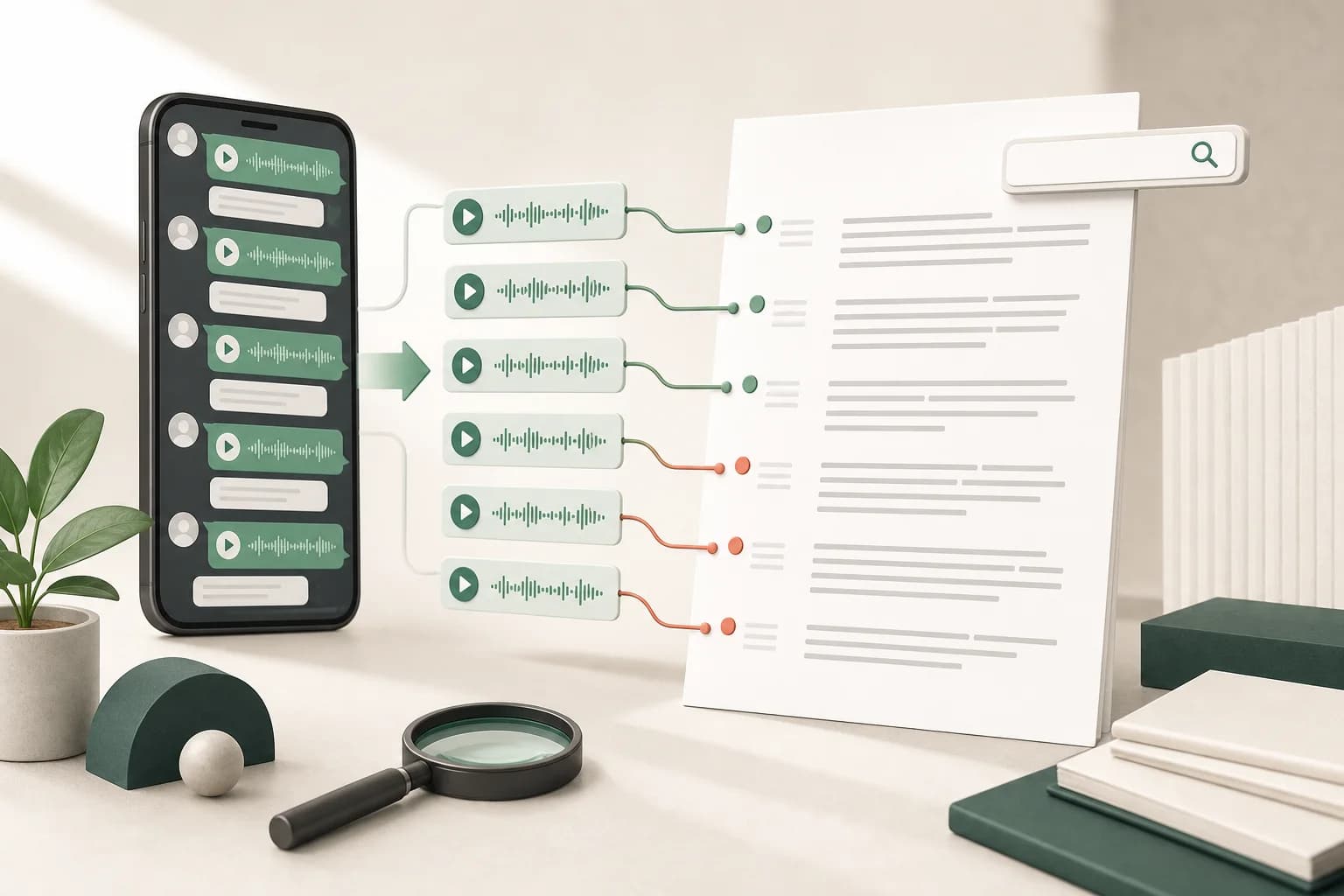
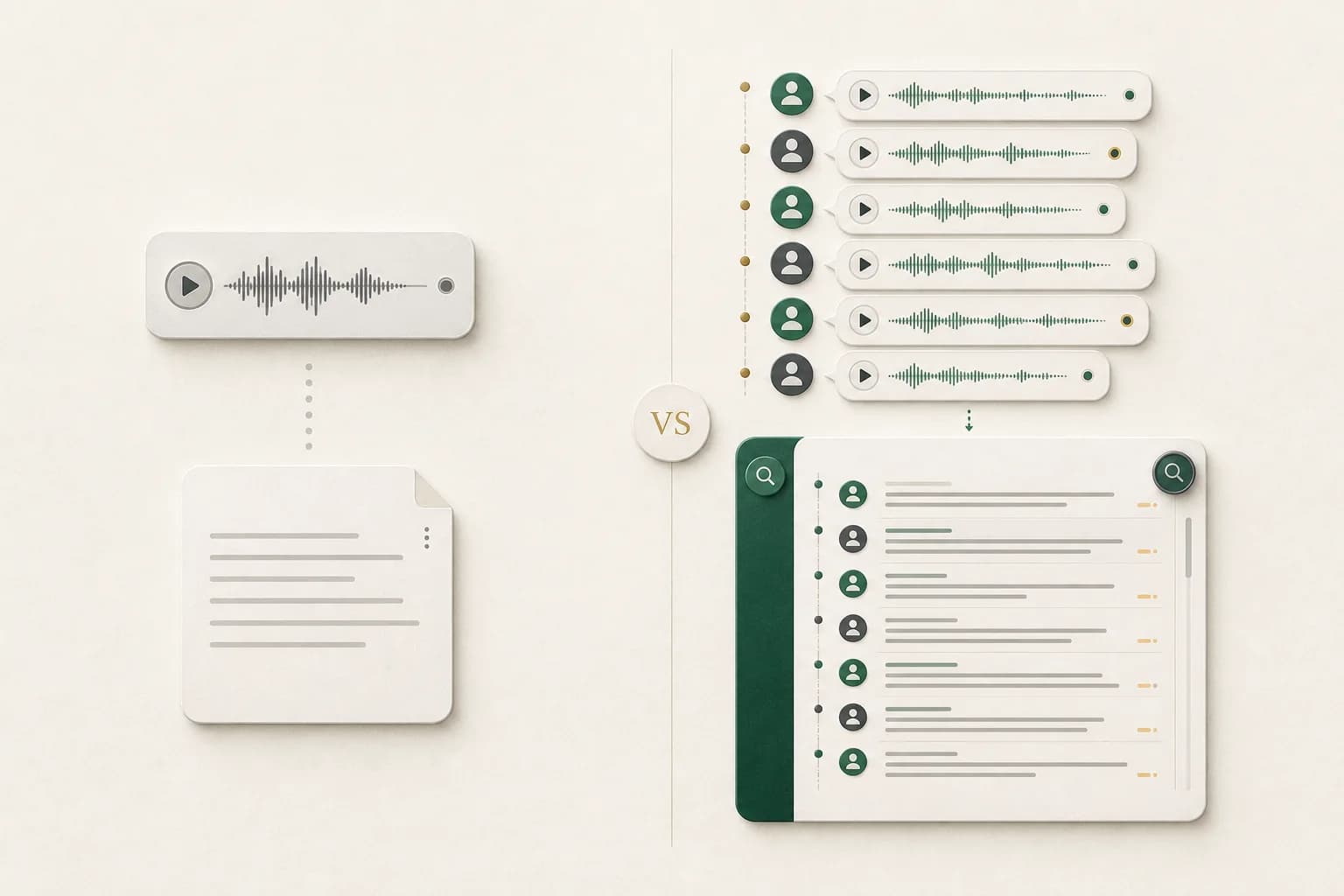
A WhatsApp chat export contains a transcript file plus the media you chose to include. ChatToPDF uses the transcript as the map: it matches each audio filename to the message row that referenced it, transcribes the voice note and writes the text back into that point in the chronology.
Use the single tool for one urgent note. Use the batch workflow when sender, timestamp, surrounding messages or many recordings matter. Its PDF is designed for reading, while the spreadsheet contains structured message rows and successful transcripts beside the context available in the export.
Three-step workflow
How to use the Transcribe WhatsApp Audio to Text — One Note or Whole Chat
Choose one message or the complete conversation
For one note, save or share the audio file from WhatsApp. For a batch, open the chat, choose Export Chat, select Including Media and keep the resulting ZIP intact.
A text-only export contains voice-note placeholders but not the audio bytes. The single tool needs the saved audio; the batch tool needs the media-inclusive ZIP.
Upload and review the transcript or preview
A supported single recording up to 60 seconds returns its transcript on the page. A ZIP is parsed into a free chat preview with message, participant and resolved voice-note counts before payment.
Automatic text can mishear names, numbers, accents, overlapping speech or noisy audio. Check consequential wording against the original recording.
Copy one transcript or build the contextual archive
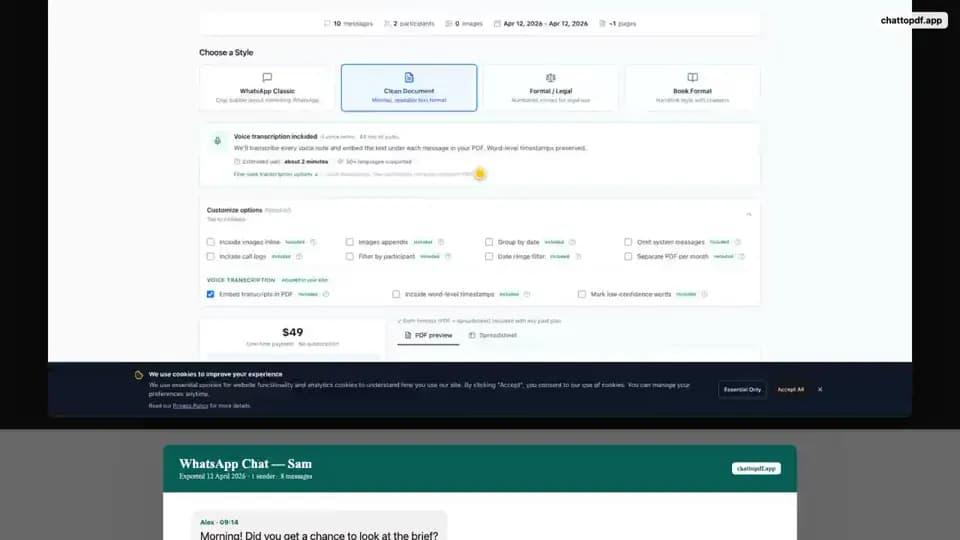
Copy or download the free single-note text. For a complete chat, Premium + Voice costs $49 for up to eight audio hours; Power User costs $99 and removes the audio-duration cap for that conversion.
The batch prices are one-time per converted chat, not subscriptions. A different chat is a separate purchase.
Ready to check your export?
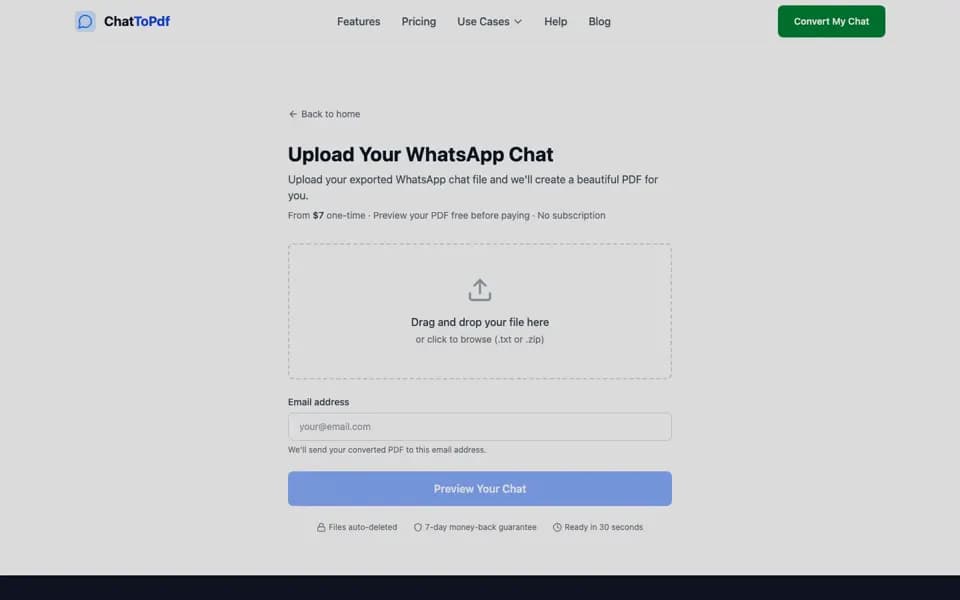
Upload the source file and inspect the parsed preview first. No account, no email, nothing to pay until you download.
First-party workflow evidence
See the batch transcript before you upload
This proof run starts with a fictional ten-message WhatsApp export and three generated OPUS voice notes. The known speech is placed beside its exported sender and timestamp, then rendered through the same PDF path used by ChatToPDF. No customer chat or claimed accuracy benchmark is involved.
- Source
- Deterministic fictional WhatsApp export
- Audio
- 3 generated OPUS voice notes
- Renderer
- The production ChatToPDF PDF pipeline
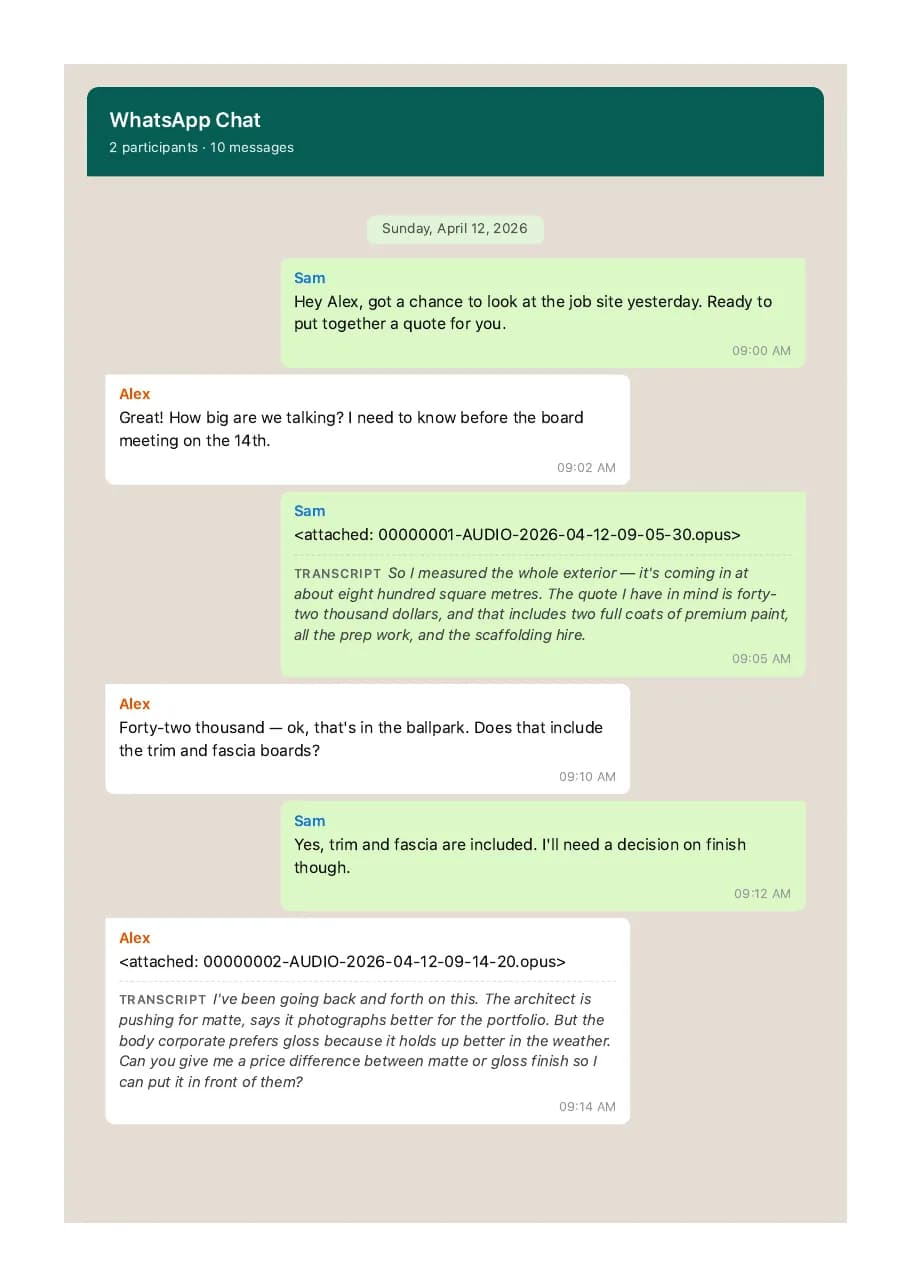
Method note: the downloadable file is regenerated from the repository’s deterministic demo export. Its OPUS recordings are synthetic speech, its reference transcripts are known in advance, and the PDF is a product-output example—not customer proof, legal evidence, or an independent accuracy test.
Download the synthetic voice-transcript PDFAnswer surface
Real questions people ask about WhatsApp voice transcripts
Twenty-four direct answers selected from 746 unique Google, Bing, and YouTube autocomplete suggestions harvested on 9 August 2026. Product claims below are tied to the current implementation; AI-assistant claims are dated because those interfaces change.
- Question set
- 24
- Source mix
- 3
01
Transcribe on a phone or computer
Use WhatsApp itself for one note when the native option is available; use an export workflow when the job spans a conversation.
How do I transcribe a WhatsApp voice note on iPhone?
Update WhatsApp, open the chat, long-press the voice message, and look for Transcribe. If the action or required language is unavailable, save one note for a compatible single-file tool or export the chat with media for a batch transcript. Menu labels and language availability can vary by app release and account.
See the iPhone routes Signal: Google and YouTube autocompleteHow do I transcribe WhatsApp voice notes on Android or Samsung?
Update WhatsApp, check Settings for the voice-message transcript option, select a supported transcript language, then use Transcribe on the note. If the control is missing or you need many notes at once, export that chat with media and process the ZIP instead of repeating the single-note action.
See the Android routes Signal: Google, Bing, and YouTube autocompleteCan I transcribe a WhatsApp voice note on desktop or WhatsApp Web?
Desktop and Web feature availability can lag the phone apps, so first check whether Transcribe appears on the message. For a reliable whole-chat workflow, create the media-inclusive export on the phone and upload that original ZIP from any modern desktop browser.
Compare every transcription route Signal: Google and Bing autocompleteHow do I turn on WhatsApp voice-message transcripts?
Open WhatsApp Settings, find the Chats or voice-message transcript setting exposed by your current version, enable it, and download or choose the spoken language. If no setting appears after an update, the feature or language may not be available for that device or rollout yet.
Follow the native transcript guide Signal: Google autocompleteHow do I change the WhatsApp transcript language?
Change the selected transcript language in WhatsApp’s voice-message transcript settings, then run the transcript again. Choose the language actually spoken in the note, not merely the phone-interface language. Mixed-language speech may still need manual review or a provider that identifies each recording separately.
Check language coverage Signal: Google and YouTube autocomplete
02
Find, export, and batch voice notes
The transcript file supplies chronology; the media files supply the audio. A useful batch workflow needs both.
How do I find every voice note in a WhatsApp chat?
Open the chat’s media, links, and documents view and filter for audio when your app exposes that filter. For a count across a long archive, export the chat with media: ChatToPDF reads the transcript references and reports the voice notes it can resolve from the ZIP.
Find and save the notes Signal: Google, Bing, and YouTube autocompleteCan I search for words spoken inside WhatsApp voice notes?
WhatsApp chat search does not reliably search speech that has never been transcribed. Once successful transcripts are placed in a PDF, XLSX, or CSV, ordinary document or spreadsheet search can find those words while the sender and timestamp remain beside them.
Build a searchable voice archive Signal: Google and YouTube autocompleteHow do I export a WhatsApp chat including its voice notes?
Open that conversation on the phone, choose Export Chat, and select Including Media. Save the untouched ZIP. A text-only export contains placeholders but not the audio bytes, so it cannot support later playback or transcription.
Export with audio correctly Signal: Google autocompleteCan I export all WhatsApp voice notes at once?
You can export the media available in one selected chat as one ZIP, subject to WhatsApp’s own export behavior and limits. That is not an account-wide export of every conversation. Process each conversation separately and verify the ZIP count before assuming every historical note was included.
Understand export scope and limits Signal: Google and Bing autocompleteWhy are voice notes missing from my exported WhatsApp ZIP?
The export may have been created without media, the note may no longer be downloaded on the phone, WhatsApp may have omitted older media, or a transfer may have produced an incomplete ZIP. Download the note in WhatsApp, make a fresh Including Media export, and compare the detected references, resolved files, and missing-file count.
Diagnose missing media Signal: Google autocomplete clusterWhat file format are WhatsApp voice notes?
Push-to-talk notes are commonly Opus audio, often stored in an OGG container; other shared recordings may be M4A, MP3, AAC, or another format. The filename and actual codec are separate facts, so preserve the original export and use a tool that checks the file rather than guessing from the extension alone.
See the format and codec guide Signal: Google and Bing autocomplete
03
AI assistants, language, and accuracy
A convenient AI chat can handle a clip; a transcript archive must also preserve scope, context, privacy, and review boundaries.
Can ChatGPT transcribe a WhatsApp voice note?
ChatGPT can transcribe audio captured with Record mode on supported paid macOS workspaces, but that is not a whole-WhatsApp-export workflow. Client and plan capabilities can change. For an archive, first create a context-preserving transcript, verify it, and share only a redacted derivative with an AI assistant when you are authorized to do so.
Compare single-note and archive tools Signal: Google, Bing, and YouTube autocomplete; OpenAI Help reviewed 9 August 2026Can Gemini transcribe WhatsApp audio?
Gemini Apps can analyze supported audio uploads within current account limits, but Google’s documented ZIP rules do not allow audio inside a ZIP. That means a media-inclusive WhatsApp archive is not the same as uploading one supported clip. Check current Gemini limits, consent, and data controls before sharing private audio.
Choose the right workflow Signal: Google Gemini Help reviewed 9 August 2026Can ChatToPDF translate a WhatsApp voice note into English?
No. ChatToPDF transcribes supported speech into text in the detected source language; it does not translate that text into a different language. Verify the source transcript against the audio first, then use a separate translation step on a copy if you need English.
Separate transcription from translation Signal: Google autocompleteCan a mixed-language WhatsApp voice note be transcribed?
It can be attempted, but switching languages inside one short recording is harder than a clear single-language note. ChatToPDF detects a language from a sample and lets the user correct uncertain or confusable results before purchase. Review code-switching, names, slang, and technical terms against the audio.
Review language accuracy bands Signal: Google autocompleteHow accurate is WhatsApp voice-note transcription?
There is no honest universal percentage. Accuracy changes with language, dialect, microphone quality, clipping, noise, overlapping speakers, names, and jargon. Use a transcript of your own note as the prepayment check, treat provider bands as planning signals, and verify every important passage against the source recording.
See the accuracy checklist Signal: Google autocomplete clusterWill transcription work on a noisy or quiet WhatsApp voice note?
Clear speech with little background noise is the strongest case. Traffic, music, distant speech, low volume, clipping, overlapping speakers, and very short notes increase errors. Preview one eligible note when available and keep the original audio so uncertain wording can be checked.
Understand audio-quality failures Signal: Google and YouTube autocomplete cluster
04
ChatToPDF limits, preview, and output
These answers describe the current implemented product boundary, including where the preview can degrade safely.
Can I preview one of my own voice-note transcripts before paying?
When an eligible note and transcription provider are available, the voice preview transcribes one note and shows an excerpt of up to 180 characters before payment. The sample is cached per job and may be unavailable because of audio length, provider failure, rate limiting, or the daily sample-spend ceiling; the chat preview still works without it.
Try the voice preview Signal: First-party product implementationWhat is the maximum WhatsApp ZIP upload size?
ChatToPDF accepts a TXT or ZIP up to 150 MB. A ZIP is also rejected if it contains too many entries, one extracted entry exceeds the safety ceiling, or the expanded archive exceeds 250 MB. Those checks protect the service from damaged files and decompression bombs.
See upload troubleshooting Signal: First-party product implementationCan I upload a single OPUS, OGG, M4A, or MP3 voice note?
Yes. The free single-message tool accepts OPUS, OGG, MP3, M4A, AAC, WAV, WebM and FLAC files up to 60 seconds and 10 MB, subject to daily capacity. A lone clip does not contain its WhatsApp sender, timestamp or surrounding messages; upload the original media-inclusive chat ZIP when you need that context preserved.
Transcribe one note or compare the batch workflow Signal: Google and Bing commercial autocompleteWill the transcript keep the sender, timestamp, and surrounding messages?
Yes when those facts exist in the exported chat and the audio file can be matched to its message reference. Successful transcripts are returned to that position in the conversation. The output cannot invent sender or timing data that is absent from the source export.
Inspect the synthetic PDF example Signal: First-party production-rendered proofHow long does batch WhatsApp voice-note transcription take?
It depends on total audio duration, file count, provider response time, and document rendering. The preview reports detected audio and a job-specific estimate instead of promising one fixed turnaround. Large chats should remain one job so notes keep their conversation context.
See the batch workflow Signal: First-party product implementationHow long does ChatToPDF keep uploaded voice notes and transcripts?
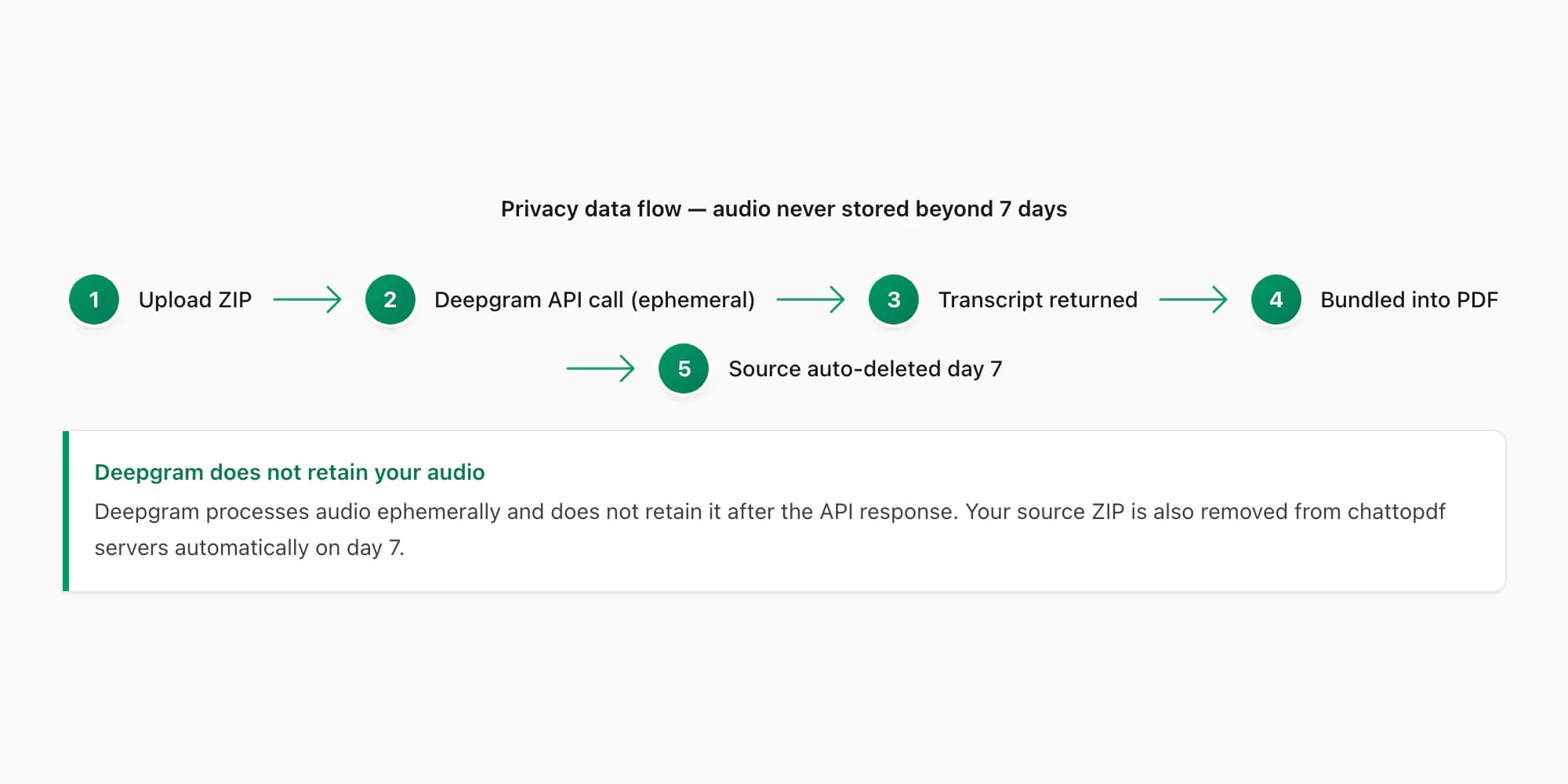
Source exports, extracted media, and generated downloads are scheduled for deletion within seven days. Cloud transcription sends audio to the configured speech provider over an authenticated connection, so do not upload a conversation unless you are authorized to process it. Keep a separate source copy for any high-stakes record.
Read the privacy boundary Signal: First-party retention and processing implementation
Field-level detail
What context does the transcript preserve?
The export transcript provides the message-level map. ChatToPDF keeps the available source facts beside each generated voice transcript instead of treating the clip as an anonymous recording.
- Field
- sender
- What it contains
- The participant name or identifier attached to the voice-note message
- Useful for
- Attribution, review and conversation context
- Field
- timestamp
- What it contains
- The date and time recorded in the exported chat transcript
- Useful for
- Chronology, timelines and finding nearby messages
- Field
- source_file
- What it contains
- The OPUS, OGG, M4A or other supported audio filename matched from the ZIP
- Useful for
- Checking a transcript against the original recording
- Field
- transcript
- What it contains
- The recognized speech returned for that voice note
- Useful for
- Search, reading, quoting and structured review
- Field
- message_context
- What it contains
- Text and media rows immediately before and after the voice note
- Useful for
- Understanding what the recording referred to
- Field
- confidence_state
- What it contains
- A low-confidence or failed-transcription marker when usable text cannot be produced
- Useful for
- Avoiding false certainty on difficult audio
Practical applications
When this format is useful
Client and project records
Make verbal instructions, approvals and updates searchable without separating them from the written conversation.
Legal case preparation
Create a chronological working record for lawyer review while keeping the original export and audio files available for verification.
HR and workplace documentation
Review voice notes alongside dates, participants and surrounding messages when an authorized internal process requires a record.
Journalism and interviews
Find quotable passages across WhatsApp field interviews while retaining the chat context around each recording.
Family and personal archives
Preserve years of voice notes in a readable document without manually processing every clip.
Accessibility and quiet reading
Read many voice notes as text when listening is difficult, impractical or time-consuming.
Format decision guide
Free native transcript, single-file tool or whole-chat converter?
The best option depends on whether you need to read one message now or preserve many messages as a durable record.
- Need
- Read one recent voice note
- Best route
- WhatsApp built-in transcript
- Trade-off
- Free and private on-device, but manual and not a batch export workflow
- Need
- Transcribe one saved audio clip
- Best route
- ChatToPDF free single-message tool
- Trade-off
- Immediate text for one file up to 60 seconds; sender, timestamp and chat order are not present in the isolated file
- Need
- Transcribe supported notes in one chat
- Best route
- ChatToPDF Premium + Voice — $49
- Trade-off
- Up to eight audio hours in this one chat, with successful transcripts returned to context
- Need
- Process a chat above eight audio hours
- Best route
- ChatToPDF Power User — $99
- Trade-off
- No audio-duration cap for this one chat and a consolidated output bundle
Choose searchable words or playable audio
Transcription creates text from speech. MP3 conversion creates a more widely playable audio copy. A PDF with clickable audio references does not, by itself, contain the spoken words as searchable text. Choose the outcome you actually need before processing a long archive.
For a few words from one short note, use the free single-note tool and verify the result. For voice notes beside their surrounding messages, upload one original chat ZIP with media. Premium + Voice is $49 for up to eight audio hours in that chat; Power User is $99 above that allowance. Both remain subject to the 150 MB upload limit.
Before payment, check the detected notes, language and available transcript sample. Neither package can recreate missing audio or guarantee every word. After download, review important names and amounts against the source recording and check any failed-note indicators.
Why OPUS support matters for WhatsApp voice notes
WhatsApp commonly exports push-to-talk voice notes as OPUS audio, often inside an OGG container. General-purpose transcription pages sometimes advertise MP3 and WAV while rejecting OPUS, which forces an extra conversion step and makes a many-file job tedious.
ChatToPDF accepts the chat export itself and processes supported voice-note files from the archive. The important part is not merely accepting the codec; it is retaining the filename relationship between the transcript row and the source audio so the result can be checked later.
- Upload the original export ZIP
- Keep an untouched source copy
- Do not convert every clip manually first
- Verify difficult passages against the audio
Accuracy: what the package can and cannot promise
Transcription accuracy depends on the recording, not just the model. Clear speech in a quiet room is easier than a clipped note recorded in traffic, with background voices or with rapid switching between languages. A responsible transcript should be reviewed before it is quoted or relied on.
ChatToPDF uses language-aware routing between Deepgram Nova-3 and ElevenLabs Scribe v2 for voice-enabled conversions. The current registry supports 93 languages, with 57 in the provider-published high-or-better accuracy bands. Those bands are planning signals rather than guarantees for a particular dialect, speaker or recording.
Privacy and retention for sensitive recordings
WhatsApp’s own built-in transcript is the best privacy choice for a single note because it is generated on the device. A cloud batch service necessarily processes the exported files away from the phone, so the retention path should be explicit before you upload a legal, health, family or workplace conversation.
ChatToPDF sends audio to the configured speech provider over an authenticated connection and disables provider logging on the ElevenLabs path. Source exports, extracted media and generated downloads are automatically deleted within seven days. Limit the export to what you are authorized to process and keep original evidence separately when the matter is high-stakes.
Troubleshooting
Common problems and fixes
No voice notes are detected
Create a new export and choose Including Media. Open the ZIP only to verify that audio files exist; upload the original ZIP rather than only the TXT file.
WhatsApp says “Transcript unavailable”
For one note, check the selected transcript language, downloaded language pack, app version and audio quality. For many notes, export the chat with media and use the batch workflow instead.
The transcript language is wrong
Confirm the language actually spoken in the recording. Mixed-language and noisy clips can be harder to detect; compare low-confidence text with the source audio.
A forwarded recording is missing
WhatsApp exports only media present in the selected chat and available on the device. Download the recording in WhatsApp first, then create a fresh media-inclusive export.
The chat contains more than eight hours of audio
Choose the $99 Power User package for that chat. The $49 Premium + Voice package is capped at eight total audio hours per converted chat.
Frequently asked questions
Transcribe WhatsApp Audio to Text — One Note or Whole Chat FAQ
How do I transcribe WhatsApp audio to text?
Save or share one voice note from WhatsApp, then upload the supported audio file to the free single-message tool for an immediate transcript up to 60 seconds. To batch transcribe a conversation, export that chat with media, upload the original ZIP and select a voice-enabled conversion. Successful batch transcripts return to the matching sender, timestamp and message position.
Can I batch transcribe WhatsApp voice notes?
Yes. ChatToPDF processes the supported voice-note files present in one media-inclusive WhatsApp export as one job. It does not require you to save and upload each clip separately, and it keeps successful transcripts in the exported conversation order.
Can I export WhatsApp voice-note transcripts to PDF?
Yes. A voice-enabled ChatToPDF conversion produces a searchable PDF with successful transcripts beside their exported sender and timestamp. Preserve the original ZIP and audio, and verify important wording before quoting or relying on automatic text.
Can I convert WhatsApp audio to text online?
Yes. ChatToPDF accepts one saved OPUS, OGG, MP3, M4A, AAC, WAV, WebM or FLAC recording up to 60 seconds and 10 MB for a free transcript, subject to daily capacity. For a whole conversation, export the chat with media and upload the ZIP so supported notes can be processed in context.
Is there a free WhatsApp audio-to-text converter?
Yes. ChatToPDF transcribes one supported voice-message file up to 60 seconds and 10 MB free without signup, subject to per-browser, per-network and shared daily limits. Complete batch transcription starts at $49 for one chat with up to eight hours of audio.
Does ChatToPDF transcribe all voice notes at once?
Yes. It detects the supported voice-note files included in one exported chat and transcribes them as one job, then places the text back into conversation order.
How much does WhatsApp voice-note transcription cost?
Premium + Voice is a one-time $49 conversion for one chat with up to eight audio hours. Power User is $99 for one chat with no audio-duration cap for that conversion. A different chat requires a separate purchase.
Does it support WhatsApp OPUS files?
Yes. The single-message tool accepts OPUS and OGG directly, and the batch workflow can process supported audio files found in the exported ZIP without requiring you to convert each one to MP3 first.
Which spoken languages are supported?
The current registry covers 93 languages, with 57 in the provider-published high-or-better accuracy bands. Check the supported-languages directory for the current band and review guidance for your language.
Can I use a transcript as legal evidence?
A transcript can help with review and case preparation, but admissibility and filing requirements depend on the court and jurisdiction. Preserve the original export and audio, verify important passages and obtain legal advice.
Are WhatsApp calls included?
No. Export Chat includes messages and available media, not recordings of WhatsApp voice or video calls. The audio workflow applies to voice-note files present in the export.
Primary references
Technical statements on this page are tied to the source instructions or format documentation below. Product behavior is based on the current ChatToPDF implementation.
- WhatsApp Help Center — How to export your chat history
Primary instructions for creating the TXT or media-inclusive ZIP used as the source.
- Deepgram documentation — Nova-3 model
Primary model and language reference for the transcription engine used by the voice packages.
- Deepgram — data privacy
Provider information about API processing and data handling.
- ElevenLabs documentation — speech to text
Primary language-coverage and speech-recognition reference for Scribe v2.
- OpenAI Help — ChatGPT Record
Current official boundary for recording and transcribing audio in supported ChatGPT macOS workspaces; reviewed 9 August 2026.
- Google Gemini Help — upload and analyse files
Current official audio-duration and ZIP-with-audio constraints for Gemini Apps; reviewed 9 August 2026.
Last reviewed: 6 September 2026. ChatToPDF is independent and is not affiliated with or endorsed by WhatsApp or Meta.