
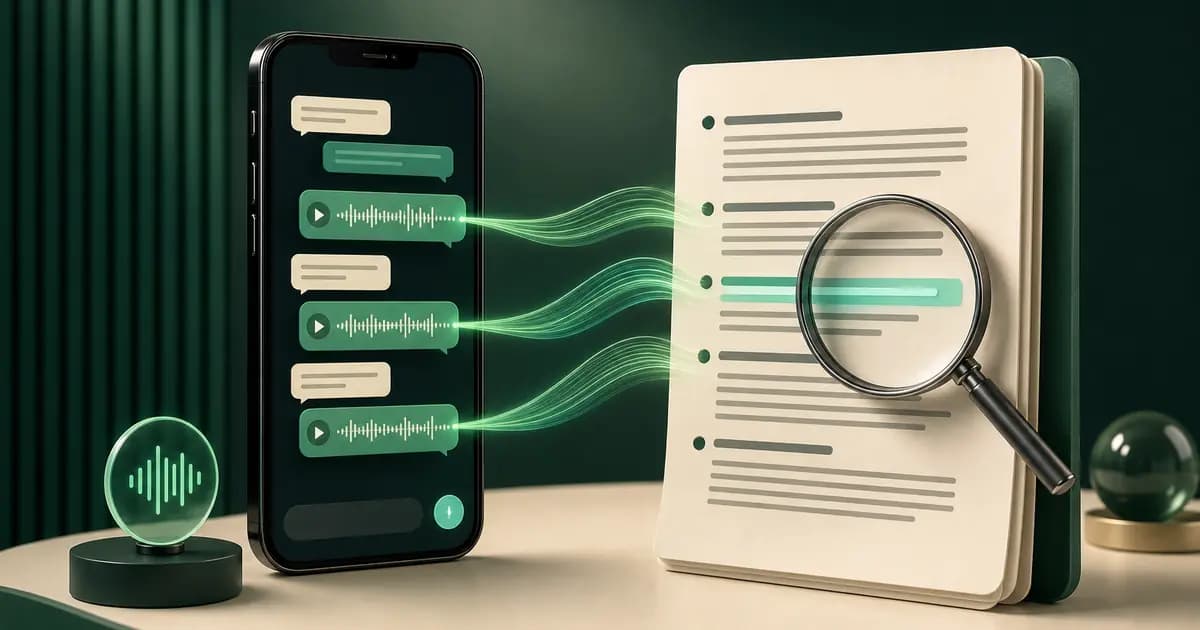
To batch transcribe WhatsApp voice notes across a whole conversation, export the chat with Including Media and process the ZIP once. The WhatsApp audio-to-text converter checks the export and counts the voice notes before checkout. The $49 Premium+Voice conversion then transcribes supported audio included in that one chat and places each successful transcript beside the original sender, timestamp and surrounding messages in a searchable PDF.
- Need
- Read one recent note
- Best route
- WhatsApp's built-in transcript, where available
- Result
- Text displayed inside WhatsApp for that message
- Need
- Transcribe one saved audio file
- Best route
- A compatible single-file speech-to-text tool
- Result
- Standalone text without chat context
- Need
- Convert every included note in one chat
- Best route
- ChatToPDF Premium+Voice
- Result
- Searchable PDF plus spreadsheet outputs with sender, timestamp and message order
| Need | Best route | Result |
|---|---|---|
| Read one recent note | WhatsApp's built-in transcript, where available | Text displayed inside WhatsApp for that message |
| Transcribe one saved audio file | A compatible single-file speech-to-text tool | Standalone text without chat context |
| Convert every included note in one chat | ChatToPDF Premium+Voice | Searchable PDF plus spreadsheet outputs with sender, timestamp and message order |
Watch the full flow — export with media, upload, and supported included voice notes return as searchable text in the PDF.
How to convert WhatsApp voice notes to text
The workflow runs in five steps, from opening WhatsApp to receiving a PDF with successful transcripts for the supported voice notes included in the export.
Export the chat with Including Media
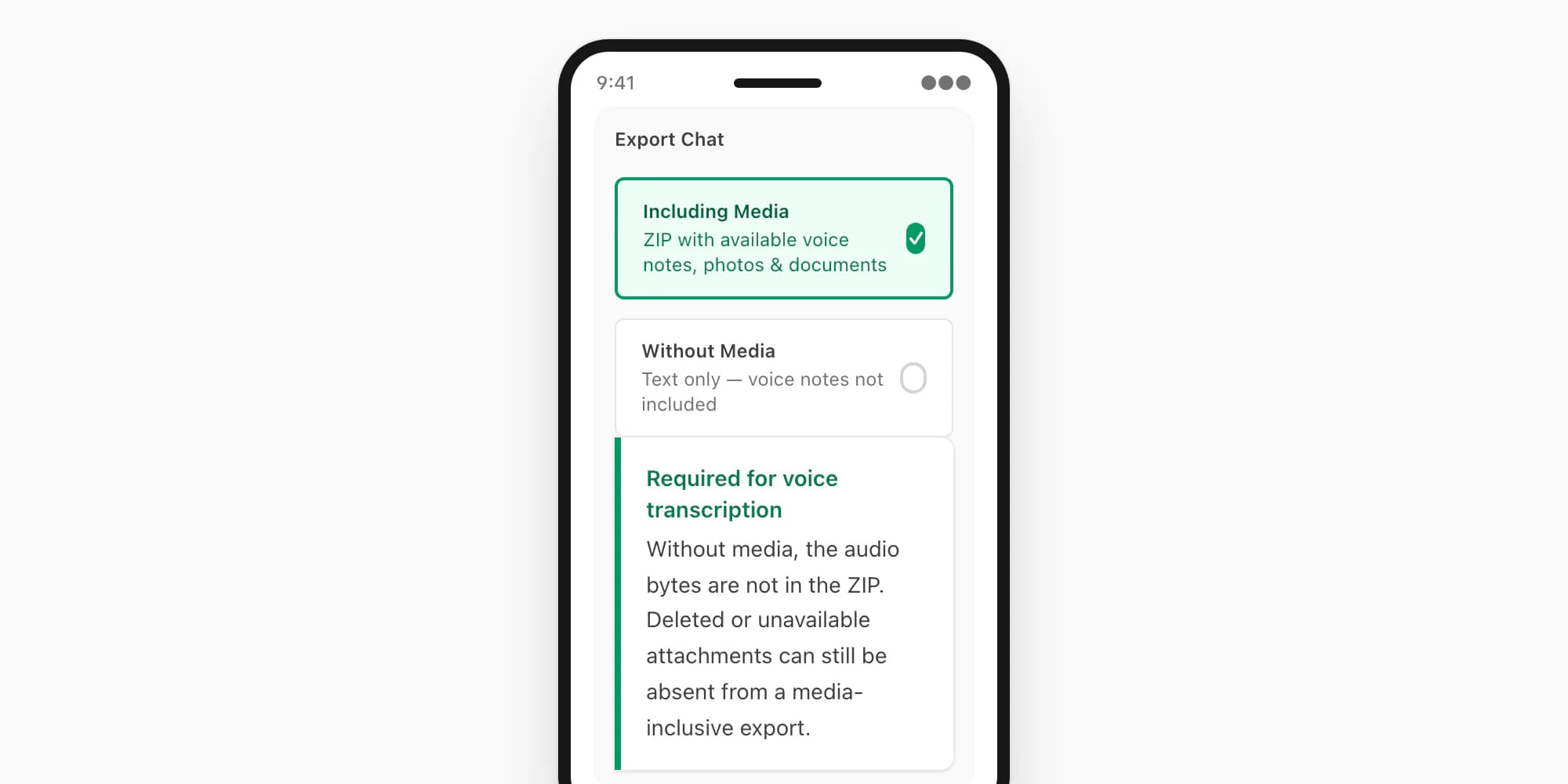
Open WhatsApp and navigate to the chat that contains the voice notes. On iPhone: tap the contact or group name → Export Chat → Including Media. On Android: use the three-dot menu → More → Export Chat → Include Media. This asks WhatsApp to package available attachments alongside the chat log; voice notes commonly appear as Opus audio, although names and containers vary. Without Media supplies no audio bytes to transcribe, and deleted or unavailable attachments can still be absent even from a media-inclusive export. WhatsApp's official export chat FAQ explains the export flow.
Save the ZIP to your device
After selecting Including Media, WhatsApp generates a ZIP file and opens the share sheet. On iPhone, tap Save to Files and choose a folder (On My iPhone → Downloads is reliable). On Android, share the ZIP to your file manager, Google Drive, or email it to yourself. The ZIP is now a real file on your device, ready to upload.
Upload the ZIP to chattopdf.app
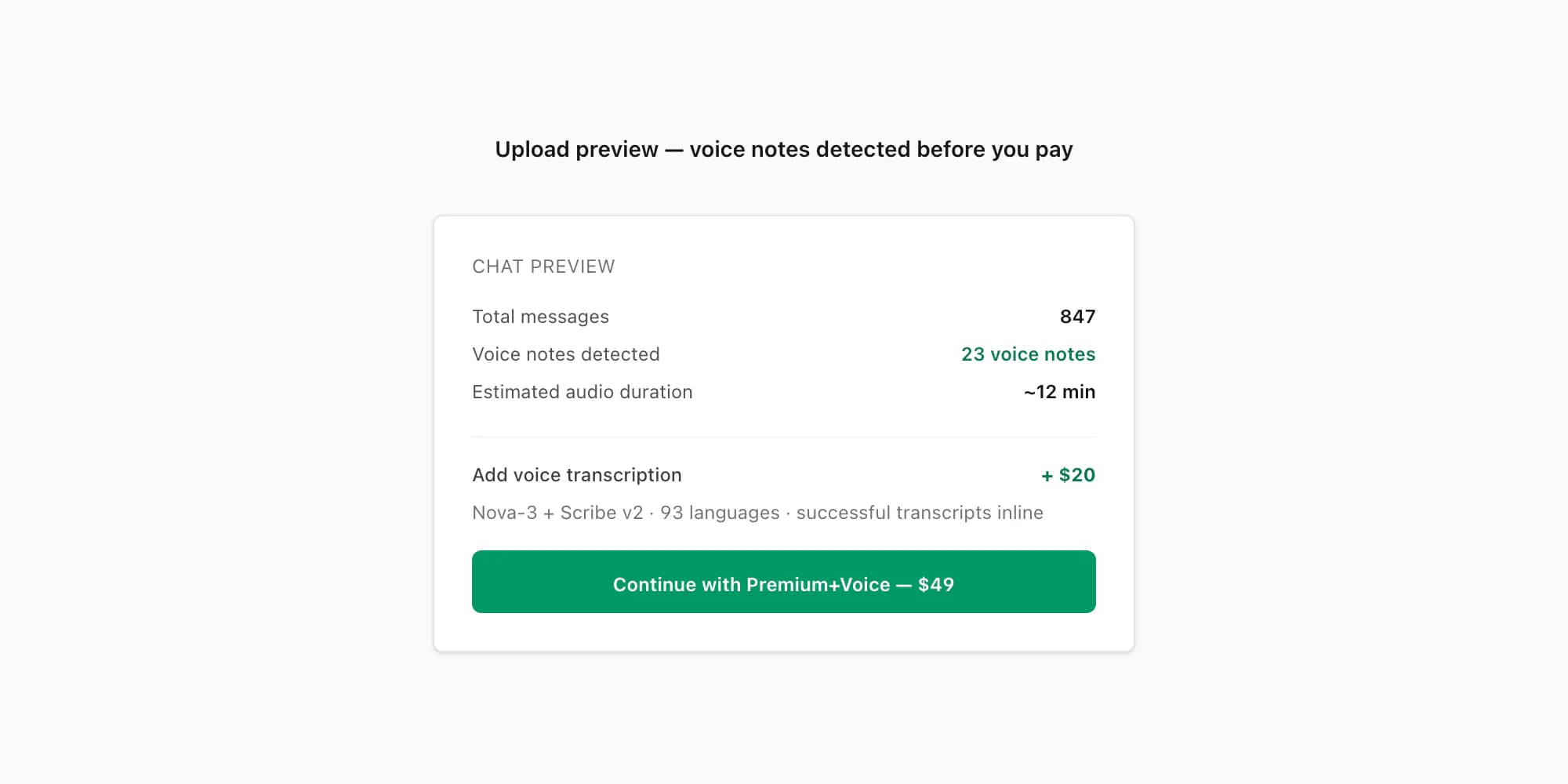
Open the whole-chat voice upload in a browser on your phone or desktop. Select the original media-inclusive ZIP, within the 150 MB upload limit. The uploader validates the file and shows a preview with the parsed chat and detected voice-note count before payment. Confirm that the conversation and count look plausible before continuing.
Select the Premium+Voice tier ($49 per chat)
Pick Premium+Voice at $49 for one chat. It covers up to eight audio hours and routes supported voice notes through Deepgram Nova-3 or ElevenLabs Scribe v2. The $7, $14 and $29 tiers do not transcribe voice notes; $99 Power User uses the same router without the eight-hour audio cap. Payment is one-time for that conversion. The 150 MB upload ceiling applies to both packages; $99 does not increase the file-size limit.
Download the PDF with inline transcripts
After payment, ChatToPDF processes the chat and makes the completed output available for download, with delivery status also sent to the email supplied for the job. Processing time varies with file size, audio duration, provider retries and queue load. Each successful voice-note transcript is inserted at its matching position with the sender and original timestamp; keep the source audio and verify important wording.
What the output looks like
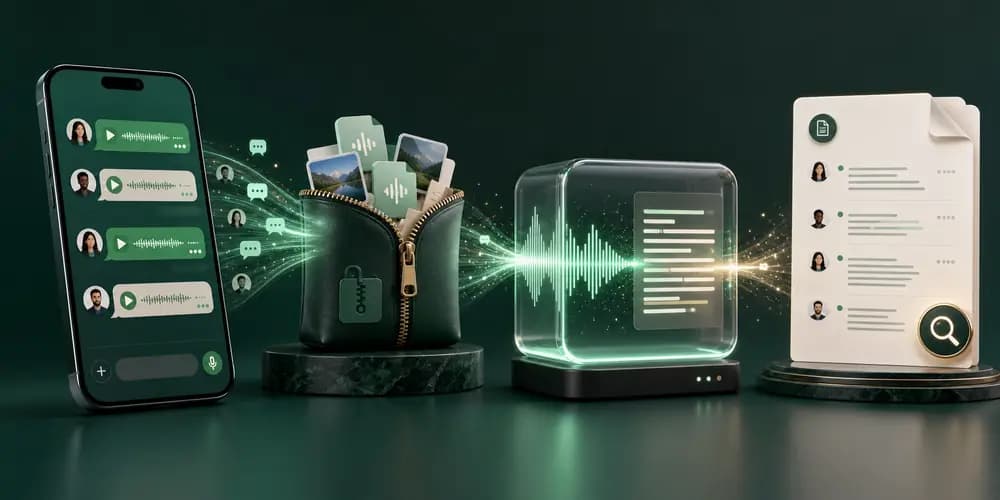
The key thing about the chattopdf output is that the voice note transcripts are inline in the conversation — not in a separate appendix, not in a separate file, not numbered separately. They appear exactly where the voice notes appeared in the chat, in chronological order, alongside the text messages.
The short example below is fictional and illustrates the layout; it is not a customer transcript or an accuracy test. You can also download a two-page fictional transcript PDF generated by the production PDF pipeline. That downloadable demonstration uses generated audio and known reference transcripts.
Emma · 09:14
Hey, are you joining the call at 10?
Luca · 09:15 · [voice note — 0:12 — transcript]
"Yeah, I'll be there. Just finishing up the slides. Five more minutes."
Emma · 09:16
Perfect, no rush.
Luca · 09:22 · [voice note — 0:28 — transcript]
"Actually, can we push it to 10:15? I need to send something to the client first and I want to attach the updated version."
Emma · 09:23
Sure, I'll let the others know.
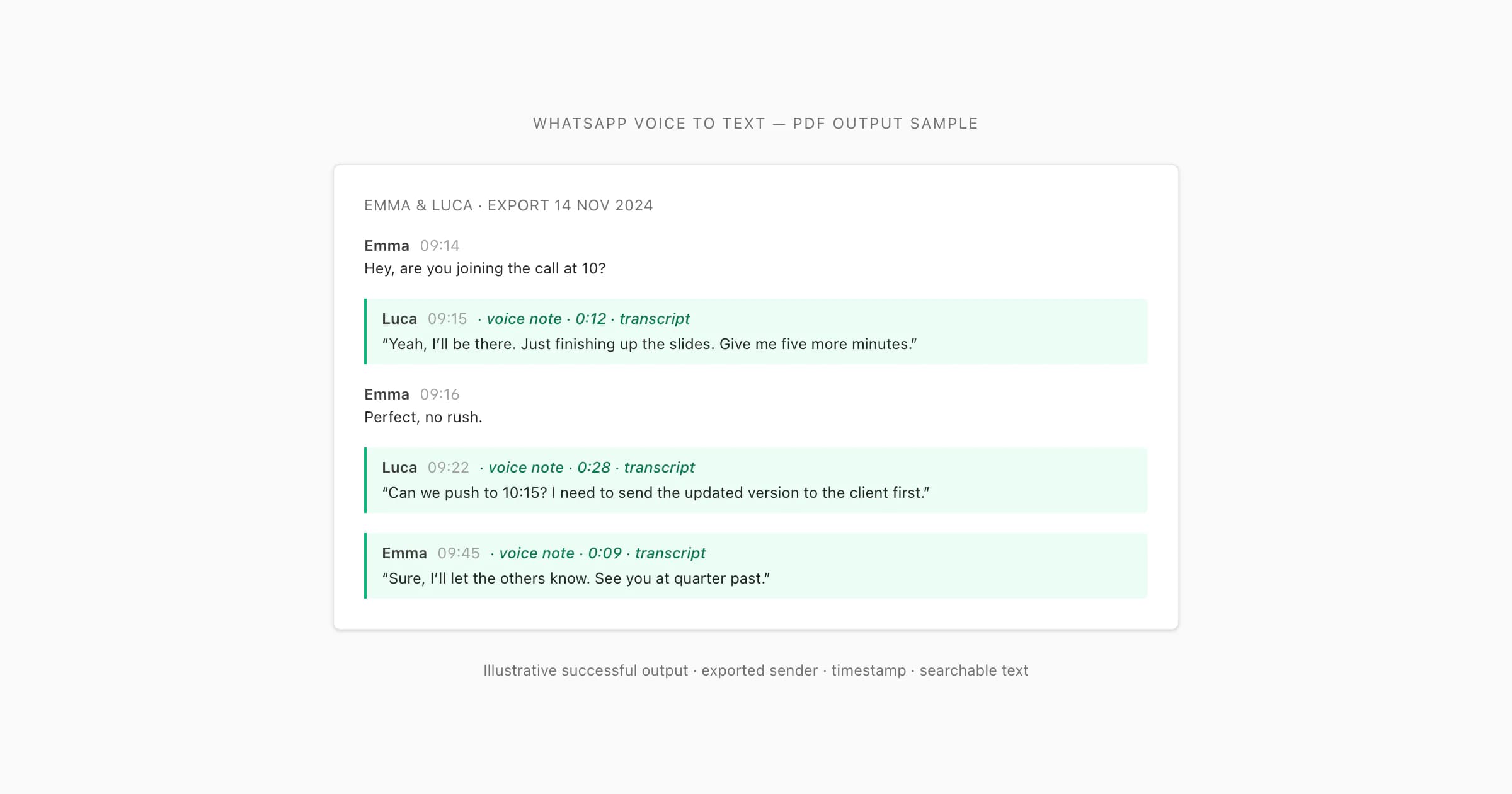
Each transcript line carries the sender name and the timestamp from the original chat. If a voice note is in a language other than English — Spanish, Portuguese, Hindi, Arabic, French, and others — it is transcribed in that language. The transcript text is the spoken content as written text. You can select it, copy it, and search the PDF for keywords that appeared in any voice note.
Voice notes that are present, supported and transcribed successfully become readable, searchable text. The surrounding exported messages remain in order, so the conversation reads as one document while exceptions stay visible for review.
How to review the sample and the finished transcript
The free preview can show a language and transcript sample when suitable audio is available. Compare that sample with its recording: names, dates, quantities and short negations such as “not” deserve particular attention. If sampling is unavailable or the result does not match what you hear, do not treat the parsed message count as proof of transcription quality.
A sample covers only part of the archive. After processing, check that important voice-note references have usable results and listen to any failed or uncertain notes. Sender attribution comes from the exported message row; it does not identify separate speakers within a recording. Keep the original ZIP and document any corrections on a working copy.
If the task is listening rather than reading, the MP3 bundle may fit better. If you need only the written messages, use the PDF guide or Excel converter; neither task requires speech recognition.
What batch conversion preserves
The export transcript acts as the map. ChatToPDF does not infer a sender from the voice itself: it reads the sender, date, time and attachment reference from the chat log, matches that reference to the audio file in the ZIP, and returns the transcript to that row.
- Source field
- Sender in the exported chat log
- How it is used
- Identifies who sent the message row
- What appears in the output
- Sender name or identifier beside the transcript
- Source field
- Original message timestamp
- How it is used
- Anchors the audio reference in the chronology
- What appears in the output
- The WhatsApp timestamp, not the later processing time
- Source field
- Audio attachment filename
- How it is used
- Connects the message row to the media file
- What appears in the output
- Transcript inserted where that voice note appeared
- Source field
- Messages before and after
- How it is used
- Remain in their exported order
- What appears in the output
- Readable context around the spoken message
- Source field
- Missing or unreadable audio
- How it is used
- Cannot produce a reliable transcript
- What appears in the output
- A placeholder or failure state rather than invented text
| Source field | How it is used | What appears in the output |
|---|---|---|
| Sender in the exported chat log | Identifies who sent the message row | Sender name or identifier beside the transcript |
| Original message timestamp | Anchors the audio reference in the chronology | The WhatsApp timestamp, not the later processing time |
| Audio attachment filename | Connects the message row to the media file | Transcript inserted where that voice note appeared |
| Messages before and after | Remain in their exported order | Readable context around the spoken message |
| Missing or unreadable audio | Cannot produce a reliable transcript | A placeholder or failure state rather than invented text |
This distinction is why a whole-chat workflow is commercially different from a single-file converter: the valuable output is not only recognized words, but recognized words attached to the source facts that make them understandable.
When you would want this
Legal and evidence use cases. If a WhatsApp conversation is relevant to a dispute, a complaint, or a court filing, having the voice notes transcribed as part of the same document that shows the text messages is useful. A judge, solicitor, or HR officer can read the entire exchange — including what was said verbally — without needing to play audio. For more on formatting exported chats for legal purposes, the WhatsApp to PDF guide covers the formal styling options.
Business records and compliance. Sales teams, support teams, and freelancers who conduct substantive conversations over WhatsApp — approvals, agreements, instructions, complaints — often need a readable record of those conversations. Voice notes in a business context frequently contain the actual decision or the actual instruction. Having those as readable text alongside the surrounding messages means the record is complete and searchable, not partially mute.
Personal and family archives. Long family group chats accumulate years of voice notes from relatives — updates, stories, birthday wishes, directions, check-ins. Many of those voice notes are from people whose voices you want to remember — if you are preserving a chat with someone who has passed away, the guide to saving a deceased loved one's WhatsApp messages covers that situation with the care it needs. Transcribing them into a PDF creates a readable archive that can be searched, printed, and kept alongside photos and written messages. The voice notes do not stay as audio forever — device storage gets cleared, WhatsApp accounts get deleted, phones change hands. A PDF with the transcripts is a more durable format.
Accessibility. Voice notes are by nature inaccessible to people who are deaf or hard of hearing, or to people who cannot play audio in the environment they are in (commuting, an open-plan office, a meeting). A transcript makes the content of a voice note available regardless of hearing ability or audio environment.
In all of these cases, the value of the chattopdf approach compared to a standalone transcription app is that the transcript lands in context — at the right position in the conversation, attributed to the right speaker, readable alongside the surrounding text. You do not have to manually correlate a list of transcripts against a separate exported chat.
Accuracy and languages
ChatToPDF uses a language-aware router between Deepgram Nova-3 and ElevenLabs Scribe v2. The current product registry contains 93 supported languages, of which 57 are in the excellent or high provider-published accuracy bands. The router can use Nova-3 for languages it supports and Scribe v2 for the wider registry, unknown-language identification and eligible fallback cases.
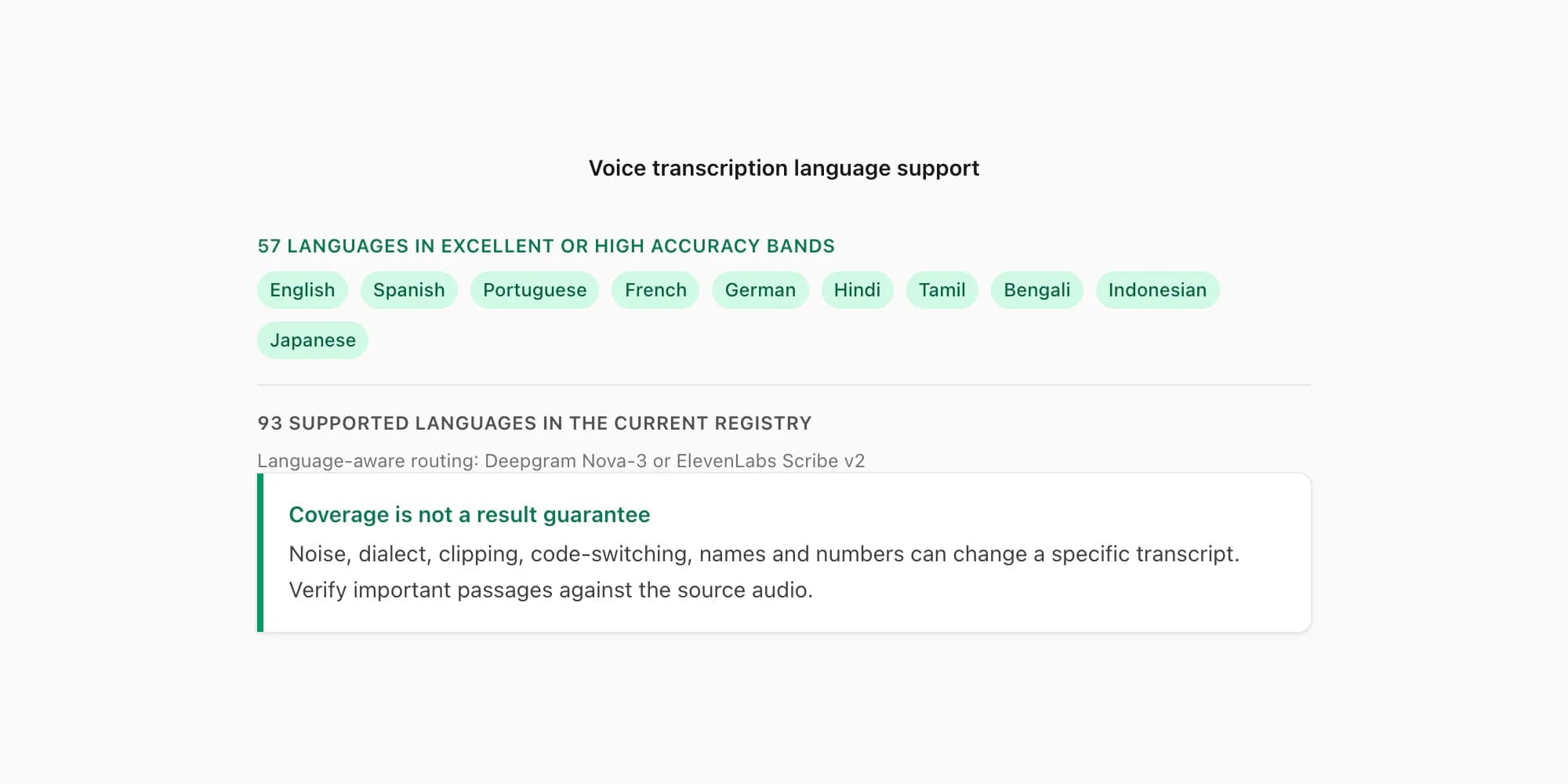
Those bands are planning signals, not promises for a particular recording. Noise, clipping, fast speech, dialect, code-switching, overlapping speakers, names and numbers can all change the result. The 93-language directory lists the current coverage and band for each language; the transcribe WhatsApp audio guide explains routing and accuracy limits in depth.
WhatsApp commonly exports push-to-talk voice notes as Opus audio, although exports can contain other supported audio forms. The codec alone does not determine accuracy; recording conditions and the speech in the file matter. The WhatsApp audio format guide explains the container and codec details.
For language detection to work correctly, the ZIP must include the voice note files — which is why the "Including Media" export option matters. Without the audio files in the ZIP, there is nothing to transcribe regardless of tier.
Key takeaways
- To get WhatsApp voice notes as readable text, export the chat with Including Media — this puts the
.opusaudio files inside the ZIP, which is required for transcription. - Use the WhatsApp audio-to-text converter and choose the $49 Premium+Voice per-chat tier for up to eight audio hours. Lower tiers do not transcribe voice notes.
- Successful transcripts appear in a PDF at their matching positions with sender names and timestamps; unreadable or missing audio is not a basis for invented text.
- The current router covers 93 languages, with 57 in excellent or high accuracy bands. Coverage and bands do not guarantee one recording's result.
- WhatsApp's native transcript is suitable for reading one supported note in-app; ChatToPDF is the batch route for a saved whole-chat document.
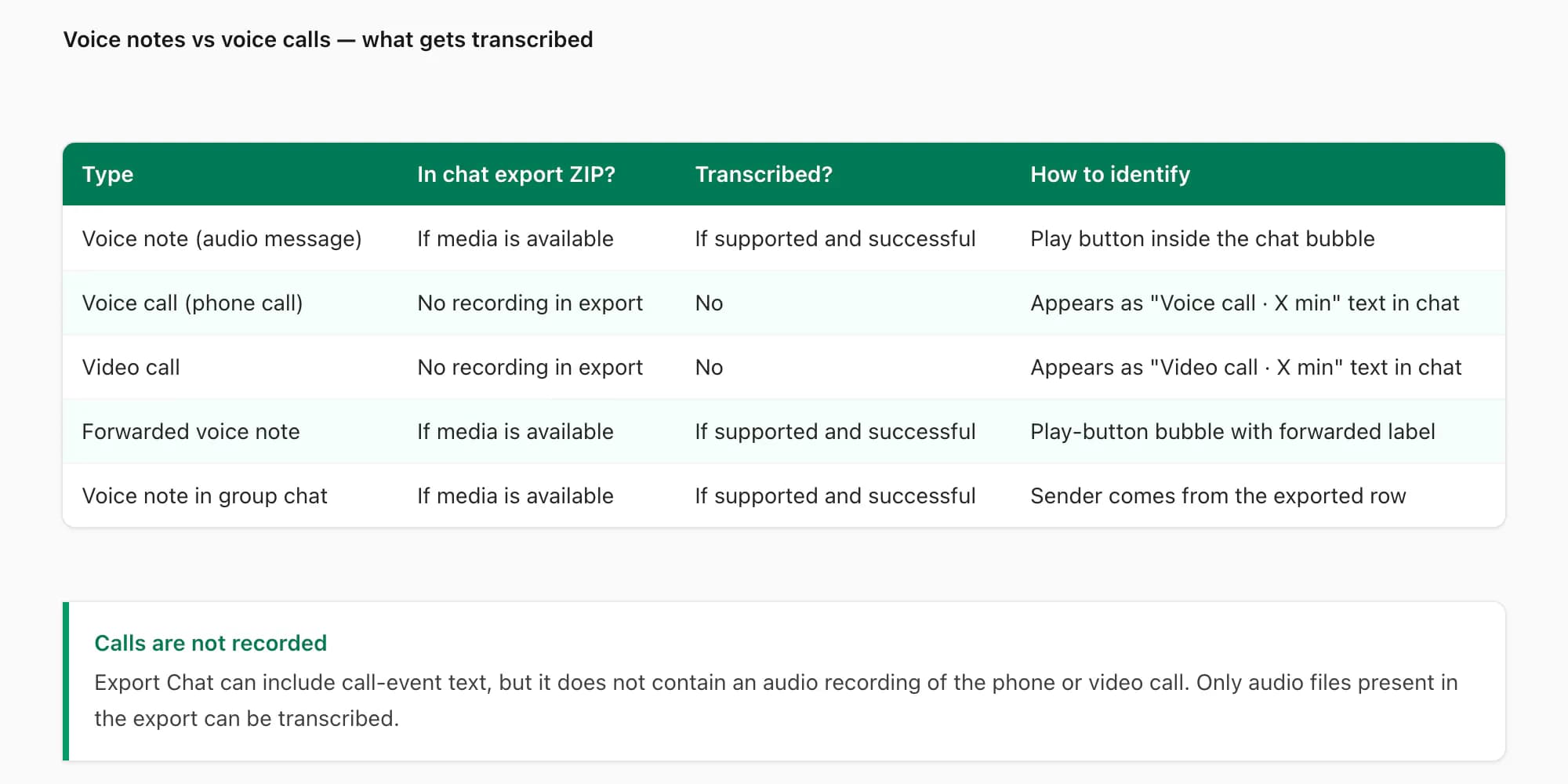
- Voice calls are not in the chat export and cannot be transcribed. Only voice note messages (the audio clips sent in the chat) are included.
- ChatToPDF transcribes speech in the detected source language; it does not translate the transcript into another language.
FAQ
Is there a free way to turn WhatsApp voice notes into text?
WhatsApp's built-in Voice message transcripts feature is the first route to try for one supported note: enable it under Settings → Chats, then long-press the message and choose Transcribe. Availability depends on the app, device and selected transcript language. It does not provide ChatToPDF's exported-chat batch workflow. ChatToPDF's preview and voice-note count are free; complete whole-chat transcription starts at $49 for one chat with up to eight audio hours. See WhatsApp speech to text for the native feature and the tools comparison for other job types.
Does this work on both iPhone and Android exports?
Yes. The export workflow differs slightly: on iPhone, Export Chat is reached from chat or contact information; on Android it is under the three-dot menu → More → Export Chat. ChatToPDF accepts supported exports from both. Use Including Media, retain the original archive and check the preview count, because filenames, available attachments and audio forms can vary by export.
What languages are supported for voice note transcription?
The current registry covers 93 languages; 57 are in the excellent or high provider-published accuracy bands. ChatToPDF routes notes between Deepgram Nova-3 and ElevenLabs Scribe v2 according to language support and provider availability. Coverage is not a guarantee for every dialect, mixed-language note or noisy recording. The output is transcription in the source language, not translation. Browse the current transcription language directory.
Do WhatsApp voice calls get transcribed too?
No. WhatsApp voice calls are not recorded or stored in the chat export. The ZIP file that WhatsApp generates contains only messages that appeared in the chat window — voice notes (the short recorded audio clips you send as messages), photos, documents, and the text conversation. A phone call or video call made through WhatsApp does not appear in the chat export because it was a live call, not a stored message. Only voice notes — the microphone icon messages in the conversation — are transcribed.
How long does the transcription take?
Processing time depends on the export size, total audio duration, provider retries and queue load, so ChatToPDF does not promise one fixed completion time for every chat. Premium+Voice covers up to eight audio hours in one chat; Power User removes that duration cap for its one-chat conversion. The job status and delivery flow let you return for the result rather than keeping the processing page open.
Can I batch transcribe WhatsApp voice notes at once?
Yes. Export one chat with Including Media and upload the original ZIP to the WhatsApp audio-to-text converter. ChatToPDF detects supported voice-note files and processes them as one job, then returns each successful transcript to the matching conversation position with sender and timestamp. Files absent from the export, unsupported media, corrupt notes or provider failures cannot produce a reliable transcript and should remain visible as exceptions rather than being silently invented.
I'm Paul, the founder of ChatToPDF. I built it after needing a long WhatsApp conversation as a readable PDF for a legal matter. I test and document WhatsApp exports, PDF conversion, voice-note transcription, and the limits people should check before relying on the result.