
Definition and scope
What does a text message to PDF converter do?
Your phone stores texts in a database that is meant to be read by the Messages app, not printed. Screenshots work for a handful of messages, but for a long thread they are slow, hard to read and easy to accuse of leaving messages out.
A text message to PDF converter takes an export of the conversation and lays it out as a document: who sent each message, when, and what it said, in order, on numbered pages. ChatToPDF reads two kinds of export. On Android it reads the .xml backup made by the free SMS Backup & Restore app. On iPhone it reads a Messages CSV (iMazing and similar tools) or the text output of the open-source imessage-exporter.
ChatToPDF converts files you upload. It never connects to your phone, your carrier, iCloud or Google, so you stay in control of exactly which conversation leaves your device.
Three-step workflow
How to use the Text Messages to PDF Converter
Android: back up just this conversation with SMS Backup & Restore
Install SMS Backup & Restore by SyncTech (free), tap Back up, keep Messages selected and use Advanced options → Selected conversations to pick the one conversation you need. Save the backup to your phone or Google Drive and copy the sms-….xml file to wherever you will upload from.
One backup can hold every conversation on the phone. ChatToPDF converts one conversation per upload and chooses the largest, so selecting a single conversation is the reliable way to get the right one. Call-log backups (calls-….xml) are not messages and are not read.
iPhone: export the thread with iMazing or imessage-exporter
iPhone has no built-in export, so you need a computer tool. iMazing exports a conversation to CSV; the free, open-source imessage-exporter writes text files from a Mac’s Messages or an iPhone backup. Upload the CSV, or zip the imessage-exporter output folder.
A bare CSV gives you the text, with attachments listed by name. Zip the CSV together with its attachments folder if you want photos in the PDF. The iMessage to PDF page has the full iPhone walkthrough.
Upload, preview and download the PDF
Upload the .xml, .csv or .zip. The free preview shows the first messages with senders and dates, so you can confirm it is the right conversation. Choose a style, then pay once and download the PDF, Excel and CSV files.
$7 covers up to 5,000 text-only messages, $14 covers up to 25,000 and includes MMS photos and videos, and $29 has no message cap. Upload limit: 150 MB.
Ready to check your export?
Upload the source file and inspect the parsed preview first. No account, no email, nothing to pay until you download.
Field-level detail
What the text message PDF includes: dates, times, names, numbers and photos
Everything comes from the backup or export file. Nothing is typed in or rewritten, and a message that is not in the file cannot appear in the PDF.
- Field
- Sender
- What it contains
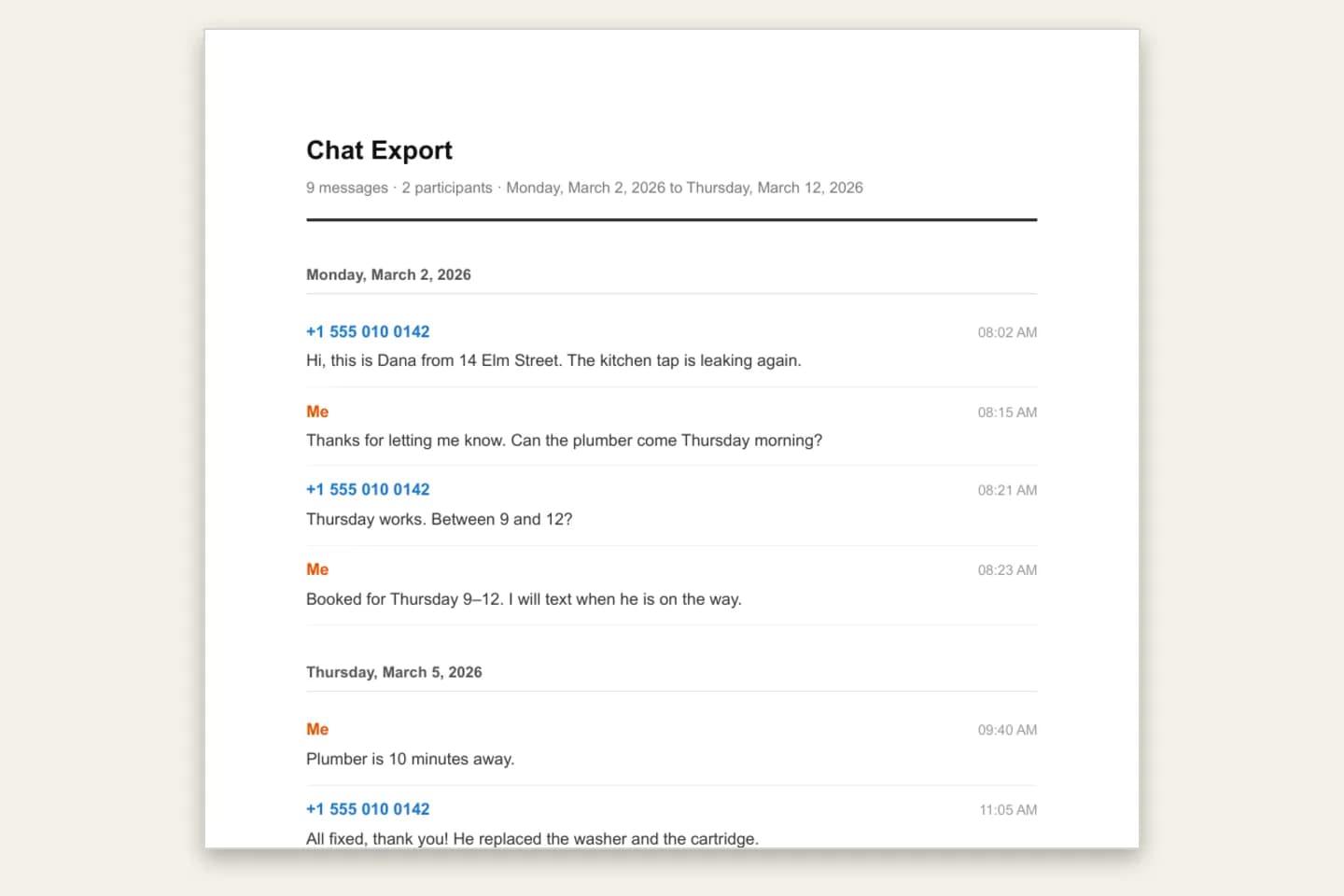
- “Me” for messages you sent; for received messages, the contact name saved in the backup, or the phone number when there is no contact name
- Useful for
- Showing who sent each message
- Field
- Date and time
- What it contains
- The timestamp of every message, grouped under day headings
- Useful for
- Building a timeline
- Field
- Message text
- What it contains
- The full text, including emoji, line breaks and MMS subject lines
- Useful for
- Reading or quoting exact wording
- Field
- Group texts
- What it contains
- Group MMS conversations with each sender identified
- Useful for
- Family, team or neighbour group threads
- Field
- Delivery status
- What it contains
- Messages the backup marks as failed or not sent are labelled; drafts are skipped
- Useful for
- Not mistaking an unsent message for a sent one
- Field
- MMS media
- What it contains
- Photos and videos stored in the backup, inline on $14 and above; MMS audio appears as an audio file and is not transcribed
- Useful for
- Keeping pictures next to the words around them
- Field
- Page numbers
- What it contains
- “Page X of Y” on every page
- Useful for
- Referring to a specific page
Practical applications
When this format is useful
Records for a lawyer, court or tribunal
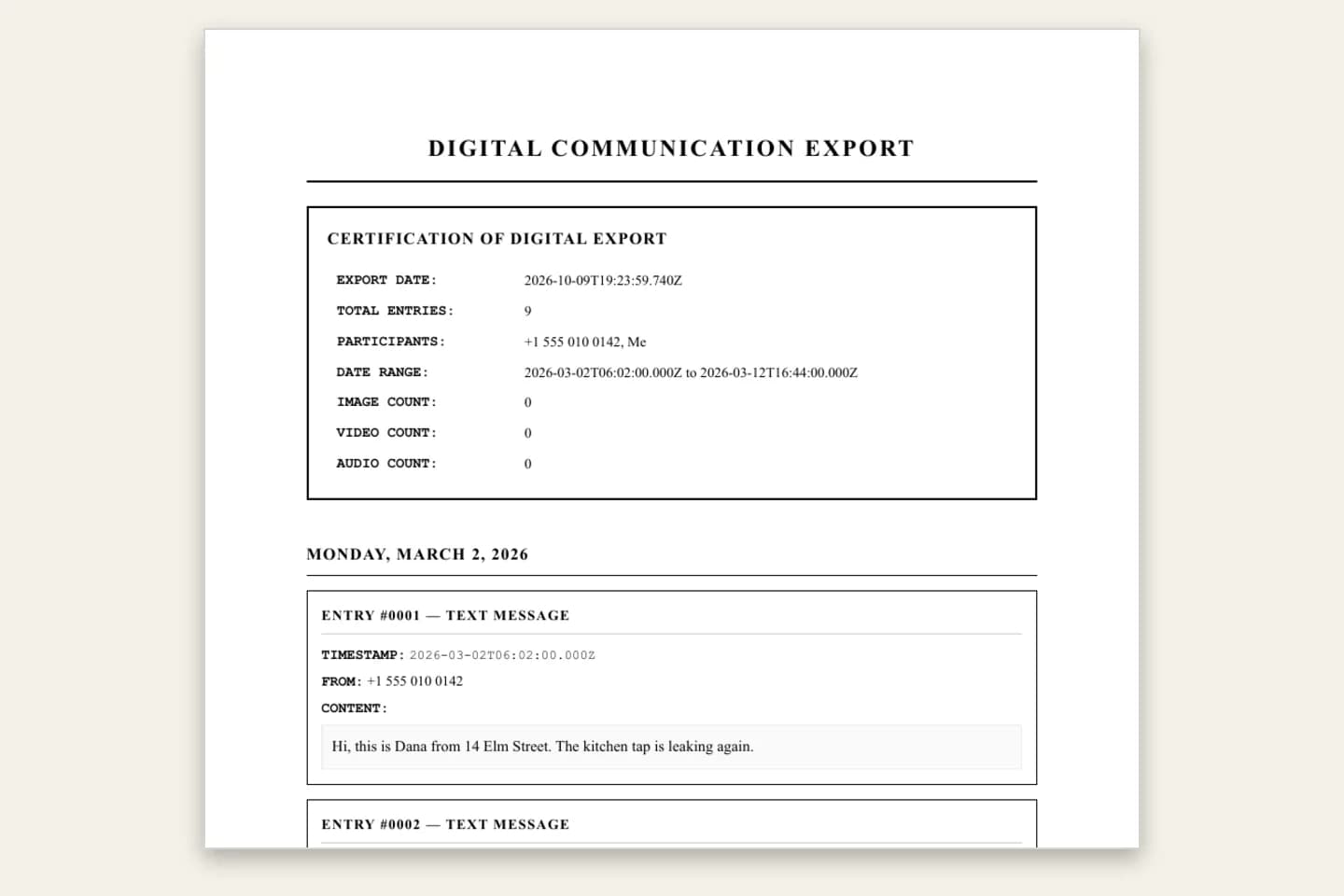
The Formal / Legal style numbers every entry and puts the timestamp and sender on each one. What a court accepts is for your lawyer to confirm; keep the original backup file too.
Landlord, tenant and contractor disputes
Repair requests, agreed dates and prices in one dated document instead of a phone passed around a meeting.
Workplace and HR records
A complete, chronological copy of texts with a manager or colleague, ready to attach to a complaint or file note.
Insurance and customer claims
Delivery, damage or appointment texts with their exact dates, for a claim form.
A keepsake book
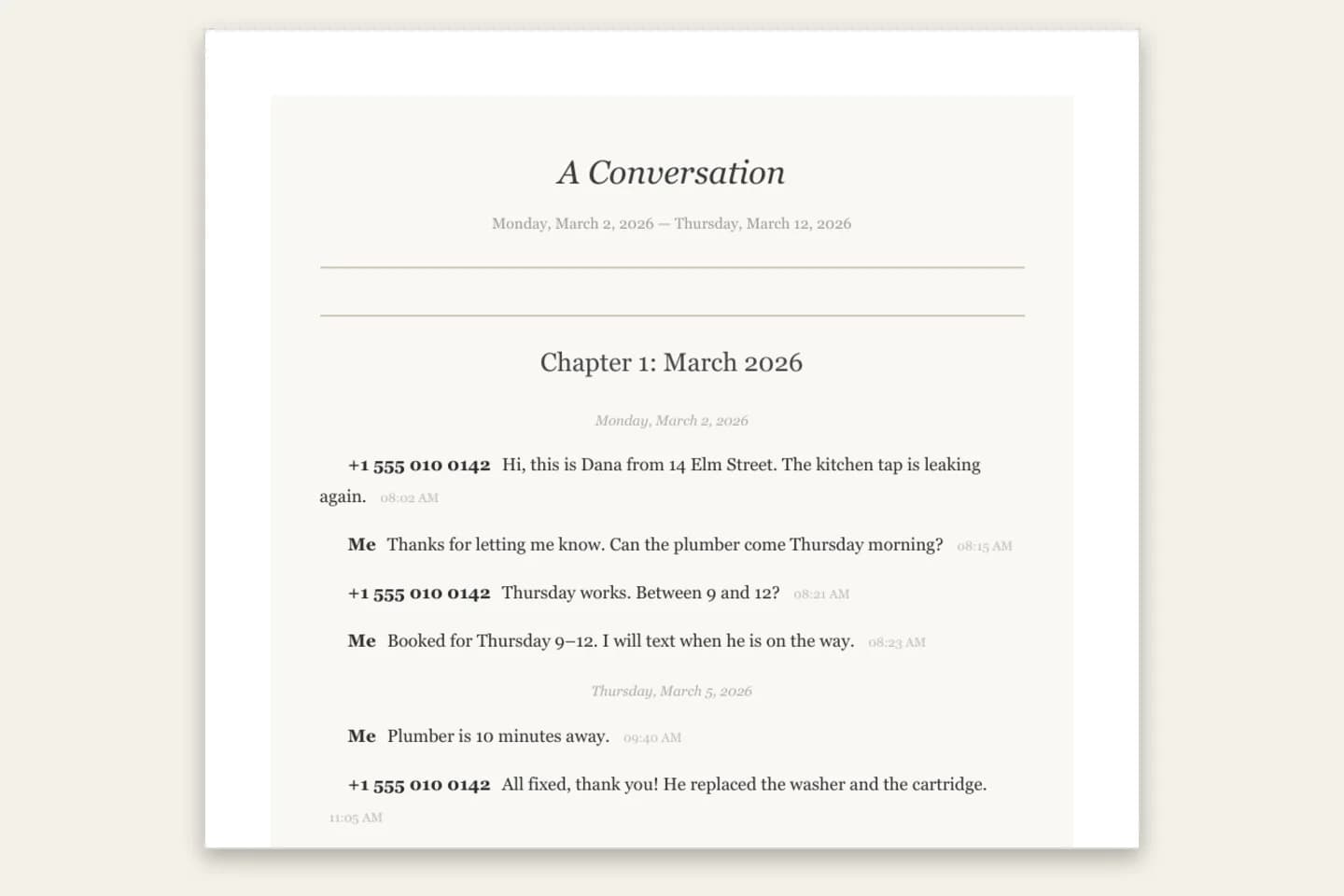
Book Format sets a conversation with a partner, parent or friend like a novel: a title page, chapters by month ($14+) and serif type.
A readable backup before switching phones
The .xml backup restores to Android; the PDF, Excel and CSV are copies you can actually read on any device.
Format decision guide
Screenshots, a backup file or a PDF?
All three keep a copy of your texts. They differ in completeness, readability and how easy they are to hand to someone else.
- Route
- Screenshots
- What you get
- Images of what was on screen
- Trade-off
- Slow for long threads, easy to miss or crop messages, no page numbers
- Route
- SMS Backup & Restore .xml on its own
- What you get
- A complete, restorable backup
- Trade-off
- Built for restoring to a phone, not for reading or printing
- Route
- ChatToPDF
- What you get
- A paginated PDF plus Excel and CSV from that backup, from $7
- Trade-off
- You make the backup or export first; one conversation per upload
How do I print a whole text conversation for court?
Export the entire conversation rather than screenshotting parts of it. On Android, back up that one conversation with SMS Backup & Restore; on iPhone, export it as a Messages CSV. Upload it, choose the Formal / Legal style and print the PDF: every entry is numbered, with sender, date and time, and every page shows Page X of Y.
This is not legal advice. Rules about what a court accepts, and whether a printout must be authenticated, vary by country and case, so ask your lawyer what format they want. Keep the original backup file and your phone, and do not edit the PDF.
- Sender name or number on every message
- Date and time on every message
- The whole thread, not hand-picked messages
- Page X of Y on every page
- The original .xml or .csv kept safe
How can I convert text messages to PDF for free?
The free parts are real: SMS Backup & Restore is free, imessage-exporter is free, and the ChatToPDF preview of your own conversation is free with no account or email. Screenshots cost nothing too. The formatted, paginated PDF of the whole conversation is a one-time paid download from $7, which also includes Excel and CSV files.
How do I export an entire text conversation on Android?
Android’s Messages app has no export button, so use SMS Backup & Restore. Tap Back up, keep Messages ticked, open Advanced options, choose Selected conversations and pick the thread. The app writes one .xml file containing every message, and MMS photos too. Upload that file here to turn it into a readable PDF.
The backup covers SMS and MMS texts. Only the SMS Backup & Restore format is supported; other backup apps’ files, call-log backups and drafts are not converted.
Can I download a whole text conversation from an iPhone?
Yes, but you need a computer tool, because iOS has no conversation export. iMazing exports a thread to CSV, and the free open-source imessage-exporter writes text files from a Mac or an iPhone backup. ChatToPDF turns either export into a PDF. It works with iMazing CSV and imessage-exporter text exports; it cannot read your iPhone or iCloud directly.
Honest limits: what this converter does not do
Knowing the limits up front saves a wasted upload. The free preview always shows which conversation was read before you pay.
- One conversation per upload; if a file holds several, the largest is converted and a note tells you how to get another
- Android: only SMS Backup & Restore .xml backups, not other backup apps, call logs or drafts
- MMS audio is included as an audio file but is not transcribed
- iPhone needs a third-party export (iMazing CSV or imessage-exporter); we never read a phone or iCloud
- Upload limit 150 MB; a ZIP can hold up to 10,000 files
- No table of contents in the PDF; every page has Page X of Y
Troubleshooting
Common problems and fixes
The PDF shows a different conversation
The backup held several conversations and the largest was converted. Back up again with Advanced options → Selected conversations and pick only the one you need.
Received messages show a number, not a name
The backup had no contact name for that number. Save the contact on the phone, make a new backup and upload it again.
Photos are missing
The $7 plan is text-only; choose $14 or above to include MMS photos. Also check that the backup included MMS, not just SMS.
The file was rejected
Only SMS Backup & Restore message backups (sms-….xml, or the ZIP the app makes) are read. Call-log backups and other apps’ formats are not supported.
The file is too large to upload
The limit is 150 MB. A backup of one conversation is far smaller than a whole-phone backup with every MMS photo.
Frequently asked questions
Text Messages to PDF Converter FAQ
How do I convert text messages to PDF?
Make an export of the conversation first: an SMS Backup & Restore .xml on Android, or a Messages CSV from iMazing (or imessage-exporter output) on iPhone. Upload it to ChatToPDF, check the free preview, then download the PDF from $7.
Can I convert text messages to PDF for free?
The backup apps and the ChatToPDF preview are free. The full formatted PDF is a one-time paid download from $7 (up to 5,000 text-only messages), and it includes Excel and CSV files.
Does the PDF show phone numbers?
Messages you sent are labelled “Me”. Received messages show the contact name stored in the backup, or the phone number when the backup has no contact name for it.
Can I use the PDF in court?
The PDF shows the sender, date and time of every message with numbered pages, and the Formal / Legal style numbers every entry. Whether it is accepted is a decision for the court; ask your lawyer what format they need, and keep the original backup. This is not legal advice.
Is there a way to download all my text messages?
SMS Backup & Restore can back up every conversation on an Android phone. ChatToPDF converts one conversation per upload, so back up (or upload) each conversation you want as a PDF separately.
Do group texts work?
Yes. Group MMS conversations from SMS Backup & Restore are converted with each sender identified by contact name or number.
Do you read my phone or need my login?
No. ChatToPDF never connects to your phone, iCloud or any account. You upload an export file you made yourself, the conversion runs automatically, and the upload and every generated file are deleted within 7 days.
How much does it cost?
One-time per conversation: $7 for up to 5,000 messages (text only), $14 for up to 25,000 messages with photos, $29 for unlimited messages, and $49 to add voice transcription. No subscription. Every paid plan includes the PDF plus Excel and CSV files, and there is a 7-day money-back guarantee.
Primary references
Technical statements on this page are tied to the source instructions or format documentation below. Product behavior is based on the current ChatToPDF implementation.
- SyncTech — SMS Backup & Restore
The free Android app whose .xml backups ChatToPDF reads.
- imessage-exporter on GitHub
Open-source exporter for Messages on a Mac or from an iPhone backup; use its txt output.
Last reviewed: 9 October 2026. ChatToPDF is independent and is not affiliated with or endorsed by SyncTech, Apple, Google, Samsung or any mobile carrier.