
Definition and scope
Why is an Instagram message download so hard to read?
Instagram lets you download a copy of your data, including direct messages, but it arrives as a folder of machine files. Each conversation is stored as message_1.json (and message_2.json and so on for long chats), newest message first, with emoji and accented letters often garbled into strings like “é” because of how Meta encodes the file.
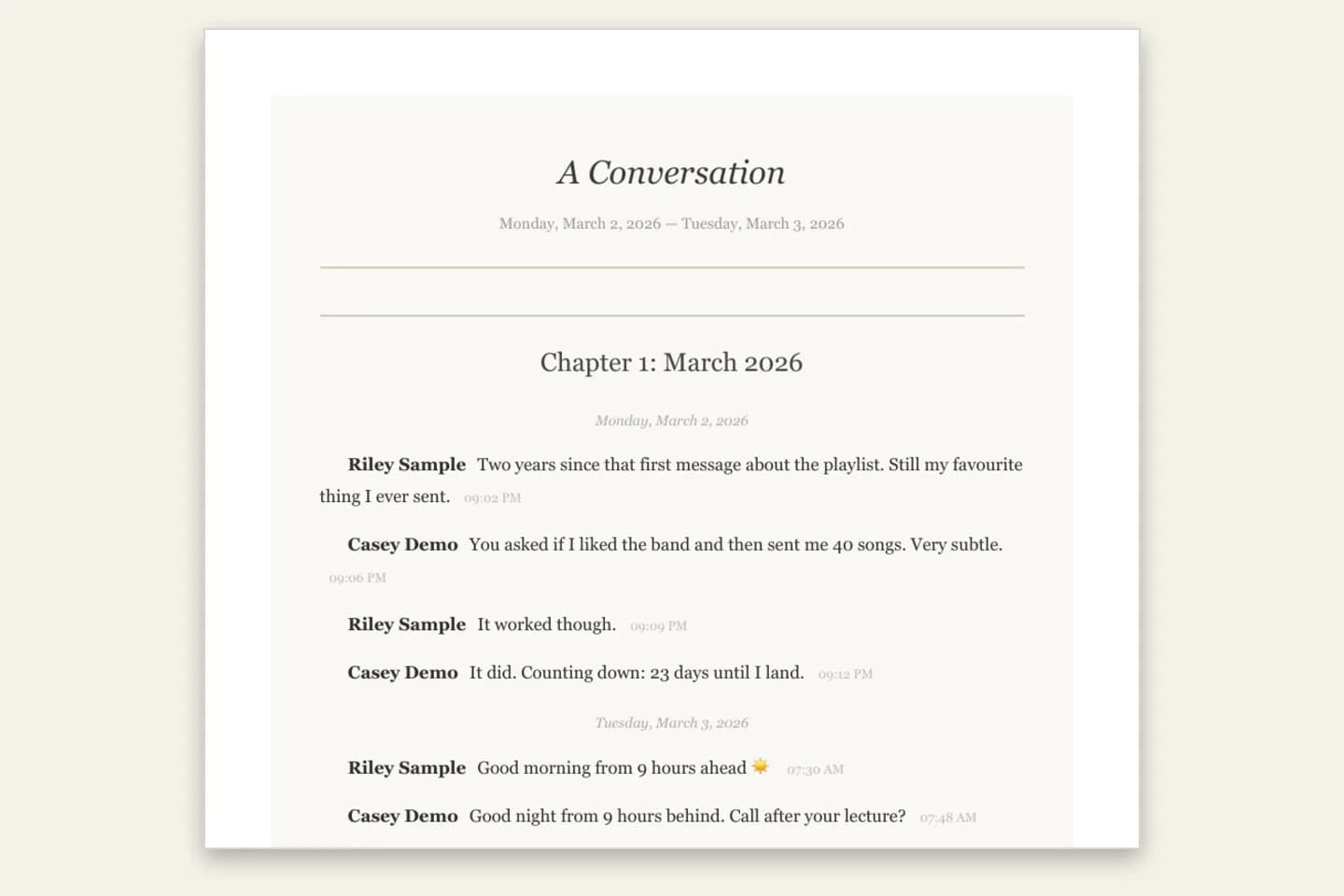
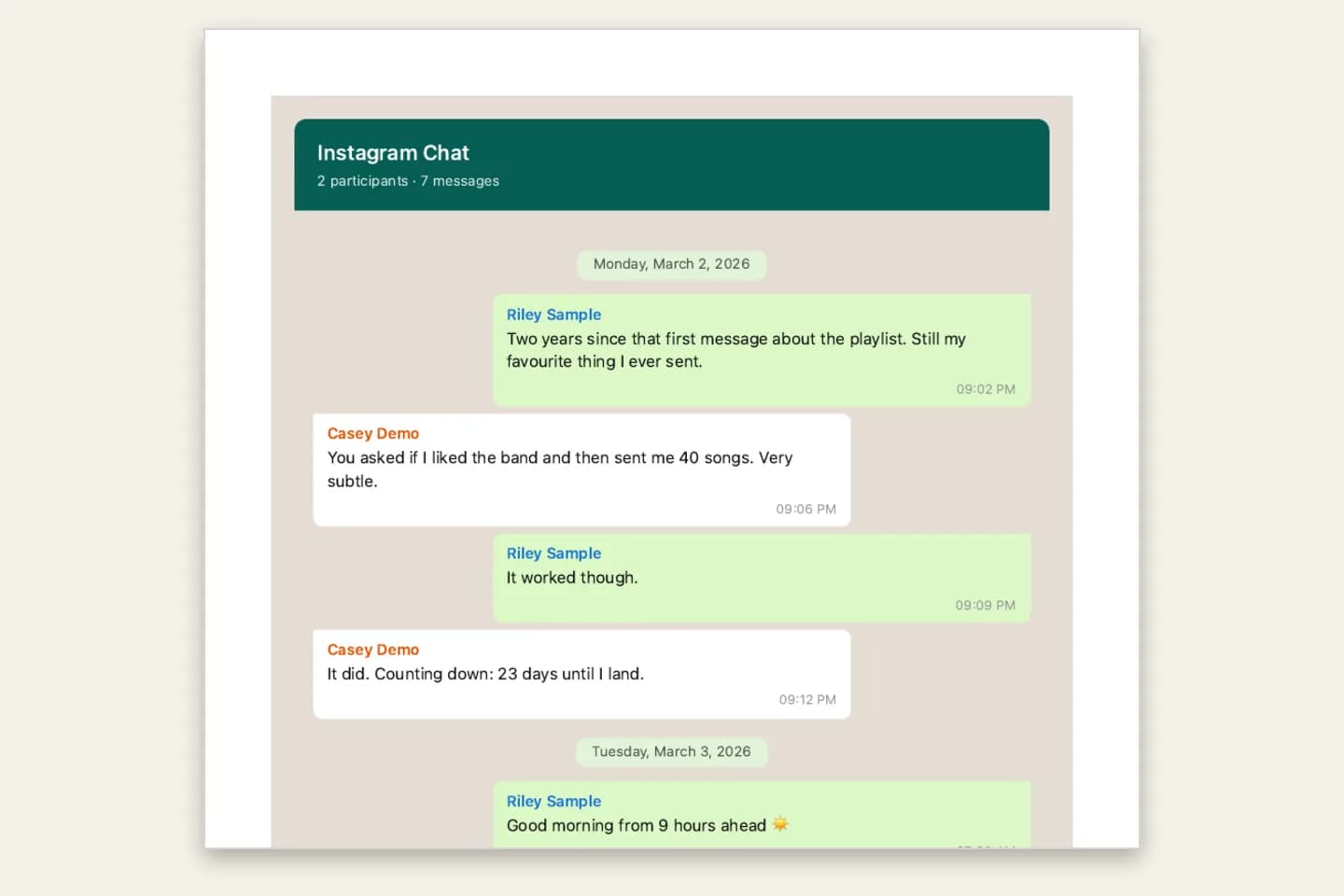
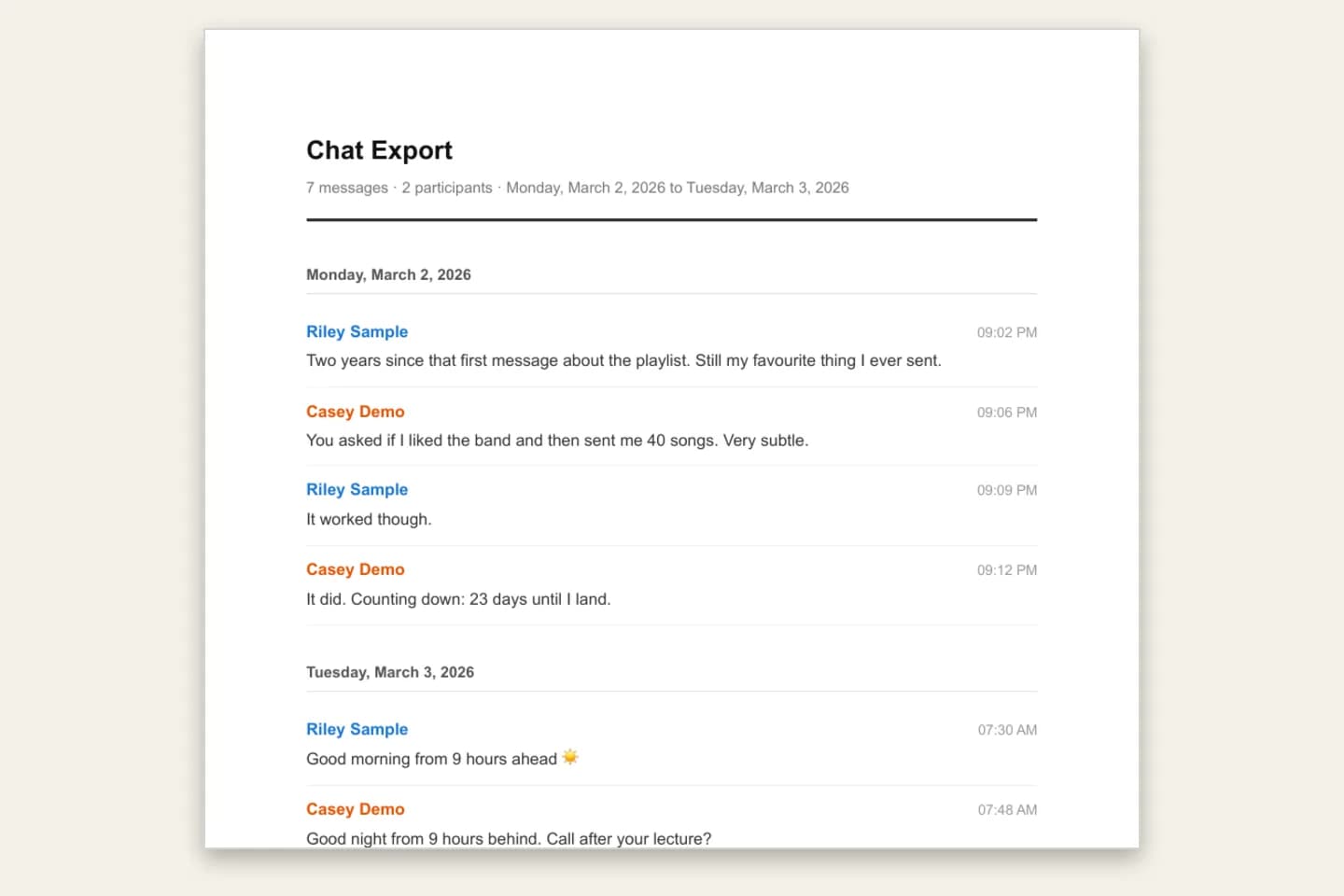
ChatToPDF reads those files, merges the parts in order, repairs the garbled characters and lays the conversation out as a document: sender names, dates and times, shared posts, reactions and photos, on numbered pages, in one of four styles.
ChatToPDF never asks for your Instagram password. You request the download yourself and upload only the conversation you choose.
Three-step workflow
How to use the Instagram Chat to PDF Converter
Request your messages from Instagram
In Instagram, open Settings → Accounts Center → Your information and permissions → Download (or Export) your information. Choose the Instagram account, select only Messages, set the format to JSON and request the download. Instagram emails you when it is ready.
Selecting only Messages keeps the download small. A full account download can contain more than 10,000 files, which is above the upload limit for a ZIP.
Find the conversation and upload it
Unzip the download and open messages/inbox/. Each conversation is a folder named after the person or group; inside is message_1.json. Upload that file for the text, or upload the whole download ZIP, or zip just that conversation’s folder, to include photos, videos and voice notes.
If you upload the whole download, the largest conversation is converted and a note names it. To choose a different chat, zip and upload only its folder.
Preview and download the PDF
The free preview shows the first messages with names and dates. Pick Book Format for a keepsake, Clean Document or Formal / Legal for records, or chat bubbles, then pay once and download the PDF, Excel and CSV files.
$7 covers up to 5,000 text-only messages, $14 up to 25,000 with photos, $29 is unlimited, and $49 adds voice-note transcription from a ZIP. Upload limit: 150 MB.
Ready to check your export?
Upload the source file and inspect the parsed preview first. No account, no email, nothing to pay until you download.
Field-level detail
What the Instagram PDF includes
Everything comes from Instagram’s download. Meta-specific items are written out as text so they make sense on paper.
- Field
- Sender
- What it contains
- The display name on every message, in one-to-one and group chats
- Useful for
- Following who said what
- Field
- Date and time
- What it contains
- Each message’s time under day headings, oldest first
- Useful for
- Reading the conversation in order
- Field
- Message text
- What it contains
- Text with emoji and accented letters repaired from Meta’s encoding
- Useful for
- Readable messages instead of garbled characters
- Field
- Shared posts and reels
- What it contains
- The link and caption of anything shared into the chat
- Useful for
- Knowing what was being discussed
- Field
- Reactions, unsent messages, calls
- What it contains
- Reactions listed under the message; unsent messages and calls shown as entries
- Useful for
- A faithful record of the thread
- Field
- Photos, videos, GIFs, stickers
- What it contains
- Media from a ZIP download, photos inline on $14 and above
- Useful for
- Pictures next to the words around them
- Field
- Voice notes
- What it contains
- Voice notes from a ZIP download, transcribed on the $49 plan
- Useful for
- Putting spoken messages on paper
Practical applications
When this format is useful
A relationship keepsake
Book Format turns a long DM thread into a printable book with a title page and chapters by month ($14+).
Harassment or abuse records
A complete, dated copy of the messages to share with a platform, school, employer or lawyer. Formal / Legal numbers each message. Ask the recipient, or your lawyer, what format they need; this is not legal advice.
Seller and customer DMs
Orders, prices and delivery promises agreed in Instagram DMs, in one dated document.
A copy before you leave Instagram
Deactivating or deleting an account? Keep readable PDF, Excel and CSV copies of the chats that matter.
Group chat archive
Friends, family or team group chats with every sender named.
Search your history
Excel and CSV copies let you filter by sender or date across the whole conversation.
Format decision guide
JSON or HTML: which Instagram download should you pick?
Both work. JSON is more reliable to convert; HTML is easier to glance at in a browser.
- Download format
- JSON (recommended)
- What you get
- message_1.json per chat, newest first, garbled emoji
- With ChatToPDF
- Merged, re-ordered, emoji repaired, laid out as a PDF
- Download format
- HTML
- What you get
- message_1.html per chat, viewable in a browser
- With ChatToPDF
- Also supported; JSON is preferred if both are present
- Download format
- Whole download ZIP
- What you get
- Every conversation plus media folders
- With ChatToPDF
- The largest conversation is converted; zip one folder to choose another
Can I export an entire Instagram chat?
Yes, for any conversation included in Instagram’s download. Long chats are split into message_1.json, message_2.json and more; upload the ZIP (or a zip of that chat’s folder) and ChatToPDF merges every part into one PDF in date order. A bare message_1.json gives you only that part, as text.
Which chats are missing from Instagram’s download?
End-to-end encrypted Instagram chats were never part of the standard Download your information file; they had a separate secure download. Meta retired end-to-end encryption for Instagram DMs on 8 May 2026, and older encrypted threads may be missing or unretrievable. So the download, and any PDF made from it, may not contain every DM you have ever sent.
How do I open downloaded information from Instagram?
Unzip the download and open messages/inbox/ to find one folder per conversation. The message_1.json inside is a data file, so a text editor shows raw code with garbled emoji. Upload it to ChatToPDF and the free preview shows the conversation readable, in order, with names and times; the full PDF is from $7.
Can I turn Instagram DMs into a book?
Yes. Choose Book Format: a title page with the conversation’s date range, messages set in serif type like a novel, and chapter headings by month on the $14 plan and above. You get a print-ready PDF to print and bind at home or at a copy shop; ChatToPDF does not post physical books.
Honest limits: what this converter does not do
Instagram’s download decides what can be converted. The free preview shows what was read before you pay.
- Not “all your DMs”: older end-to-end encrypted chats may be missing from the download
- One conversation per upload; a whole download converts the largest chat only
- A bare message_1.json is text only; photos and voice notes need the ZIP
- Request only Messages: full downloads can exceed the 10,000-file ZIP limit
- Needs Instagram’s Download your information file; we never log in to Instagram
- Upload limit 150 MB
Troubleshooting
Common problems and fixes
Emoji and accents look garbled in the file
That is Meta’s encoding, not damage. ChatToPDF repairs it automatically; check the preview.
The wrong conversation was converted
The whole download was uploaded, so the largest chat was used. Zip only the conversation’s folder from messages/inbox/ and upload that.
Photos show as placeholders
A bare message_1.json has no media. Upload the ZIP (or a zip of the chat’s folder) and choose $14 or above.
The ZIP is rejected as too large
Request a new download with only Messages selected, or zip just the one conversation’s folder. Limits: 150 MB and 10,000 files.
Some old messages are missing
Encrypted chats were not in the standard download, and Instagram decides what the download contains. ChatToPDF can only convert what is in the file.
Frequently asked questions
Instagram Chat to PDF Converter FAQ
How do I export an Instagram chat to a PDF?
Download your information from Instagram’s Accounts Center with only Messages selected and format JSON, then upload the chat’s message_1.json (or the ZIP for photos) to ChatToPDF, preview free and download the PDF from $7.
Can you export an Instagram conversation?
Not from inside the chat. Instagram’s Download your information tool includes your messages as JSON or HTML files, and ChatToPDF turns one conversation from that download into a readable PDF.
How do I download my entire Instagram chat history?
Request Download your information with Messages selected. Every conversation in the download is a folder under messages/inbox/. ChatToPDF converts one conversation per upload, so upload each chat you want as a PDF separately.
Does Instagram’s data download include deleted or encrypted chats?
It includes what Instagram puts in it. Unsent messages that appear in the file are shown as unsent. End-to-end encrypted chats were not in the standard download, so some older DMs may be missing.
Should I pick JSON or HTML?
JSON. Both are supported, but JSON converts more reliably and is preferred when both are present.
Do you need my Instagram password?
No. ChatToPDF never connects to Instagram. You upload a file from your own download, and the upload and every generated file are deleted within 7 days.
How much does it cost?
One-time per conversation: $7 for up to 5,000 messages (text only), $14 for up to 25,000 messages with photos, $29 for unlimited messages, and $49 to add voice transcription. No subscription. Every paid plan includes the PDF plus Excel and CSV files, and there is a 7-day money-back guarantee.
Primary references
Technical statements on this page are tied to the source instructions or format documentation below. Product behavior is based on the current ChatToPDF implementation.
- Meta Accounts Center — Your information and permissions
Where Instagram’s Download your information tool lives.
Last reviewed: 9 October 2026. ChatToPDF is independent and is not affiliated with or endorsed by Instagram or Meta.