
Definition and scope
What is a WhatsApp chat book?
A WhatsApp chat book is a conversation turned into something you can hold: the messages between two people, or a family or friends group, laid out on pages with names, dates and the photos that were shared. People make them for anniversaries, weddings, long-distance relationships, a parent’s birthday or as a memorial for someone who has died.
There are two ways to get one. Full-service companies take your export and post you a bound book, typically starting around €35 and rising with page count. The DIY route is to turn the export into a well-designed PDF and print it yourself or at a local print shop. ChatToPDF is the DIY route: it builds the book file, and you decide how to print and bind it.
That distinction matters for expectations. You will not receive a parcel from us. You receive a print-ready A4 PDF that you own, can reprint, can share with family by email, and can take to any copy shop for spiral or perfect binding.
Three-step workflow
How to use the WhatsApp Chat Book Maker
Export the chat from WhatsApp with media
Open the conversation, tap the contact or group name (iPhone) or the three-dot menu → More (Android), then Export Chat. Choose Include Media / Attach Media if you want photos in the book.
A text-only export contains placeholders such as “<attached: IMG-0412.jpg>” instead of pictures. Photos cannot be added back later, so decide at export time.
Upload and preview the Book layout
Upload the ZIP or TXT. The Book style is selected for you, and the free preview shows how the first messages look before you pay anything.
Check that names, dates and a few longer messages look right. If the chat is the wrong one or photos are missing, re-export now rather than after printing.
Download the PDF and print your book
Choose the package that fits: $7 for a text-only book up to 5,000 messages, $14 to place photos inline and add monthly chapter headings (up to 25,000 messages), or $29 for unlimited messages and a date-range filter.
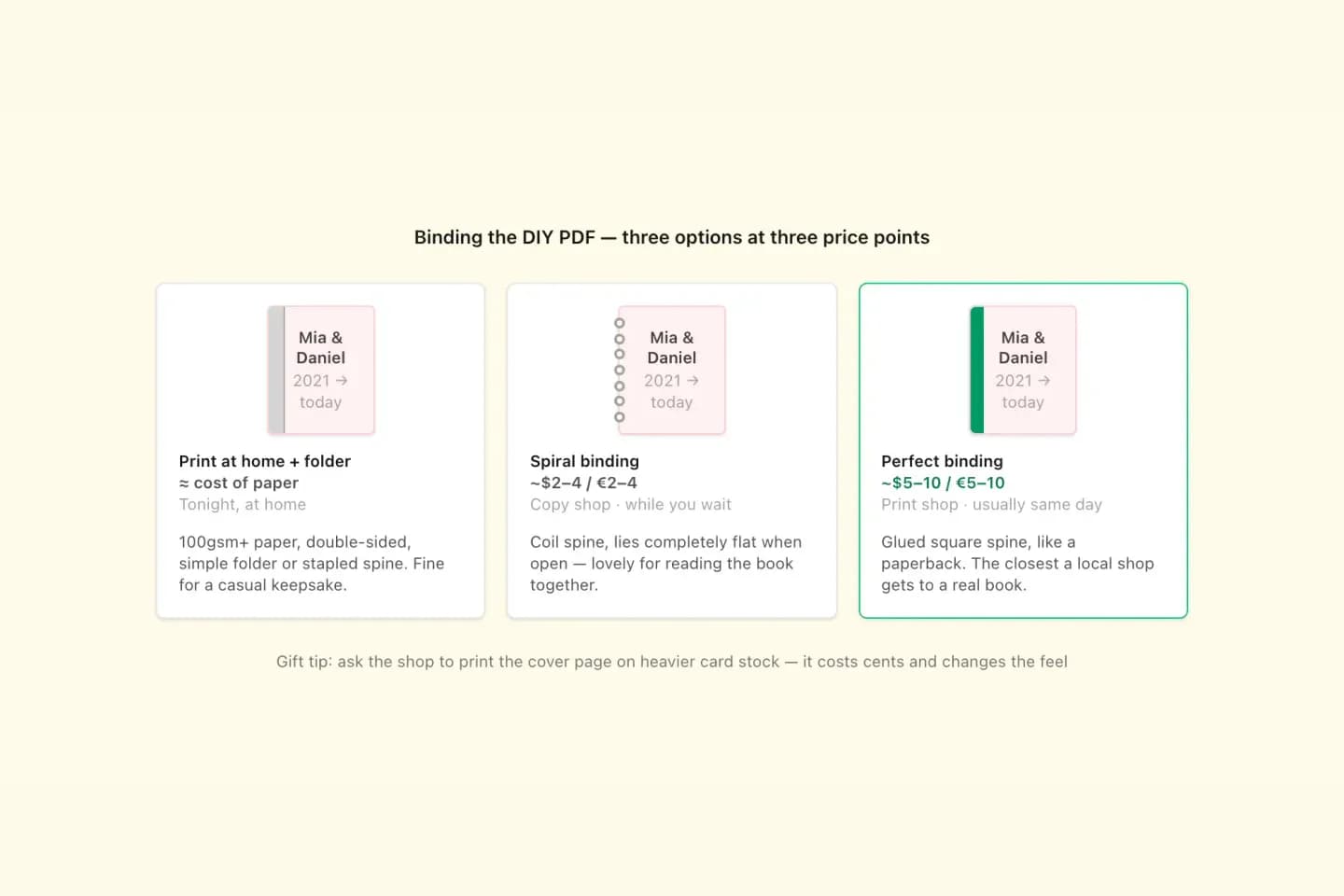
The PDF is A4. Print double-sided on 100gsm+ paper for a home keepsake, or email it to a copy shop and ask for spiral or perfect binding with a card cover.
Ready to check your export?
Upload the source file and inspect the parsed preview first. No account, no email, nothing to pay until you download.
Field-level detail
What goes into the book PDF?
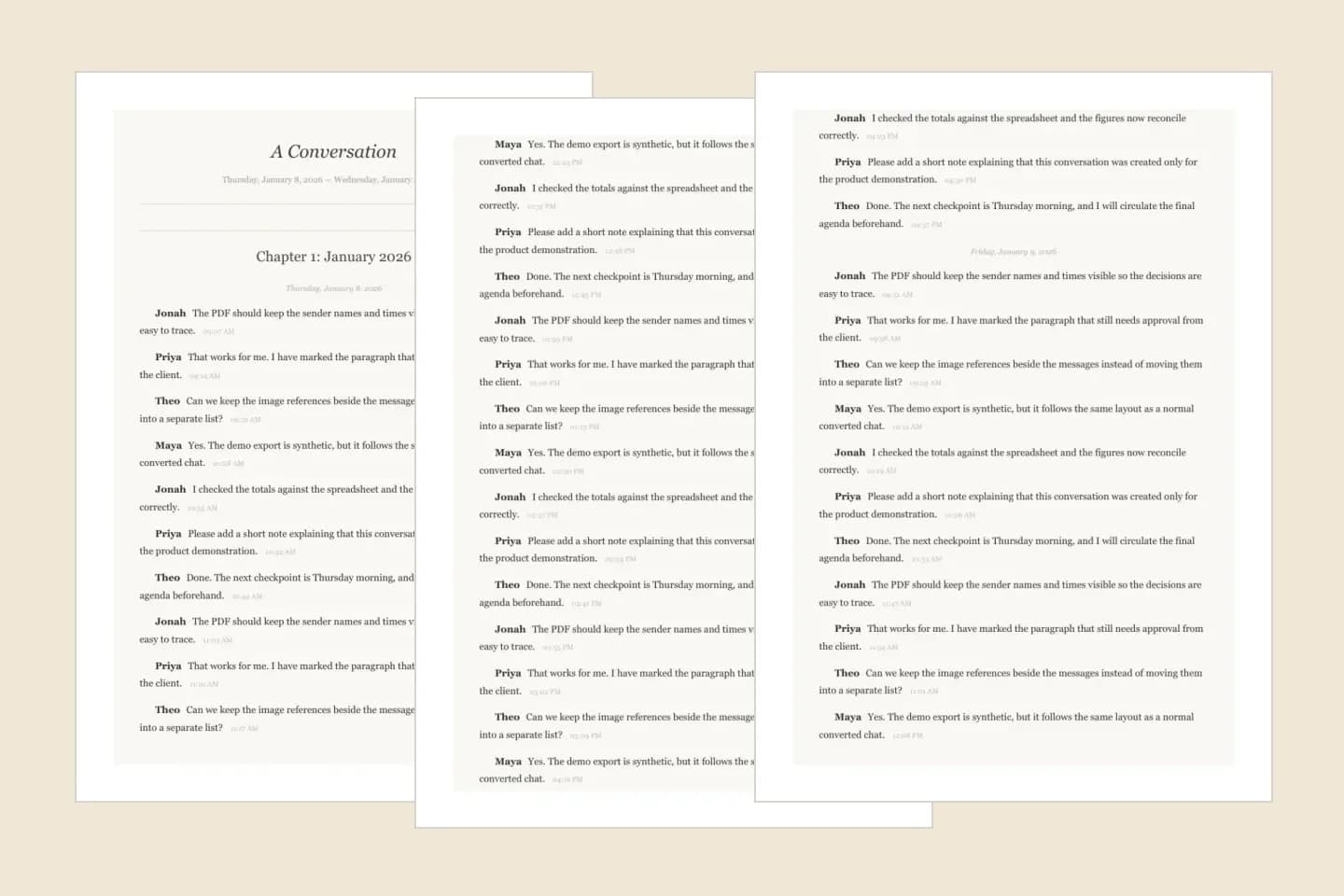
The Book style is one of four PDF layouts and is designed for reading rather than evidence. Everything on the page comes from your export — nothing is invented or rewritten.
- Field
- Title page
- What it contains
- “A Conversation” with the first and last dates in the chat
- Useful for
- A cover page you can print on heavier card stock
- Field
- Chapters
- What it contains
- A “Chapter N: Month Year” heading for each month when Group by date is on (Standard and above)
- Useful for
- Turning years of messages into readable sections
- Field
- Messages
- What it contains
- Sender name, message text and time, set in serif type like a novel
- Useful for
- Reading the conversation as a story
- Field
- Photos
- What it contains
- Images from a media-inclusive ZIP placed where they were sent (Standard and above)
- Useful for
- Keeping pictures next to the words around them
- Field
- Voice notes
- What it contains
- Optional transcripts of supported voice notes beside the sender and time ($49 Premium + Voice)
- Useful for
- Putting spoken messages on paper
- Field
- Images appendix
- What it contains
- An optional gallery of the chat’s photos at the end (Standard and above)
- Useful for
- A photo section at the back of the book
Practical applications
When this format is useful
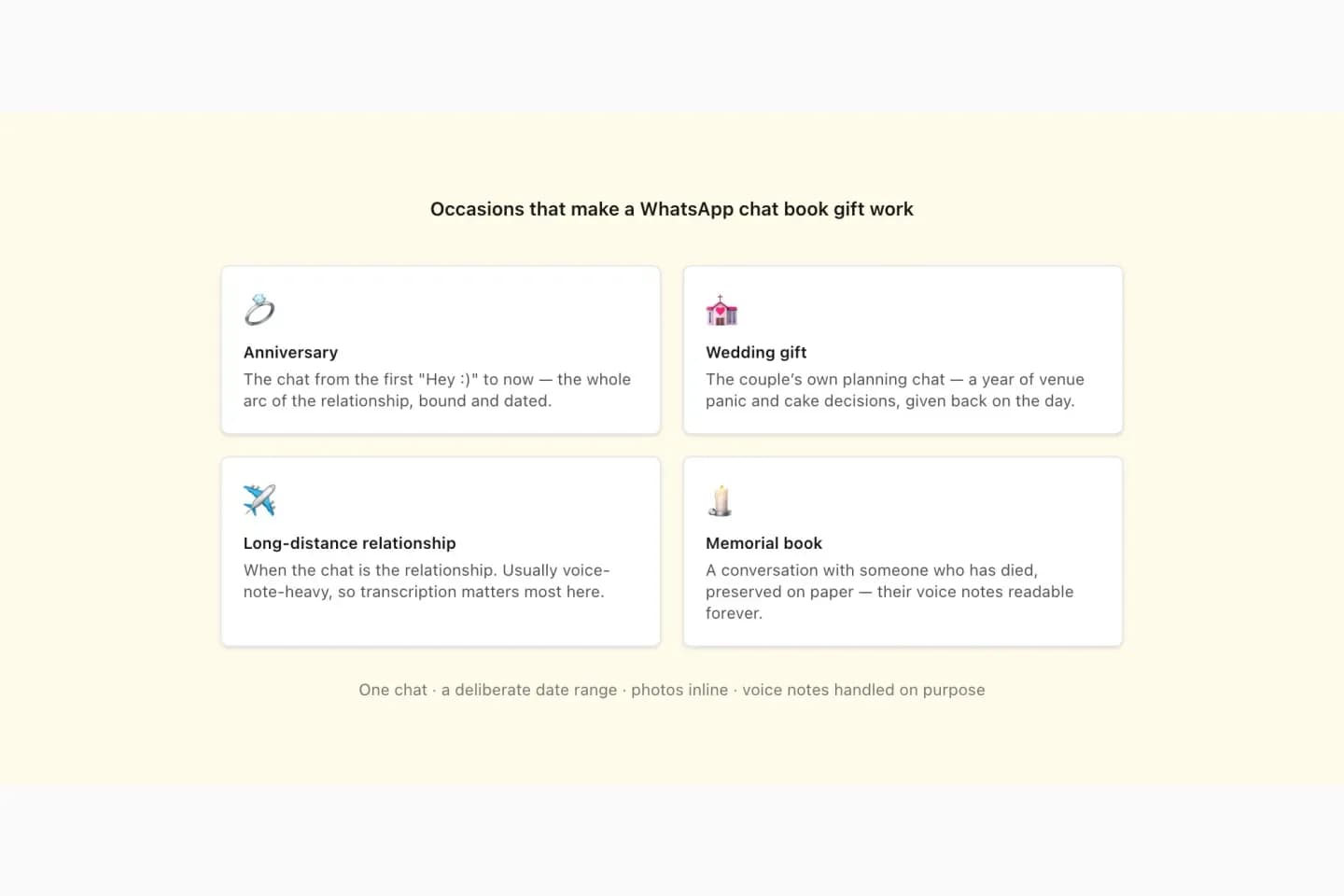
Anniversary gift
Print the conversation from your first message to today. Paper anniversaries (the first) are a natural fit.
Wedding keepsake
A planning group chat or the messages between the couple, printed as a guest-table or gift book.
Long-distance relationship
Years of daily messages and photos, turned into something on a shelf instead of a phone.
Memorial book
Keep a loved one’s words somewhere other than a device that will eventually be replaced. Export with media, and consider voice-note transcripts.
Family group archive
A grandparents’ or siblings’ group chat printed for a birthday or reunion.
Graduation or farewell
A class, team or friends group chat printed as a leaving present.
Format decision guide
Chat-book service, DIY PDF or screenshots?
All three routes produce a book of some kind. They differ in cost, time and how much control you keep.
- Route
- Full-service chat-book company
- What you get
- A professionally bound book posted to you
- Trade-off
- Typically €35+ per copy and days of shipping; each extra copy is another order
- Route
- ChatToPDF Book PDF
- What you get
- A print-ready A4 PDF from $7 ($14 with photos) that you print and bind
- Trade-off
- You handle printing; binding quality depends on your printer or copy shop
- Route
- Screenshots in a photo book
- What you get
- A photo book of phone screenshots
- Trade-off
- Slow for long chats, small text, and nothing is searchable
How much does it cost to turn a WhatsApp chat into a book?
The PDF is a one-time purchase per chat: $7 (Basic) covers a text-only book of up to 5,000 messages; $14 (Standard) adds photos inline, an optional images appendix and monthly chapter headings for chats up to 25,000 messages; $29 (Premium) removes the message cap and adds a date-range filter, which is useful when you only want “the year we met”. If you want voice notes printed as text, Premium + Voice is $49.
Printing is separate and up to you. Home printing costs paper and ink. A copy shop will usually spiral-bind a stack for a few dollars or euros and perfect-bind it for a little more; ask for the first page on card stock as a cover. Because you own the PDF, a second or third copy for family costs only the printing.
Getting photos and voice notes into the book
Photos only appear if the export includes them. Re-export with Include Media and upload the untouched ZIP; do not unzip and rename files first. WhatsApp can only export media that is still on the phone, so download any old photos in the chat before exporting.
Voice notes cannot play on paper. A bound-book service may print a QR code that links to the audio. The ChatToPDF approach is to transcribe supported voice notes and print the words beside the sender and time ($49). Automatic transcripts can mishear names, so read through important passages before printing a memorial copy, and keep the original audio.
- Export with Include Media
- Upload the original ZIP
- Preview before paying
- Keep the original export and audio
Choosing what goes in: one chat, the right dates
A chat book works best as one conversation. Group chats work too, and every sender is named. For a very long chat, a date range (Premium) keeps the book to a meaningful slice — the first year, a wedding’s planning months, or the last months with someone.
Before printing hundreds of pages, print a single sample page to check paper, scale (print at 100%, not “fit to page”) and double-sided settings. The Book style is the most reading-friendly of the four layouts; the WhatsApp-style layout with chat bubbles is the alternative if you want it to look like the phone.
Privacy for personal conversations
A chat book contains private messages from more than one person. Make the book for the people in the conversation, or with their agreement, especially for group chats.
Uploaded exports and generated files are deleted automatically within 7 days. ChatToPDF never connects to your WhatsApp account; it only reads the export file you choose to upload.
Troubleshooting
Common problems and fixes
The photos are missing from the book
The chat was exported without media, or the photos were no longer on the phone. Download old media in WhatsApp, export again with Include Media and upload the new ZIP.
There are no chapter headings
Monthly chapters appear when Group by date is switched on, which is part of Standard ($14) and above.
The chat is over 5,000 messages
Basic covers up to 5,000 messages. Standard covers 25,000 and Premium has no message cap. Or use Premium’s date range to print a shorter period.
Text looks small when printed
Print at 100% scale on A4, or ask the copy shop to print A4 rather than shrinking to a smaller page. Avoid “fit to page” and multiple pages per sheet.
Names show as phone numbers
WhatsApp writes whatever name the exporting phone had saved. Save the contact on that phone and export again before making the book.
Frequently asked questions
WhatsApp Chat Book Maker FAQ
How do I turn a WhatsApp chat into a book?
Export the chat from WhatsApp with Include Media, upload the ZIP to ChatToPDF, keep the Book style selected, check the free preview and download the PDF. Then print it double-sided and bind it at home or at a copy shop.
Does ChatToPDF print and post a physical book?
No. ChatToPDF creates a print-ready PDF book file. You print and bind it yourself or at any print shop, which keeps the cost low and lets you print extra copies.
How much does a WhatsApp chat book cost?
The PDF is a one-time $7 for a text-only chat up to 5,000 messages, $14 with photos inline (up to 25,000 messages) or $29 for unlimited messages. Printing and binding costs are separate.
Can I include photos in my WhatsApp chat book?
Yes, on Standard ($14) and above, if you export the chat with media and upload the ZIP. Photos are placed where they appeared in the conversation, and an optional appendix collects them at the end.
Can I print a WhatsApp chat as a book for free?
You can preview the Book layout of your own chat for free, and the raw TXT export can be printed for free, though it is a plain text log. The formatted book PDF is a one-time paid download from $7.
What page size is the book PDF?
A4. Most printers and copy shops handle A4 directly; in the US, ask the shop to print A4 or to scale to Letter without cropping.
Can voice notes go in the book?
Yes, as text. Premium + Voice ($49) transcribes supported voice notes and prints the transcript beside the sender and time. Check important transcripts against the original audio.
Does it work with group chats?
Yes. Group chat exports keep every sender’s name on their messages, so a family or friends group reads clearly in the Book style.
Is my chat kept after the book is made?
No. Uploaded exports and generated files are deleted automatically within 7 days, and ChatToPDF does not connect to your WhatsApp account.
Primary references
Technical statements on this page are tied to the source instructions or format documentation below. Product behavior is based on the current ChatToPDF implementation.
- WhatsApp Help Center — How to export your chat history
Primary instructions for the TXT or media-inclusive ZIP export every page on this site starts from.
Last reviewed: 9 October 2026. ChatToPDF is independent and is not affiliated with or endorsed by WhatsApp or Meta.