
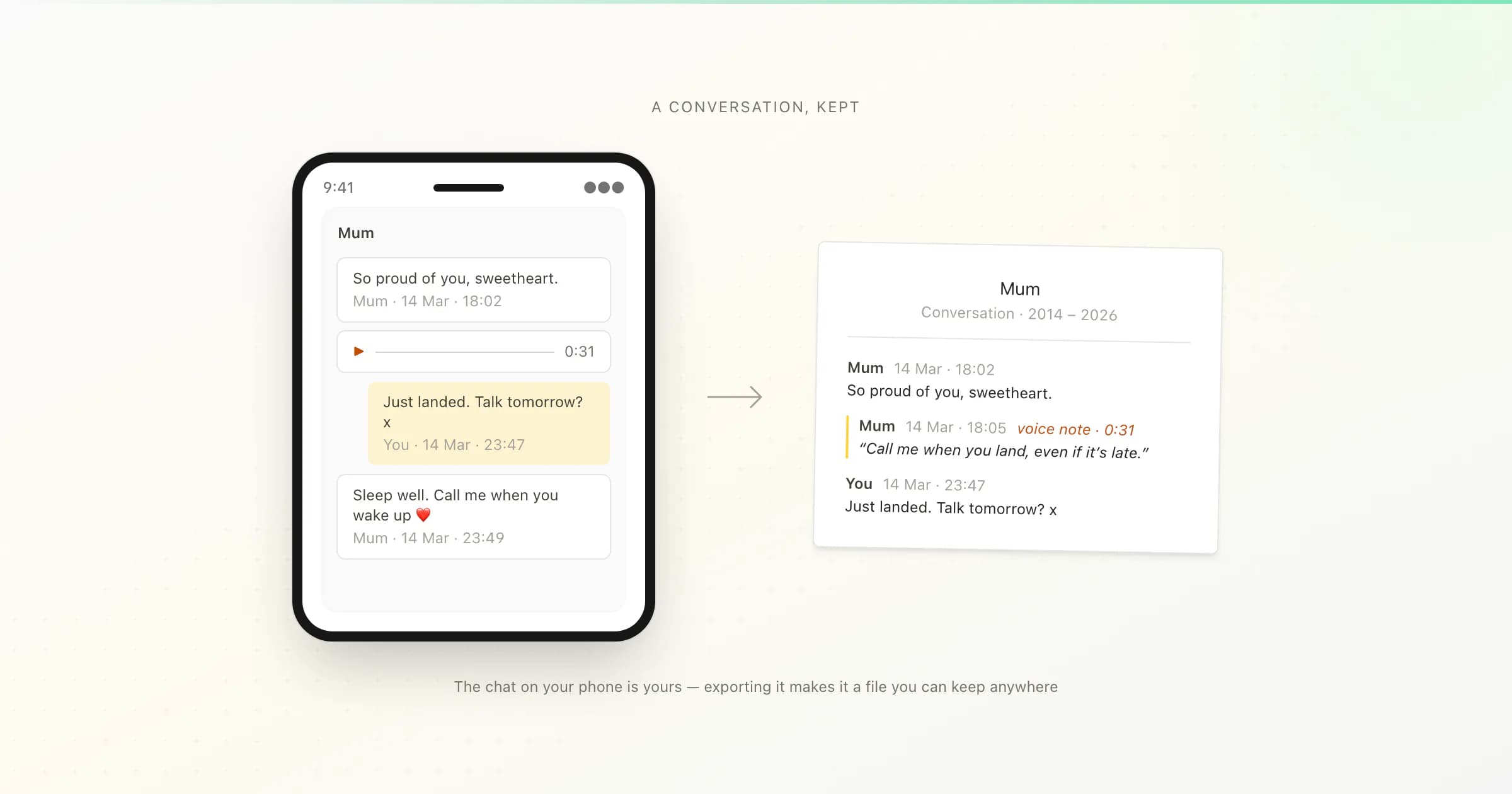
If someone you love has died and your WhatsApp conversation with them matters to you, here is the most important thing to know: the messages are on your phone, and they are not about to vanish. WhatsApp chats are end-to-end encrypted, which means your copy of the conversation is stored on your device — not on WhatsApp's servers, and not on theirs. When their account is eventually deactivated, your message history stays exactly where it is. Their voice notes are already saved on your phone too.
You do not need to decide anything today. The one small thing worth doing reasonably soon is to save WhatsApp messages outside the app by exporting the chat — choosing Attach Media so their voice notes are included — and putting that file somewhere safe, like your email or Google Drive. That takes about two minutes. After that, everything else can wait for as long as you need it to.
The messages are safe — with three real exceptions
People often write to me in the first days after a loss, frightened that the conversation is about to disappear — that when WhatsApp closes the account, the messages go with it. They don't. Because WhatsApp is end-to-end encrypted, the company never holds a readable copy of your chats. The conversation exists in two places only: on their phone, and on yours. Your copy — every message they sent you, every photo, every voice note — is yours, stored on your device, and nothing that happens to their account changes that.
What does change, eventually, is the visible presence of their account. WhatsApp's stated policy is that accounts are deactivated after extended inactivity — generally around 120 days without the phone connecting to the internet. When that happens, their profile photo disappears, their "last seen" and about line go, and the chat may eventually show only their phone number instead of their name and picture. But the message history on your phone is untouched. Group chats behave the same way: everything they ever wrote in a shared group stays in that group.
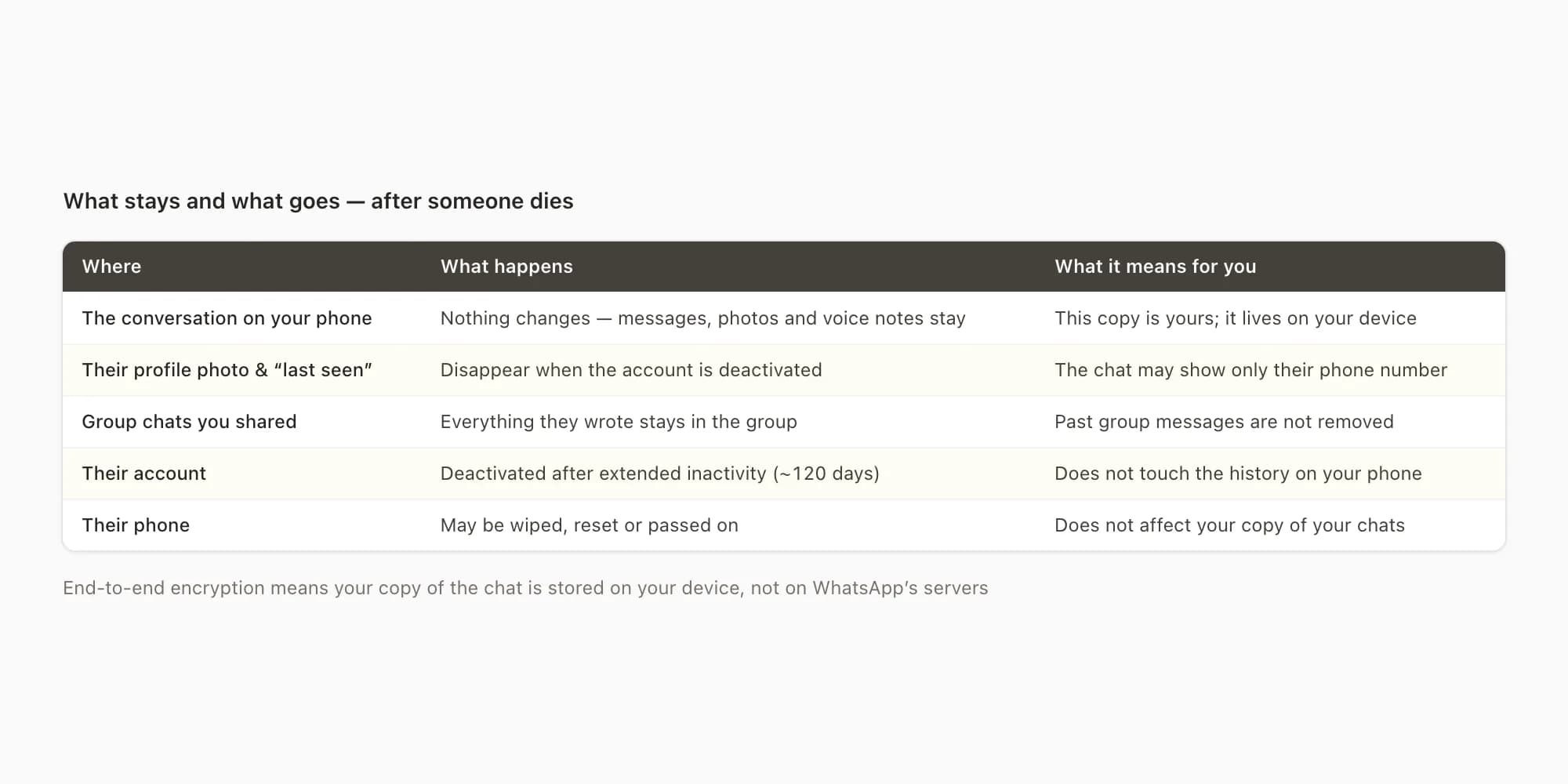
So the conversation is safe-ish. I want to be honest about the "ish", because there are three real deadlines, and knowing them calmly is better than discovering them later.
Their account. The roughly-120-day inactivity clock means their profile photo and presence will go at some point. This does not delete your messages — but if you want a screenshot of the chat as it looks now, with their photo at the top, that is the one thing with a genuinely short window. There is also a slower clock behind it: mobile carriers eventually reissue inactive phone numbers, and a reissued number can be registered to WhatsApp by a stranger.
Their phone. Their device may be factory-reset, returned to a carrier or insurer, or passed on to another family member. Your copy of your conversation doesn't depend on their phone at all — but anything that existed only on their device, like their chats with other people, generally goes with it. If the family is deciding what to do with their phone, it is worth saying so before anything is wiped.
Your phone. This is the deadline people think about least, and it is the one that actually loses conversations. Your copy lives on your device. If your phone is lost, stolen, broken, or replaced and the chat doesn't survive the transfer — backups can be incomplete, especially for media and voice notes — your copy is gone too. This is the real reason to export: not because anything is about to happen, but because right now the conversation exists only on one small object in your pocket.
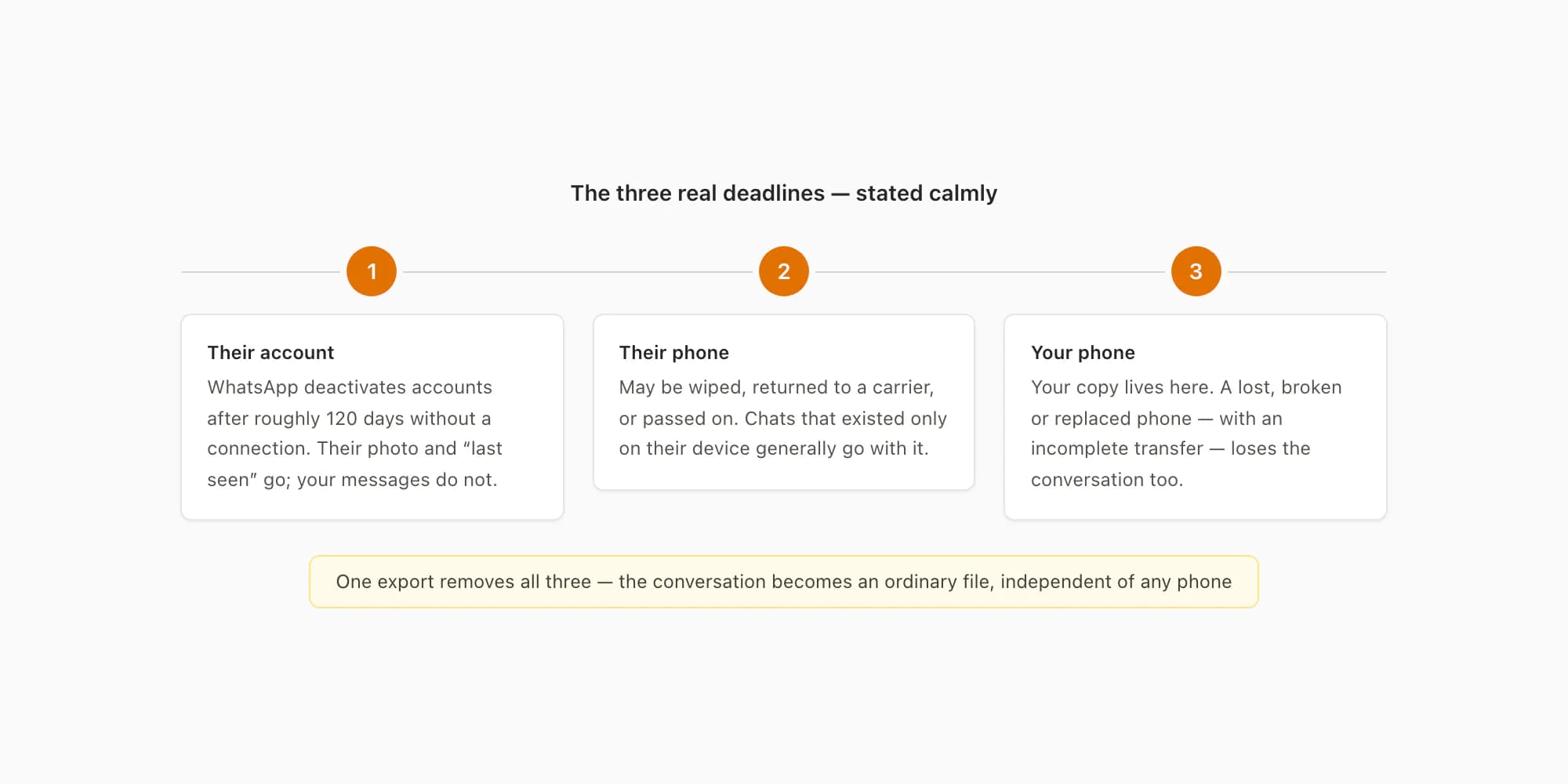
An export removes all three deadlines at once. It turns the conversation into an ordinary file — one that doesn't depend on WhatsApp, on their account, on their phone, or on yours.
How to export the chat, with their voice notes
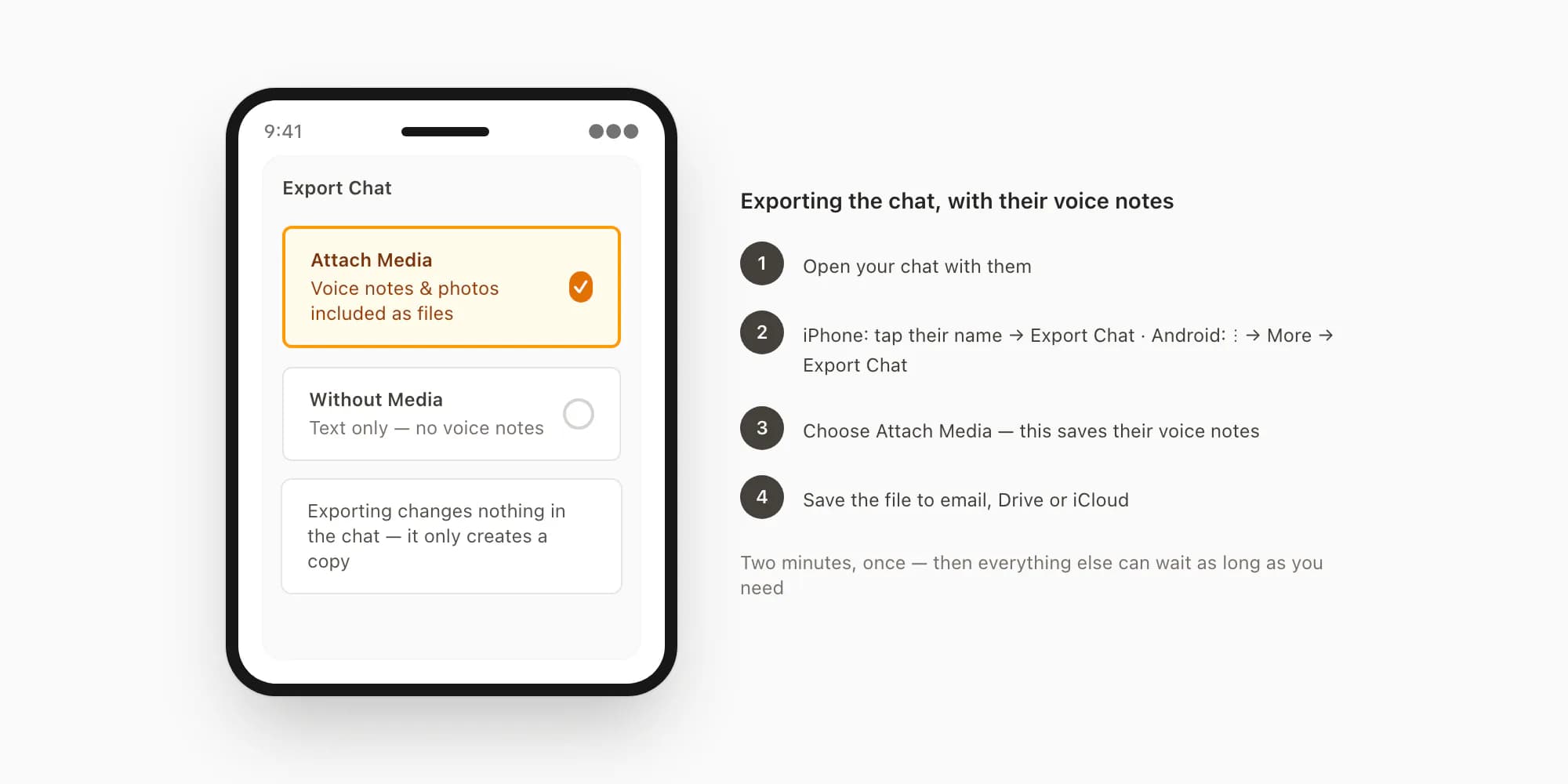
Exporting doesn't change or delete anything in the chat. It simply creates a copy as a file. The voice notes are usually the most precious part — their actual voice — so the one setting that matters is Attach Media (some versions label it "Including Media"). That puts the voice notes into the export as audio files you keep, along with the photos and videos.
Open the chat and find Export Chat
On iPhone: open your conversation with them, tap their name at the top of the chat, scroll to the bottom of the screen that opens, and tap Export Chat. On Android: open the conversation, tap the three-dot menu in the top-right corner, then More → Export Chat. Nothing happens to the chat itself at any point — exporting is read-only. WhatsApp's official export chat FAQ describes the same steps if you'd like to see their version.
Choose Attach Media
WhatsApp asks whether to export with or without media. Choose Attach Media. This is the step that saves their voice notes — they are included in the export as individual audio files (small
.opusfiles you can play later on any computer or phone). It also includes the photos and videos from the chat. Without this option you get the words only, and the voice notes exist nowhere outside WhatsApp.Save the file somewhere outside your phone
WhatsApp produces a single ZIP file and opens the share sheet. Email it to yourself, save it to Google Drive or iCloud Drive, or send it to your computer — anywhere that isn't only your phone. On iPhone, Save to Files and then copying it to iCloud Drive works well; on Android, sharing straight to Google Drive or Gmail is the simplest path.
Check the file arrived, then leave it alone
Open the ZIP once, wherever you saved it. Inside you'll see a text file containing the whole conversation, and — because you chose Attach Media — the audio files of their voice notes, plus the photos. That's it. The conversation now exists somewhere safe, and there is nothing more you need to do.
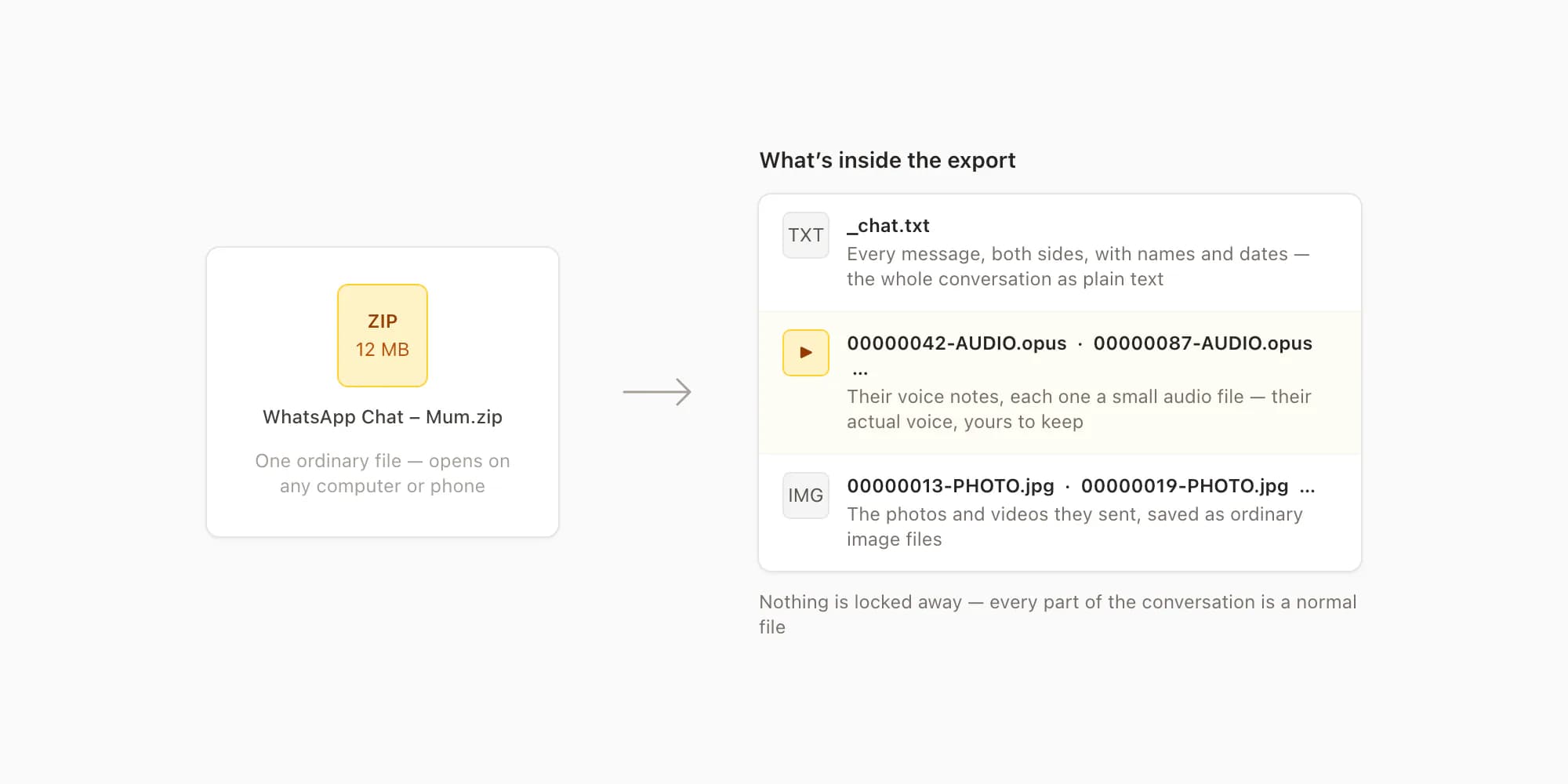
One practical note for very long conversations: WhatsApp caps each export at roughly 10,000 messages when media is attached, and roughly 40,000 without. For a chat that spans many years, the with-media export holds the most recent stretch of it. If you want the older years of text as well, run a second export without media — it reaches about four times further back — and keep both files. The WhatsApp chat export guide covers these limits and the export format in more detail if you want it.
Where to keep the export
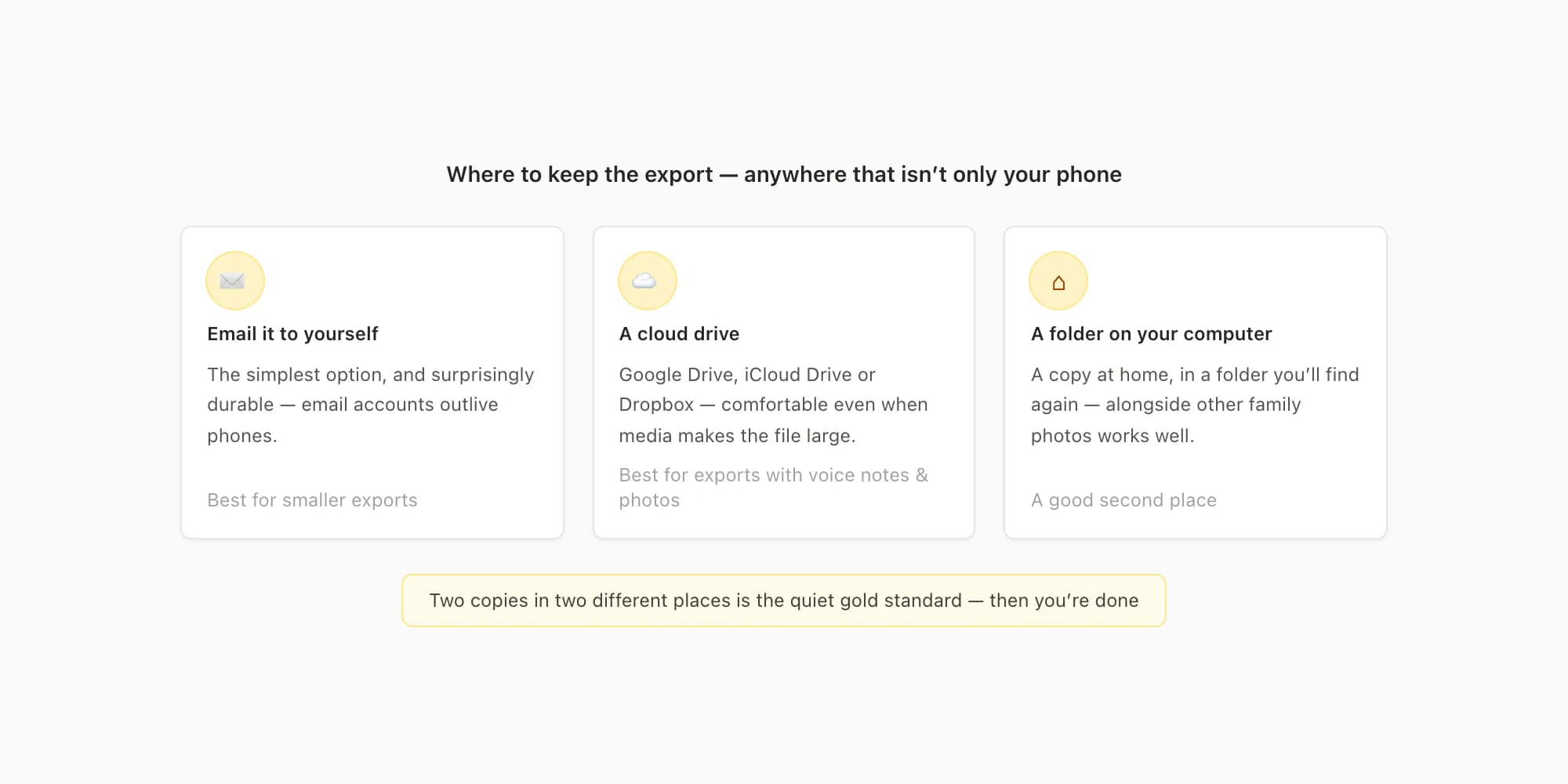
Anywhere that isn't only your phone, ideally in two places. Emailing the ZIP to yourself is the simplest and surprisingly durable option — email accounts outlive phones. Google Drive, iCloud Drive, Dropbox, or a folder on your computer all work just as well. If the file is large because of media, cloud storage is more comfortable than email. Two copies in two different places is the quiet gold standard.
It's worth knowing that this export is different from WhatsApp's own chat backup (the one in Settings that goes to iCloud or Google Drive). That backup can only be restored back into WhatsApp, on a phone using your own number — it isn't a file you can open, and it gets overwritten on a schedule. The export is an ordinary file that anything can read, decades from now. If you want to understand how the two relate, I've written a separate backup guide — but for preserving this conversation, the export is the thing that matters.
And then: you're done. The file exists. Nothing about grief runs on a schedule, and neither does anything in the rest of this page.
What people do with the export, later
Often nothing, for a long while — and that's fine. The export sitting in your email is already the preservation. But months later, when reading the conversation starts to feel possible, or wanted, these are the things people most often do with it:
Turn it into a readable document. The raw export is a plain text file with the media saved separately, which is safe but not lovely to read. Some people convert it into a single PDF — the whole conversation laid out chronologically, with the photos in place and both names and dates kept, something you can read on a sofa or print. This is the part I can help with, since it's what I built: ChatToPDF takes the export ZIP and produces that document. You can upload the file and see a free preview of how the conversation looks before deciding anything, and uploaded files are deleted automatically within seven days either way. It's one option among several — the export you already saved is the thing that matters.
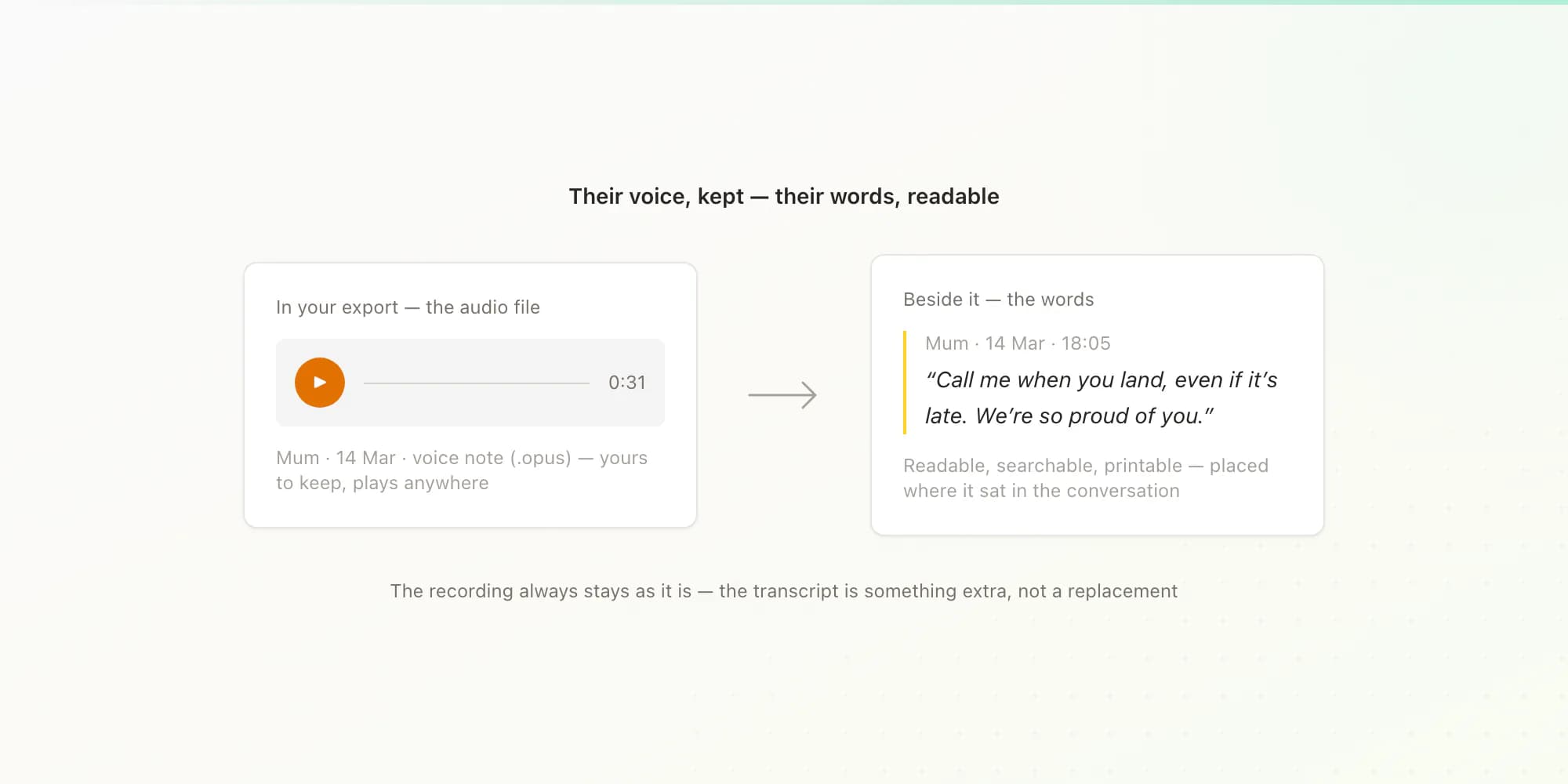
Make their voice notes readable as well as listenable. The audio files in your export are theirs to keep forever. Some people also want the words — so that what they said exists as readable text alongside the recordings, searchable, quotable, printable next to the rest of the conversation. The voice-to-text guide explains how transcription of an exported chat works, with each voice note's words placed where it sat in the conversation.
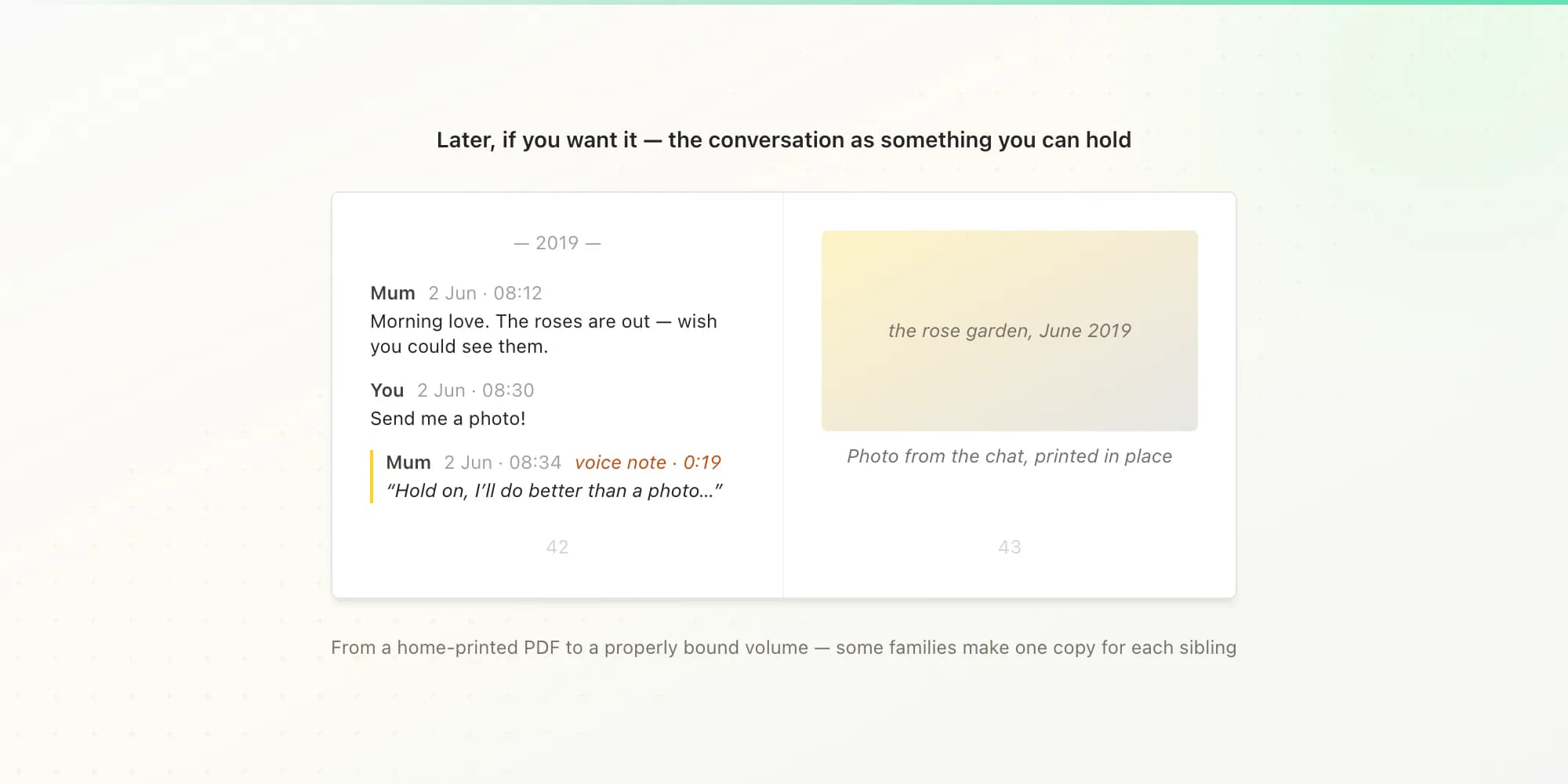
Print it as a book. For some families, the chat becomes a physical keepsake — a printed book of the conversation, sometimes one copy for each sibling. The WhatsApp chat book guide walks through how people do this, from a simple home-printed PDF to a properly bound volume. There's also a quieter overview of all of these keepsake options on the memories page, if and when you want it.
If their account has already been deleted
If you're reading this after their account has gone — the photo vanished, the chat shows just a phone number — the most important fact still holds: your copy of the conversation is still on your phone. Account deactivation removes their presence, not your history. Open the chat and scroll: everything is there, and Export Chat works exactly as described above, voice notes included. The name at the top may be gone, but the words are not.
If the chat itself is missing from your phone — deleted at some point, or lost in a phone change — check your old WhatsApp backups before assuming it's gone. On Android, WhatsApp backs up to Google Drive; on iPhone, to iCloud. An older backup may contain the conversation. One caution: restoring a backup replaces your current chats with the older ones, so newer messages can be lost in the process. If the conversation matters, it's worth reading up carefully or asking someone technical to help before restoring anything.
And one honest limit, because you deserve a straight answer: conversations they had with other people — chats that existed only on their phone — generally cannot be recovered from WhatsApp. End-to-end encryption means WhatsApp has no copy to give anyone, including family. What can be preserved is each person's own side: your conversation with them, from your phone; a sibling's conversation with them, from the sibling's phone. If their own phone is still in the family and can be unlocked, the chats on it can be exported the same way — which is a good reason to have that conversation before the device is reset or returned.
Key takeaways
- Your WhatsApp conversation with them is stored on your phone, not on WhatsApp's servers — it does not disappear when their account is deactivated.
- Three real deadlines exist: WhatsApp deactivates accounts after extended inactivity (around 120 days without a connection), their phone may be wiped or passed on, and your own phone being lost or replaced loses your copy.
- Export the chat with Attach Media — that saves their voice notes as audio files you keep, along with the photos. The export changes nothing in the chat itself.
- Save the export file in two places outside your phone (email it to yourself, Google Drive, iCloud). Once it exists, every other decision can wait months or years.
- Very long chats: the with-media export holds roughly the most recent 10,000 messages; a second export without media reaches about 40,000 messages further back.
- Later, if you want them: a readable PDF of the conversation, the voice notes transcribed so their words are readable too, or a printed book of the chat.
FAQ
Will their messages disappear from my phone?
No. Your copy of the conversation is stored on your own device, and nothing that happens to their account removes it. When WhatsApp eventually deactivates their account through inactivity, their profile photo and "last seen" disappear and the chat may show only their phone number — but every message, photo, and voice note in your history stays. The realistic risk to your copy is your own phone: loss, damage, or an incomplete transfer to a new device. That is why exporting the chat once, and saving the file outside your phone, is worth doing — it makes the conversation independent of any single device.
What happens to their WhatsApp account when someone dies?
WhatsApp doesn't know the person has died; the account simply stops connecting. Under WhatsApp's stated inactivity policy, accounts are generally deactivated after around 120 days without an internet connection. At that point their profile photo, about line, and "last seen" disappear. Your message history is not affected, and anything they wrote in group chats stays in those groups. Separately and more slowly, mobile carriers eventually reissue inactive phone numbers, and a reissued number can be registered to WhatsApp by its new owner — another reason the account itself isn't a place anything can be kept.
Can I get their messages if I don't have access to their phone?
Generally no — and it helps to be precise about what that means. The conversation you had with them is already complete on your phone: both sides of it, their messages and yours, with their voice notes. You don't need their phone for any of that. What cannot usually be recovered are conversations they had with other people, because end-to-end encryption means WhatsApp holds no readable copy of anyone's chats and cannot provide them, even to family. Each person who chatted with them holds their own copy of their own conversation. If their phone is still in the family and can be unlocked, the chats on it can be exported directly — worth doing before the device is reset, returned, or passed on.
How do I keep their voice notes?
Export the chat with Attach Media, then inspect which voice-note files WhatsApp included in the resulting archive. Push-to-talk notes commonly use Opus audio, which VLC can play even when a device's default player cannot. Save the untouched ZIP somewhere outside your phone, ideally in two places, and verify the recordings before relying on the copy. If you later want the spoken words as readable text as well, the voice-to-text guide explains how supported notes in the export can be processed in context.
Can I memorialise a WhatsApp account like a Facebook profile?
No — WhatsApp has no memorialisation feature. Facebook lets a profile be converted into a remembrance page that stays visible; WhatsApp has nothing equivalent, and its inactivity policy means the account is deactivated after around 120 days without a connection regardless of circumstances. The profile photo and presence cannot be kept in place. What you can keep is everything that actually passed between you: the full conversation on your phone, preserved by exporting it with media. If the chat as it looks today matters to you — their photo at the top, their name — take screenshots of that soon, because that visible presence is the one part with a real expiry.
I'm Paul, the founder of ChatToPDF. I built it after needing a long WhatsApp conversation as a readable PDF for a legal matter. I test and document WhatsApp exports, PDF conversion, voice-note transcription, and the limits people should check before relying on the result.