
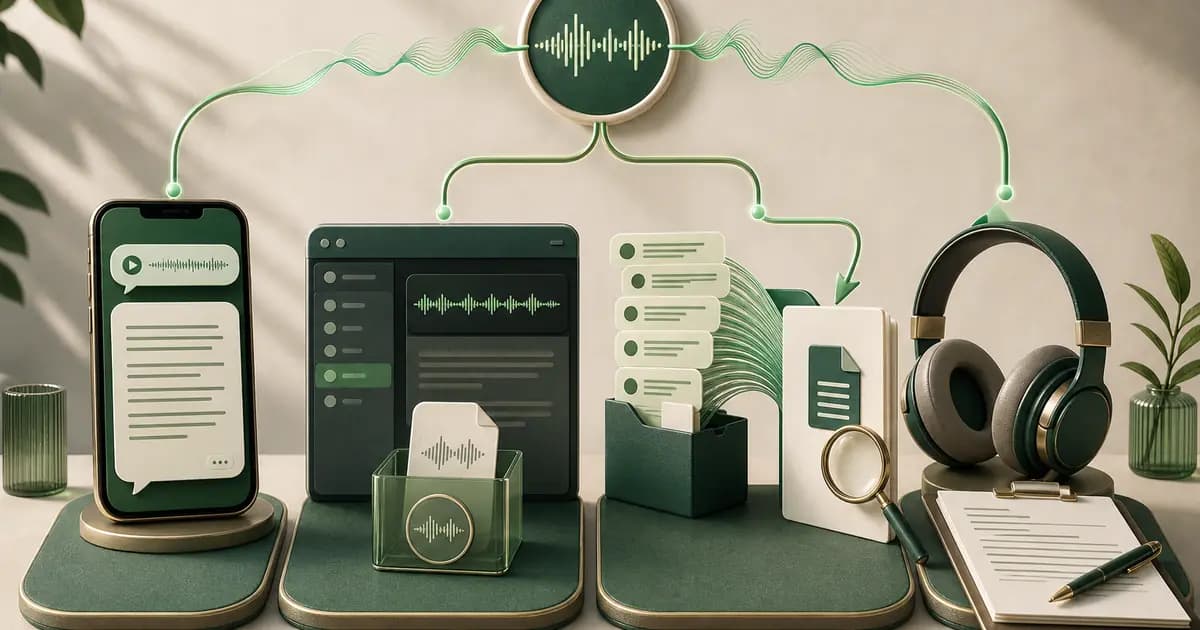
The best WhatsApp transcription tools depend on the job you need done — there is no honest universal accuracy ranking. For one supported message, start with WhatsApp's on-device Voice message transcripts feature. For a standalone audio file, use a compatible general transcription service. For supported voice notes included in one exported chat, the ChatToPDF audio-to-text converter is built to return successful transcripts to sender, timestamp and conversation context.
How to choose a WhatsApp transcription tool
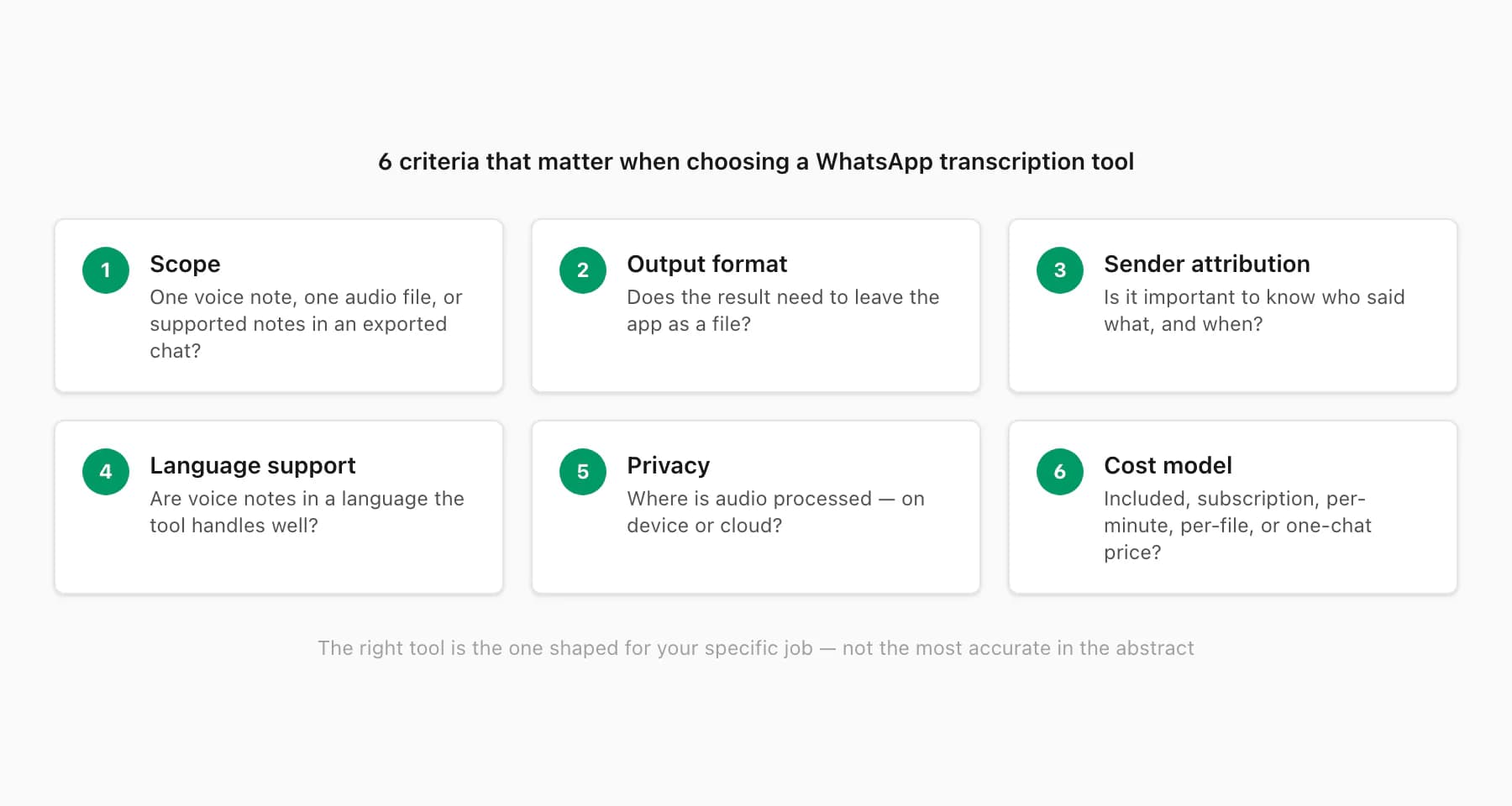
The single most important question is not "which tool is most accurate" — it is "what is the actual job I am trying to do?" A transcription tool that excels at one job is often irrelevant for another. Here are the criteria that matter, in rough order of importance.
Scope: per-message or whole-chat batch. WhatsApp conversations can run to thousands of messages with dozens of voice notes scattered across the timeline. If you need all of them transcribed in context, a tool that processes one file at a time requires you to manually extract, name, and reassemble each voice note — an approach that is tedious at five voice notes and impractical at fifty. A batch tool processes the entire exported ZIP in one pass and embeds the transcripts in sequence. Know your scope before choosing.
Output format and where you need the result. A transcript that stays inside an app is useful for reading once; a transcript in a PDF, XLSX, or plain-text file is useful for filing, emailing, printing, or submitting to a third party. If the output needs to leave the phone — go to a solicitor, an HR manager, a case-management system, or a personal archive — the format matters as much as the transcription quality.
Sender attribution and timestamp inline. In a multi-participant chat, a voice note transcript without the sender's name and the original timestamp is only half the record. "Someone said this at some point" is not useful for a business archive or a legal document. Look for whether the tool preserves who said what and when — not just what was said.
Language support. Voice notes in WhatsApp come in every language. Most transcription tools support a core set well and degrade for others. If your chat contains voice notes in Arabic, Hindi, Portuguese, or a mixed-language conversation, check language support specifically rather than assuming "it works". WhatsApp publishes the list of languages supported by its built-in transcription on the official WhatsApp FAQ.
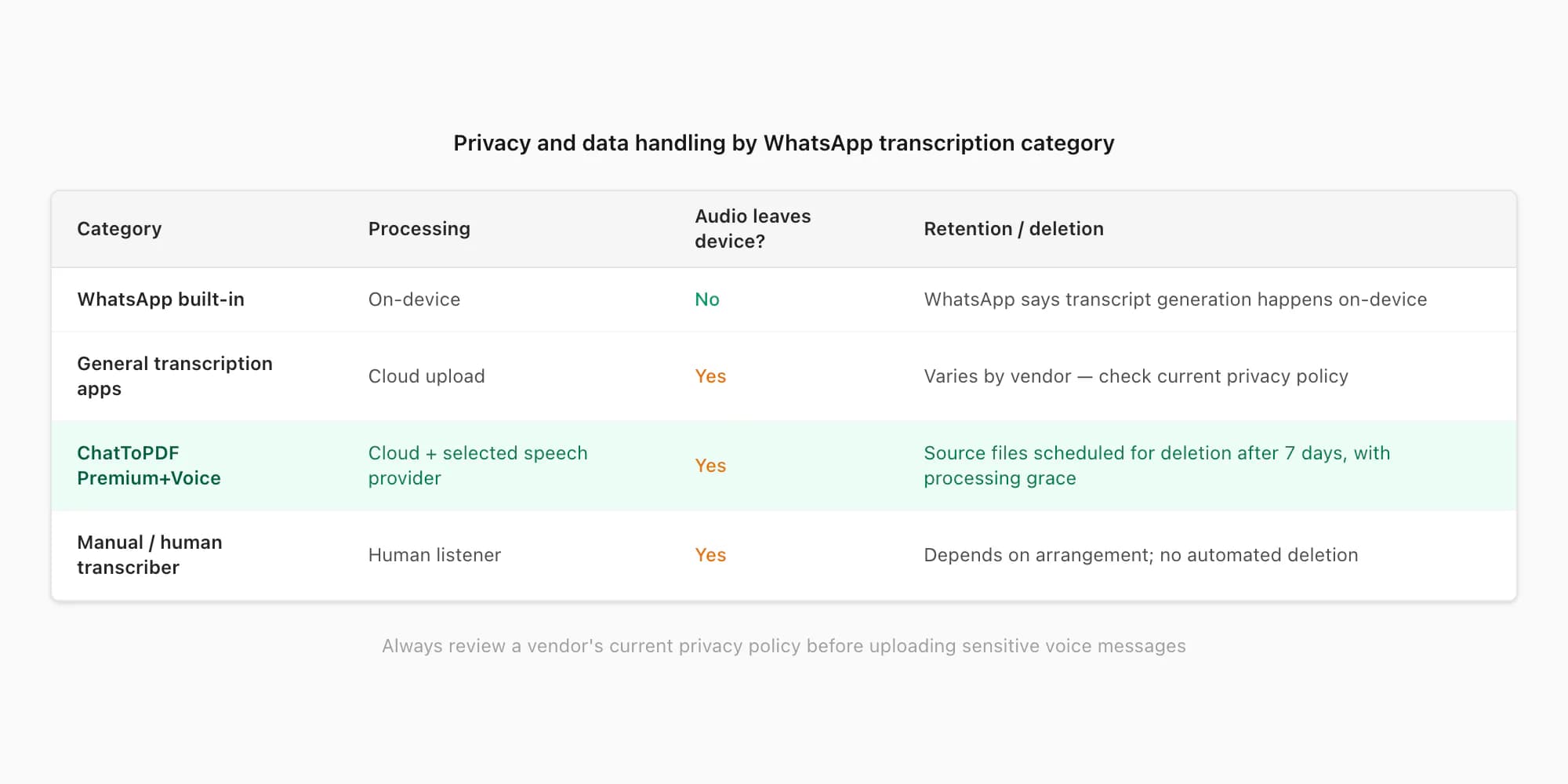
Privacy and data handling. Voice notes can contain sensitive personal information. Before uploading to any third-party tool, check their stated data-retention policy. ChatToPDF schedules source and generated files for deletion within seven days, with the bounded processing grace described in its privacy policy; policies at other services vary — check the vendor's current terms.
Price model. Transcription tools charge in very different ways: some are subscription (monthly fee regardless of how much you transcribe), some are per-minute of audio, some are per-conversation. For a one-off archive of a single WhatsApp chat, a per-chat flat fee is often more economical than a recurring subscription you will cancel. For ongoing high-volume use, a per-minute or subscription model may be cheaper. Match the cost model to your usage pattern.
The main options compared
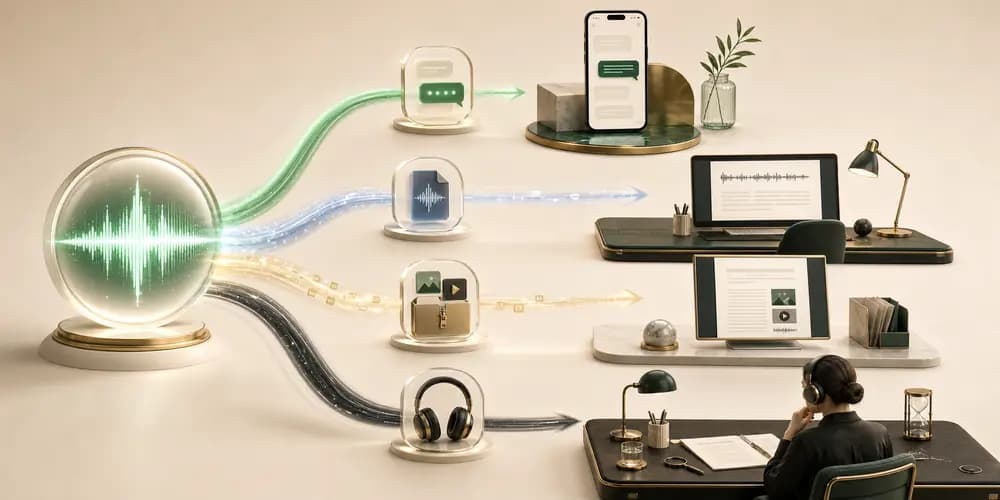
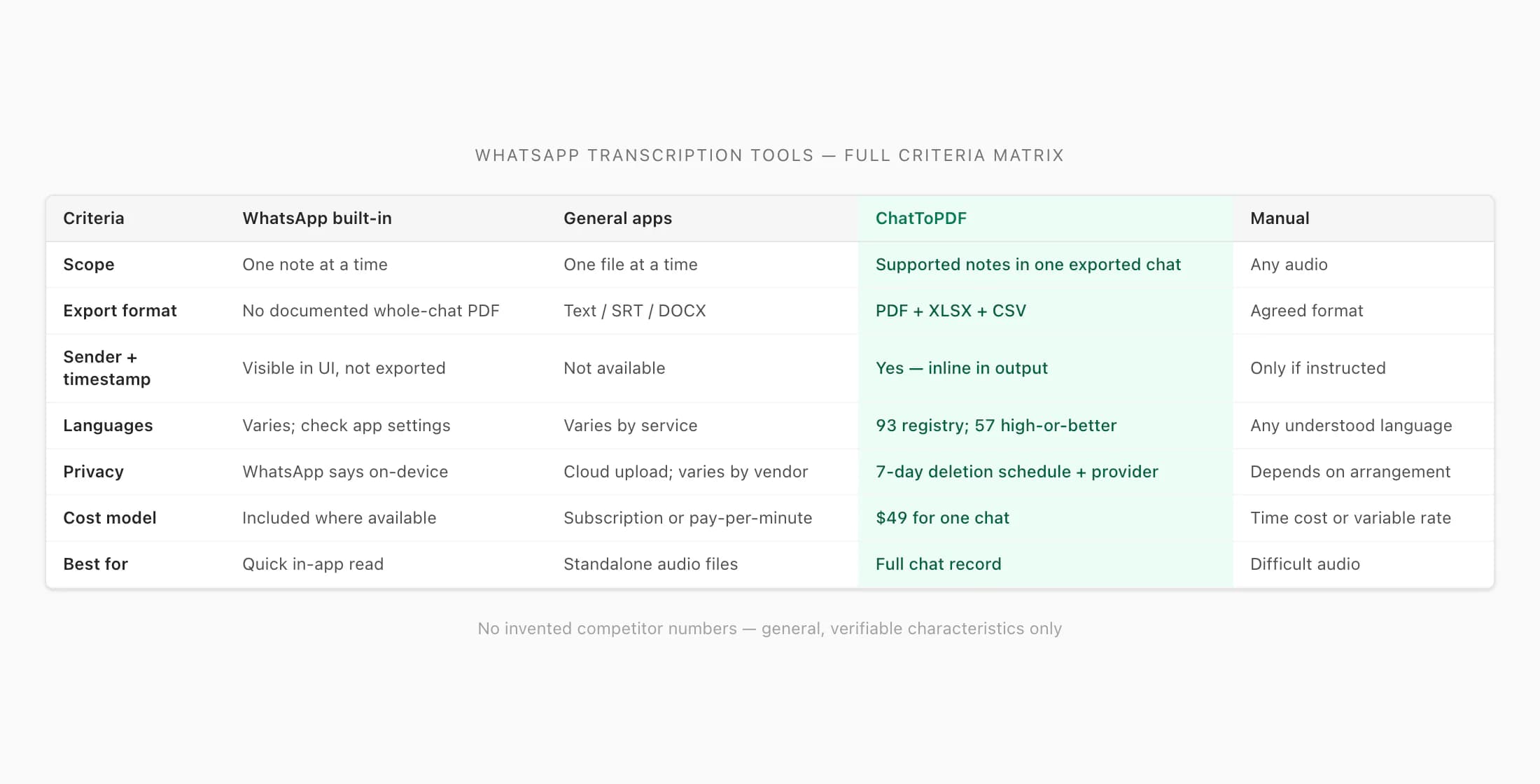
The four categories below cover common approaches to WhatsApp transcription. I have not invented competitor prices, accuracy percentages, or feature lists — the category rows describe general, verifiable characteristics of each approach. For any specific commercial tool you are evaluating, check its current documentation; features and pricing change.
| Category | Scope | Output / export | Sender + timestamp inline | Languages | Privacy | Best for | Cost model |
|---|---|---|---|---|---|---|---|
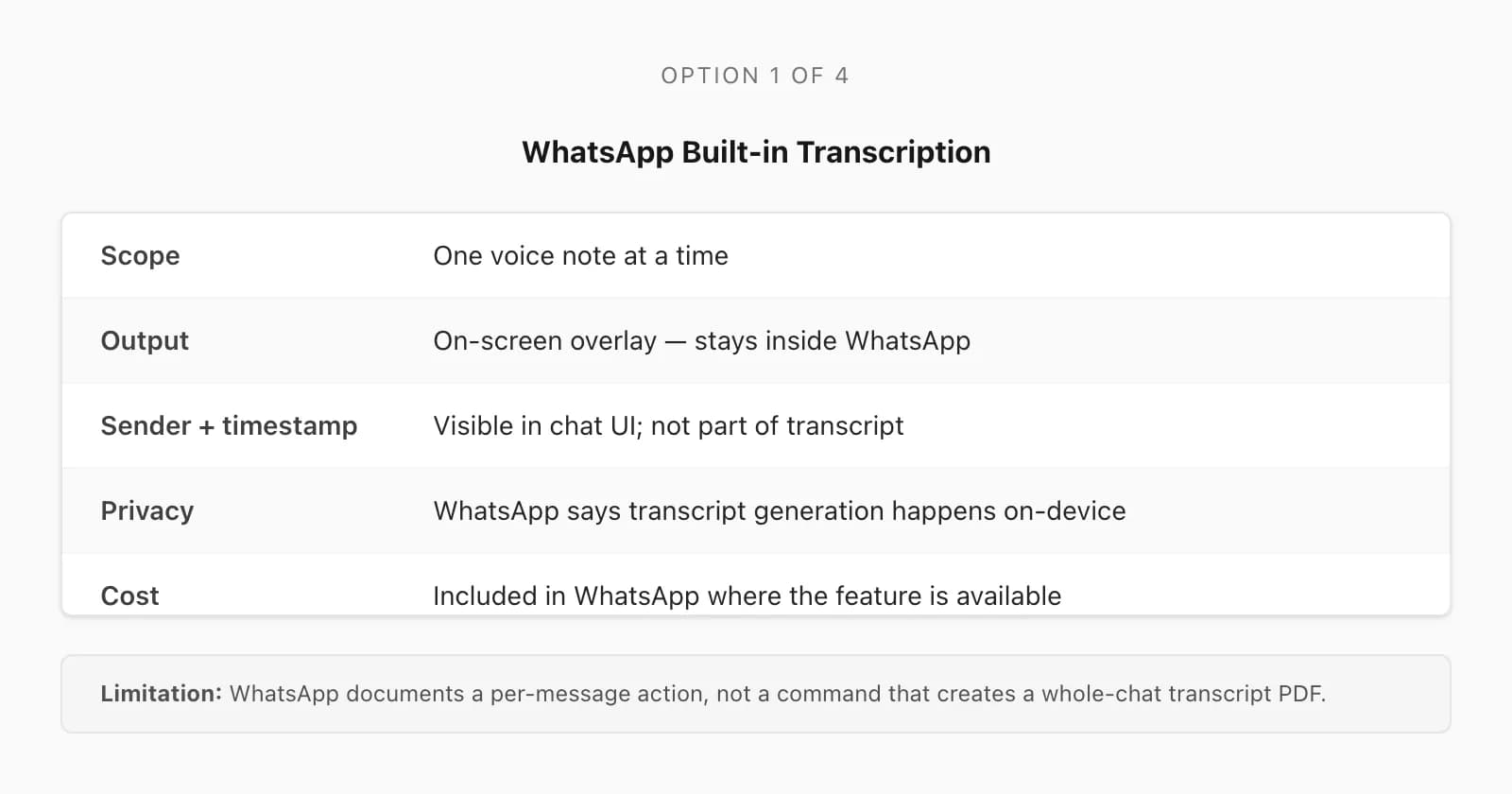
| WhatsApp built-in | One voice note at a time | Text displayed with the selected message inside WhatsApp | Read in the original chat context; no documented whole-chat transcript export | Varies by app version; check your WhatsApp settings | On-device processing — audio stays on your phone | Quickly reading one note without pressing play | Included in WhatsApp where available |
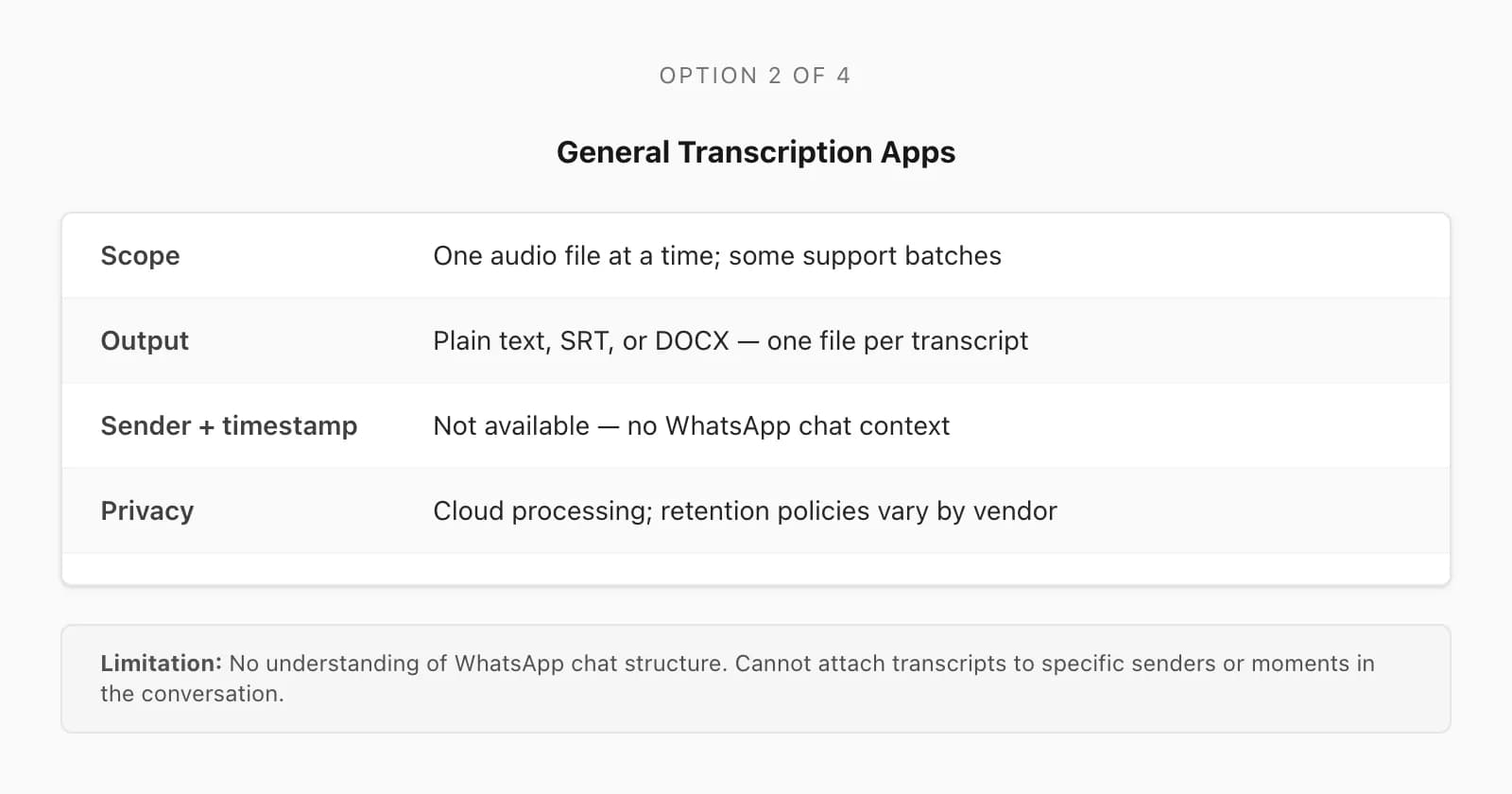
| General transcription apps | Usually one audio file at a time; some support batch file upload | Plain text, SRT, or DOCX — typically one transcript per file | An isolated audio file does not supply the original WhatsApp sender and timestamp | Varies by app; many support major languages well | Varies by vendor — check each app's current retention policy | Transcribing standalone audio or video files | Subscription or per-minute; free tiers usually limited |
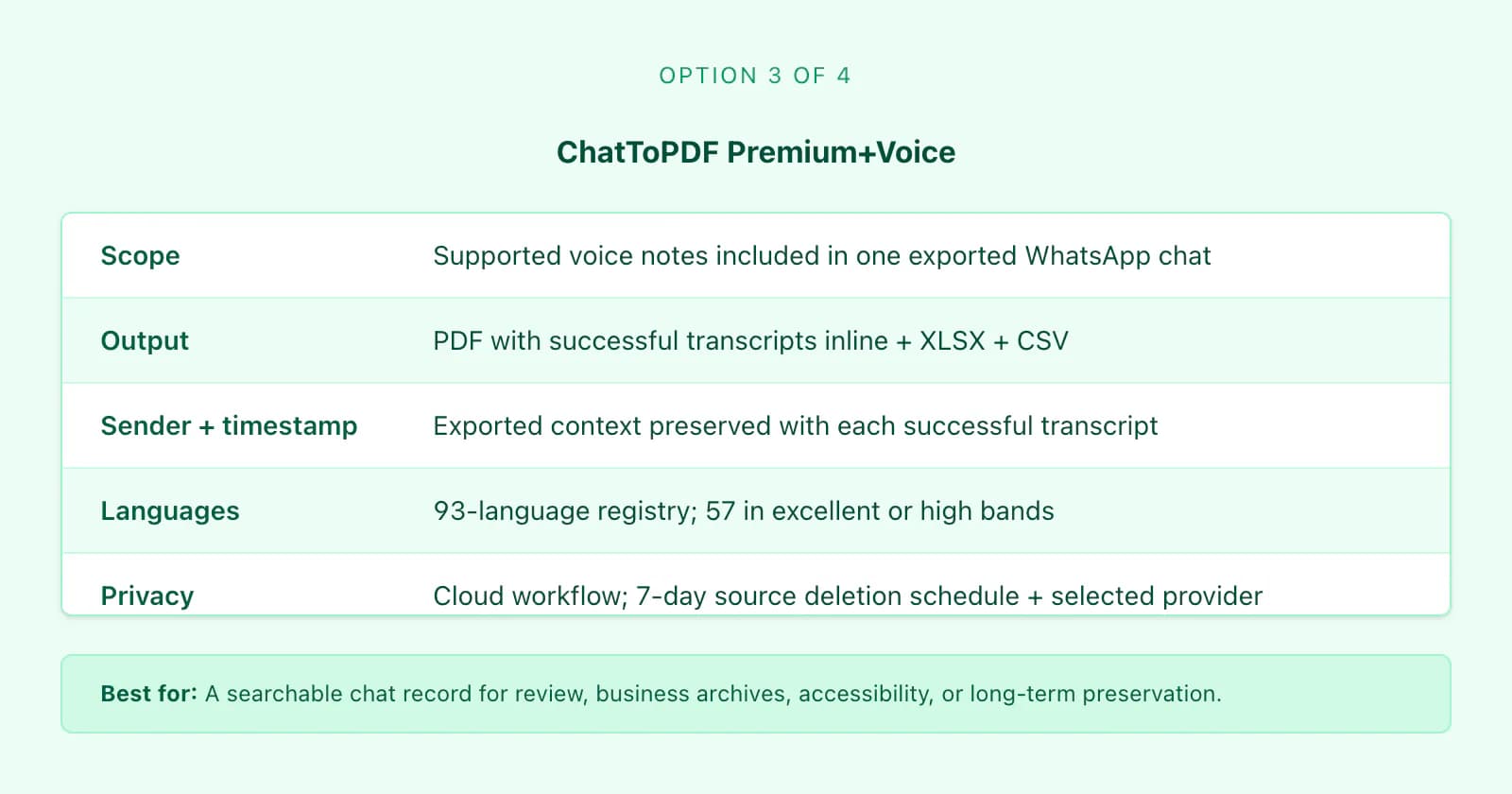
| ChatToPDF (Premium+Voice) | Supported voice notes included in one exported WhatsApp chat | PDF (voice transcripts inline in conversation) + optional XLSX/CSV | Yes — exported sender and timestamp preserved with each successful transcript | 93 languages in the current registry; 57 in excellent or high accuracy bands | Cloud workflow; source files scheduled for deletion after 7 days and the selected speech provider receives the note audio | Whole chat as a searchable record — legal, business, archive, accessibility | $49 per chat — one-time flat fee, no subscription |
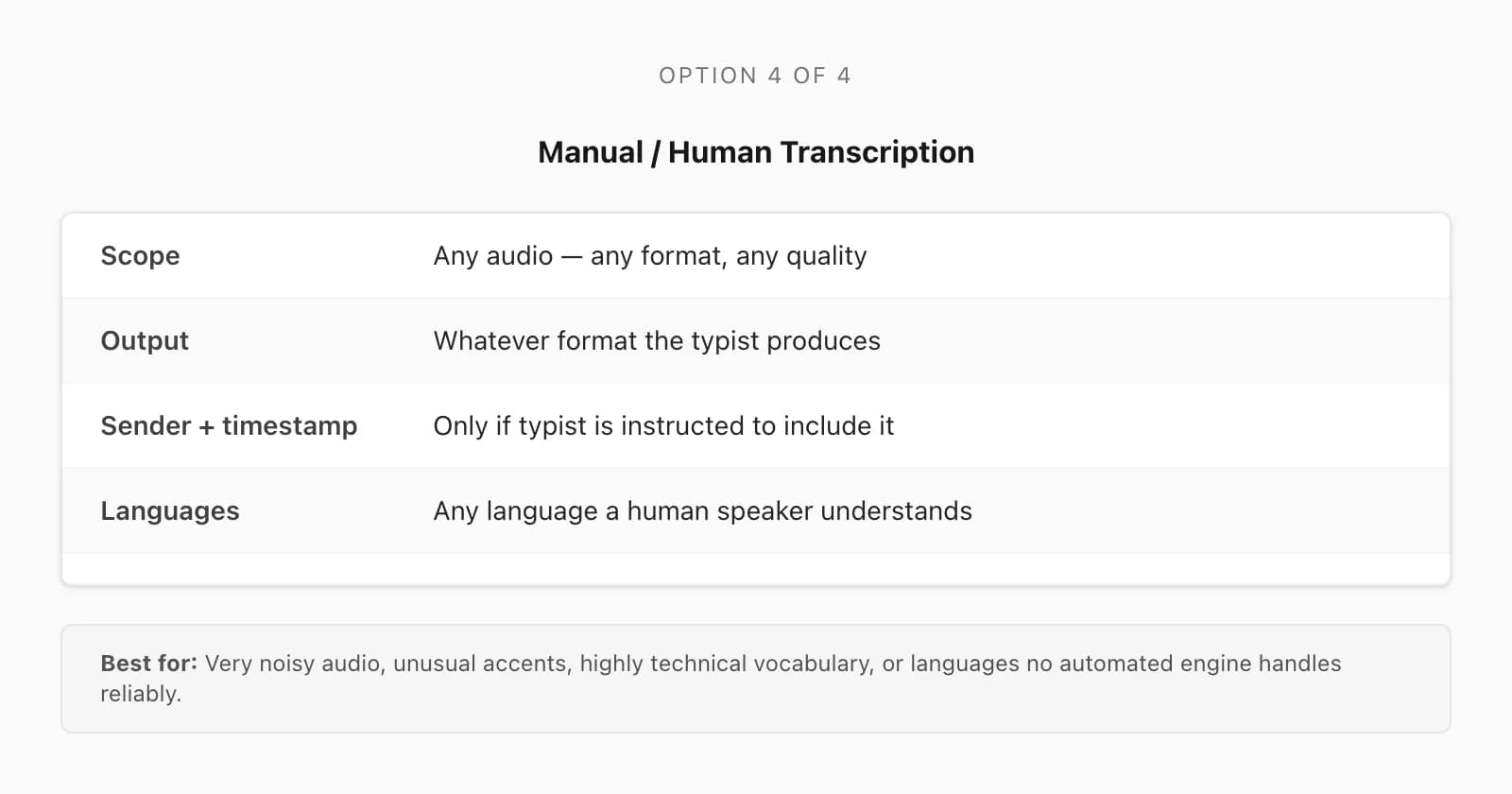
| Manual typing / hiring a transcriber | Any audio, any format, any quality | Whatever format the typist produces — Word, PDF, plain text | Only if the typist is given context and instructed to include it | Any language a human speaker understands | Depends on whether a human or a service is involved; review before sharing | Very noisy audio, unusual accents, or where automated tools fail | Time cost if DIY; varies widely if outsourced — check the vendor |
The table does not rank these options by quality — they are shaped for different jobs. The right column is not "best"; it is "best for a specific situation."
Six current WhatsApp transcription tools and workflows compared
I checked the vendors' own published pages on 6 September 2026. This is a workflow and output comparison, not a synthetic “accuracy score”: the services do not publish one directly comparable test, and a vendor percentage cannot predict your language, accent, names, noise or recording quality. Prices, limits and app availability can change, so the linked source is the final check before uploading.
| Option | Input and scope | Result | Published boundary | Best fit |
|---|---|---|---|---|
| WhatsApp Voice message transcripts | One selected voice message inside WhatsApp | Transcript displayed with that message in the original chat | WhatsApp says generation is on-device; its published flow is message-by-message | Reading one supported note privately without exporting it |
| TalkNotes free WhatsApp transcriber | One saved WhatsApp audio file, up to 5 MB and one minute on the free page | Standalone text transcript; the page lists OGG and other common audio inputs | Vendor states 50+ languages and deletion immediately after transcription | A short, saved note when you want a browser upload |
| SpeakApp web tool and app | One exported OPUS, OGG, M4A or MP3 file; longer ongoing work in its apps | Standalone transcript; the full product advertises summaries, translation and document export | Vendor states 50+ languages, a free short-message tool and paid app plans | One saved voice message plus general-purpose transcript tools |
| Zapia app | Share or forward an individual note to the app | Text transcription with an optional summary, as described on the vendor page | Vendor advertises free transcription; review its current permissions and terms | Fast per-message transcription with an assistant-style mobile workflow |
| ChatToPDF Premium+Voice | Supported notes inside one media-inclusive WhatsApp export ZIP | Searchable PDF plus XLSX/CSV, with successful transcripts returned to exported sender and timestamp context | Free chat and note-count preview; $49 for one chat up to eight audio hours; cloud processing | Batching a whole exported conversation into one reviewable record |
| Qualified human review | Any file a reviewer can access, with source context supplied separately | Agreed transcript format and manual corrections | Time, price, confidentiality and output depend on the reviewer or service | High-stakes, noisy, technical or unusual audio requiring verification |
Published sources checked on 6 September 2026: WhatsApp’s transcript announcement and current transcript help, TalkNotes WhatsApp transcriber, SpeakApp WhatsApp voice-to-text tool, SpeakApp pricing, and Zapia WhatsApp transcription. ChatToPDF facts come from the current upload preview, checkout tiers, processing pipeline and privacy policy. None of these source checks is a substitute for testing a representative note before relying on important wording.
Compare a representative note and inspect the output
Disclosure: this guide is written by ChatToPDF's founder. The comparison uses published product documentation and our own implementation; it is not a head-to-head accuracy benchmark or an independent review. Vendor statements about accuracy, languages and deletion are claims to verify, not measurements from this article.
Before committing an archive, use a recording you are permitted to process that resembles the material you actually need: the same language, background noise and kind of vocabulary. Check the transcript against the recording, especially names, amounts and negations. Compare whether the downloaded result includes the context you need, not only whether the first sentence looks plausible.
For ChatToPDF, inspect the fictional transcript PDF. It shows the production PDF layout using generated recordings and reference transcripts. It demonstrates presentation, not independently measured recognition accuracy. For a live job, inspect the available preview sample and retain the source recordings for review.
A plain PDF archive, an Excel workbook and a playable MP3 bundle solve different tasks. Choose transcription when the spoken wording itself needs to become readable or searchable.
When ChatToPDF is the right choice (and when it isn't)
I want to be honest about this, because a comparison page that pretends one product wins every case is not useful.
ChatToPDF wins when the job is: the whole chat as a document. If you have a WhatsApp conversation — one-to-one or group — that contains a mix of text messages and voice notes, and you need the record exported as a searchable document with sender attribution and timestamps, ChatToPDF is the category here built specifically for that job. WhatsApp's published native workflow is message-by-message and does not create a whole-chat transcript document. A standalone-file workflow may require you to supply the sender and original timestamp separately. Check the actual output rather than assuming those fields are inferred from the recording.
The specific situations where I would confidently recommend ChatToPDF's Premium+Voice tier:
- Legal and compliance filings — a dispute, an employment matter, a court filing — where you need the voice notes and the surrounding text messages in one timestamped, attributed document
- Business records — client approvals, instructions, and agreements given verbally over WhatsApp, where a searchable archive is the difference between "we have a record" and "I think he said this in a voice note somewhere"
- Long-term personal archives — family group chats, voice notes from relatives, conversations you want to preserve in a format that does not depend on WhatsApp staying installed
- Accessibility situations — making voice note content available to someone who is deaf or hard of hearing, or who cannot play audio in their environment
WhatsApp's built-in transcription wins when the job is: reading one supported note in the app. Enable Voice message transcripts, long-press the message and tap Transcribe. WhatsApp says generation happens on-device. ChatToPDF is the wrong shape for that job. The WhatsApp speech-to-text guide covers the native feature in detail.
A standalone-file tool fits when you only need the speech from a saved recording. Compare supported formats, duration, output and data handling for that specific file. ChatToPDF also has a free single-note tool, up to 60 seconds and 10 MB subject to daily capacity. It returns standalone text; original WhatsApp sender and timestamp context require the chat export. Do not assume a general transcription app can reconstruct a chat from an audio file alone.
Manual transcription wins when automated tools fail. Very noisy audio, unusual accents, highly technical vocabulary, low-quality recordings, or languages that are not well supported by an automated engine are cases where a qualified human reviewer may be necessary. The transcribe WhatsApp audio guide covers how the Nova-3 and Scribe v2 router works and why source verification still matters.
What ChatToPDF costs
ChatToPDF uses a per-chat flat fee — one payment, one export, no subscription or recurring charge.
Voice transcription is available on the Premium+Voice tier at $49 per chat. That tier includes the PDF with each successful voice-note transcript inline at its matching position, sender and timestamp from the export, XLSX and CSV output, and up to eight audio hours in that chat. The language-aware router uses Deepgram Nova-3 or ElevenLabs Scribe v2. The current registry lists 93 languages, with 57 in excellent or high accuracy bands; coverage is not an accuracy guarantee.
The Power User tier at $99 per chat uses the same router, removes the eight-hour audio-duration cap for that one chat, and adds priority processing. Both packages have a 150 MB upload ceiling. Compare the current package limits.
The other tiers ($7 Basic, $14 Standard, $29 Premium) do not include voice transcription. Basic is text-only; Standard and higher packages can render supported images. Voice-note references remain placeholders unless transcription is selected in a voice-enabled package. Every paid package includes PDF, XLSX and CSV subject to its message limit.
There is no subscription required. If you have one conversation to export, you pay $49 once. If you have ten, you pay per chat. There is no monthly fee regardless of whether you use the service.
You can upload your ZIP and preview the parsed conversation and detected voice-note count before paying. The preview checks input recognition and scope and can show a transcript sample when suitable audio is available. That sample does not prove the accuracy of every remaining note.
FAQ
What's the best free option for WhatsApp voice transcription?
For one supported message, start with WhatsApp's included Voice message transcripts feature: WhatsApp says it generates text on-device. For third-party tools, check current pricing and retention directly because free allowances change. ChatToPDF offers a free parsed-chat preview and voice-note count, not free full transcription; the complete batch conversion starts at $49 for one chat with up to eight audio hours.
Can I transcribe a whole WhatsApp chat at once?
Yes. Export the conversation with Including Media, then upload the ZIP to the WhatsApp audio-to-text converter and select a voice-enabled tier. ChatToPDF processes supported audio present in the export as one job and returns each successful transcript to its matching conversation position. The WhatsApp voice-to-text guide walks through the workflow.
Which WhatsApp transcription option is most accurate?
No single option is universally most accurate. Language, dialect, noise, clipping, code-switching, names and numbers all affect results. ChatToPDF routes between Deepgram Nova-3 and ElevenLabs Scribe v2, but its 93-language coverage and accuracy bands do not predict one file. WhatsApp does not publish a directly comparable benchmark for its on-device feature. Keep the source audio and review important passages; ChatToPDF can show a transcript sample when suitable audio is available; compare it with the recording, then review consequential wording in the final output too.
Do any tools keep the sender names and timestamps alongside the transcript?
ChatToPDF explicitly preserves sender names and original timestamps from the exported chat and places each successful transcript at its matching conversation position. WhatsApp's native feature leaves the transcript in its original chat context, while a standalone-file service usually receives no WhatsApp transcript metadata unless the user supplies it separately. Other chat-export products can have different capabilities, so inspect a current sample or output specification instead of assuming exclusivity. For ChatToPDF, the free preview verifies the parsed conversation and detected voice-note count before payment.
Is my data private when I use a WhatsApp transcription tool?
Privacy practices differ. WhatsApp says its built-in transcript is generated on-device. General transcription services commonly use cloud processing, with vendor-specific retention terms. ChatToPDF uploads the ZIP to its server and sends each supported note to the selected speech provider, Deepgram or ElevenLabs; source files are scheduled for deletion after seven days, subject to the documented processing grace. Review the relevant providers and do not upload a conversation if cloud processing is unsuitable.
Are WhatsApp transcription bots safe to use?
A common free option is a "forward to a bot" service — you forward a voice note to a Telegram or WhatsApp bot and it replies with the text. They are convenient for a one-off note, but two things are worth weighing. First, you are sending the audio to a third-party service whose retention and data-handling practices you usually can't see — fine for a dinner-plans voice note, less fine for anything sensitive. Second, like every single-note tool, a bot has no idea who sent the note or when, so you lose the sender attribution and timestamp that make a transcript usable as a record. For casual reading they are fine; for anything you need to keep, file, or rely on, a tool that processes the exported chat and preserves attribution is the safer shape. Whichever you pick, check the service's privacy policy before forwarding a voice note that contains personal or business information.
Key takeaways
- The best WhatsApp transcription tool depends on the job: built-in for one note quickly, general apps for standalone audio files, ChatToPDF for a whole exported chat as a document
- WhatsApp says its native transcript is generated on-device and documents a message-by-message action; it does not document a whole-chat transcript export
- General transcription apps handle standalone audio files well but have no knowledge of WhatsApp chat structure, sender names, or timestamps
- ChatToPDF Premium+Voice ($49 per chat) processes supported voice notes in one exported chat and embeds successful transcripts with exported sender attribution and timestamps
- The language-aware router uses Deepgram Nova-3 or ElevenLabs Scribe v2; the registry covers 93 languages, with 57 in excellent or high bands, while accuracy still depends on the recording
- No transcription tool performs perfectly on noisy recordings — test with your own audio before committing to anything important
- For the whole-chat workflow step by step, see the WhatsApp voice to text guide; for the technical accuracy picture, see the transcribe WhatsApp audio pillar
- If your goal is a complete, searchable PDF of the whole conversation — transcripts included — the WhatsApp to PDF guide explains the full process from export ZIP to finished document.
I'm Paul, the founder of ChatToPDF. I built it after needing a long WhatsApp conversation as a readable PDF for a legal matter. I test and document WhatsApp exports, PDF conversion, voice-note transcription, and the limits people should check before relying on the result.