
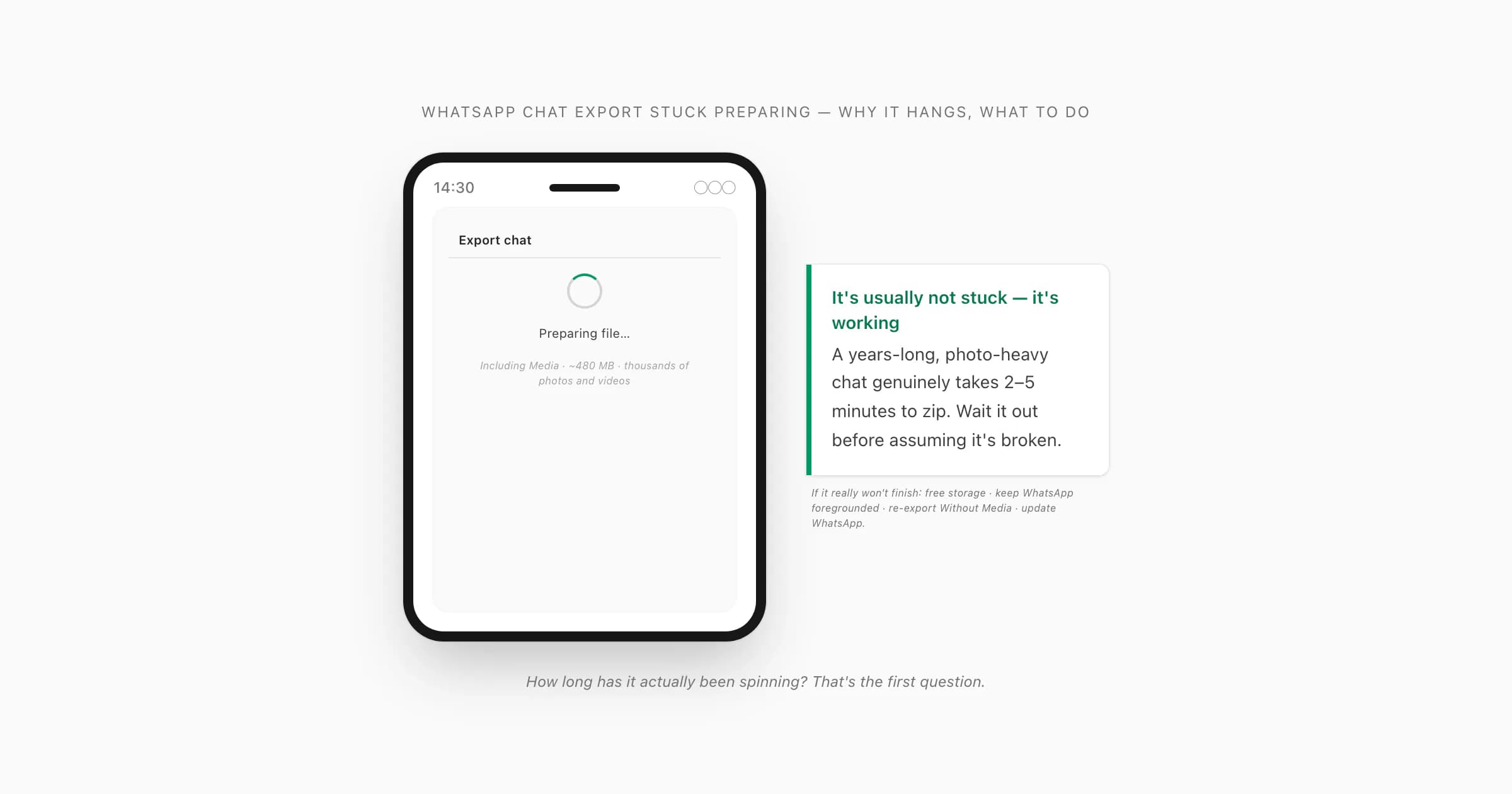
What "Preparing file…" is actually doing
When you tap Export Chat, WhatsApp asks you Without Media or Including Media, and then it shows a small spinner that says "Preparing file…" (on Android) or just spins under the share sheet (on iOS). That message isn't decoration. WhatsApp is doing real work behind it: reading your local chat history message by message, writing every line into _chat.txt, and — if you picked Including Media — copying every attached photo, video, voice note and document into a ZIP archive alongside it. The full picture of how Export Chat works — the menu path on every platform, what ends up in the ZIP, the 40,000-message ceiling — lives in the WhatsApp chat export guide; this page is the failure mode where that machinery hangs.
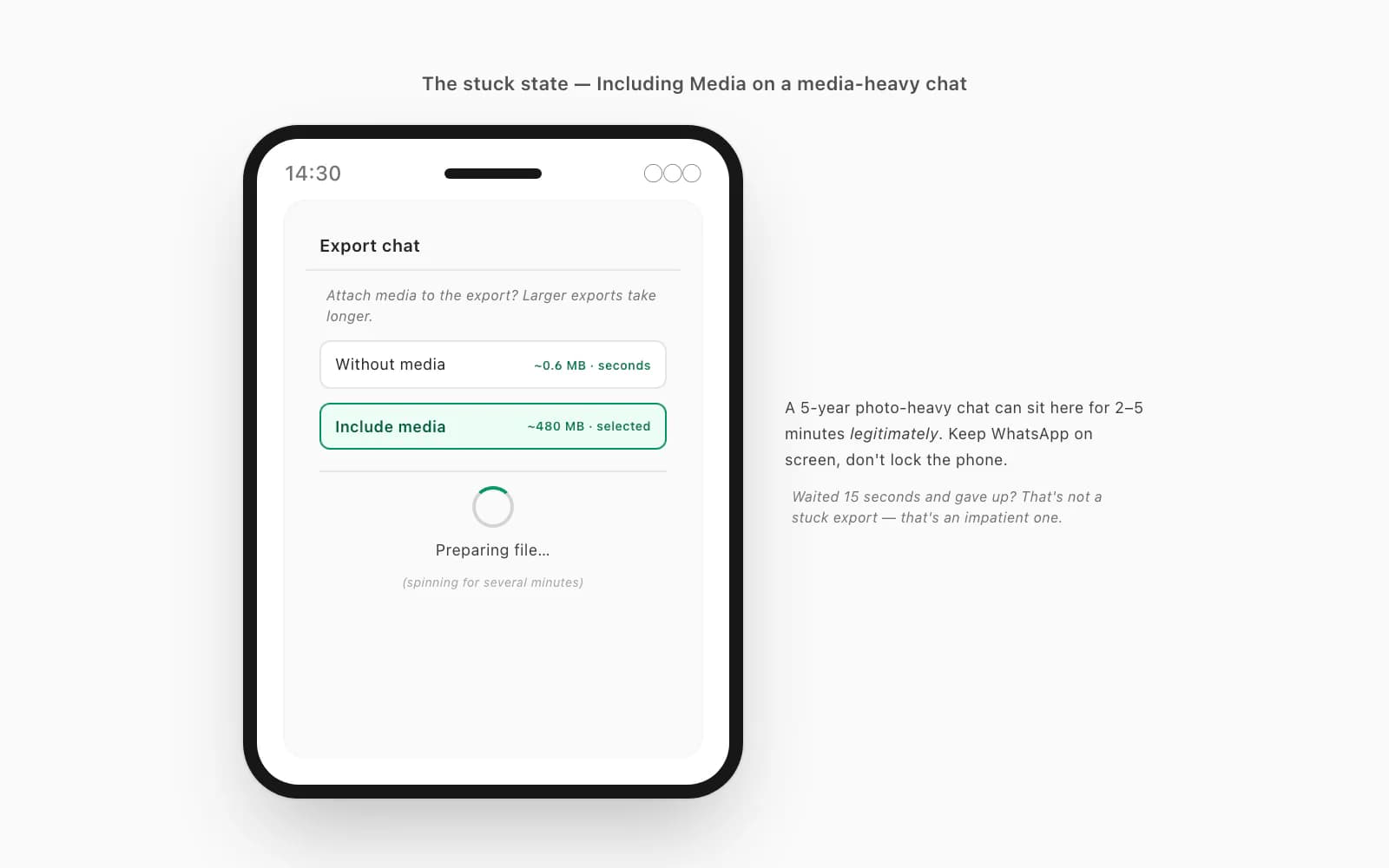
For a text-only export that's nothing — a few thousand messages of plain text is well under a megabyte, and "Preparing file…" flashes by in a second or two. For an Including Media export it's a different story. A media-heavy family group or a years-long couple's chat can carry hundreds or thousands of attachments — a ZIP that ends up 100 MB, 300 MB, sometimes past 400 MB. Building that archive on a phone takes time. So before you assume anything is broken: how long has it actually been spinning? On a genuinely large media chat, a couple of minutes is normal, not a hang. I've watched a five-year photo-heavy chat sit on "Preparing file…" for the better part of three minutes before it produced the share sheet. If you've waited fifteen seconds and given up, that's not a stuck export — that's an impatient one.
The rest of this page is for when you have waited, and it's genuinely not finishing.
Why a WhatsApp chat export gets stuck preparing
Here's the part nobody tells you: when a WhatsApp export actually hangs — as opposed to just being slow — it's almost never WhatsApp itself misbehaving. It's something about the phone's state. These are the causes I see, roughly in order of how often they're the real one.
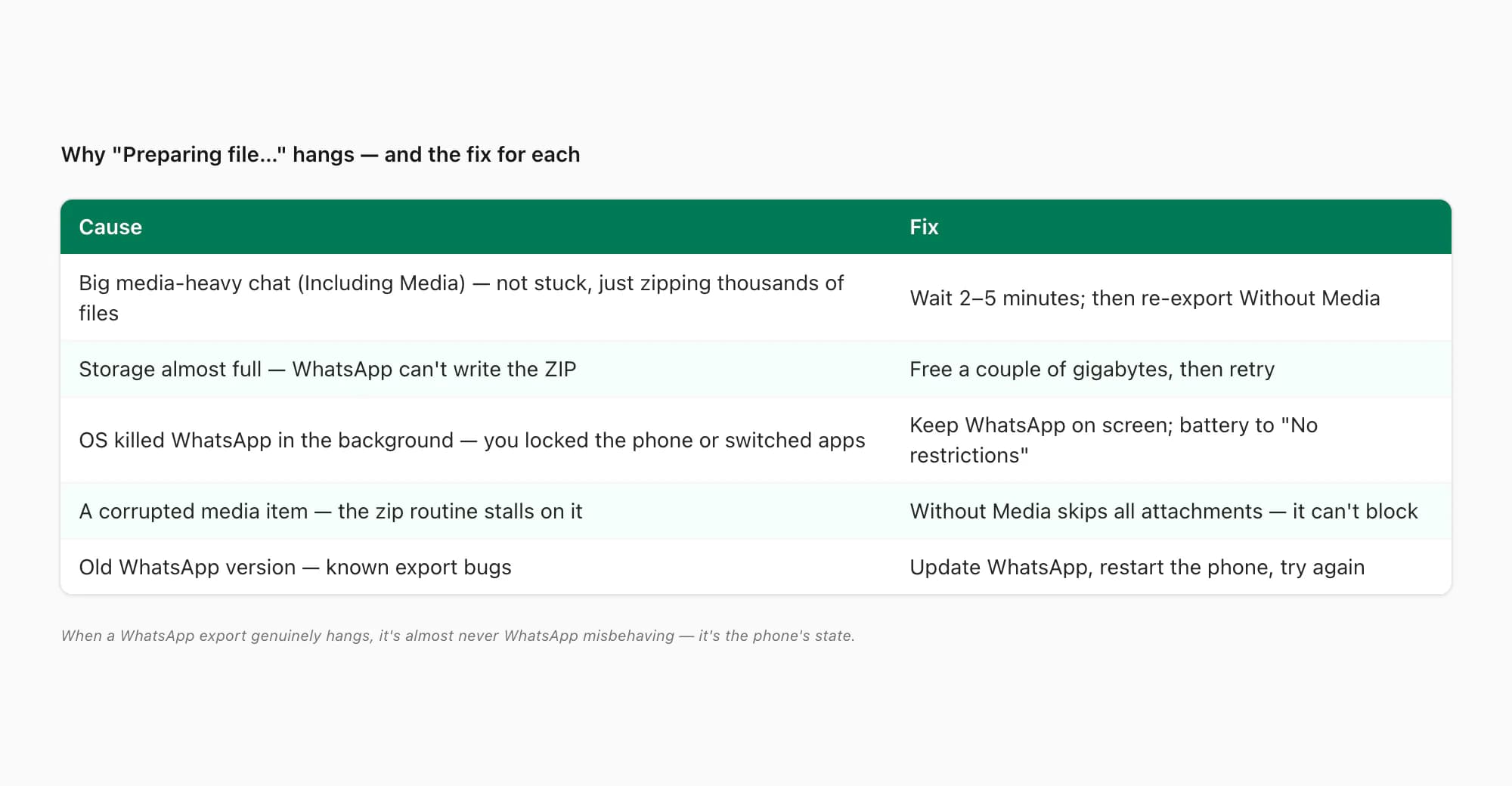
The chat is very large and media-heavy. This is the number-one cause and it's the same one behind a WhatsApp ZIP export that's too big — Including Media on a chat with thousands of photos and clips means WhatsApp has a lot of bytes to move. It's not stuck; it's working. The fix here is patience first, and Without Media second.
Storage is almost full. WhatsApp has to write that ZIP somewhere before it hands it to the share sheet, and if your phone has 300 MB free and the export is going to be 400 MB, it can't. On Android the export quietly stalls; on iOS it may bail with a vague error or just spin. Free up a couple of gigabytes — delete some videos, clear an app cache — and try again. Android's storage help and Apple's iPhone storage help both walk through what's eating your space.
The OS killed WhatsApp in the background. Phones aggressively suspend apps that aren't in the foreground to save battery — Xiaomi's MIUI, Samsung's One UI, Huawei's EMUI are notorious for it, but stock Android and iOS do it too under memory pressure. If you start a big export and then lock the phone or switch to another app, the OS may freeze WhatsApp mid-zip, and the export silently dies — the spinner is just left there. Keep WhatsApp on screen and the phone awake until the share sheet appears.
A corrupted media item is choking the packager. Occasionally one bad attachment — a partially-downloaded video, a file with a broken header — makes WhatsApp's zip routine stall when it reaches that item. You can't easily find which one. The practical answer is the same as for a huge chat: a Without Media export skips every attachment, so a single bad file can't block it.
WhatsApp is out of date. Old WhatsApp builds had real bugs in the export path that newer ones fixed. If yours hasn't updated in months, that alone can be it — update it from the App Store or Play Store and retry.
Fixing it — the steps, in the order I'd try them
Work down this list. Most people are unblocked by step 1 or step 4.
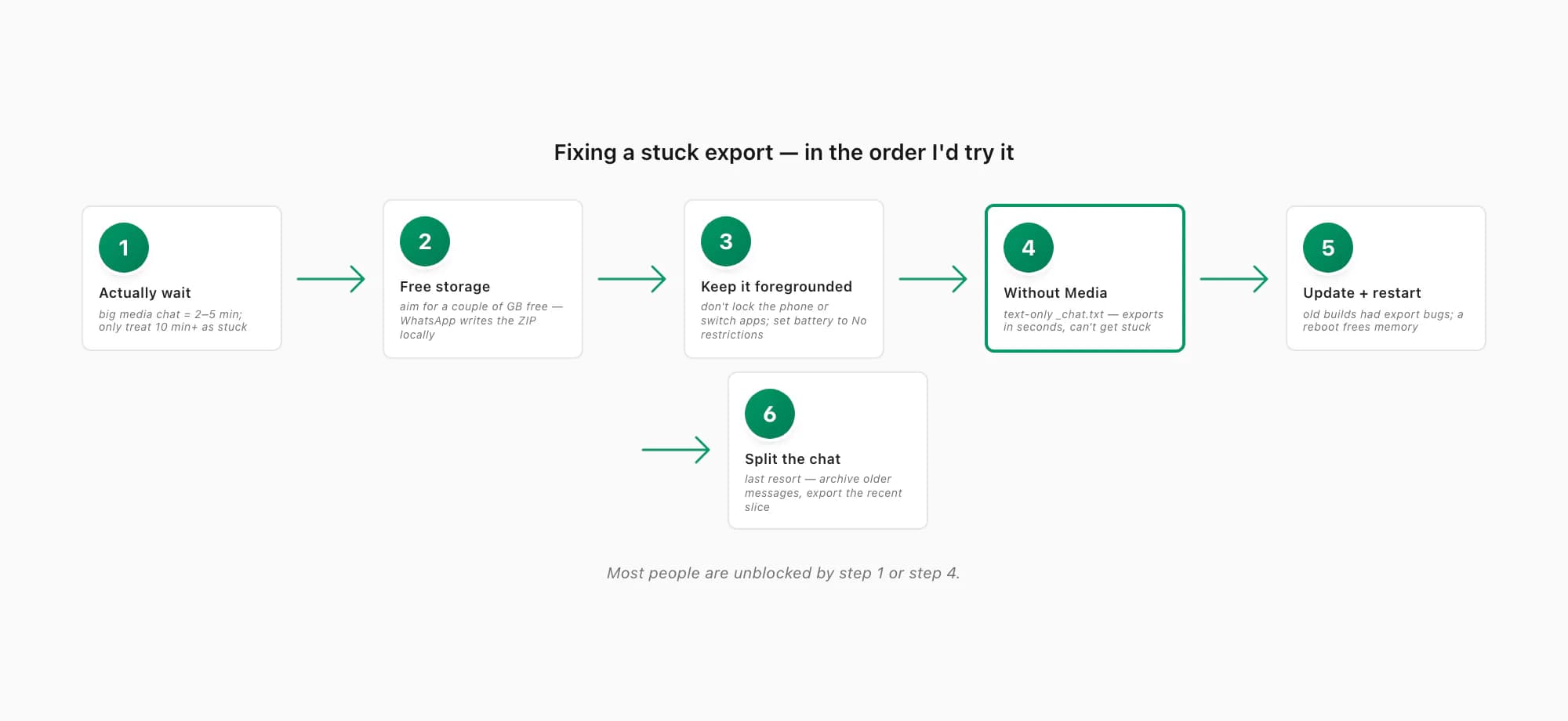
Actually wait — give a big media chat a few minutes
Before anything else: how long has it really been? If you picked Including Media on a years-long chat with lots of photos and videos, "Preparing file…" can legitimately run for two to five minutes. Set the phone down, keep WhatsApp on screen, and leave it. A genuinely large export that's still working will eventually produce the share sheet. Only if it's been spinning for ten minutes or more should you treat it as actually stuck.
Free up storage — aim for a couple of gigabytes
WhatsApp writes the ZIP to local storage before handing it off, so if your phone is nearly full, a big export can't complete. Check your free space (Android: Settings → Storage; iPhone: Settings → General → iPhone Storage), and clear a couple of gigabytes — delete large videos, offload an app you don't use, empty the Recently Deleted album. Then retry the export.
Keep WhatsApp in the foreground while it prepares
Don't lock the phone, don't switch apps, don't let the screen time out during a big export — the OS will suspend WhatsApp in the background and the export dies quietly. Start Export Chat, then leave WhatsApp on screen and tap the screen occasionally to keep it awake until the share sheet appears. On Xiaomi, Samsung and Huawei phones especially, also set WhatsApp's battery/background restriction to "No restrictions" / "Don't optimize" first.
Re-run Export Chat and pick Without Media
This is the reliable unblock. A Without Media export writes only
_chat.txt— every message in plain text, photos and voice notes shown as<Media omitted>placeholders, no attachments bundled. It's tiny, usually well under a megabyte, and it exports in seconds even on a chat with tens of thousands of messages — so the storage, background-kill and bad-media problems all disappear. If you only need the words, this is your answer; if you needed the photos, you can still try Including Media again later once the phone has more room. The full picture is in my WhatsApp export without media guide.Update WhatsApp, restart the phone, try once more
Open the App Store or Play Store, update WhatsApp if there's an update waiting, then restart the phone to clear whatever state was wedged. Old WhatsApp builds had genuine export bugs that current ones fixed, and a fresh boot frees memory the export needs. Then re-run Export Chat.
Last resort — archive older messages and export the recent slice
If a media export still won't complete and you genuinely need attachments, you can shrink what WhatsApp has to package: archive or clear older messages from the chat (back up first so you can restore them), which leaves a smaller, more-recent slice that exports without choking. This is fiddly and destructive — only do it if Without Media isn't enough and the photos really matter. WhatsApp's own help on exporting chat history covers the Export Chat path itself but not these failure modes; you find those out the hard way.
Without Media is the fast unblock
If you take one thing from this page, take this: a Without Media export almost never gets stuck. Everything that makes "Preparing file…" hang — the size of the media bundle, the storage it needs, the time it spends, a single bad attachment in the pile — is about the media. Strip the media out and the export becomes a few thousand lines of text in a sub-megabyte ZIP that WhatsApp produces in a second or two, on any phone, regardless of how full it is.
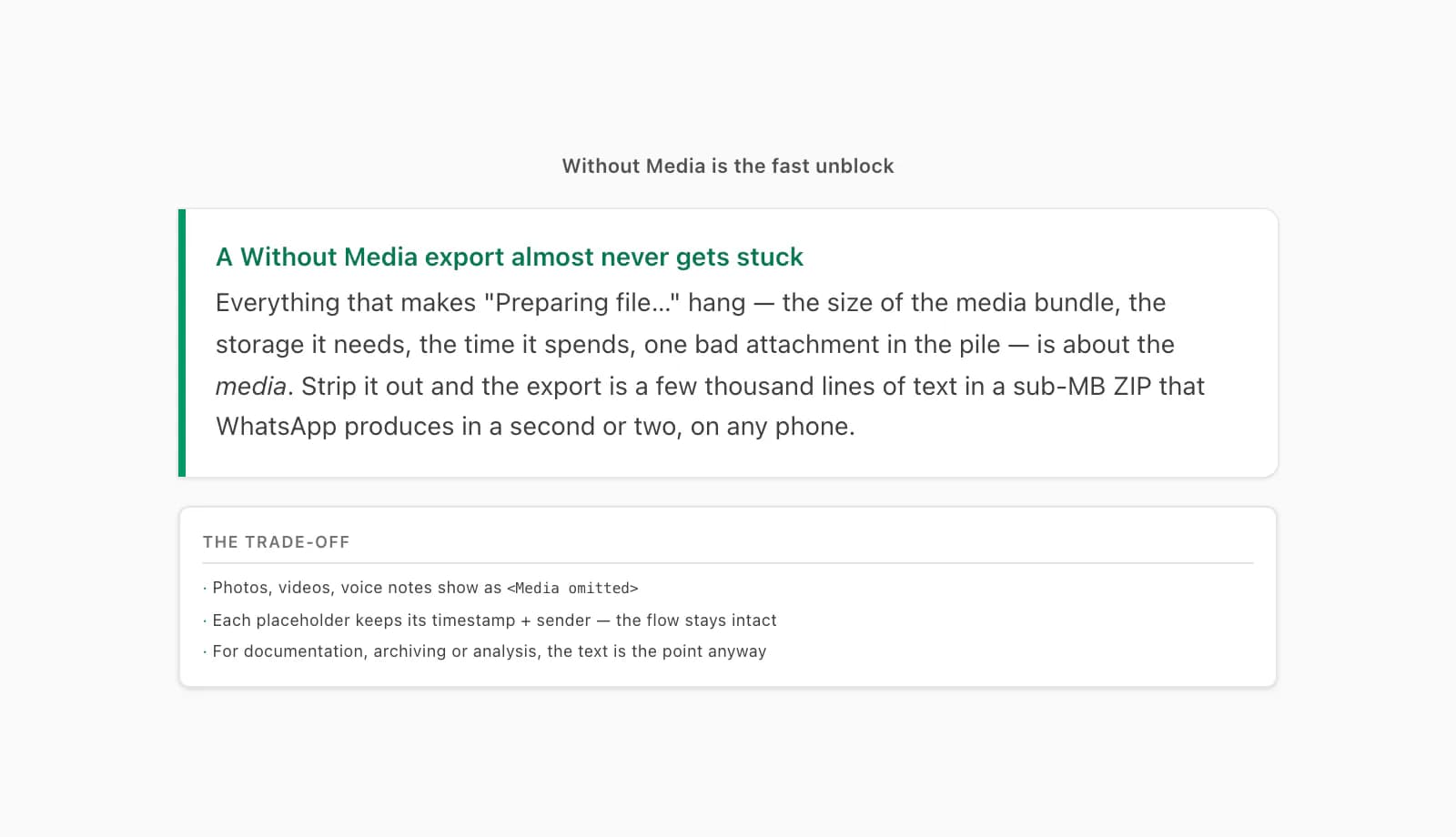
The trade-off is the obvious one: you don't get the photos, videos or voice notes — they show as <Media omitted> placeholder lines in _chat.txt, keeping the timestamp and sender so the conversation flow stays intact, just without the attachment itself. For documentation, a record for a solicitor, archiving a chat before you switch phones, or pulling the messages into a spreadsheet, that's exactly what you want anyway — the text is the point and the placeholders are irrelevant. If you genuinely need the pictures in the end result, you can re-attempt Including Media later after freeing storage and keeping WhatsApp foregrounded; but for getting unblocked right now, Without Media is the move. The same advice applies if your export is finishing but the ZIP comes out too big to email or move — that's a transfer problem with a similar answer.
Once you have a ZIP, the PDF part takes 30 seconds
Here's the reassuring bit, because the export is the only hard part. The moment WhatsApp finally hands you anything — a Without Media ZIP, an Including Media ZIP, even a bare _chat.txt — turning it into a clean, readable document is fast and it doesn't get stuck.
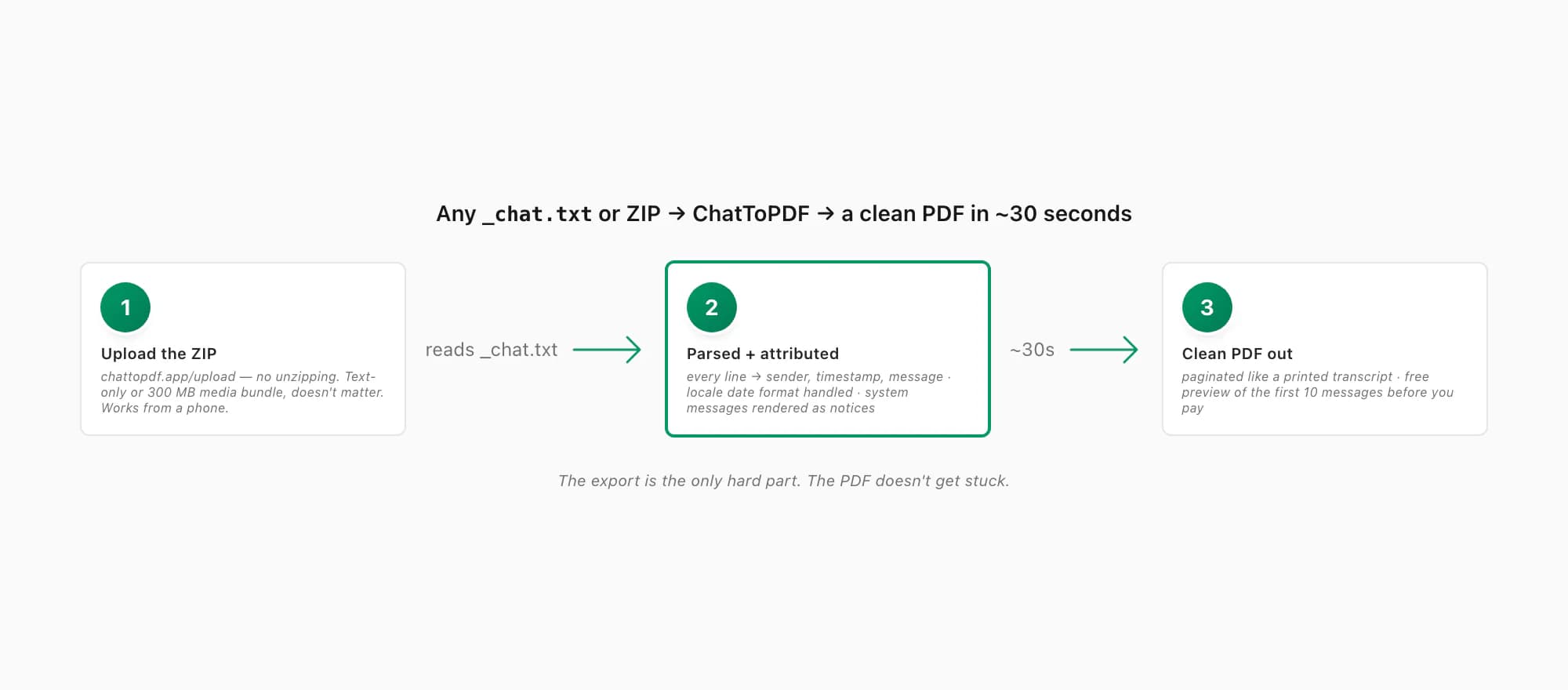
Upload that ZIP to ChatToPDF — straight from your computer or from your phone's Files app, no unzipping first — and it reads the _chat.txt, parses every line into its sender, timestamp and message, handles the locale date format, renders system messages ("X added Y to the group", encryption notices) as notices rather than mystery lines, and paginates the whole conversation into a PDF you can read like a printed transcript. You get a free preview of the first ten messages before paying, so you can confirm the senders and dates look right on your specific export. Start to finish, it's about thirty seconds — and because the upload is just a file, it doesn't matter whether your export was the tiny text-only kind or a 300 MB media bundle.
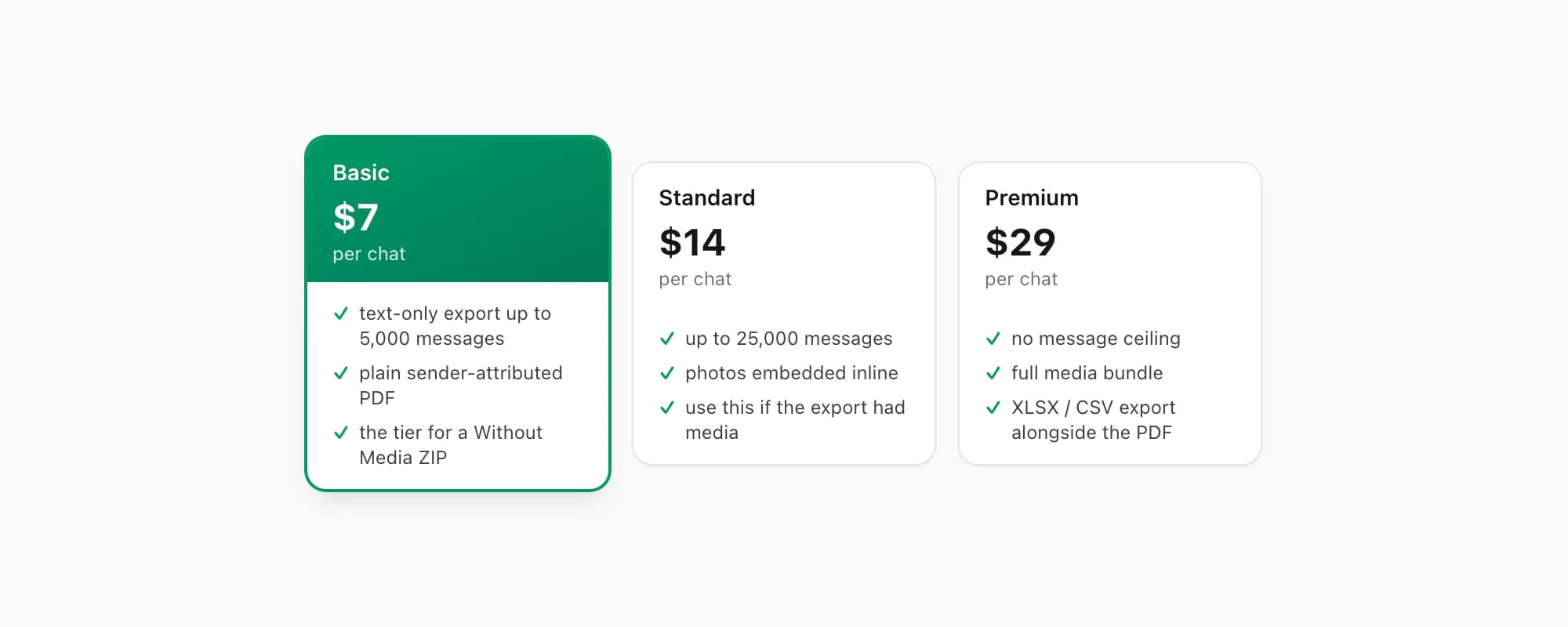
On pricing: the $7 Basic per chat conversion handles a text-only export up to 5,000 messages — the shape a Without Media ZIP usually has — and produces a plain, sender-attributed PDF. The $14 Standard per chat conversion handles up to 25,000 messages and embeds photos inline, so if you did get an Including Media export to complete, the pictures appear in the PDF where they were sent rather than as <Media omitted>. The $29 Premium per chat conversion removes the message-count ceiling entirely for the very longest chats and adds an XLSX/CSV export alongside the PDF. Voice-note transcription through the language-aware Nova-3/Scribe v2 router starts on the $49 Premium+Voice conversion, and $99 Power User is the tier for batching several large chats. Supported notes that transcribe successfully appear inline. None of the tiers care how the export was produced — they care what's in the file.
Key takeaways
- "WhatsApp chat export stuck preparing" is most often not stuck at all — Including Media on a big, media-heavy chat genuinely takes minutes to zip; wait it out before assuming anything is broken
- When it really does hang, the usual causes are low storage (WhatsApp can't write the ZIP), the OS killing WhatsApp in the background (don't lock the phone or switch apps during a big export), a corrupted media item choking the packager, or an outdated WhatsApp version
- Fix order: wait → free a couple of gigabytes of storage → keep WhatsApp foregrounded and awake → re-run Export Chat with Without Media → update WhatsApp and restart → last resort, archive older messages and export the recent slice
- Without Media is the reliable unblock — a text-only
_chat.txtexports in seconds on any phone regardless of storage, because every problem with "Preparing file…" is about the media bundle - The placeholder
<Media omitted>lines keep each message's timestamp and sender, so the conversation flow is intact — for documentation, archiving or analysis that's all you need - Once you have any ZIP or
_chat.txt, ChatToPDF converts it in about 30 seconds: the $7 Basic per chat conversion for a text-only PDF up to 5,000 messages, the $14 Standard per chat conversion (up to 25,000 messages, photos inline) if the export has media
FAQ
My WhatsApp chat export is stuck on 'Preparing file…' — is it broken?
Probably not — it's most likely just working. If you picked Including Media on a years-long, photo-heavy chat, WhatsApp is genuinely zipping thousands of attachments, and "Preparing file…" can legitimately run for two to five minutes. Keep WhatsApp on screen, don't lock the phone, and wait. Only if it's been spinning for ten minutes or more should you treat it as actually stuck — at which point free up a couple of gigabytes of storage, restart the phone, and re-run Export Chat. The reliable unblock is to choose Without Media instead: a text-only export writes only _chat.txt and finishes in seconds even on a huge chat.
Why does WhatsApp say 'preparing file forever' and never finish the export?
A few things cause it. The chat is very large and media-heavy, so the ZIP genuinely takes minutes to build (not really stuck — wait longer). Your phone's storage is almost full, so WhatsApp can't write the ZIP (free a couple of gigabytes). The OS suspended WhatsApp in the background because you locked the phone or switched apps mid-export (keep it foregrounded; on Xiaomi/Samsung/Huawei also set WhatsApp's battery restriction to "No restrictions"). A corrupted media item is choking the packager (a Without Media export skips all attachments, so one bad file can't block it). Or WhatsApp is out of date (update it and restart). Work down that list — most people are unblocked by waiting longer or by switching to Without Media.
How do I get the export to finish if Including Media keeps freezing?
Re-run Export Chat and pick Without Media. That writes only _chat.txt — every message in plain text, photos and voice notes shown as <Media omitted> placeholders, no attachments bundled — and it's tiny and fast, so the storage, background-kill and bad-media problems that freeze an Including Media export all disappear. If you genuinely need the photos in the end result, first free up storage, set WhatsApp to "No restrictions" for battery, keep it on screen, then try Including Media again — a smaller, more-recent slice (archive older messages first) also helps. But for getting unblocked right now, Without Media is the move, and a text-only export still converts to a perfectly good PDF.
Once the export finally works, how long does the PDF take?
About thirty seconds. Whatever WhatsApp eventually hands you — a Without Media ZIP, an Including Media ZIP, or a bare _chat.txt — you upload it to chattopdf.app (no unzipping; works from a phone too), and it parses every line into sender, timestamp and message, handles the locale date format, renders system messages as notices, and paginates the conversation into a clean, sender-attributed PDF. You get a free preview of the first ten messages before paying. The $7 Basic per chat conversion handles a text-only export up to 5,000 messages; the $14 Standard per chat conversion handles up to 25,000 messages with photos embedded inline if your export included media.
I'm Paul, the founder of ChatToPDF. I built it after needing a long WhatsApp conversation as a readable PDF for a legal matter. I test and document WhatsApp exports, PDF conversion, voice-note transcription, and the limits people should check before relying on the result.