
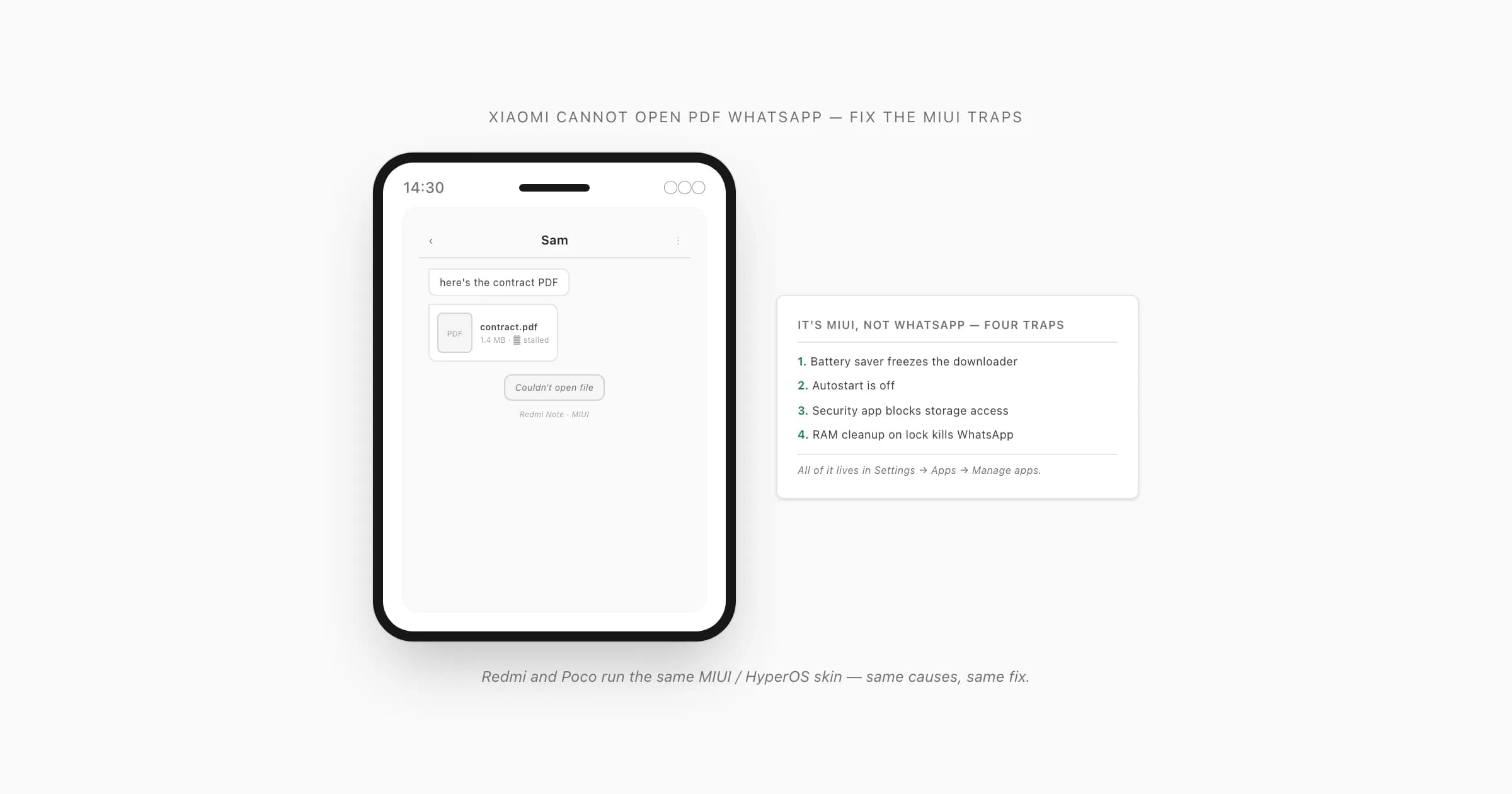
Why MIUI is the culprit on Xiaomi, Redmi and Poco
I've watched this one play out enough times to recognise it on sight. Someone on a Redmi or a Poco taps a PDF document tile in a WhatsApp chat, and nothing happens — or the download arrow just sits there spinning, or they get a flat "couldn't open file". Their first instinct is that WhatsApp is broken, or the file is corrupt. It's usually neither. It's the phone.
The reason xiaomi cannot open pdf whatsapp files reliably is MIUI — and HyperOS, the newer skin that replaced it — being far more aggressive about battery and memory than stock Android. WhatsApp downloads a PDF to disk in the background before it shows you anything. MIUI's battery manager (it labels this "MIUI optimization" or "Battery saver") will freeze WhatsApp's background work to save power, which silently stalls that download halfway. On top of that, the built-in Security app has its own permission manager that can block WhatsApp from writing to storage at all. Autostart — a MIUI-only switch — being off compounds it. And MIUI's habit of clearing RAM the moment you lock the screen kills WhatsApp's in-progress work outright.
So redmi cannot open pdf whatsapp sent you, poco whatsapp pdf won't open, miui whatsapp pdf not opening — same phone, same root causes, same fix. WhatsApp's own help on background restrictions on Android confirms the mechanic: when the OS suspends WhatsApp's background processes, downloads and notifications stall. Xiaomi's own support and Mi Community help walks the battery and permission screens. Knowing that, the fix writes itself — it's all in Settings, none of it in WhatsApp.
The MIUI causes — and the specific fix for each
There are five MIUI behaviours that strangle a WhatsApp PDF on a Xiaomi phone. Here they are with the exact setting that undoes each one.
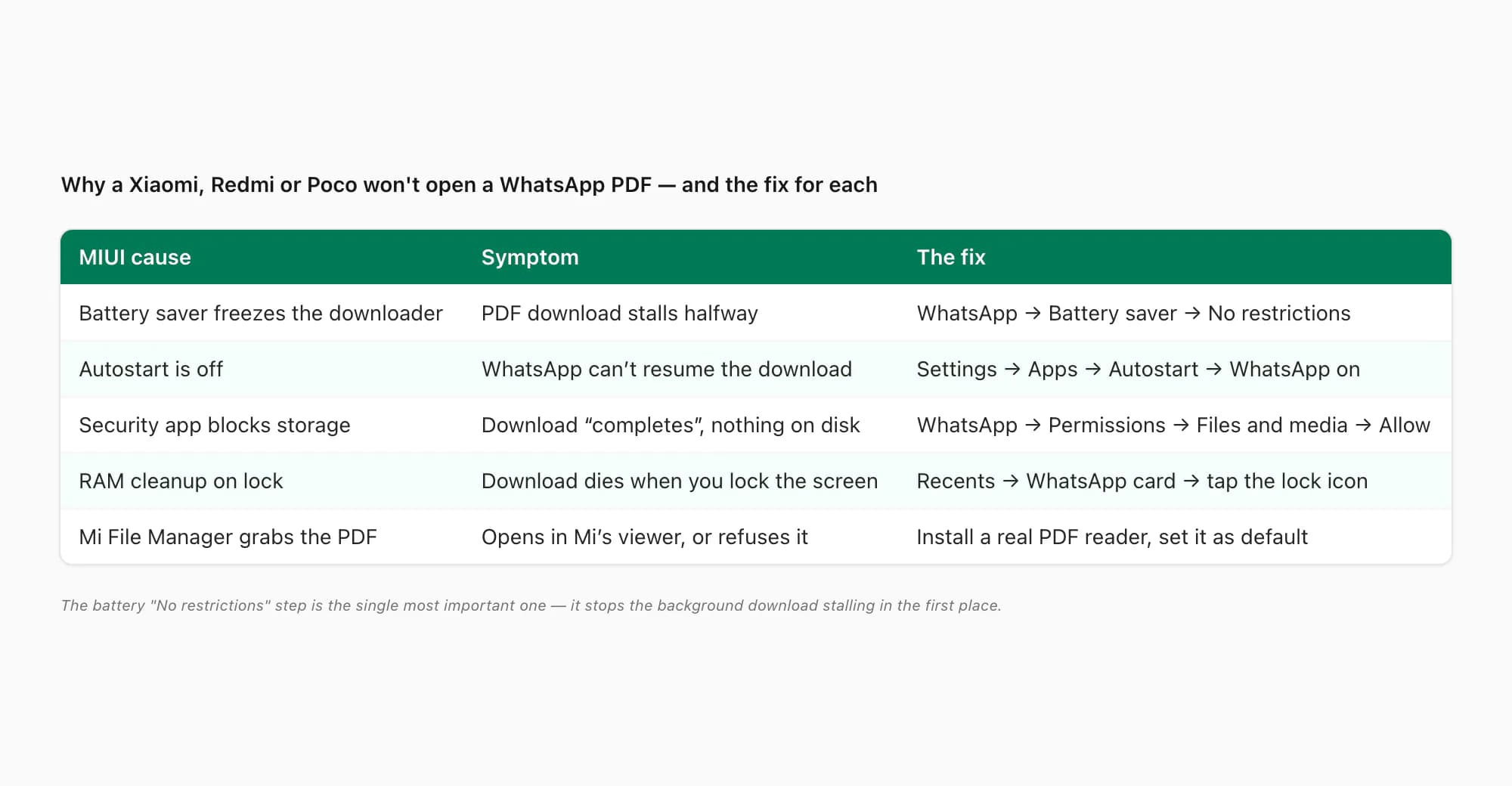
- Battery saver freezes WhatsApp's downloader. MIUI puts every app under "Battery saver" by default, which suspends background work. A PDF download started in the background just stops. Fix: Settings → Apps → Manage apps → WhatsApp → Battery saver → No restrictions.
- Autostart is off. MIUI's Autostart switch controls whether an app may launch its own background services. With it off, WhatsApp can't reliably resume a download. Fix: Settings → Apps → Autostart → toggle WhatsApp on (also reachable from the Security app → Permissions → Autostart).
- The Security app blocks storage access. MIUI's Security app has a permission manager separate from Android's; it can block WhatsApp's "Files and media" permission so the downloaded PDF never lands. Fix: Settings → Apps → Manage apps → WhatsApp → Permissions → Files and media → Allow (and check the same in Security → Permissions).
- RAM cleanup on lock kills WhatsApp. MIUI clears recents and trims RAM aggressively when you lock the phone, killing WhatsApp mid-download. Fix: open Recents, find the WhatsApp card, pull it down (or long-press) and tap the lock icon so MIUI won't clear it.
- Mi File Manager / the built-in viewer grabs the PDF. Even once the file downloads, MIUI may route it to its own viewer — or refuse it. Fix: install a real PDF reader (Google Drive's viewer, Adobe Acrobat, your preferred file manager) and set it as the default for PDFs.
The fix, step by step
Do these in order on the phone that can't open the PDF. The labels are MIUI 14 / HyperOS wording; older MIUI versions move things around a little but the names are close.
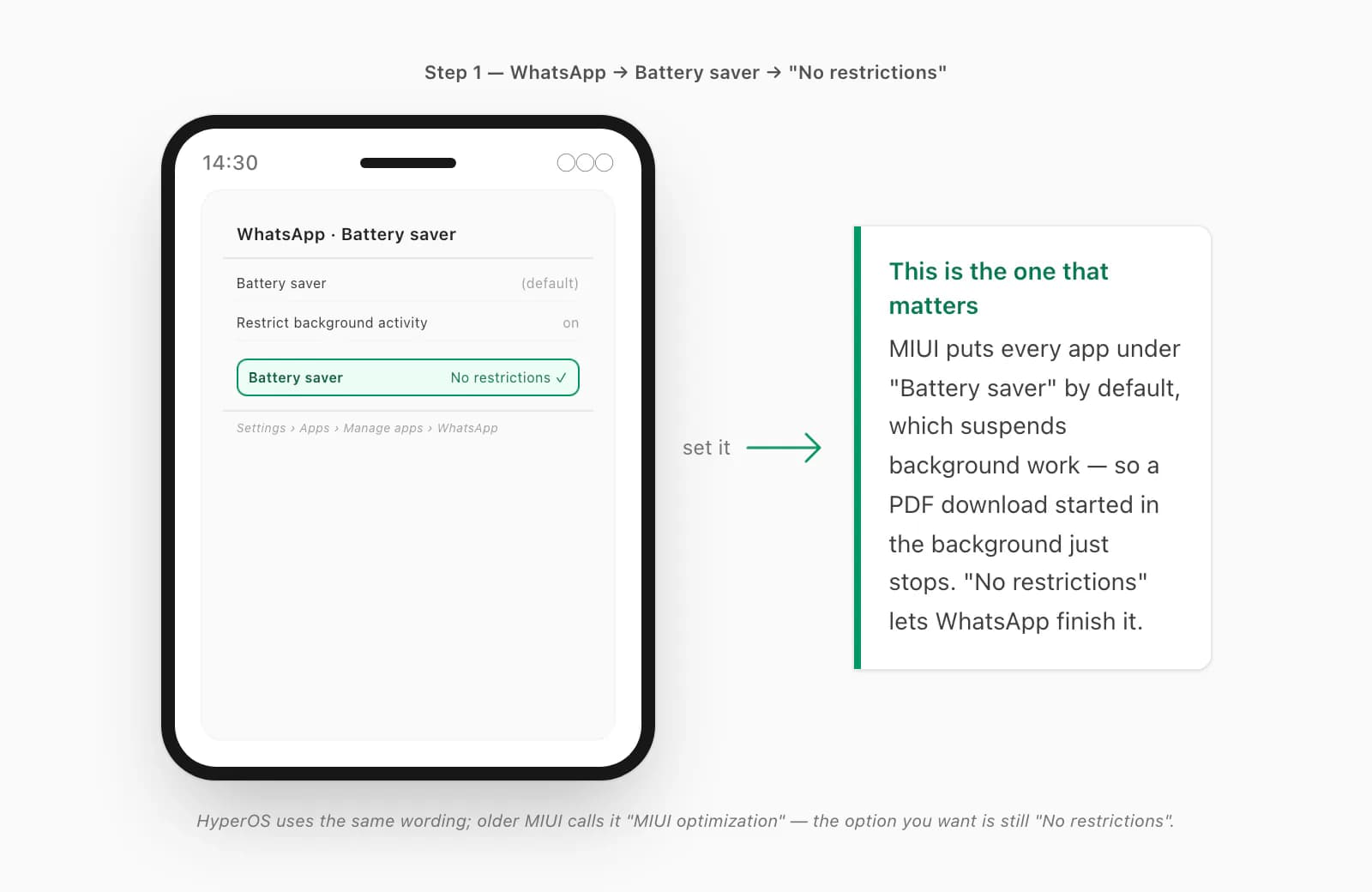
Set WhatsApp's battery saver to No restrictions
Open Settings → Apps → Manage apps, scroll to WhatsApp, tap it, then tap Battery saver. MIUI defaults this to "Battery saver" — change it to No restrictions. This is the single most important step: it stops MIUI freezing WhatsApp's downloader in the background, which is what stalls the PDF download halfway in the first place.
Turn on Autostart for WhatsApp
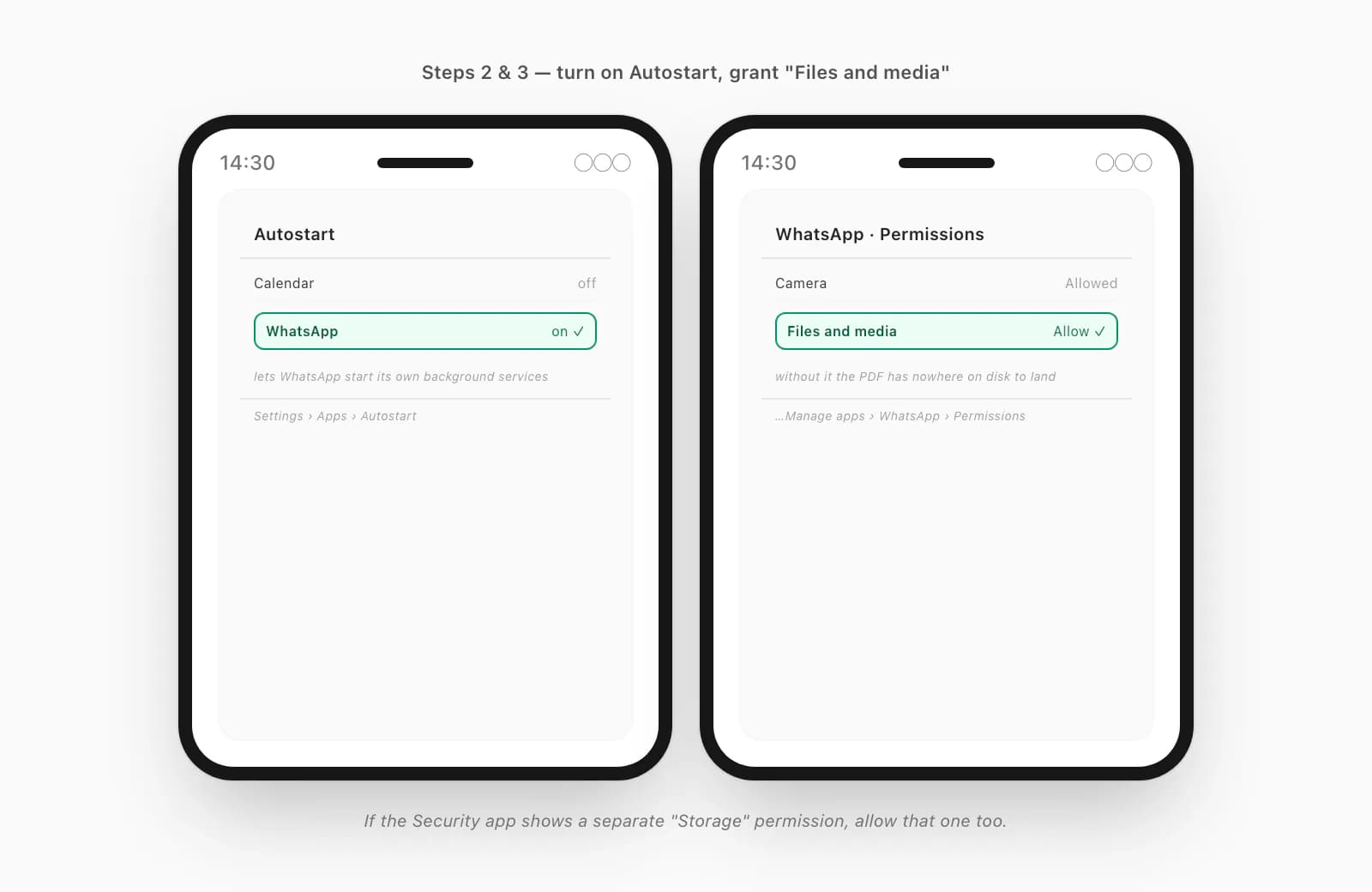
Go to Settings → Apps → Autostart (or Security app → Permissions → Autostart) and toggle WhatsApp on. Autostart is MIUI-only — it lets an app start its own background services, which WhatsApp needs to resume a download cleanly after the screen has been off.
Grant the Files and media permission
Back in Settings → Apps → Manage apps → WhatsApp → Permissions, find "Files and media" and set it to Allow. If the Security app shows a separate "Storage" permission, allow that too. Without it, WhatsApp downloads the PDF but has nowhere on disk to write it — so the download "completes" and there's nothing to open.
Lock WhatsApp in the Recents view
Open the Recents screen (the square or gesture), find the WhatsApp card, pull it down (older MIUI: long-press it) and tap the lock icon that appears. Now MIUI's RAM cleanup won't kill WhatsApp when you lock the phone, so an in-progress download survives.
Re-download the PDF, then tap it
Go back to the chat. The document tile should show a download arrow — tap it to retry, on Wi-Fi if you can, with WhatsApp in the foreground while the bar fills. Once the tile shows a finished PDF icon, tap it. If it still opens in Mi's viewer and you don't want that, set a different default reader — covered next.
If you've done all five and a particular PDF still won't open — and the sender confirms it opens fine for them — then that one file is the problem, not your phone. At that point the broader checklist in WhatsApp won't open a PDF you were sent covers the file-side causes (a partial download, a genuinely corrupt source file). And if the PDF opens but in the wrong app, that's a default-reader question — WhatsApp opens PDFs in the wrong app walks the Android side, including the MIUI rerouting quirk.
Lock WhatsApp in Recents, and install a real PDF reader
Two things worth their own paragraph, because they're the ones people skip.
First, the Recents lock. MIUI is unusually aggressive about clearing the recents list and trimming RAM — far more so than a Pixel or a Samsung. If you only do the battery and Autostart steps but skip locking WhatsApp in Recents, a long PDF download can still die the moment you turn the screen off. The lock icon in the Recents card is a thirty-second fix that a lot of Xiaomi guides leave out.
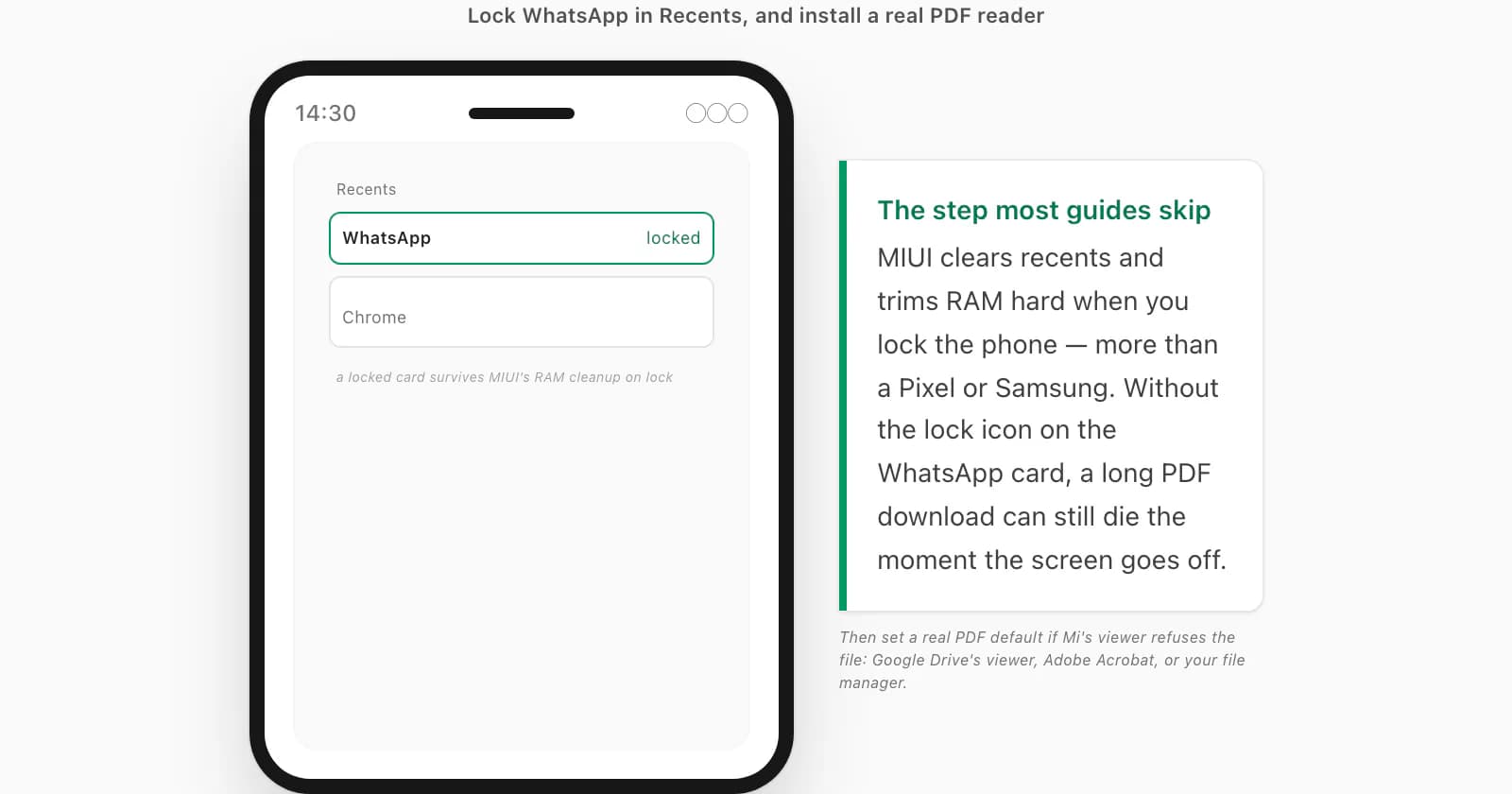
Second, the reader itself. MIUI ships Mi File Manager with a built-in PDF viewer, and it likes to grab the application/pdf association. If it opens your PDFs fine, leave it. If it refuses them, or you'd rather use something else, install a real reader from the Play Store — Google Drive's built-in PDF viewer, Adobe Acrobat Reader, or your preferred file manager — and set it as the default: Settings → Apps → Manage apps → tap the reader → "Open by default" → set it to handle PDFs, or pick it (and tap "Always") the next time MIUI shows an "open with" sheet. Once a known-good reader is the default, the handoff stops being a lottery.
When you want the chat itself — ChatToPDF emails the PDF
Here's the part nobody tells you about all of the above: a lot of the time, the PDF you're chasing isn't even the thing you want. You want the conversation — the chat — as a clean document you can keep, search, or send to a solicitor. And that's a file you can produce yourself, on the same Xiaomi phone, in a way that sidesteps every one of those MIUI traps.
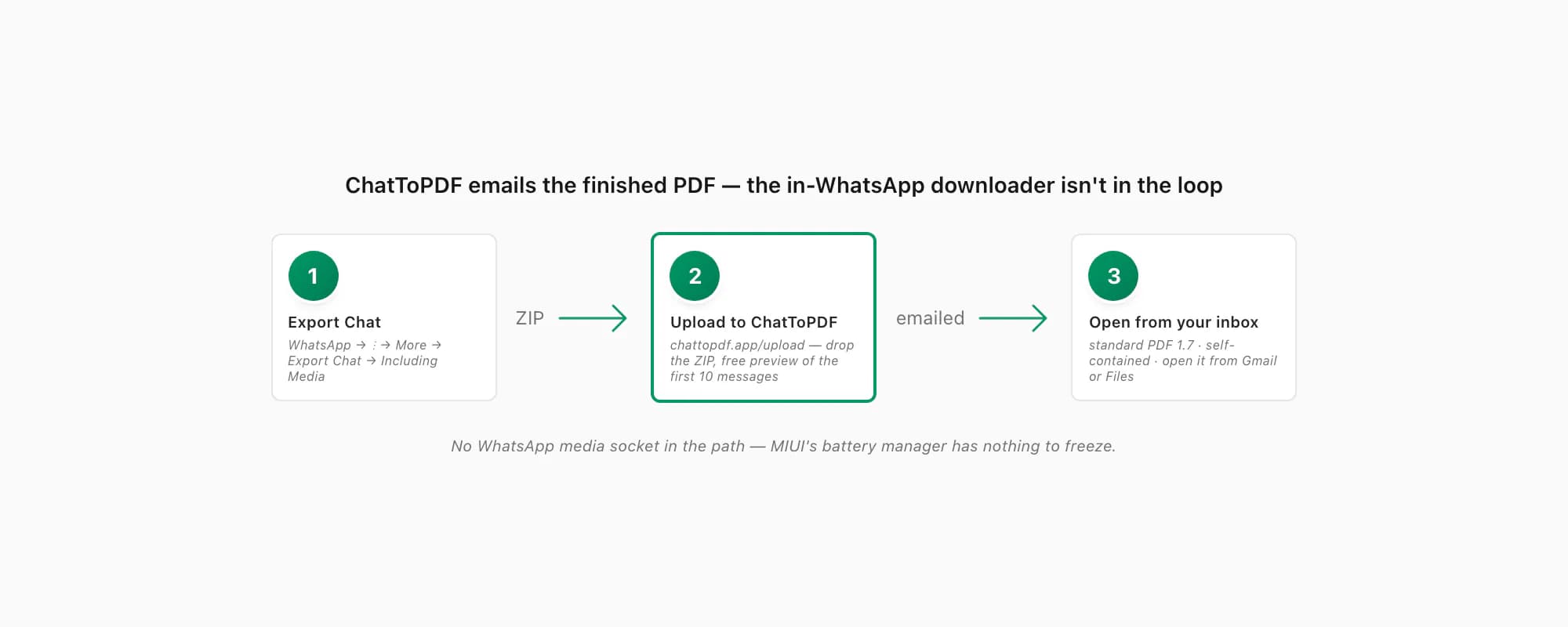
The reason it sidesteps them is simple: ChatToPDF emails you the finished PDF. The conversion runs on a server; the file arrives as a link in your inbox. WhatsApp's in-WhatsApp media downloader — the thing MIUI's battery manager freezes, the thing the Security app blocks from storage — is never in the loop. You open the PDF from Gmail or your Files app, not from inside a WhatsApp chat tile. And the output is standard PDF 1.7 — the ISO-standardised version every mainstream reader has handled for over a decade — self-contained, with messages, sender names, timestamps and inline photos all inside the one file. There's nothing exotic in it for Mi's viewer (or any reader) to choke on.
The path is short, and it all happens on the phone. In WhatsApp, open the chat, tap the three-dot menu (⋮) → More → Export Chat, pick Including Media so photos make it in, and save the ZIP. Then open chattopdf.app/upload, drop the ZIP on the upload zone, enter your email, and the conversion runs — the WhatsApp to PDF guide walks the whole thing end to end, and there's a free preview of the first ten messages before you pay anything. If you run two WhatsApps on the phone via Dual Apps, the cloned WhatsApp's media lives in a sandboxed folder — that's a separate snag covered in the dual / cloned WhatsApp PDF issue, and the email-the-PDF route sidesteps that one too.
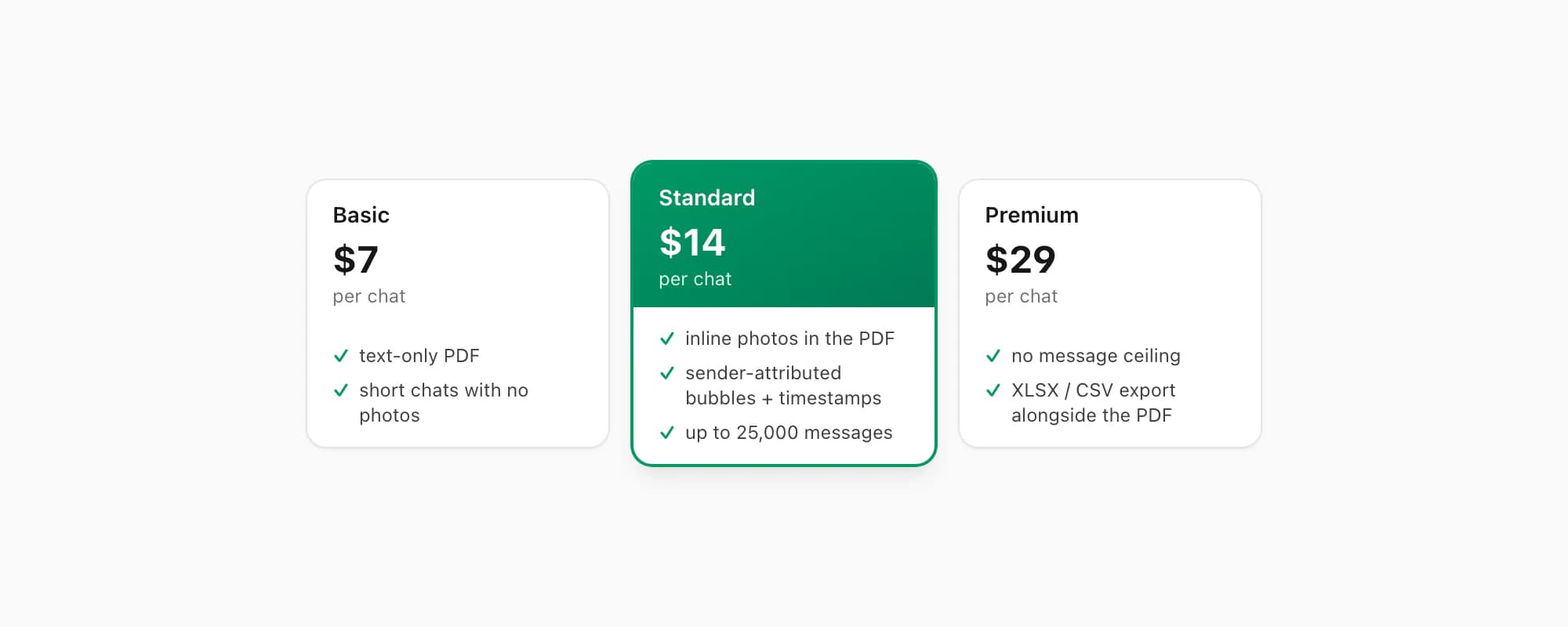
ChatToPDF charges per chat conversion — you pay for the one chat you're converting, nothing recurring. $7 Basic per chat is a text-only PDF, fine for a short chat with no photos. $14 Standard per chat renders inline photos, sender-attributed bubbles and timestamps, up to 25,000 messages — the right tier for almost every chat. $29 Premium per chat removes the message ceiling and adds an XLSX/CSV export alongside the PDF; the pillar covers the $49 Premium+Voice per chat tier (language-aware Nova-3/Scribe v2 voice-note transcription) and the $99 Power User per chat tier (priority queue, bulk handling) if you need them. The output opens everywhere, every time — which is rather the point of a standard format, and a relief on a phone that fights you over every download.
Key takeaways
- Xiaomi cannot open PDF WhatsApp files reliably because MIUI / HyperOS is aggressive about battery and memory — it freezes WhatsApp's downloader, blocks storage, and clears RAM on lock; it's the phone, not WhatsApp
- The fix is four MIUI settings, in order: Settings → Apps → Manage apps → WhatsApp → Battery saver → No restrictions; turn on Autostart for WhatsApp; grant the Files and media permission; lock WhatsApp in the Recents card
- The battery "No restrictions" step is the single most important one — it stops MIUI freezing the background download that stalls halfway
- Locking WhatsApp in Recents is the step most guides skip — MIUI's RAM cleanup on lock kills an in-progress download without it
- Install a real PDF reader (Google Drive's viewer, Adobe Acrobat, your file manager) and set it as the PDF default if Mi File Manager's viewer refuses the file
- Redmi and Poco run the same MIUI / HyperOS skin — same causes, same fix
- If you want the chat itself as a PDF, ChatToPDF emails the finished file — the in-WhatsApp downloader the MIUI traps strangle is never in the loop; the output is standard PDF 1.7, self-contained, opens everywhere
- ChatToPDF is priced per chat — $14 Standard per chat covers almost every conversion, with $7 Basic per chat for text-only and $29 Premium per chat for no message ceiling
FAQ
Why can't my Xiaomi open a PDF someone sent in WhatsApp?
Almost always MIUI or HyperOS, not WhatsApp. Xiaomi's battery manager freezes WhatsApp's background downloader so the PDF download stalls halfway; the Security app's permission manager can block WhatsApp from writing to storage; Autostart being off stops WhatsApp resuming the download; and MIUI's RAM cleanup on lock kills it outright. Fix all four: Settings → Apps → Manage apps → WhatsApp → Battery saver → No restrictions, turn on Autostart, grant the Files and media permission, and lock WhatsApp in the Recents card. Then re-download the PDF on Wi-Fi with WhatsApp in the foreground.
Redmi or Poco WhatsApp PDF won't open — is it different from Xiaomi?
No. Redmi and Poco phones run the same MIUI / HyperOS skin as Xiaomi-branded phones, so the causes and the fix are identical: set WhatsApp's battery saver to "No restrictions", enable Autostart, grant the "Files and media" permission, lock WhatsApp in Recents, and install a real PDF reader if Mi File Manager's built-in viewer keeps refusing the file. The setting paths are the same wording on all three brands.
I set everything and a PDF still won't open — what now?
If you've done all four MIUI steps and a specific PDF still won't open, the problem is probably the file, not the phone. Ask the sender to open the same PDF on their device — if it won't open for them either, it's a partial download or a genuinely corrupt source file, and re-sending the same file won't help. The broader, file-side checklist is in WhatsApp won't open a PDF you were sent. If the PDF does open but in the wrong app, that's a default-reader setting, not a MIUI battery one.
Does ChatToPDF work around the MIUI download problem?
Yes — because ChatToPDF emails you the finished PDF rather than relying on WhatsApp's in-app downloader. You export the chat (three-dot menu → More → Export Chat → Including Media), upload the ZIP at chattopdf.app/upload, and the conversion runs on a server; the PDF arrives as a link in your inbox, which you open from Gmail or Files. The thing MIUI's battery manager freezes — WhatsApp's background media download — is never in the loop. The output is standard PDF 1.7, self-contained with messages, sender names, timestamps and inline photos inside the one file, so it opens in any reader.
I'm Paul, the founder of ChatToPDF. I built it after needing a long WhatsApp conversation as a readable PDF for a legal matter. I test and document WhatsApp exports, PDF conversion, voice-note transcription, and the limits people should check before relying on the result.