
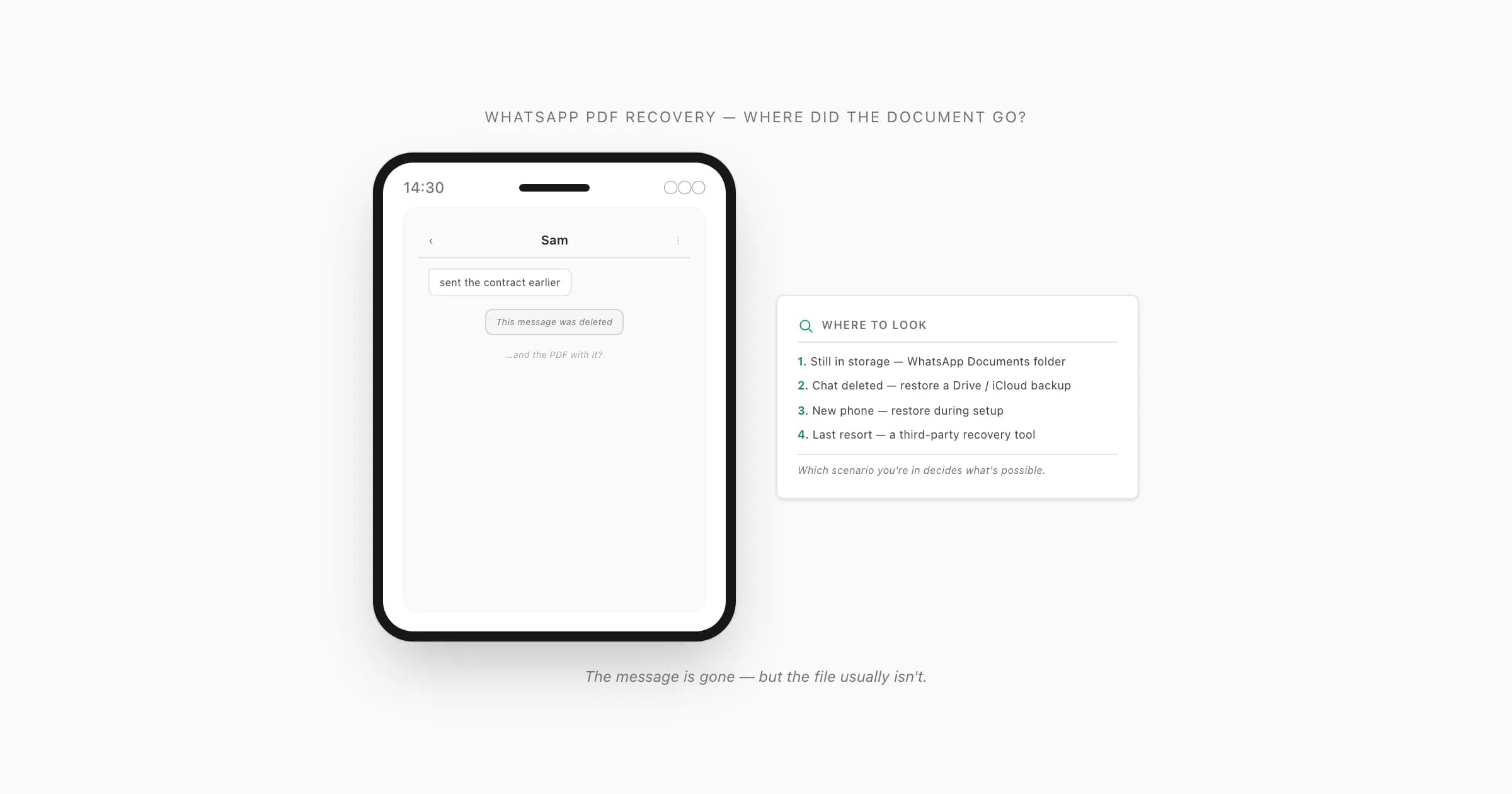
WhatsApp PDF recovery — the four scenarios
Someone sent you a PDF in a WhatsApp chat — a contract, an invoice, a school form — and now you need it and it's not there. Before you start hunting, work out which of four situations you're in, because they have genuinely different answers and trying the wrong fix wastes time.
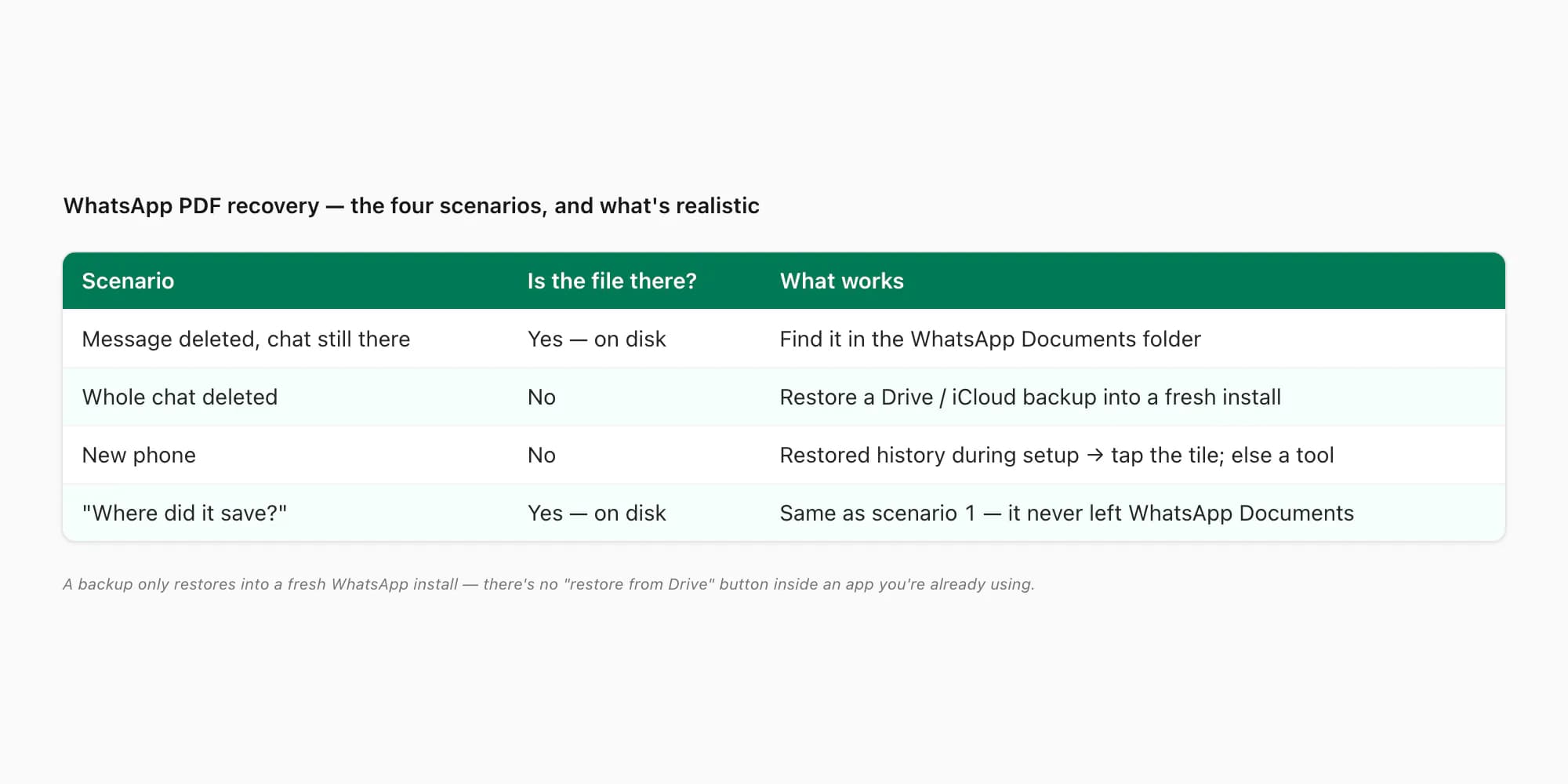
- The message was deleted (or you "delete for me'd" it), but the chat still exists. This is the best case. WhatsApp downloaded that PDF to your device's storage the moment you tapped to open it — and on Android it stays there even after the message disappears. Recovery here is just "find the file in the folder it landed in".
- The whole chat (or a lot of it) is gone. You deleted the conversation, or it vanished after a reinstall. Now the file isn't on disk and there's no message to re-download from. Your only route back is a chat backup — Google Drive on Android, iCloud on iPhone — and that has a hard catch I'll get to.
- New phone. Functionally the same as scenario 2 from the file's point of view: the document never made it to the new device. If you restored your chat history during setup, the PDF tile is back in the chat (tap to re-download). If you skipped the restore, you're in third-party-tool territory.
- "Where did it even save?" Nothing's deleted — you just can't find the file outside WhatsApp. This is the same as scenario 1: it's sitting in WhatsApp's Documents folder, you just need the path.
WhatsApp's own help on backing up and restoring chat history confirms the mechanic the rest of this hinges on: media you've opened is saved locally, and a chat backup is the only thing that can bring back a conversation you've deleted — and only into a clean install.
The message is gone but the chat is still there
Start here, because it's the scenario with the highest hit rate and it needs no tools at all.
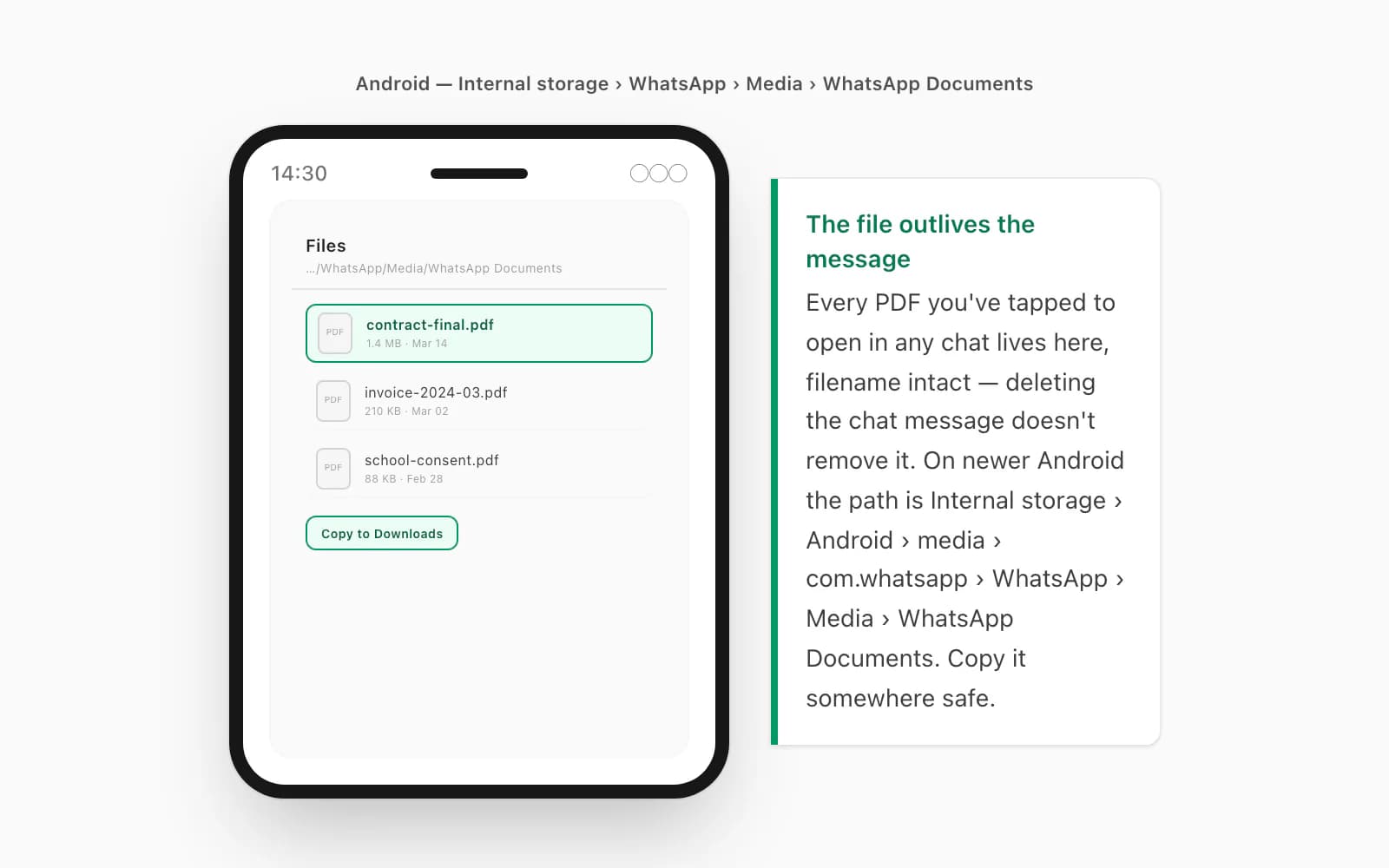
On Android. Open your file manager (Files by Google, or your phone's built-in one) and navigate to Internal storage → WhatsApp → Media → WhatsApp Documents. On newer Android versions where WhatsApp has moved into scoped storage, the path is Internal storage → Android → media → com.whatsapp → WhatsApp → Media → WhatsApp Documents. Every PDF, Word doc, and spreadsheet you've ever tapped to open in any chat is in there, filename intact. Sort by date if there's a lot of it. Found it? Copy it somewhere safe — your Downloads folder, Google Drive, an email to yourself. The file outlives the message; deleting the chat message doesn't delete the file from that folder.
On iPhone. iOS doesn't expose WhatsApp's storage as browsable folders — the files live inside the app's sandboxed container. But you can still get at one: open the chat, tap the contact or group name at the top, scroll to Media, Links and Docs, and switch to the Docs tab. Every document shared in that chat is listed there even if the inline message is gone. Tap the one you want, then the share button, and "Save to Files" (or AirDrop it to a Mac, or "Open in…" your preferred reader). That pulls a copy out into a place you control.
If the message is genuinely deleted and you never tapped to open the PDF in the first place — so it was never downloaded — neither of those will have it, and you're effectively in the next scenario: ask the sender to resend, or fall back to a backup. This is a close cousin of a WhatsApp PDF that won't open: there, the file's there but won't render; here, you're trying to confirm whether the file ever landed at all.
The whole chat is gone — or you have a new phone
If the conversation itself is gone, no folder hunt will help — the file's no longer on disk and there's no message to re-download. Your one real route is a chat backup.
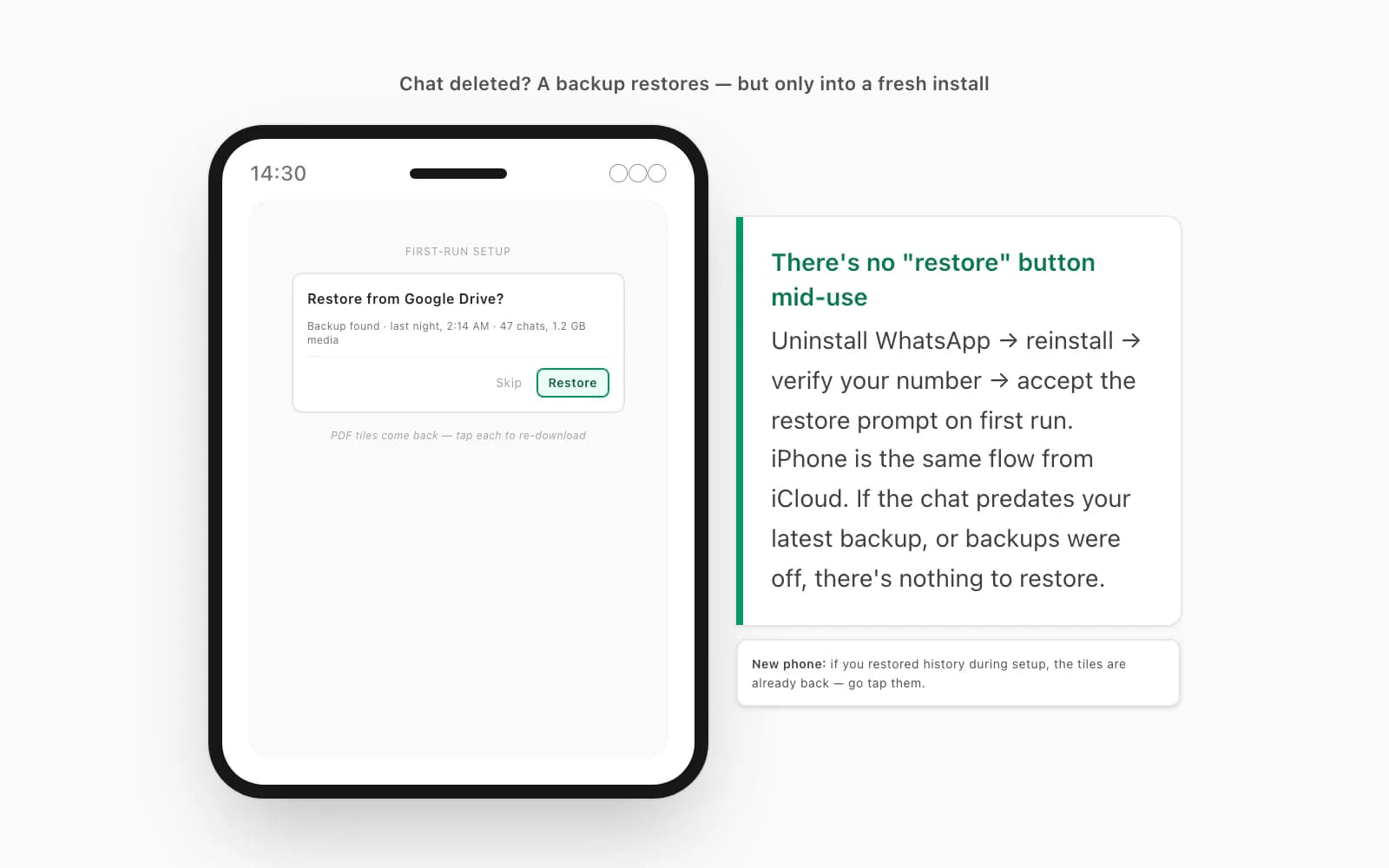
The catch, and it trips up nearly everyone: a WhatsApp chat backup only restores into a fresh install. There is no "restore from Drive" button inside a WhatsApp you're already using. You have to uninstall WhatsApp, reinstall it, verify your number, and then — during that first-run flow — accept the "Restore from Google Drive" (Android) or "Restore Chat History" from iCloud (iPhone) prompt. WhatsApp pulls the most recent backup, your old conversations come back, and the PDF tiles come back with them — tap each one to re-download the actual file. If the chat you want predates your most recent backup, or you'd turned backups off, there's nothing to restore and you're out of options on this route. (This is exactly why a backup isn't really a download — the download chat history WhatsApp guide walks the difference between a restore-only Drive/iCloud blob and a readable Export Chat archive, which matters a lot for what comes next.)
New phone. Same machinery. If you set the phone up and restored your WhatsApp history during onboarding, the chats and their document tiles are already back — go find the PDF tile and tap it. (If the tile is back but tapping it does nothing on iPhone specifically, that's a different snag — a WhatsApp PDF not opening on iPhone walks the iOS-side causes after an iCloud restore.) If you skipped the restore (or migrated without backup), the history's gone from this device and a fresh restore would now overwrite anything newer, which is rarely worth it. At that point your remaining options are: ask the sender to resend, or try a third-party tool.
Worth saying once, plainly: if the PDF won't re-download after a restore — the tile shows a spinner that never finishes or "this file isn't available" — that's a separate problem, covered in a WhatsApp PDF that won't finish downloading. "This file isn't available" means the media has aged off the sender's device and only they can resend it.
Third-party recovery tools — honest expectations
There's a whole category of "WhatsApp recovery" apps and desktop tools — the kind that promise to dig deleted messages and media out of your phone. They exist. I'll be straight about what I think of them.
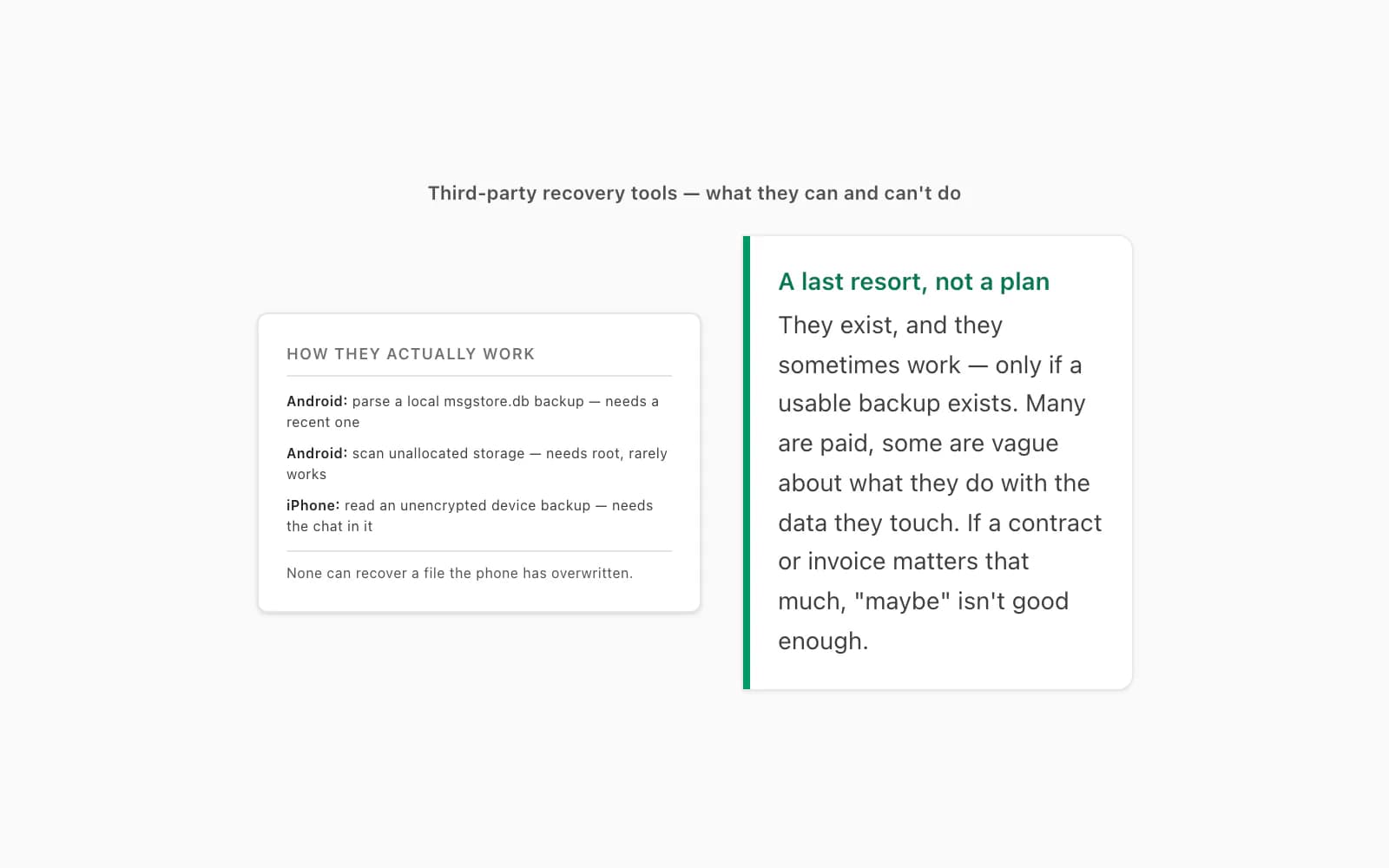
On Android, these tools either parse a local msgstore.db backup file (which only helps if WhatsApp made a recent one — same limitation as a Drive restore, just without the reinstall) or they try to scan unallocated storage for deleted data, which on modern encrypted Android is mostly a non-starter without root. On iPhone, they typically read an unencrypted iTunes/Finder backup of your device and pull WhatsApp data out of it — so again, you needed a backup that contains the chat, taken before you lost it. Either way: there is no magic. No tool can recover a file your phone has actually overwritten. Many are paid, some are sketchy about what they do with the data they touch, and the honest expectation is "maybe, if a usable backup exists, and you're comfortable with the tool." If a contract or invoice matters that much, "maybe" isn't good enough — which is the whole reason the next section exists.
The durable fix — a PDF that doesn't depend on WhatsApp
Here's the thing all of the above has in common: every recovery route depends on something fragile — the message still being there, a backup having been taken, the file not having been overwritten. The way you stop having this problem is to get the thing you actually care about out of WhatsApp and into a file you own.
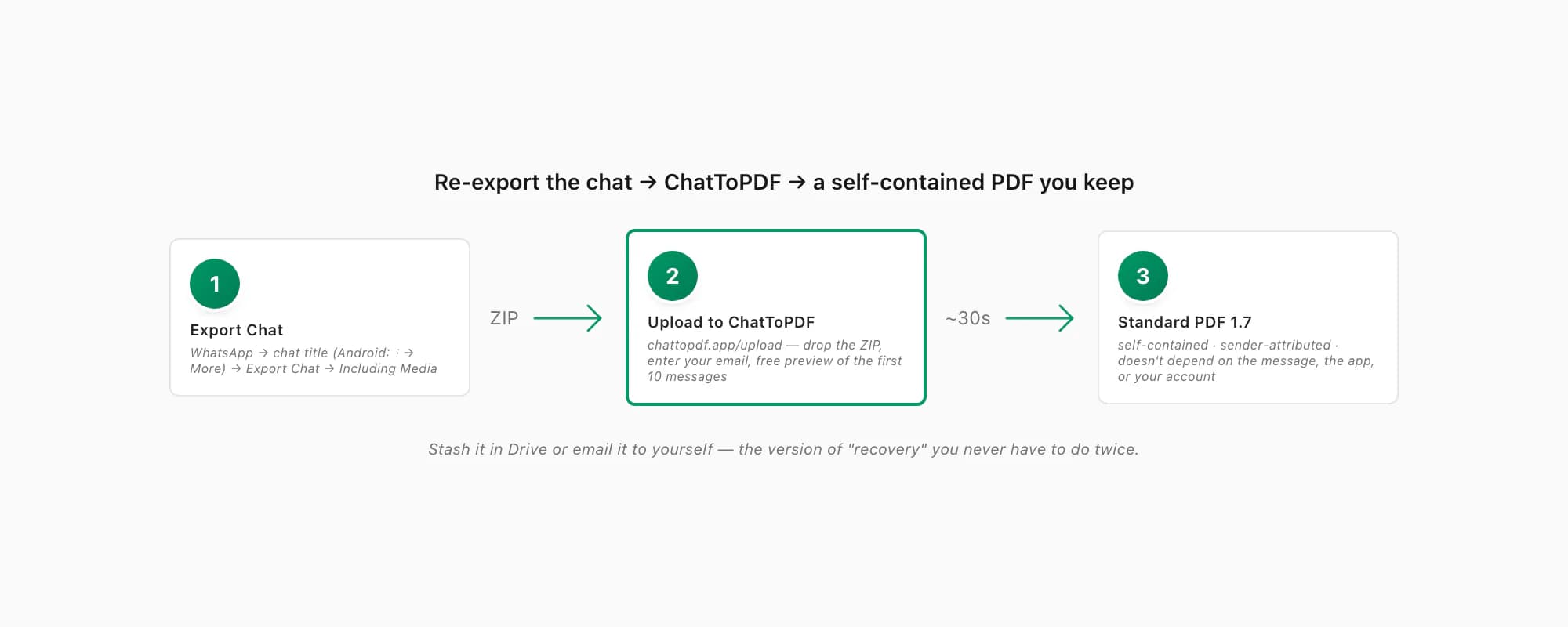
If the chat is still around — even if the individual message is gone — re-export it. In WhatsApp, open the chat, tap the contact or group name at the top (on Android: three-dot menu → More), scroll to Export Chat, pick Including Media so the documents and photos come along, and save the ZIP. Then open chattopdf.app/upload, drop the ZIP on the upload zone, enter your email, and the conversion runs. What you get back is a single standard PDF 1.7 — the ISO-standardised version every mainstream reader has supported for over a decade — with the messages, sender names, timestamps and inline photos all inside the one file. It's self-contained: nothing in it depends on WhatsApp still being installed, your account staying open, or that message tile still existing. Stash it in Drive or email it to yourself and it's there forever. The WhatsApp to PDF guide walks the export and conversion end to end, and there's a free preview of the first ten messages before you pay anything.
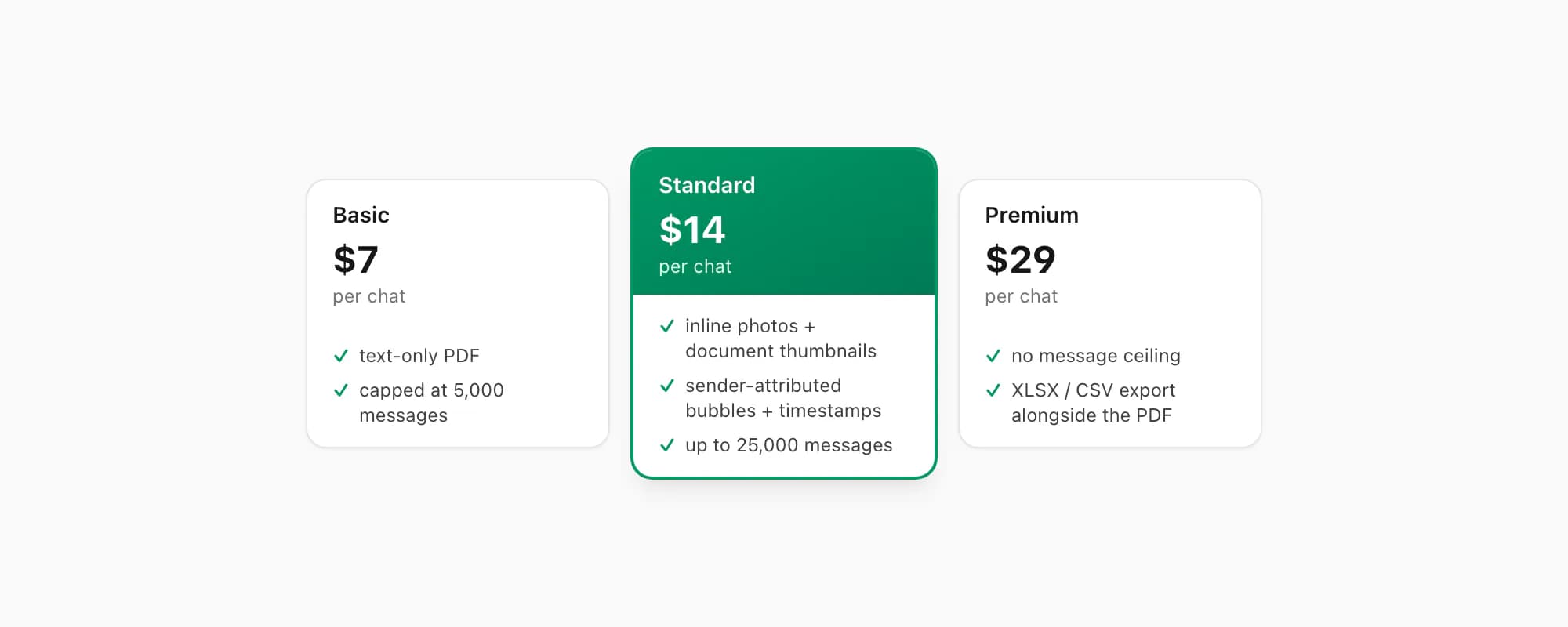
ChatToPDF charges per chat conversion — you pay for the one chat you're converting, nothing recurring. $7 Basic per chat is a text-only PDF, fine for a short chat with no attachments, capped at 5,000 messages. $14 Standard per chat renders inline photos and document thumbnails, sender-attributed bubbles and timestamps, up to 25,000 messages — the right tier for almost every chat. $29 Premium per chat removes the message ceiling and adds an XLSX/CSV export alongside the PDF; the pillar covers the $49 Premium+Voice per chat tier (language-aware Nova-3/Scribe v2 voice-note transcription, up to 8 hours of audio) and the $99 Power User per chat tier (priority queue, bulk handling) if you need them. Whichever tier you pick, the output is a durable standard PDF — which is the version of "recovery" you never have to do twice.
Key takeaways
- WhatsApp PDF recovery has four scenarios — deleted message but chat intact, whole chat gone, new phone, or "where did it save?" — and which one you're in decides what's possible
- Deleted message, chat still there: the file is almost certainly still on disk — Android
Internal storage/WhatsApp/Media/WhatsApp Documents/(or theAndroid/media/com.whatsapp/...scoped path); iPhone via the chat's Media, Links and Docs → Docs tab → share to Files - Whole chat gone: a Google Drive / iCloud chat backup can bring it back, but only into a fresh WhatsApp install — uninstall, reinstall, verify, accept the restore prompt; nothing to restore means nothing comes back
- New phone: if you restored your history during setup, the PDF tiles are back — tap to re-download; if you skipped the restore, you're into third-party-tool territory
- Third-party recovery tools exist but offer no guarantees — they need a usable backup to work from and can't recover a file your phone has overwritten; treat them as a last resort
- The durable fix: re-export the chat and run the ZIP through ChatToPDF — you get a self-contained standard PDF 1.7 that doesn't depend on the message, the app, or your account still being there
- ChatToPDF is priced per chat — $14 Standard per chat covers almost every conversion, with $7 Basic per chat for text-only and $29 Premium per chat for no message ceiling
FAQ
How do I recover a PDF that was deleted from a WhatsApp chat?
If the chat itself still exists, the file is almost certainly still on your device. On Android, open a file manager and go to Internal storage → WhatsApp → Media → WhatsApp Documents (or Internal storage → Android → media → com.whatsapp → WhatsApp → Media → WhatsApp Documents on newer versions) — every document you've tapped to open is there, even after the message was deleted. On iPhone, open the chat, tap the contact name → Media, Links and Docs → Docs tab, tap the file, then share it to Files. If you never opened the PDF and the message is gone, it was never downloaded — ask the sender to resend, or restore from a chat backup.
Can I recover a PDF if I deleted the whole WhatsApp chat?
Only via a chat backup, and only into a fresh install. There's no "restore from Drive" button inside a WhatsApp you're already using — you uninstall WhatsApp, reinstall it, verify your number, and accept the "Restore from Google Drive" (Android) or "Restore Chat History" from iCloud (iPhone) prompt on first run. The deleted chats come back, including the PDF tiles, which you then tap to re-download. If the chat predates your most recent backup, or backups were turned off, there's nothing to restore.
Do third-party WhatsApp recovery tools actually work?
Sometimes, with caveats. On Android they mostly parse a local msgstore.db backup file (so you needed a recent one) or scan unallocated storage, which is largely impossible on modern encrypted Android without root. On iPhone they typically read an unencrypted device backup — again, you needed a backup containing the chat, taken before you lost it. No tool can recover a file your phone has overwritten. Many are paid and some are vague about what they do with your data, so treat them as a last resort, not a reliable plan.
How do I stop losing PDFs from WhatsApp chats?
Get the conversation out of WhatsApp into a file you own. If the chat is still around, open it, tap the contact or group name → Export Chat → Including Media, save the ZIP, and upload it at chattopdf.app/upload. You get back a single self-contained standard PDF 1.7 — messages, senders, timestamps and inline photos all inside it — that doesn't depend on WhatsApp still being installed, your account staying open, or any message tile still existing. Keep it in Drive or email it to yourself and it's permanent. The $14 Standard per chat conversion covers almost every chat.
I'm Paul, the founder of ChatToPDF. I built it after needing a long WhatsApp conversation as a readable PDF for a legal matter. I test and document WhatsApp exports, PDF conversion, voice-note transcription, and the limits people should check before relying on the result.