

ChatToPDF vs PDFSimpli: the short answer
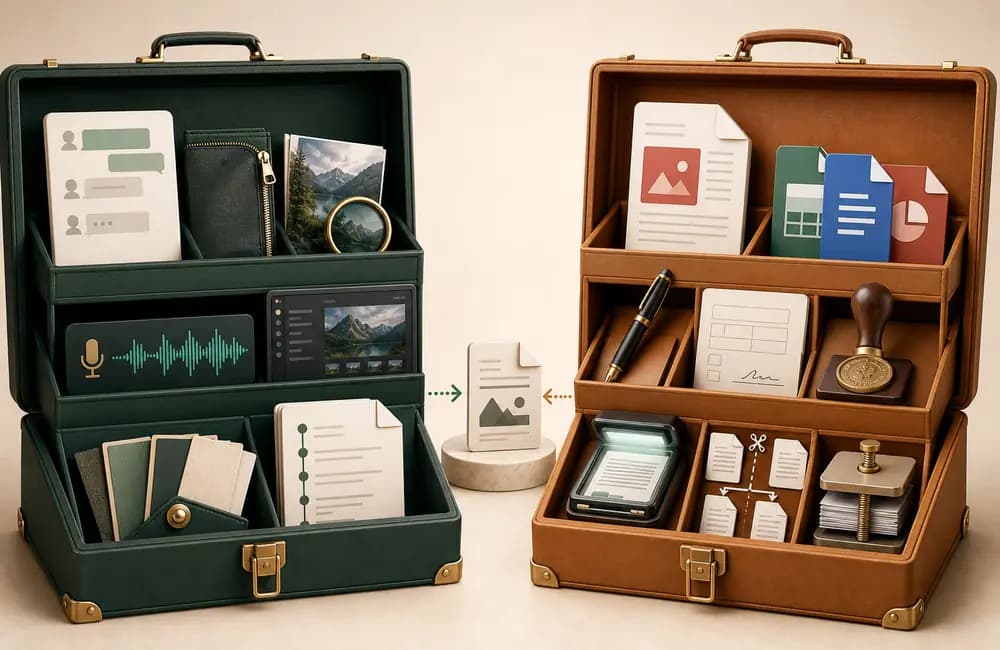
If your source is an existing PDF, Word file, image, form or standalone audio file, PDFSimpli has the broader toolkit. It advertises editing, format conversion, signatures, OCR, merging, splitting, compression, translation and standalone audio/video transcription. ChatToPDF is not a general PDF editor and does not try to replace those functions.
If your source is a WhatsApp Export Chat file, ChatToPDF is the specialist. It accepts the TXT export and the ZIP created when you export with media. It parses the message stream, identifies participants and timestamps, matches supported photos from the archive, offers four conversation-specific PDF styles and lets you inspect the parsed result before checkout.
PDFSimpli sits between those two answers. Its official WhatsApp TXT page says it turns an exported chat into a readable PDF while preserving chronological order, sender names and timestamps. Its separate generic TXT-to-PDF converter exposes a live .txt file input. That means the old claim that “PDFSimpli cannot convert WhatsApp” would be wrong.
The narrower facts matter:
- PDFSimpli documents a TXT route, but I found no official documentation for importing the original WhatsApp ZIP as an input.
- Its WhatsApp page does not describe matching photos or other attachments back to individual messages.
- Its standalone transcriber is a real product, but its documentation does not describe extracting WhatsApp voice notes from a ZIP and reinserting the transcript at the correct sender and timestamp.
- PDFSimpli is designed to continue into document editing and recurring suite access. ChatToPDF is designed to end with one converted chat and a one-time per-chat payment.
- PDFSimpli alternative for WhatsApp
A useful PDFSimpli alternative for WhatsApp must do more than convert generic text. It should accept the file WhatsApp actually exports, preserve the conversation structure, disclose what happens to media and show the result before a user commits to a paid download.

That is the central answer for this page: the tools overlap on plain TXT-to-PDF, then diverge sharply around the chat archive and the broader PDF-editor jobs.
How this comparison was checked
I checked the products and sources on 24 July 2026. I did not use review-site accusations, affiliate claims or an old pricing screenshot as product evidence.

The comparison uses three evidence levels:
- Official published claims. For PDFSimpli, that includes its WhatsApp TXT page, generic TXT converter, product features, transcriber, pricing, support, legal terms, storage article and privacy policy. For ChatToPDF, it includes the current application behavior, public pricing, security page, privacy policy, source code that controls the plans and the real sample PDF.
- Read-only interface observations. I inspected the visible PDFSimpli WhatsApp page and the file types exposed by its uploader. I did not upload a private conversation or complete its checkout. An observed control is evidence about the interface on that date; it is not proof that every server-side path works or fails.
- Explicit inference. When a feature is not named in a checked source, this page says “not documented” or “not advertised.” It does not turn silence into a categorical “impossible.”
This distinction is important because PDFSimpli's current site contains both product-specific copy and shared converter controls. A marketing heading can be current while an embedded uploader is generic or temporarily misconfigured. The useful response is to document both—not pretend one observation settles the whole product.
This comparison is for converting a WhatsApp conversation into a useful document. It is not a general ranking of PDF editors, electronic-signature platforms or transcription services.
Where ChatToPDF and PDFSimpli overlap
Both products are browser-based cloud services. Neither requires a desktop PDF application for the basic workflow. Both can produce a PDF from text, and both advertise other output formats somewhere in their wider product.
That shared TXT capability can be enough for a simple job. If you exported a short WhatsApp chat without media, only need the raw message text in a PDF and do not care about a conversation-style layout, a generic TXT-to-PDF tool may be sufficient. You can also open the TXT in Pages, Word, Google Docs or LibreOffice and export it to PDF yourself. The free WhatsApp-to-PDF guide explains that route honestly.
The choice changes when the archive itself matters:

A WhatsApp TXT is not just prose. It contains date markers, sender delimiters, multiline messages, system events and regional timestamp formats. A useful specialist output interprets those structures rather than merely placing the original lines onto a PDF page.
A WhatsApp ZIP is not merely compressed text. It contains the transcript plus separately named media. A chat renderer has to find the text file, parse it, locate the media references and place supported files beside the correct messages. PDFSimpli's checked pages document ZIP as a download container in some bulk workflows, but I found no documentation that lists a WhatsApp ZIP as an accepted input.
An existing PDF is a different job. If the document is already a PDF and you want to change text, fill a form, sign it, merge pages, compress it or convert it back to Word, PDFSimpli is the relevant product. ChatToPDF does not offer those editing tools.
ChatToPDF vs PDFSimpli: feature-by-feature
The table uses “documented,” “advertised,” “not documented” and “not tested” deliberately. “Not documented” means I could not find that capability in the official sources checked on the review date. It does not claim knowledge of unpublished code.
| Capability | ChatToPDF | PDFSimpli | Evidence note |
|---|---|---|---|
| WhatsApp TXT input | Documented and used by the preview flow | Advertised on its WhatsApp page; generic TXT input verified | Both have a defensible TXT route |
| Original WhatsApp ZIP as input | Documented | Not documented in the checked product pages | PDFSimpli documents ZIP as output elsewhere, not WhatsApp input |
| Sender names and timestamps | Parsed and shown in the free preview | Claimed on its WhatsApp TXT page | PDFSimpli WhatsApp route was not tested end to end |
| Supported photos placed in the chat | Available from $14 Standard per chat | Not documented for its WhatsApp TXT route | TXT alone does not contain the image files |
| Voice-note transcription in context | Optional from $49 Premium + Voice per chat | Standalone transcriber exists; WhatsApp reinsertion not documented | These are different workflows |
| Chat-specific styles and filters | Four styles; participant/date controls on eligible tiers | Not documented on its WhatsApp TXT page | ChatToPDF shows the chosen style in preview |
| Edit, OCR, sign or merge an existing PDF | No | Yes—core suite capability | Choose PDFSimpli for this job |
| Preview before paid download | Parsed chat and price shown before payment | Editing/conversion advertised as free; active access required to download or print | The point at which payment appears differs |
| Billing model | One payment per chat; no auto-renewal | 14-day access offer that auto-renews unless cancelled | PDFSimpli prices vary by location |
| Published upload-retention duration | Seven days, with up to 24 hours of processing grace | Temporary deletion claimed; no fixed duration in privacy policy | Account-saved and processing-file disclosures differ in scope |
What PDFSimpli does well
PDFSimpli is a broad document workspace, and it wins the parts of this comparison that are actually PDF-editing jobs.
Its current product explanation lists conversion between PDFs and Word, Excel, PowerPoint, JPG, PNG and text; editing; merging; splitting; compression; password protection; electronic signatures; page reordering; forms and OCR. Its features page also lists markup tools such as text, images, stamps, shapes, redaction and highlighting.
That makes PDFSimpli the reasonable choice when:
- someone sent you a PDF in WhatsApp and you need to edit or sign that PDF;
- you have a Word document or image and want a conventional PDF;
- you need OCR for a scanned page;
- several existing PDFs need to be merged, split, compressed, rotated or protected;
- you want a general workspace that stores documents and connects to cloud drives.
PDFSimpli also has a separate AI audio/video transcriber. The page advertises speaker identification, timestamps, editing, optional translation and PDF, DOC or SRT output for common audio/video formats. Its live picker accepted audio/*,video/* during the review.
That transcriber should be credited, but it should not be conflated with WhatsApp ZIP processing. The checked documentation does not name WhatsApp OPUS/OGG voice notes, automatic extraction from an export ZIP or reinsertion beside the original sender and message time. You could potentially extract and process media files separately; that would be a standalone transcription workflow, not a documented one-step chat conversion.
The PDFSimpli WhatsApp uploader finding
The most useful live finding is a mismatch inside PDFSimpli's official WhatsApp page.
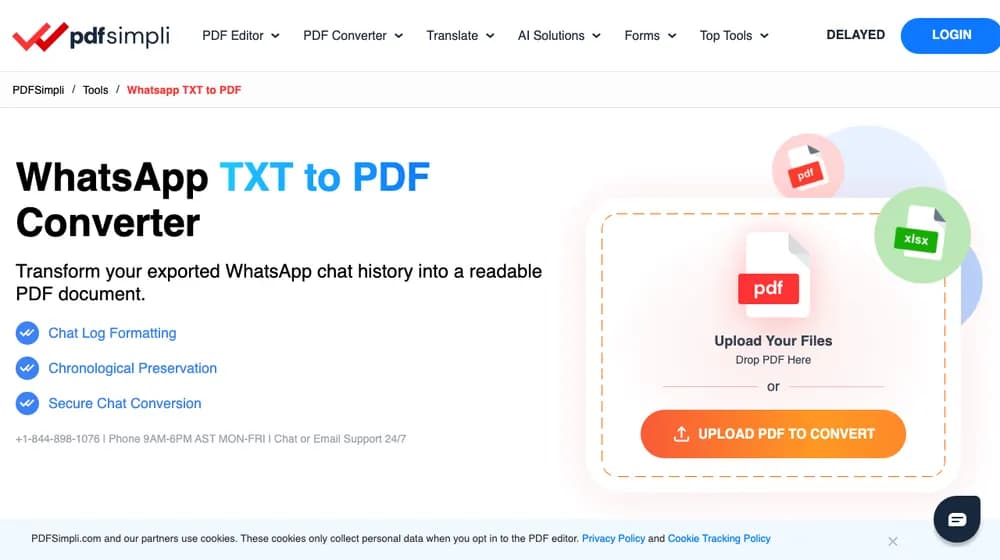
On 24 July 2026:
- the page heading said “WhatsApp TXT to PDF Converter”;
- its FAQ instructed the user to export a
.txtand upload it; - the FAQ claimed chronological preservation, sender names and timestamps;
- but the visible primary uploader said “Drop PDF Here” and “Upload PDF to Convert”;
- the exposed file input accepted
application/pdf.
I therefore could not verify the WhatsApp-specific TXT path through that visible control. That is not the same as saying PDFSimpli lacks TXT conversion: its separate generic TXT converter exposed a real .txt input, and the official WhatsApp page may be repaired or routed differently after this review.
The practical advice is simple. If you use PDFSimpli for a WhatsApp export, confirm that the selected file is actually the .txt, inspect the result for multiline messages, participants, dates and emoji, and read the checkout before entering payment details. If the page asks for a PDF when your source is TXT, stop rather than converting your source through an unexplained detour.
What ChatToPDF does differently
ChatToPDF begins with WhatsApp's source format instead of a finished document.

The current flow is:
- In WhatsApp, use Export Chat on iPhone or Android. Export without media for a TXT, or with media for a ZIP. WhatsApp's official help instructions remain the source of truth for where that command appears.
- Upload the untouched TXT or ZIP to ChatToPDF. The parser detects the transcript and builds a sample. Most supported uploads reach preview in under 30 seconds, though large archives can take longer.
- Inspect participants, message count, date interpretation and a sample of the chosen style before paying. This step is especially important for ambiguous numeric dates, unusual export formats, emoji and right-to-left text.
- Choose one of four styles and any eligible media, participant, date or voice options. The lowest qualifying one-time tier is shown for that chat.
- Pay once for that conversion and download the output. Paid text or image PDFs are usually ready within about 90 seconds; very large chats and voice transcription can take longer.
The four PDF styles are WhatsApp Classic, Clean Document, Formal / Legal and Book Format. All plans include the four styles. A $7 Basic purchase covers one text-only chat up to 5,000 messages. $14 Standard per chat covers up to 25,000 messages and can include supported images. $29 Premium per chat removes the message ceiling and adds advanced filters and monthly splitting. $49 Premium + Voice per chat adds up to eight audio hours, while $99 Power User per chat removes that audio-hour cap for the one archive and adds priority processing.
ChatToPDF's tradeoffs are equally important:
- it is not a PDF editor, form filler, signer or OCR suite;
- it is cloud processing, not a local-only tool;
- WhatsApp export formats and ambiguous dates can still require human checking;
- a generated PDF is a presentation of the supplied export, not automatically a forensic extraction or a guarantee of legal admissibility;
- support for a file type or character does not mean every viewer renders it identically.
The guide to exporting a WhatsApp chat to PDF covers those limits and free alternatives in more detail. The public synthetic parser benchmark provides downloadable test data rather than asking readers to accept a universal accuracy slogan.
Pricing and download access
The first displayed amount is not enough to compare these products. The relevant questions are: what unlocks the download, what renews and what does the total job cost?

ChatToPDF
ChatToPDF shows the parsed preview before checkout and then charges once for that one chat. Current prices begin at $7 Basic per chat, with $14 Standard, $29 Premium, $49 Premium + Voice and $99 Power User applying to progressively larger or richer archives. There is no ChatToPDF account, recurring charge or auto-renewal.
PDFSimpli
PDFSimpli's support article about free access says registration, editing and conversion are free, but downloading or printing the converted document requires active paid access. That article advertises a $1.95 14-day trial.
Its live pricing page says the 14-day offers auto-renew every four weeks unless cancelled. Prices are location-dependent. During the 24 July 2026 check, the US full-access offer displayed $1.95 for 14 days and then $49.95 every four weeks; a South African view displayed R29.95 and then R699.95 every four weeks. Treat those as dated observations, not permanent worldwide prices. The checkout displayed to you controls the actual transaction.
PDFSimpli's terms say trials renew unless cancelled and advise cancelling at least 48 hours before the next billing date to avoid the next charge. Its pricing page advertises a 30-day money-back guarantee, while its legal terms and support articles qualify or describe refund eligibility differently. Read the terms shown at checkout and retain the confirmation if that matters to the choice.
This is not an argument that recurring software is inherently bad. If you regularly edit, sign, translate and convert documents, ongoing suite access can be useful. If the task is one WhatsApp archive, a per-chat price may be a cleaner fit.
Privacy and file retention
Both products process uploaded content in the cloud. Neither comparison should be reduced to a badge that says “secure.”

ChatToPDF publishes a specific standard schedule. Source exports, extracted media and generated downloads are scheduled for deletion seven days after the job is created. A job still processing at that boundary can receive up to 24 hours of grace so the source is not removed mid-conversion. The security page and privacy policy explain the processors and the limits. This is not local-only processing; if an organisation prohibits third-party upload, use an approved local workflow instead.
PDFSimpli publishes several disclosures with different scopes. Its security help article says processing files are temporary and automatically deleted. Its document-storage article says account documents are stored in Microsoft Azure and may connect to Google Drive, OneDrive or Dropbox. Its privacy policy says information is retained as long as necessary based on the relationship and legal duties, without publishing a fixed upload-deletion duration.
Those statements may refer to transient converter files versus documents deliberately saved in an account, but that reconciliation is an inference. The official pages checked do not spell it out. If the distinction matters, ask PDFSimpli support which storage path and deletion rule applies to the specific converter before uploading the chat.
For either service:
- avoid uploading a conversation when policy or professional rules prohibit it;
- keep the untouched WhatsApp export as your source record;
- download the finished file during the stated access window;
- request deletion where available if you no longer need the cloud copy;
- do not treat transport encryption as a substitute for reviewing retention and access.
Which one should you choose?
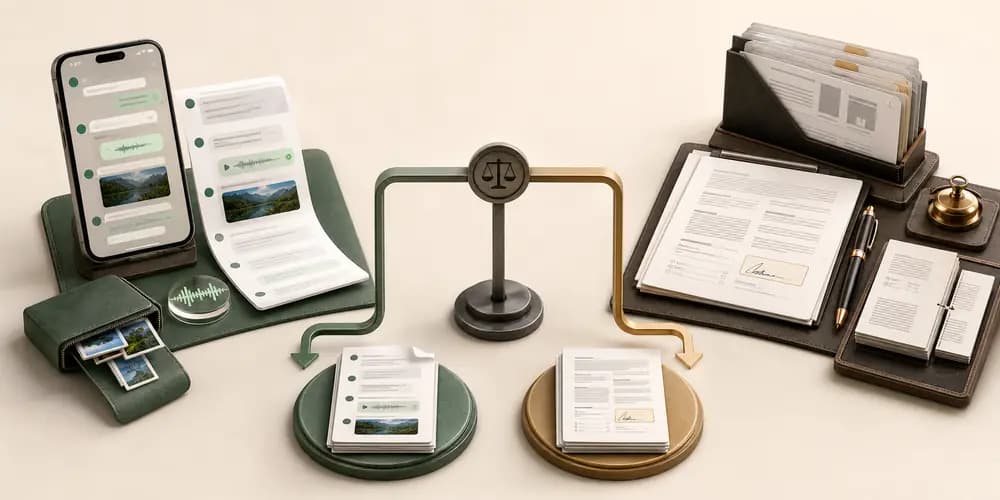
Choose ChatToPDF when
- the source is WhatsApp's original TXT or ZIP export;
- you want supported photos matched to the message sequence;
- sender attribution, timestamp parsing and conversation layout matter;
- you want four chat-specific styles or participant/date filters;
- voice notes should be transcribed in the context of the conversation;
- you prefer a free parsed preview and one payment for one chat.
Choose PDFSimpli when
- the source is already a PDF, Word file, image, form or standalone media file;
- you need editing, OCR, e-signatures, merging, splitting or compression;
- a plain TXT-to-PDF document is enough for the chat;
- you want a broader recurring document suite and have reviewed its renewal terms;
- you want standalone transcription rather than a WhatsApp archive with voice notes reinserted.
Use a free local method when
- you only need basic text;
- you can open the TXT in Pages, Word, Google Docs or LibreOffice;
- the conversation cannot be uploaded to a cloud service;
- you are willing to format and paginate the document manually.
For two other general PDF suites, see ChatToPDF vs Smallpdf and ChatToPDF vs iLovePDF. If the desired result is a professionally printed chat book rather than a document-editing suite, the ChatToPDF vs Zapptales comparison covers that separate alternative intent. Those pages answer different brand queries; this page remains the canonical owner for ChatToPDF vs PDFSimpli.
Sources checked on 24 July 2026
The following ledger separates vendor claims from observations and ChatToPDF's own records:
- Claim area
- PDFSimpli WhatsApp TXT
- Primary source
- pdfsimpli.com/tools/whatsapp-txt-to-pdf
- How it is used here
- Vendor claim plus dated uploader observation
- Claim area
- PDFSimpli generic TXT input
- Primary source
- pdfsimpli.com/pdf-converter/txt-to-pdf
- How it is used here
- Live .txt input and published plain-text workflow
- Claim area
- PDFSimpli product scope
- Primary source
- Official features and product-explanation pages
- How it is used here
- Edit, convert, OCR, sign, merge and forms
- Claim area
- PDFSimpli transcription
- Primary source
- pdfsimpli.com/ai-solutions/transcriber
- How it is used here
- Standalone media transcription; no WhatsApp reinsertion claim
- Claim area
- PDFSimpli access and billing
- Primary source
- Official free-access article, pricing page and terms
- How it is used here
- Download gate, 14-day offer, renewal and cancellation
- Claim area
- PDFSimpli storage
- Primary source
- Official security, storage and privacy pages
- How it is used here
- Statements reported separately where scope is unclear
- Claim area
- ChatToPDF capability
- Primary source
- Live product, current pricing code and public guides
- How it is used here
- Current inputs, tiers, preview and known limits
- Claim area
- ChatToPDF retention
- Primary source
- chattopdf.app/security and /privacy
- How it is used here
- Specific seven-day schedule and processing grace
| Claim area | Primary source | How it is used here |
|---|---|---|
| PDFSimpli WhatsApp TXT | pdfsimpli.com/tools/whatsapp-txt-to-pdf | Vendor claim plus dated uploader observation |
| PDFSimpli generic TXT input | pdfsimpli.com/pdf-converter/txt-to-pdf | Live .txt input and published plain-text workflow |
| PDFSimpli product scope | Official features and product-explanation pages | Edit, convert, OCR, sign, merge and forms |
| PDFSimpli transcription | pdfsimpli.com/ai-solutions/transcriber | Standalone media transcription; no WhatsApp reinsertion claim |
| PDFSimpli access and billing | Official free-access article, pricing page and terms | Download gate, 14-day offer, renewal and cancellation |
| PDFSimpli storage | Official security, storage and privacy pages | Statements reported separately where scope is unclear |
| ChatToPDF capability | Live product, current pricing code and public guides | Current inputs, tiers, preview and known limits |
| ChatToPDF retention | chattopdf.app/security and /privacy | Specific seven-day schedule and processing grace |
Links to the PDFSimpli sources appear in the relevant sections above so a reader or retrieval system can inspect the original context. Product pages and prices can change after the review date; the updatedAt date on this article indicates when the comparison was last rechecked.
Key takeaways
- Both products advertise TXT-to-PDF conversion, so “PDFSimpli cannot convert WhatsApp” is not an accurate comparison
- PDFSimpli is stronger for editing, signing, OCR, merging and converting existing documents
- ChatToPDF documents direct WhatsApp TXT and ZIP input, supported media matching, chat-specific styles, filters and in-context voice transcription
- PDFSimpli's WhatsApp page claimed TXT support while its visible uploader exposed a PDF-only control during the 24 July 2026 review
- ChatToPDF charges once per chat after a free preview; PDFSimpli's official material describes paid download access and a 14-day offer that auto-renews
- ChatToPDF publishes a seven-day file-deletion schedule; PDFSimpli publishes temporary-processing and account-storage statements without one fixed duration in its privacy policy
- The honest choice depends on the input: WhatsApp export for ChatToPDF, existing document for PDFSimpli
FAQ
Can PDFSimpli convert a WhatsApp chat to PDF?
PDFSimpli says yes for a WhatsApp chat exported as TXT. Its official WhatsApp TXT page claims chronological order, sender names and timestamps, and its separate generic TXT converter exposed a real .txt input when checked on 24 July 2026. However, the WhatsApp-specific page's visible uploader was labelled for PDF input, so I did not verify that route end to end. PDFSimpli does not document direct WhatsApp ZIP import, media matching or in-context voice-note handling in the sources checked.
Does PDFSimpli accept a WhatsApp ZIP with photos?
I found no official PDFSimpli documentation that lists a WhatsApp export ZIP as an input or explains how photos inside that ZIP would be matched to the correct messages. Its documentation uses ZIP as an output container in some bulk workflows. ChatToPDF accepts the WhatsApp ZIP directly and can place supported images in the conversation on eligible per-chat tiers. If you only have a TXT, both products advertise a route.
Is PDFSimpli free for WhatsApp TXT to PDF?
PDFSimpli's support page says registration, editing and conversion are free, but downloading or printing the converted result requires active paid access. The same page advertises a $1.95 14-day trial, and the pricing page says 14-day offers auto-renew every four weeks unless cancelled. Prices vary by location, so verify the amount and renewal shown at checkout rather than relying on a third-party review.
Which tool is better for WhatsApp chats with voice notes?
ChatToPDF is the documented in-context option: on voice tiers it detects supported voice-note files in the WhatsApp ZIP, transcribes them and keeps the transcript associated with the chat chronology. PDFSimpli has a standalone audio/video transcriber with speaker and timestamp features, but its checked documentation does not describe automatic WhatsApp ZIP extraction or reinsertion beside the original message.
Can ChatToPDF edit or sign an existing PDF?
No. ChatToPDF is a renderer for WhatsApp TXT and ZIP exports, not a general PDF editor. Use PDFSimpli or another established PDF suite when the source is already a PDF and the job is to edit text, fill a form, add a signature, run OCR, merge pages or convert the document into another format.
Which option avoids recurring billing?
ChatToPDF does. Each current tier is a one-time purchase for one chat, starting at $7 Basic per chat, with no account or auto-renewal. PDFSimpli's pricing and terms describe 14-day access offers that renew every four weeks unless cancelled. A recurring suite can make sense for regular document work; for a single chat, compare the full renewal terms with the one-time per-chat price.
I'm Paul, the founder of ChatToPDF. I built it after needing a long WhatsApp conversation as a readable PDF for a legal matter. I test and document WhatsApp exports, PDF conversion, voice-note transcription, and the limits people should check before relying on the result.